5 Best Age Filter Apps to Try: AI Face Aging Tools Reviewed

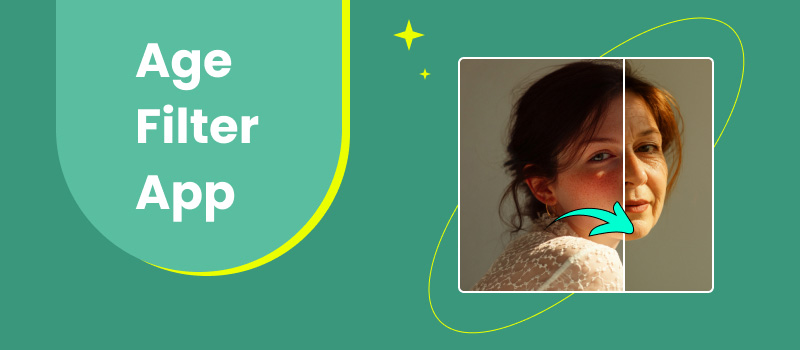
If you browse social media, you've probably come across those fun before-and-after photos that show you how you are likely to look when you're older or younger. Some look so real that it is unsettling. But don't worry, it's all with a fun age filter app. Age filter apps utilize AI to provide you with an idea of how your face may look as you age or reverse the aging process. I have selected the top 5 age filter apps that stand out the most among the others. Every app has its style, ranging from ultra-realistic age effects to youthful, playful ones. In this article, I will outline their best features, the cost, and why each is worth trying.
Are you ready to see your future face? Let's find out!
Contents:
Quick Comparison: Top 5 Age Filter Apps at a Glance
Quick Comparison: Top 5 Age Filter Apps at a Glance
| App | Best For | Platform | Free Version | Rating |
| Picwand AI Age Filter | Realistic age transformation with AI | Web, iOS, Android | ✅ Yes | ⭐⭐⭐⭐⭐ 4.9/5 |
| AgingBooth | Simple and classic aging effects | iOS, Android | ✅ Yes | ⭐⭐⭐⭐☆ 4.3/5 |
| FaceApp | Viral AI face editing and age filters | iOS, Android | ✅ Yes | ⭐⭐⭐⭐⭐ 4.7/5 |
| Snapchat | Real-time age filters for selfies and videos | iOS, Android | ✅ Yes | ⭐⭐⭐⭐☆ 4.5/5 |
| FaceLab | Creative aging and social media edits | iOS, Android | ✅ Yes | ⭐⭐⭐⭐☆ 4.4/5 |
Quick Verdict: If you want the most realistic age transformation, Picwand age filter delivers the best overall results. FaceApp is ideal for users who want additional AI editing features, while Snapchat is perfect for real-time entertainment.
How We Tested These Age Filter Apps
To find the best age filter apps and the most effective ways to age a photo online, we tested each app based on several key factors, including aging realism, ease of use, available features, processing speed, and overall user experience.
We used the apps to transform the same set of portrait photos and compared how each one handled facial details, skin texture, wrinkles, and younger or older appearances. We also considered practical factors such as pricing, free features, device compatibility, and whether the app was suitable for casual users or content creators.
Our evaluation focused on:
- • Realism: How natural and believable the aging effects look
- • Accuracy: Whether the app preserves important facial features
- • Ease of Use: How quickly users can create an age transformation
- • Features: Additional editing tools beyond aging filters
- • Value: Free options, premium features, and overall usability
Based on these tests, we selected five age filter apps that offer different experiences, from highly realistic AI aging effects to fun social media filters.
The 5 Best Age Filter Apps in 2026
Top 1: Picwand AI Age Filter: Realistic AI Age Progression
Best for: Users who want ultra-realistic AI aging effects and high-quality face transformations.
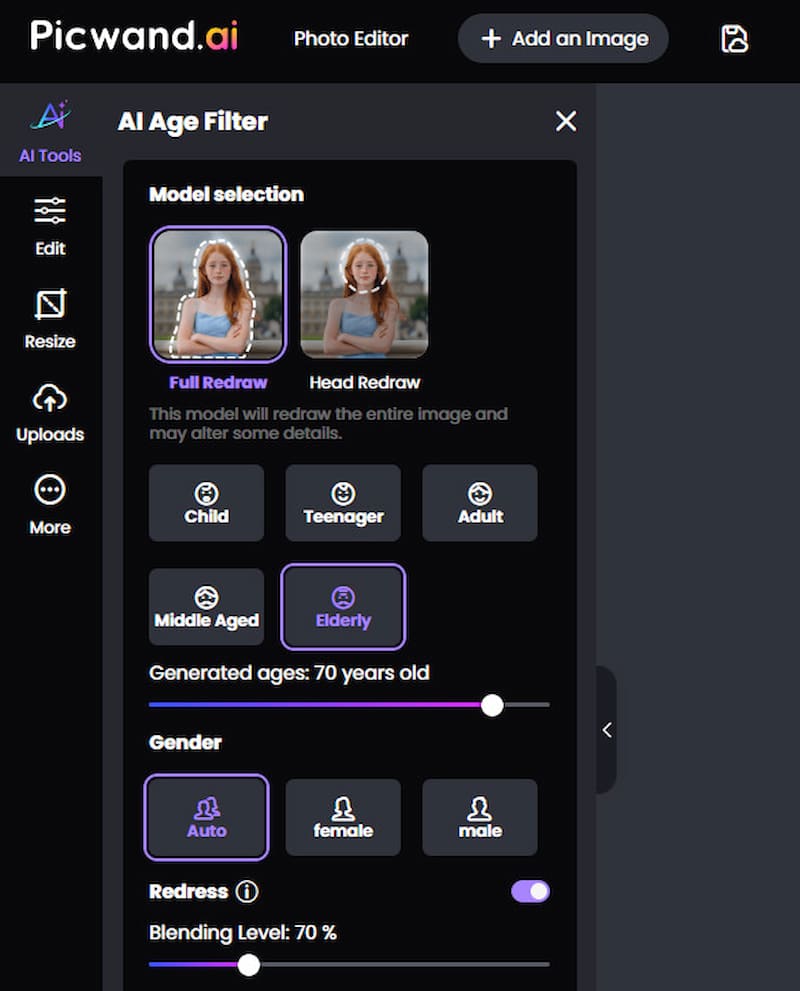
If you're looking for the best age progression app for realistic and high-quality results, Picwand AI Age Filter is an excellent choice. Powered by advanced AI technology, it can realistically show how you might look years older or younger in just a few seconds. Whether you're curious about your future appearance or want to create fun social media content, Picwand delivers natural-looking transformations while preserving your unique facial features.
Features
- • AI-powered age progression and age regression
- • Realistic old-age and young-age transformations
- • Fast online processing with no editing skills required
- • Supports multiple image formats with high-quality output
- • Easy-to-use interface for quick one-click transformations
Pros
- Highly realistic aging and rejuvenation effects
- Fast AI processing with natural-looking results
- Beginner-friendly interface
- No complicated photo editing required
- High-quality image output suitable for sharing
Cons
- Internet connection required for AI processing
- Some advanced features require a premium subscription
Pricing
Picwand AI Age Filter offers a free trial with limited usage. Premium plans unlock additional AI credits and advanced features, with subscription options available for users who need more frequent image generation.
Among all the age filter tools available today, Picwand AI Age Filter stands out for its realistic AI transformations, ease of use, and fast processing. Whether you want to see your future self, create entertaining before-and-after photos, or simply try an AI-powered age filter online, it's one of the most reliable and enjoyable options available.
Top 2: AgingBooth: Classic and Simple Age Progression App
Best for: Users who want a simple offline app for quick and entertaining aging effects.
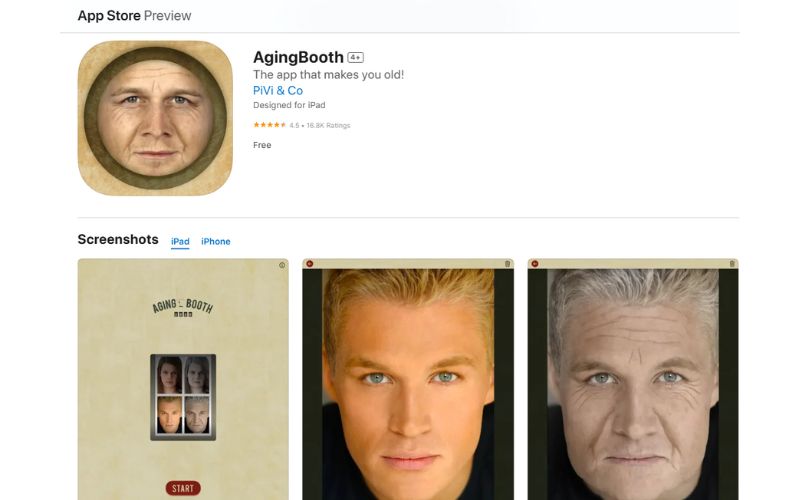
If you're looking for a simple, entertaining age progression app without any frills or extra features, AgingBooth is a good choice. It has been around for a long time, known to be one of the original apps that started the trend of aging photos. There are no AI-powered bells and whistles, but within a few seconds, you will be laughing, or at least transformed, so AgingBooth still accomplishes what it does surprisingly well.
Features
- • Instantly age faces using built-in filters
- • Works offline—no internet needed
- • Auto-detects faces from the gallery or camera
- • Easy photo sharing to social media
Pros
- Extremely easy to use
- Doesn’t require an internet connection
- Free to download with no sign-up needed
- Great for casual, quick aging photos
Cons
- Effects look more cartoonish than realistic
- Limited features compared to newer apps
- No reverse (younger) aging option
Pricing
It is free to use, although you can purchase it in-app to access additional filters like senior filters or remove advertisements. No subscription is necessary.
Overall, AgingBooth is a nostalgic, no-fuss age progression app that’s perfect for users who just want to have fun without overcomplicating things. It’s a solid second choice if you prefer something light and quick.
Top 3: FaceApp: The Viral Free Aging App for Android
Best for: Users looking for realistic aging filters and a complete AI face editing experience.
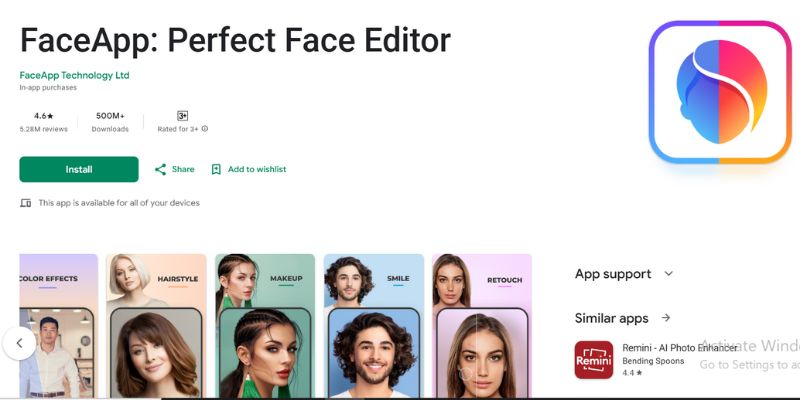
You’ve probably seen FaceApp go viral more than once, and for good reason. It’s one of the most recognizable and widely used apps for aging filters. If you're looking for a free aging app for Android that offers both fun and surprisingly realistic results, FaceApp is still a strong contender. Thanks to its advanced AI, FaceApp not only makes you look older but also lets you experiment with different hairstyles, smiles, beards, makeup, and more. It’s like a full-face editor with aging effects as one of its coolest features.
Features
- • Realistic aging and younger filters
- • Gender swap, hair color, makeup, and smile edits
- • AI enhancement for photo clarity
- • Side-by-side comparison view
Pros
- Free to use with great features included
- Highly realistic transformations
- Regular updates and filter options
- Available for both Android and iOS
Cons
- Some filters require a premium subscription
- Uploading photos requires an internet connection
- Can feel a bit bloated with too many features for casual users
Pricing
FaceApp is available for free, but premium features, such as advanced aging filters, can be accessed via subscription for around $4.99 per month or $29.99 per year.
In short, FaceApp is more than just a free aging app for Android. It’s a full-featured face editor with aging tools that are impressively accurate and fun to use. A great option for those who want more than just aging.
Top 4: Snapchat: Trendy Ageing App Android or iOS Users Already Have
Best for: Users who enjoy creating and sharing real-time aging selfies and videos on social media.
Believe it or not, Snapchat isn’t just for sending quick snaps or using funny filters. It’s also one of the most entertaining ageing app Android or iOS users can enjoy. Snapping on age progression is not its only focus, but the application includes many face filters, like the aging lens that takes you light years into the future in real-time. The great thing about it? You can use the aging effect in real-time, while taking a selfie or video. hence lending itself to all those real-time reactions, chortles, and who can forget sharing your future persona with friends.
Features
- • Camera effects combined with a real-time aging filter
- • Interactive and entertaining face filters
- • Cartoon lenses, gender swapping, and face swapping
- • Integrated messaging and sharing capabilities
Pros
- Real-time aging effect with live preview
- Free and fun to use
- Tons of additional filters to explore
- Already installed on many Android devices
Cons
- Aging filters may not be as realistic as AI apps
- Requires an account to use
- Occasional bugs or filter availability issues
Pricing
It is completely free to use, although in-app purchases are available (primarily for Snapchat+ features or customizations).
If you already have Snapchat on your phone, you’re just a few taps away from trying out a fun ageing app Android users love. Although it may not be the most realistic, it’s one of the most entertaining.
Top 5: FaceLab: A Creative Take on the Oldify – Old Face App Trend
Best for: Users who like experimenting with creative face filters beyond traditional aging effects.
FaceLab is a fun and flexible photo editor that's great if you're looking for an oldify-old face app experience but want to get away from the typical old-fashioned application. FaceLab combines traditional aging filters and a wide range of creative effects, allowing you to not only see what you would look like older but also experiment with features such as gender changes, cartoon styles, and facial feature adjustments. Compared to other apps, FaceLab is more focused on providing multiple ways for you to experiment with your selfies. Its aging filter is quite good, not as ultra-realistic as Picwand, but detailed enough to impress your friends and followers.
Features
- • Aging and young filters for face transformation
- • Cartoon, zombie, and gender swap filters
- • AI-powered facial editing
- • Simple layout with easy export options
Pros
- Fun and diverse editing options
- Decent aging filter for casual use
- Great for creating content for social media
- Available for free on Android and iOS
Cons
- The aging effect can look exaggerated or playful
- Watermark appears on free version edits
- Some filters require a subscription
Pricing
Free to download, with premium features available via subscription starting at approximately $5.99 per month. One-time purchases are also available for filter packs.
FaceLab may not be the most realistic aging simulation tool available. Still, it delivers plenty of entertainment value, making it a great addition to the oldify–old face app category for those who love playing around with facial effects.
How to Choose the Right Age Filter App
Choosing the right age filter app depends on what you want to achieve. Here are a few things to consider before downloading one:
- • Realism: If you want natural-looking aging effects, choose an app powered by advanced AI, such as Picwand AI Age Filter or FaceApp.
- • Ease of Use: For quick and simple edits, look for an app with a clean interface and one-tap filters.
- • Extra Features: Some apps offer more than age filters, including beauty retouching, hairstyle changes, gender swaps, and cartoon effects.
- • Free vs: Premium: Many apps are free to try, but premium plans usually provide more filters, higher-quality exports, and watermark-free results.
- • Photo or Video Support: If you want to apply aging effects to videos or use live camera filters, consider apps like Snapchat.
By comparing these factors, you can easily find the age filter app that best matches your needs, whether you're looking for realistic AI transformations, fun social media effects, or simple photo editing.
FAQs About Age Filter Apps
1. Are age filter apps safe to use?
Yes, most reputable age filter apps are safe. Always check the app's privacy policy before uploading personal photos.
2. Do I need to pay to use an age filter app?
Not always. Most apps offer free basic features, while premium plans unlock additional filters and higher-quality results.
3. Which age filter app has the most realistic results?
Picwand AI Age Filter and FaceApp are widely known for their realistic AI-powered aging effects.
4. Can I use age filters on videos?
Some apps, such as Snapchat, support real-time age filters for videos. Most AI age filter tools focus on photos.
5. Do age progression apps work on old photos?
Yes. As long as the face is clear, most apps can create realistic aging effects from existing photos.
Conclusion
Whether you're looking for realism, fun, or creativity, there's an age progression app to suit your needs. Every app, from the detailed outcomes of Picwand AI Photo Editor, which is the best for having fun, to the basic design of AgingBooth, has something to offer. FaceApp continues to lead the charge as the viral app of choice, while Snapchat provides a range of quick, interactive aging filters built into its social app. If using multiple effects is your thing, FaceLab takes the aging trend and adds an element of whimsy. No matter your goal, whether it’s just for laughs, curiosity, or content creation, these age filter apps are a fun way to explore your future face. Try one and see which age progression app gives you the transformation you love most!
AI Picwand - Anyone Can be A Magician
Get Started for Free