AI Video Optimization for Social Media Platforms

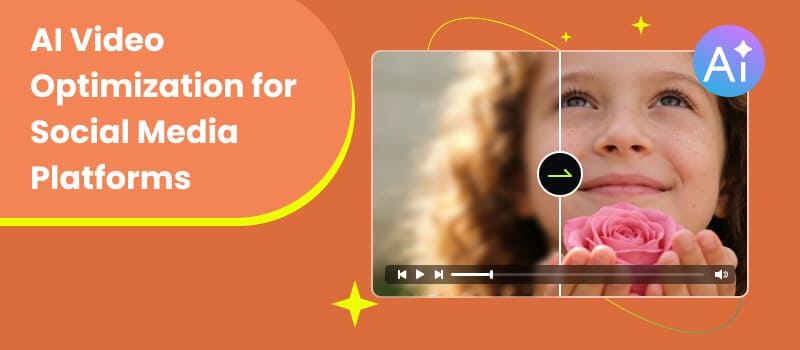
AI-generated videos are flooding social media—but only a fraction actually perform well. Why? Because creation is no longer the bottleneck—optimization is. Whether you’re using TikTok video optimization, Instagram Reels, YouTube Shorts, or Facebook, success depends on how well your videos align with platform algorithms, audience behavior, and technical standards. This guide walks you through AI video optimization for social media platforms step by step—so your content doesn’t just exist, but actually gets seen, shared, and remembered.
Contents:
- Part 1. Benefits of AI Video Optimization for Social Media Platforms
- Part 2. Key Metrics to Optimize AI Videos for Different Platforms Success
- Part 3. How to Optimize AI Videos for Social Media
- Part 4.The Best Tool for Optimizing AI Videos on Social Media
- Part 5. FAQs about AI Video Optimization for Social Media Platforms
Part 1. Benefits of AI Video Optimization for Social Media Platforms
Optimizing AI-generated videos isn’t optional—it’s the difference between invisible content and viral reach.
• Increased Visibility
Social media algorithms prioritize content that retains attention. Proper optimization—like pacing, captions, and format—helps your video get pushed to wider audiences.
• Higher Engagement Rates
AI videos often lack emotional hooks by default. Optimization adds:
-Strong openings (first 3 seconds)
-Subtitles for silent viewing
-Dynamic visuals
These improvements directly boost likes, comments, and shares.
• Platform-Specific Performance
Each platform has its own “rules”:
-TikTok favors fast-paced content, aided by TikTok photo editor
-Instagram rewards visually polished clips
-YouTube Shorts prioritizes retention
Video content optimization ensures your video fits each ecosystem.
• Cost Efficiency
Instead of constantly producing new content, optimization allows you to repurpose and enhance existing AI videos, maximizing ROI.
Part 2. Key Metrics to Optimize AI Videos for Different Platforms Success
To optimize effectively, you need to understand what platforms measure.
• Watch Time
The total time users spend watching your video. Higher watch time = stronger algorithm signals.
• Retention Rate
How much of your video people actually watch. Drop-offs in the first few seconds are critical.
Optimization Tip:
Front-load your most engaging content immediately.
• Engagement Rate
Includes: Likes; Comments; Shares; Saves
These indicate how compelling your video is.
• Click-Through Rate (CTR)
Especially important for videos with thumbnails or titles (e.g., YouTube).
• Completion Rate
The percentage of viewers who watch your video until the end.
• Replays
If users watch your video multiple times, it signals high value.
Part 3. How to Optimize AI Videos for Social Media
Here’s a practical, step-by-step framework on how to optimize videos.
Step 1: Start with a Strong Hook (0–3 Seconds)
AI-generated videos often begin too slowly. Fix this by:
- • Asking a question
- • Showing the final result first
- • Using bold text overlays
Step 2: Optimize Video Length
- • TikTok / Reels: 7–15 seconds (high retention)
- • YouTube Shorts: 15–30 seconds
- • Shorter videos generally perform better unless the content is highly engaging.
Step 3: Add Captions and Text Overlays
Most users watch videos without sound.
Include:
- • Auto-generated subtitles
- • Key phrases highlighted on screen
- • Clear, readable fonts
Step 4: Improve Visual Quality
AI videos may look slightly blurry or inconsistent.
Enhance them by:
- • Upscaling resolution (e.g., to 1080p or 4K)
- • Adjusting brightness and contrast
- • Stabilizing motion
Step 5: Match Platform Aspect Ratios
- • 9:16 (vertical) → TikTok, Reels, Shorts
- • 1:1 (square) → Instagram feed
- • 16:9 → YouTube long-form
Incorrect formats reduce reach.
Step 6: Use Trending Audio and Hashtags
Even AI-generated content benefits from:
- • Trending sounds
- • Relevant hashtags
- • Platform-specific keywords
Step 7: Optimize Thumbnail and Title (If Applicable)
For platforms like YouTube:
- • Use high-contrast thumbnails
- • Add curiosity-driven titles
Step 8: Test and Iterate
Optimization is not one-time:
- • A/B test hooks
- • Experiment with captions
- • Analyze performance data
Part 4. The Best Tool for Optimizing AI Videos on Social Media
Features
Picwand Video Enhancer is designed to bridge the gap between raw AI-generated content and high-performing social media videos, know for the best video optimization for media management.
1. AI Upscaling
Enhances low-resolution AI videos into HD or 4K quality.
2. Noise Reduction
Removes artifacts and inconsistencies commonly found in AI-generated footage.
3. Frame Enhancement
Improves smoothness and clarity, making videos more professional.
4. One-Click Optimization
Simplifies complex editing processes into a few clicks—ideal for non-professionals.
How to Use Picwand Video Enhancer
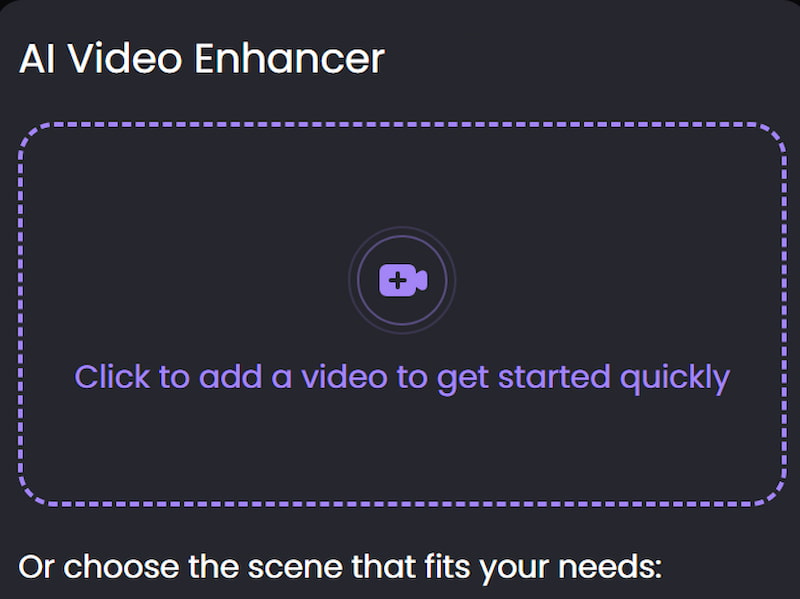
Step 1: Click Click to add a video to get started quickly to upload your video.
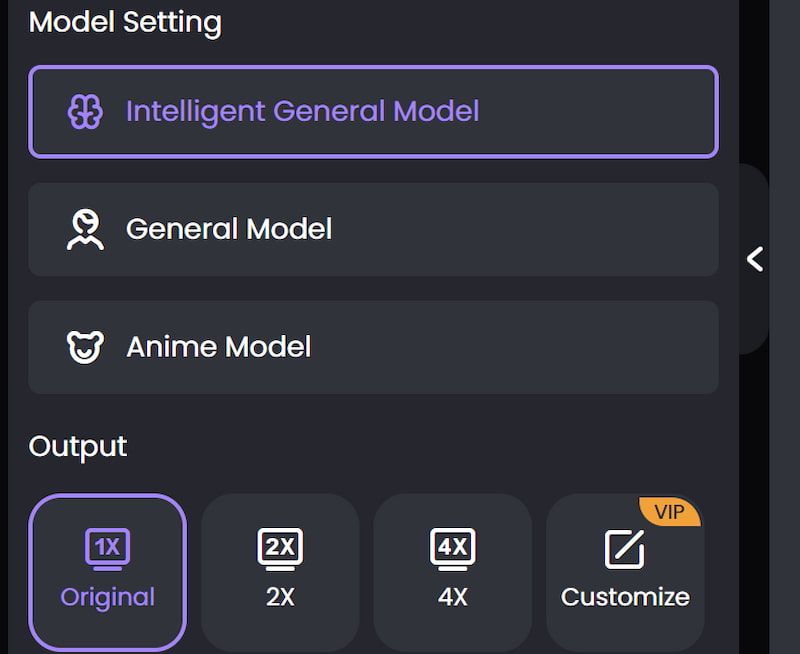
Step 2: Adjust the parameter on the left side to meet your needs.
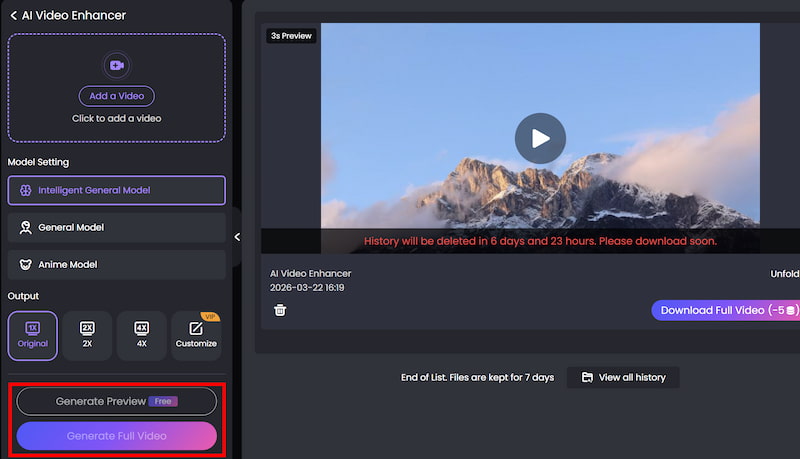
Step 3: You can either click on Download Preview or Download Full Video to see or download your completed work.
Through the above 3 steps, you can easily turn the imperfect video into a delicate work of art. Picwand AI Video Enhancer also supports video to prompt and other functions, try it now. It will give you a smooth and perfect user experience.
Part 5. FAQs about AI Video Optimization for Social Media Platforms
Q: Can AI videos go viral on social media?
A: Yes—but only if they are properly optimized for engagement, retention, and platform algorithms.
Q: What is the most important factor in video optimization?
A: The first 3 seconds. If users don’t stay, nothing else matters.
Q: How often should I optimize my videos?
A: Every time you publish. Even small improvements can significantly impact performance.
Conclusion
That’s all about AI video optimization for social media platforms. AI has made video creation faster than ever—but optimization is what determines success. By focusing on key metrics like retention and engagement, applying platform-specific strategies, and leveraging tools like Picwand Video Enhancer, you can dramatically improve your video performance. In today’s competitive social media landscape, it’s not about who creates the most content—it’s about who optimizes it best.
AI Picwand - Anyone Can be A Magician
Get Started for Free