Basic PlanVIP PlanVIP ExpiredPurchased credits are valid for life but require an active VIP subscription to use
0Credit(s)
You can use credits to access all the AI tools on Picwand, such as the AI Image Upscaler, AI Age Filter, AI Video Enhancer, AI Video Upscaler, AI Video Effects, and more.
Creating a wallpaper used to require graphic design skills, photo editing software, and hours of manual work. Today, things are very different. With AI-powered wallpaper generators, you can create wallpaper with text simply by describing what you want. Whether you want anime-style lock screens, futuristic cityscapes, minimalist nature scenes or motivating backgrounds with your favorite phrase, these AI programs can turn text prompts into amazing wallpapers in seconds.
AI-generated art has also transformed how users customize their gadgets, with the increased popularity of the images contributing to a trend of using them. More and more individuals choose to have bespoke wallpapers made according to their own ideas instead of picking from ready-made wallpaper libraries. In this article, we'll compare the best tools for creating wallpapers with text, walk through the process using AIPixWall, and share prompt examples that can help you generate impressive results.
All AI wallpaper generators are not created equal. Some are geared for smartphone backgrounds while others are more about graphic design or content development.
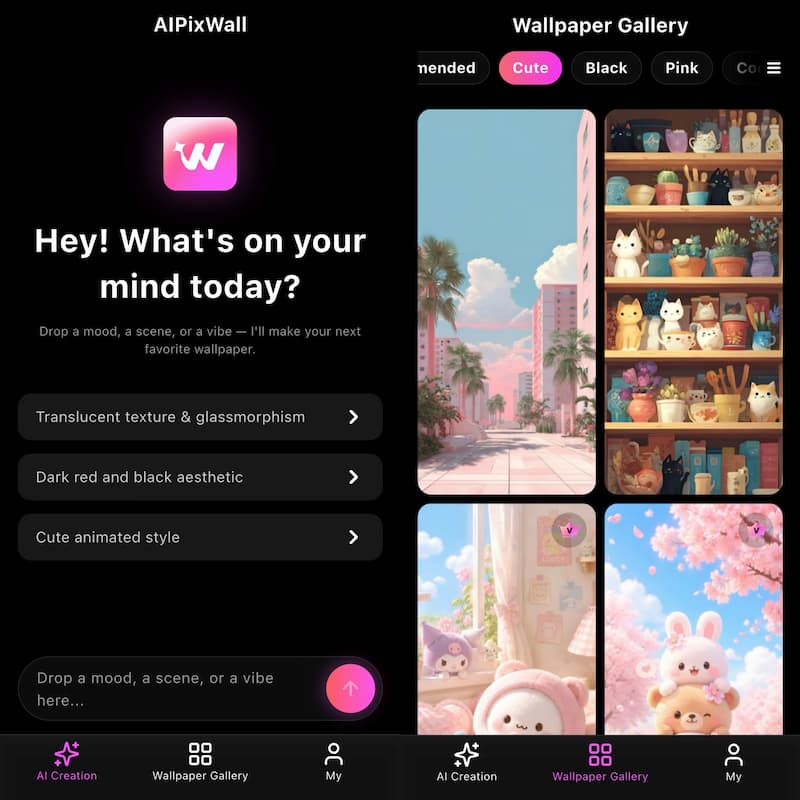
Users who want a dedicated AI wallpaper generator that can create wallpapers directly from text prompts.
Main Features
• Wallpaper generator AI text to
• Vast wallpaper library
• Animated wallpapers collection
• Multiple types of art
• HD and 4K resolution wallpaper
• Ideas for personalized wallpapers
• Wallpaper Enhancer Tools
Rating: 4.8/5
Why It Stands Out
AIPixWall is intended for wallpaper generating, in contrast to standard AI picture producers. Users may rapidly make wallpapers that are appropriate for smartphones by selecting a style and providing a text prompt.
There are also hundreds of ready-made wallpapers for people who would rather browse than generate graphics from scratch. For users who regularly customize their phones, AIPixWall wallpaper maker with text offers one of the most complete wallpaper experiences available.
Canva
Best For
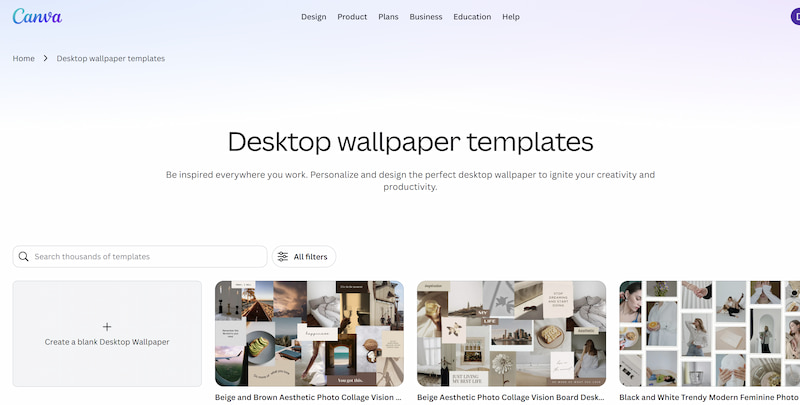
Users who want to combine AI image generation with graphic design tools.
Features
• AI image creator
• Drag-and-drop editor
• Text overlays
• Design templates
• Background editing
• Mobile and desktop support
Rating: 4.6/5
Why It Stands Out
Canva is more like a design platform than a wallpaper software. However, using its AI picture generator, you can generate wallpapers from text prompts and tweak the images with the platform’s editing capabilities to create iphone wallpaper with text. For users who want to add quotes, icons, logos, or enhancing jpg image of a wallpaper, Canva offers excellent flexibility.
The main drawback is that wallpapers are not its primary focus, so the workflow may involve more manual editing compared to dedicated wallpaper generators.
Adobe Express
Best Out Of
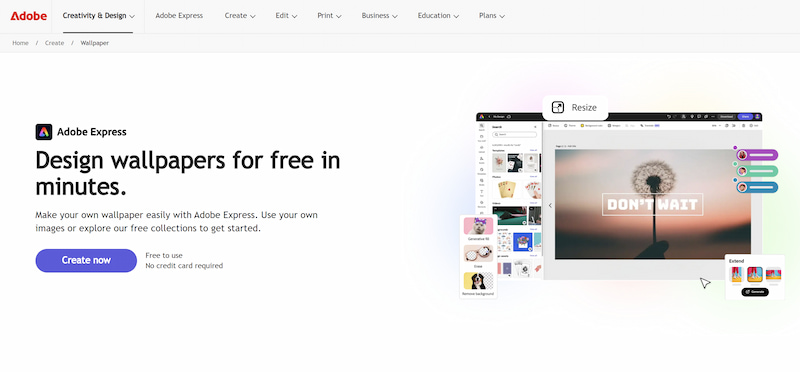
Users who seek more creative power and integration with Adobe's ecosystem.
Characteristics
• Images generated by AI
• Quick design edits* Background substitution
• Layouts & templates
• Adobe Creative Cloud Member Integration
Rating: 4.5/5
Why It Stands Out
Adobe Express brings AI-powered image creation to users who want a simplified version of Adobe's professional design tools. You may easily create iphone wallpaper with text and then tweak the created picture with editing capabilities, similar to denoise in Photoshop. That said, Adobe Express takes more design considerations and human tweaking than specialist wallpaper producers.
What is the Best Tool?
If you’re mostly interested in making wallpapers from text prompts, then AIPixWall is the most straightforward. If you need additional graphic design tools, Canva may be a better fit. For users already working within Adobe's ecosystem, Adobe Express remains a strong option.
Part 2. How to Create Wallpaper with Text Using AIPixWall
How to Create Wallpapers with AIPixWall
Step 1. Open AIPixWall and Enter Your Wallpaper Idea
Type a detailed text prompt describing the wallpaper you want. The more specific your prompt is, the better the generated result will be.
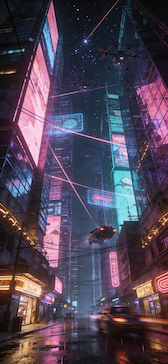
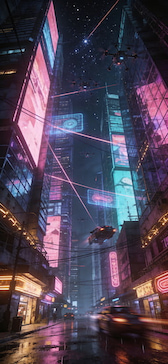
For example: A highly detailed, ultra-realistic digital painting of a futuristic cyberpunk city atnight, with towering skyscrapers, glowing neon signs in vibrant pinks and blues,flying vehicles leaving light trails, and a cinematic atmospheric mood.8k resolution,Unreal Engine 5 render style.
Step 2. Generate the Wallpaper
Click the Generate button and let the AI create a unique wallpaper based on your description. The generation process usually takes only a few seconds.
Step 3. Download and Apply
Preview the generated result, and Download it in HD or 4K quality. Then set it as your home screen, lock screen, or desktop background.
Part 3. AI Text Wallpaper Prompt Examples
One of the major benefits of using AI generator to create free wallpaper with text is that it allows you to put creativity into graphics. These prompt ideas might assist if you’re not sure what to write.
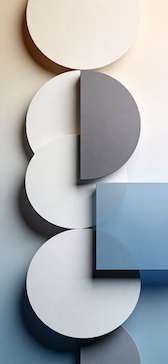
Wallpapers Minimalist
Prompt:
"A clean and sophisticated minimalist wallpaper featuring smooth geometric shapes, layered circles and rectangles, soft gradient backgrounds, and balanced negative space. Neutral beige, white, gray, and muted blue tones create a calm and modern atmosphere. Crisp edges, subtle shadows, premium aesthetic, ultra-smooth textures, 8K resolution, high-end digital art."
Copy Prompt
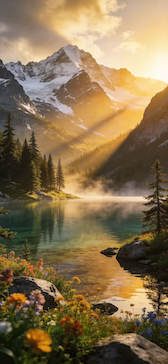
Nature Wallpapers
Prompt Example:
"A breathtaking ultra-realistic landscape of crystal-clear alpine lakes surrounded by majestic snow-capped mountains, lush pine forests, colorful wildflowers, and golden sunrise light illuminating the valley. Mist gently rises from the water while reflections create a peaceful atmosphere. Rich natural colors, cinematic composition, ultra-high detail, HDR lighting, 8K resolution, photorealistic digital artwork."
Copy Prompt
Cyberpunk Wallpapers
Sample prompt:
"A highly detailed, ultra-realistic digital painting of a futuristic cyberpunk metropolis at night, featuring towering neon skyscrapers, holographic billboards, glowing streets reflecting after rain, autonomous flying vehicles, and bustling futuristic crowds. Vibrant neon pink, electric blue, and purple lighting create a cinematic atmosphere filled with depth and mystery. Ultra-sharp details, volumetric lighting, 8K resolution, Unreal Engine 5 render style."
Copy Prompt
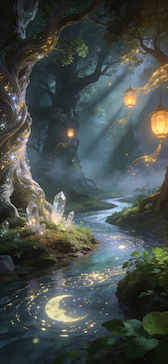
Fantasy Wall Papers
Prompt:
"A breathtaking fantasy forest illuminated by glowing ancient trees, sparkling magical crystals, floating lanterns, and a winding river reflecting moonlight. Ethereal mist, vibrant emerald greens, and soft golden lighting create a mysterious and enchanting atmosphere. Highly detailed digital painting, cinematic composition, volumetric lighting, 8K resolution, Unreal Engine 5 render style."
Copy Prompt
Cute Backgrounds
Prompt:
"An adorable kawaii-style wallpaper featuring fluffy kittens, smiling bunnies, tiny bears, and playful birds surrounded by pastel flowers, hearts, and sparkling stars. Soft pink, lavender, baby blue, and cream colors create a cheerful and cozy atmosphere. Cute expressions, smooth illustrations, high-detail digital art, 8K resolution."
Copy Prompt
How to Write Better Prompts for AI
For better generation quality:
• Color Support
• List of styles of art
• Describe the lighting conditions
• Picture quality
• Include specifics of mood and environment
More detailed questions tend to lead to more spectacular wallpapers.
Part 4. FAQs about Create Wallpaper with Text
Can AI create wallpapers from text?
Yes. AI wallpaper generators analyze text prompts and convert them into images, often within seconds.
Which app is the best for making text-based wallpaper?
AIPixWall is one of the best choices for wallpaper-focused generation since it integrates AI development, wallpaper optimization, and large wallpaper libraries into a single platform.
Which prompts are most effective?
The finest outcomes are typically produced by detailed instructions that incorporate style, color, lighting, and subject matter.
Conclusion
That’s all about creating wallpaper with text. Among the solutions accessible in 2026, AIPixWall stands out for its wallpaper-focused design, AI-powered creation capabilities, and vast library of pre-made and live wallpapers. For customers that want more design flexibility, Canva and Adobe Express continue to be great options. AI wallpaper generators let you to transform ideas into beautiful wallpapers in a couple of words, whether you're making anime artwork, future cityscapes, minimalist landscapes, or inspirational lock screens.