Flux AI vs Stable Diffusion [Latest]

AI image generation has changed how people create visuals. It helps makers design pictures create marketing stuff and make ideas real. Flux and Stable Diffusion are two tools for making images with AI. Both tools can make images from text. They work in different ways. Flux is good at understanding what you type. It makes looking images and is easy to use. Stable Diffusion is flexible and free to use. It has a community of users. So which one is better? This guide compares Flux vs Stable Diffusion. We look at their points bad points, image quality, prices and best uses. This will help you pick the tool. It does not matter if you are new a designer, marketer or developer. You will find the AI image tool here. We will also introduce Picwand AI as an excellent alternative for users who want creation plus editing tools in one platform.
Contents:
Part 1. What Is Flux AI?
Flux AI is a modern text-to-image generation model developed to deliver high-quality visuals with better prompt accuracy and cleaner composition. It quickly gained attention because many users found it strong at realistic scenes, typography handling, and cinematic detail.

Flux is commonly used for:
- • Product advertising images
- • Realistic portraits
- • Concept art
- • Poster creation
- • Social media visuals
- • Creative campaigns
One of Flux’s biggest advantages is that it often understands natural language prompts well, meaning users can write normal descriptions without needing complicated prompt engineering.
Key highlights of Flux include
- • Strong prompt interpretation
- • High print quality
- • Better composition consistency
- • Good lighting realism
- • Beginner-friendly experience
Part 2. What Is Stable Diffusion?
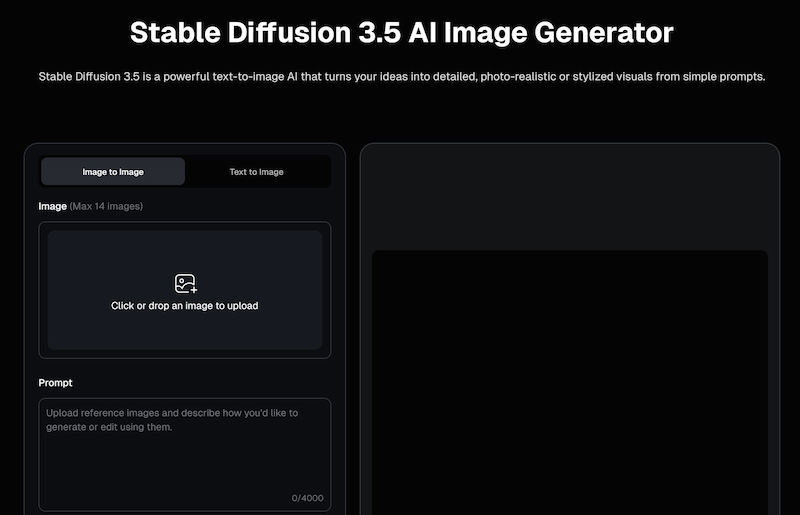
Stable Diffusion is really well known, for being an open-source AI image generator that people like to use. This is because people can use it on their computers make changes to the models add new things to it and get the results to look just about any way they want.
- • Designers
- • Developers
- • AI hobbyists
- • Researchers
- • Content creators
- • Businesses wanting local control
Unlike closed systems, Stable Diffusion has a massive ecosystem of custom checkpoints, LoRA models, ControlNet tools, and workflow apps.
Key strengths include:
- • Open-source flexibility
- • Huge community support
- • Thousands of custom models
- • Local installation possible
- • Advanced workflow control
- • Strong style diversity
Part 3. In-depth Comparison of Flux and Stable Diffusion
Key Features
Summary
Flux is easier for quick quality generation.
Stable Diffusion offers deeper control for advanced users.
Image Generation Quality
Flux
- • Realistic lighting
- • Human portraits
- • Product renders
- • Better object placement
- • Cleaner prompt accuracy
Many users like Flux because it often needs fewer retries.
Stable Diffusion
Stable Diffusion quality depends heavily on:
- • Model checkpoint used
- • Sampler settings
- • Prompt skill
- • Extensions installed
- • GPU resources
With the right setup, Stable Diffusion can enhance old photos and produce amazing results. But beginners may need time to learn.
Verdict
For out-of-box quality: Flux wins
For customizable maximum potential: Stable Diffusion wins
Use Cases
Best Use Cases for Flux
- • Marketing graphics
- • Quick commercial visuals
- • Product photography mockups
- • Realistic portraits
- • Fast social media content
Best Use Cases for Stable Diffusion
- • Anime art
- • Highly customized styles
- • Local private generation
- • Workflow automation
- • Research and experimentation
Use Cases (Professional Workflow Perspective)
Teams May Prefer Flux If They Need:
- • Fast turnaround
- • Easy onboarding
- • Consistent outputs
- • Less technical setup
Power Users Prefer Stable Diffusion If They Need:
- • ControlNet workflows
- • Inpainting pipelines
- • Custom model training
- • Offline generation
- • Deep experimentation
Price
Flux
Pricing depends on platform access. Some services offer credits, subscriptions, or limited free use.
Stable Diffusion
The base model is open source, but real costs may include:
- • GPU hardware
- • Cloud compute
- • Paid interfaces
- • Storage
- • Premium model assets
Verdict
Stable Diffusion can be cheaper long-term for technical users with hardware.
Flux may be more convenient for users who value simplicity.
Pros
- Excellent prompt understanding
- Strong realism
- Beginner-friendly
- Fast workflow; Consistent composition
Cons
- Less customizable than open-source tools
- Smaller ecosystem
- May depend on hosted services
Flux Pros
- • Excellent prompt understanding
- • Strong realism
- • Beginner-friendly
- • Fast workflow
- • Consistent composition
Flux Cons
- • Less customizable than open-source tools
- • Smaller ecosystem
- • May depend on hosted services
Pros
- Highly customizable
- Huge model ecosystem
- Local use possible
- Great for advanced creators; Strong community support
Cons
- Steeper learning curve
- Requires setup time
- Quality varies by model
- Hardware demands can be high
Stable Diffusion Pros
- • Highly customizable
- • Huge model ecosystem
- • Local use possible
- • Great for advanced creators
- • Strong community support
Stable Diffusion Cons
- • Steeper learning curve
- • Requires setup time
- • Quality varies by model
- • Hardware demands can be high
Part 4. Flux vs Stable Diffusion: Which AI Image Generator Is Better
The better choice depends on what kind of user you are.
When to Choose Flux
Choose Flux if you:
- • Want fast, high-quality results
- • Prefer simple prompting
- • Need realistic commercial visuals
- • Do not want technical setup
- • Need efficient content creation
Flux is ideal for marketers, small businesses, and casual creators.
When to Choose Stable Diffusion
Choose Stable Diffusion if you:
- • Want total control
- • Enjoy customizing models
- • Need offline generation
- • Build professional AI workflows
- • Experiment with styles regularly
Stable Diffusion is ideal for developers, designers, and advanced users.
Part 5. The Best Alternative: Picwand AI
If you need not only image generation but also image enhancement and editing, Picwand AI is a smart choice. Many users create images but still need to polish them afterward. Picwand AI solves that problem in one platform.

Features
• AI Image Generator
Turn prompts into attractive visuals quickly.
• AI Photo Enhancer
Upscale blurry or low-quality images.
• Background Remover
Perfect for eCommerce listings and portraits.
• Object Eraser
Remove unwanted people, text, or clutter.
• Face Retouch Tools
Improve portraits naturally.
• Beginner-Friendly Workflow
Simple enough for anyone to use.
Flux and Stable Diffusion are powerful generation tools.
Picwand AI is more practical for users who need ready-to-use content with enhancement and editing tools included. For creators, online sellers, and marketers, it can be the most efficient option.
Part 6. FAQS about Flux vs Stable Diffusion
Is Flux better than Stable Diffusion?
Flux is often better for simplicity and out-of-box image quality. Stable Diffusion is better for customization.
Which is better for commercial design?
Flux often performs well for product and marketing visuals.
What is the best alternative?
Picwand AI is a strong all-in-one alternative.
Conclusion
In comparing Flux vs Stable Diffusion there isn't one winner for everybody. Flux really shines because it is easy to use understands what you want clearly and gives pictures without much hassle. On the hand Stable Diffusion is still very powerful for people who want to do things their own way use community tools and have complete control, over their creations. If you just want to make images easily then Flux makes sense. If you like being able to customize a lot then Stable Diffusion is tough to match. And if you need generation plus enhancement tools in one workflow, Picwand AI may be the most practical solution overall.
AI Picwand - Anyone Can be A Magician
Get Started for Free