How to Use Generative Extend in Premiere Pro AI

In the past editors had to use some tricks to make the video longer. They did complicated things with the video timeline to add seconds. Now AI video editing changes everything. One new feature is Adobe Premiere Pro Generative Extend. It uses AI to add frames to a video. This makes the video longer and smoother. Editors do not have to stretch the video. AI makes the video keep going in a way.
However the artificial intelligence features in Premiere Pro can be really tough for people who are just starting out or who only make videos sometimes. That is why a lot of people are also looking at options, like Picwand AI Video Extender, which is a simpler way to make videos longer using artificial intelligence and it is easier for beginners to use.
Contents:
Part 1. What Is Premiere Pro Generative Extend
Adobe Premiere Pro Official Website introduced Generative Extend as an AI-powered feature designed to lengthen video clips intelligently.
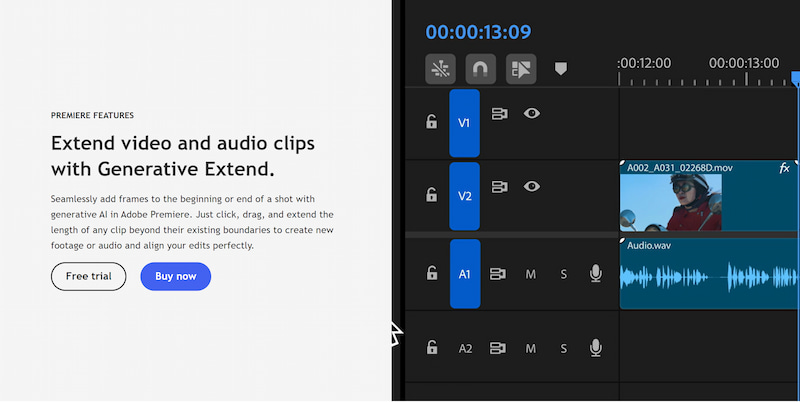
Instead of simply duplicating existing frames, the AI analyzes:
- • Motion
- • Camera movement
- • Lighting
- • Subject positioning
- • Scene structure
Then it generates additional frames that match the original clip naturally.
Why Generative Extend Matter
In traditional editing, even a one-second timing issue could create major workflow problems. Editors often needed to:
- • Re-edit transitions
- • Reposition clips
- • Add B-roll footage
- • Use awkward slow motion
Generative Extend reduces these issues by automatically filling timeline gaps with AI-generated footage.
Common Use Cases
Premiere Pro Generative Extend is useful for:
- • Smoother scene transitions
- • Extending dialogue reactions
- • Fixing abrupt endings
- • Matching music timing
- • Social media editing
- • Commercial video production
For example, if a clip ends slightly too early before a transition, AI can generate extra frames to make the edit feel seamless.
Key Advantages
Some major benefits include:
- • Faster editing workflow
- • More natural clip extension
- • Reduced manual editing
- • Improved storytelling
- • Better pacing control
This makes AI-assisted editing increasingly popular among content creators and professional editors alike.
Part 2. How Adobe Generative Extend Works
Adobe uses generative AI technology to predict how a scene should continue beyond the original footage. Unlike traditional frame interpolation, Adobe Premiere Pro generative extend attempts to understand the content visually and temporally.
AI Motion Prediction
The AI examines:
- • Subject movement
- • Camera direction
- • Environmental motion
- • Scene continuity
Then it generates realistic future frames based on those patterns.
For example:
- • A walking subject continues moving naturally
- • A panning camera smoothly extends motion
- • Flowing water or clouds maintain realistic movement
This creates more believable results than simple frame duplication.
Context-Aware Video Generation
Adobe’s AI does not only stretch footage mechanically.
It also considers:
- • Background consistency
- • Object placement
- • Lighting behavior
- • Visual depth
This helps the generated footage blend more smoothly into the original clip.
Timeline Integration
One of Adobe Premiere generative extend’s biggest advantages is direct timeline integration.
Editors can:
- • Extend clips without leaving the editing timeline
- • Adjust transitions instantly
- • Preview AI-generated results immediately
This improves editing efficiency for professional workflows.
Current Limitations
Although powerful, Generative Extend still has some limitations.
Complex scenes may produce:
- • Minor visual artifacts
- • Unnatural motion
- • Inconsistent details
Results are usually best with:
- • Stable camera movement
- • Clear subjects
- • Short extension durations
Editors may still need manual adjustments in some cases. While the final result can be pretty natural similar to Adobe background remover.
Part 3. How to use Adobe Generative to Extend
Using Premiere Pro Generative Extend is relatively straightforward once you understand the workflow.
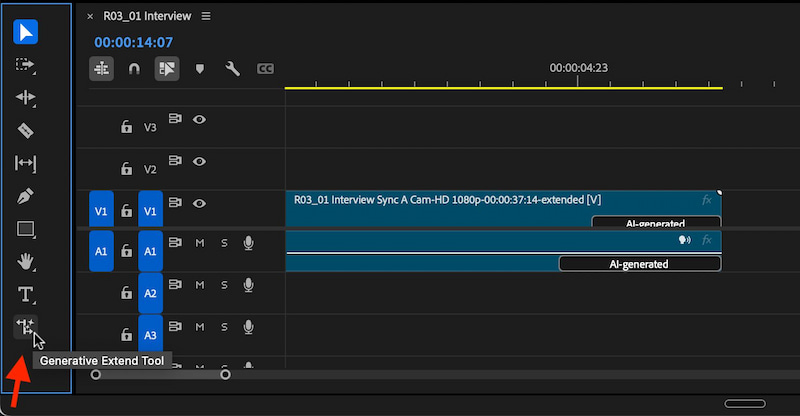
There’s a brand new tool at the bottom of the PPro toolbar. Select that tool, grab the heads or the tails of a clip and drag the start or the end out for up to two seconds of new, AI generated video. The Gen Extend tools works like the Rate Stretch Tool in that you’re not trimming two clips you the head or tail has to be free to trim so no clips directly before or after.
Part 4. Use PicWand AI Video Extender as an Easier Alternative
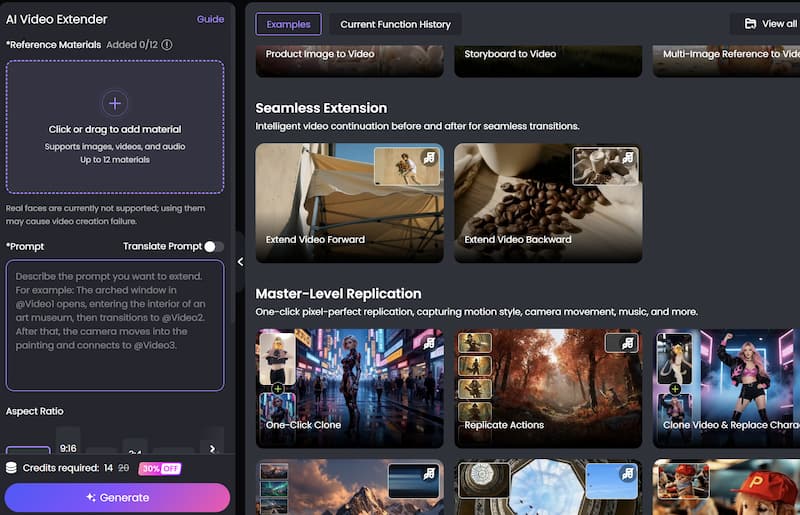
While Premiere Pro offers advanced AI editing, some users may find it too technical, expensive, or time-consuming. That is where Picwand AI Video Extender becomes a practical alternative.
Picwand focuses on simplicity and accessibility while still providing powerful AI video extension capabilities.
Why Choose Picwand Instead
Many creators prefer Picwand because it offers:
• Beginner-Friendly Workflow
Unlike professional editing software, PicWand does not require advanced timeline editing skills.
The interface is simple and intuitive.
• Faster Video Extension
Users can extend videos in just a few clicks without complicated project settings.
• AI-Powered Natural Expansion
Picwand uses AI to:
- • Extend scenes naturally
- • Maintain motion consistency
- • Improve storytelling flow
This helps videos feel smoother and more immersive.
No Complex Installation
Picwand works online, making it more accessible for casual users and social media creators, which is also known as the best easy photo restoration software.
Picwand is especially useful for:
- • Instagram Stories
- • TikTok videos
- • Reels
- • YouTube Shorts
- • Marketing clips
Steps to Extend Videos Using Picwand
Below is a simple step-by-step guide.
Step 1. Upload Your Video
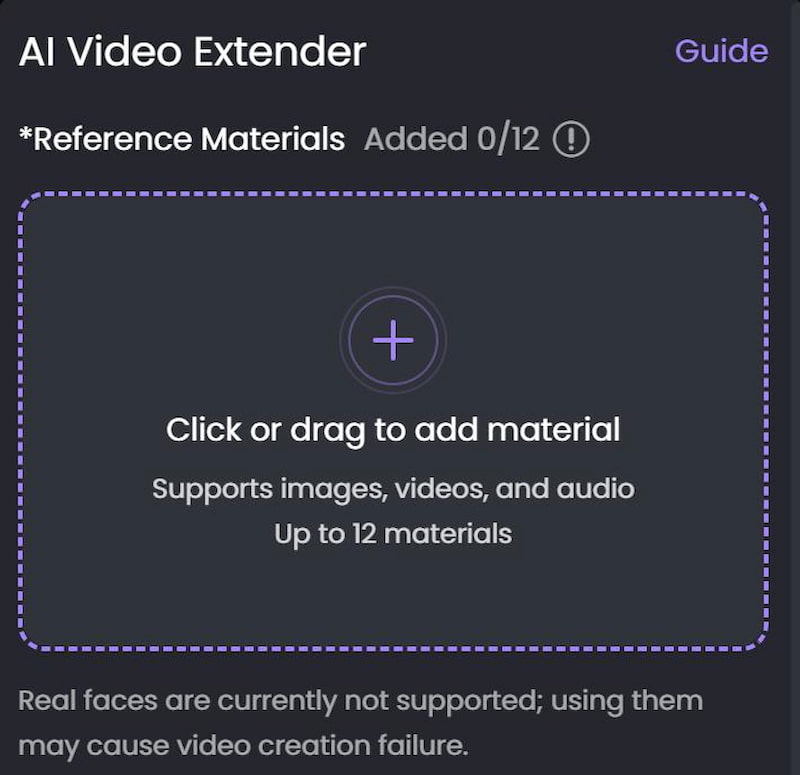
Open the Picwand AI Video Editor website and Click or drag to add material. After uploading, the AI system will process the video automatically.
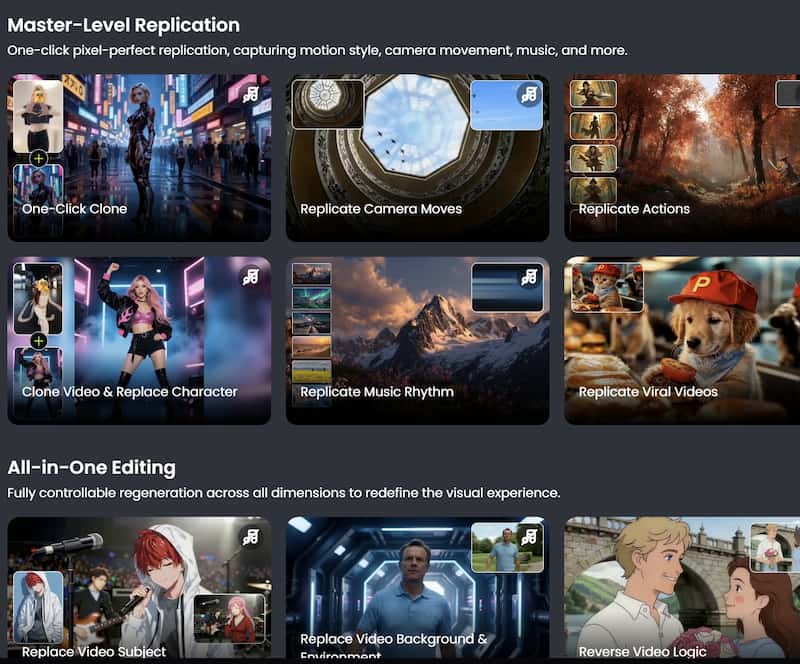
Step 2. Apply Visual Effects
Browse available AI filters and effects and choose the one you need.
Step 3. Preview and export the Final Video
After finishing the edits, export the video in your preferred resolution. Download the final video and share it directly on your preferred platforms.
Part 5. FAQs about Premiere Extend Pro Generative
Is Premiere Pro Generative Extend free?
Generative Extend availability depends on your Adobe subscription plan. Some AI features may require updated Premiere Pro versions or Creative Cloud access.
Does AI-generated footage reduce video quality?
Modern AI tools are designed to maintain visual consistency. However, final quality depends on the original footage and scene complexity.
Is Picwand easier than Premiere Pro?
For beginners, Picwand is often easier because it simplifies the extension process without requiring advanced editing skills or timeline management.
Conclusion
Premiere Pro Generative Extend is a step forward in video editing with AI. It adds frames to fix timing issues make transitions smoother and tell stories better. Professional video editing software can still be too much for people who are just starting out or don't edit videos often. That's why tools like Picwand AI Video Extender are a choice. They have a way of working use AI to add to scenes and are easy to use. This makes adding to videos easy for everyone.
AI Picwand - Anyone Can be A Magician
Get Started for Free