Haiper AI Review 2026: The Ultimate Creative Video Generation Guide

The landscape of generative artificial intelligence will undergo significant changes in 2026. Although models such as Sora and Kling 3.0 dominate the headlines, Haiper AI has opened up a unique niche market for creators who prioritize artistic control and "sensation" over primitive realism. In this comprehensive Haiper AI review, we will delve into what makes the Haiper AI video tool stand out, how it performs in the current market, and why professional alternatives like Picwand AI may be more suitable for your specific workflow.
Contents:
Part 1: What is Haiper AI?
What is it?
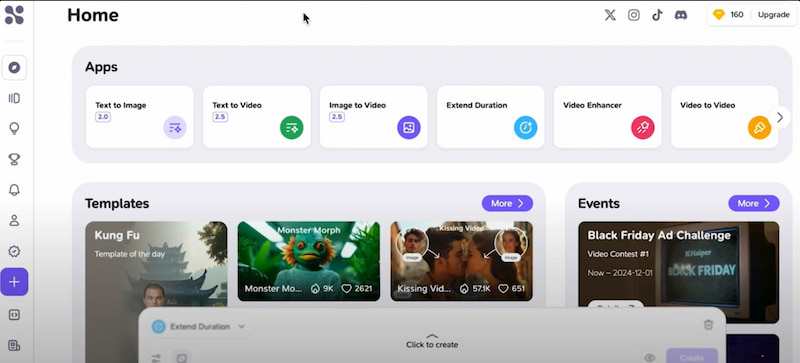
Haiper AI is an Intelligent General-purpose Model designed specifically for high-fidelity video generation. Unlike some of its more "corporate" competitors, Haiper was built by a team of researchers from DeepMind and Google with a focus on perceptual quality—ensuring that the motion looks fluid and the textures feel "right" to the human eye.
Key Features
- • Text-to-Video: Transforming complex natural language prompts into cinematic clips.
- • Image-to-Video: Breathing life into static portraits, landscapes, or product photos.
- • Video Repainting: A unique feature that allows users to change specific elements (like clothing or backgrounds) within an existing video.
- • Motion Control: Granular sliders to determine how much "energy" or "camera movement" is in a scene.
What can it do?
Haiper AI excels at creating artistic content, social media snippets, and atmospheric B-roll. It is particularly popular among digital artists who need to bridge the gap between static AI art (like Midjourney) and professional cinematography.
Part 2: Performance & Deep Dive
To give you a clear picture of how Haiper AI stacks up in 2026, let's break down the technical and practical aspects.
Performance Metrics
User Experience
Using Haiper AI feels highly interactive and creative. The interface is smooth and responsive, making it easy to experiment with different prompts and ideas. Suggestions from the AI feel intuitive, helping users refine content quickly. While the experience is enjoyable and immersive, some complex or highly specific prompts may yield unpredictable results, which adds a sense of discovery but can be challenging for strict content requirements.
The Verdict
Haiper AI video generator is a powerhouse for creativity. It feels less like a "tool" and more like a "partner." However, for users who need consistent, viral-ready templates (like specific dance moves or pet effects), it can sometimes feel too open-ended.
Part 3: The Best Haiper AI Alternative — Picwand AI
If Haiper AI feels a bit too "experimental" for your daily content needs, Picwand AI is the top-tier free Haiper AI alternative, especially for marketers and social media creators who need high-speed, high-definition results.
Picwand AI: Specialized Text/Image to Video
Picwand AI has evolved into a leading platform for video generation. While Haiper focuses on the "art," Picwand focuses on the "output." It is particularly strong at maintaining character consistency and generating viral-style content.
Key Features of Picwand AI
- • One-Click Video Generation: Create professional, cinematic-quality videos in seconds from images and text prompts.
- • Advanced Upscaling: Every video generated can be instantly enhanced to 4K with the AI video enhancer.
- • Template-Driven Creation: Specifically designed for viral trends (e.g., "AI Baby Dance" or "AI Twerk" effects).
- • Multi-Model Architecture: Uses a hybrid engine that rivals the stability of Google Veo.
Steps to Create Videos with Picwand
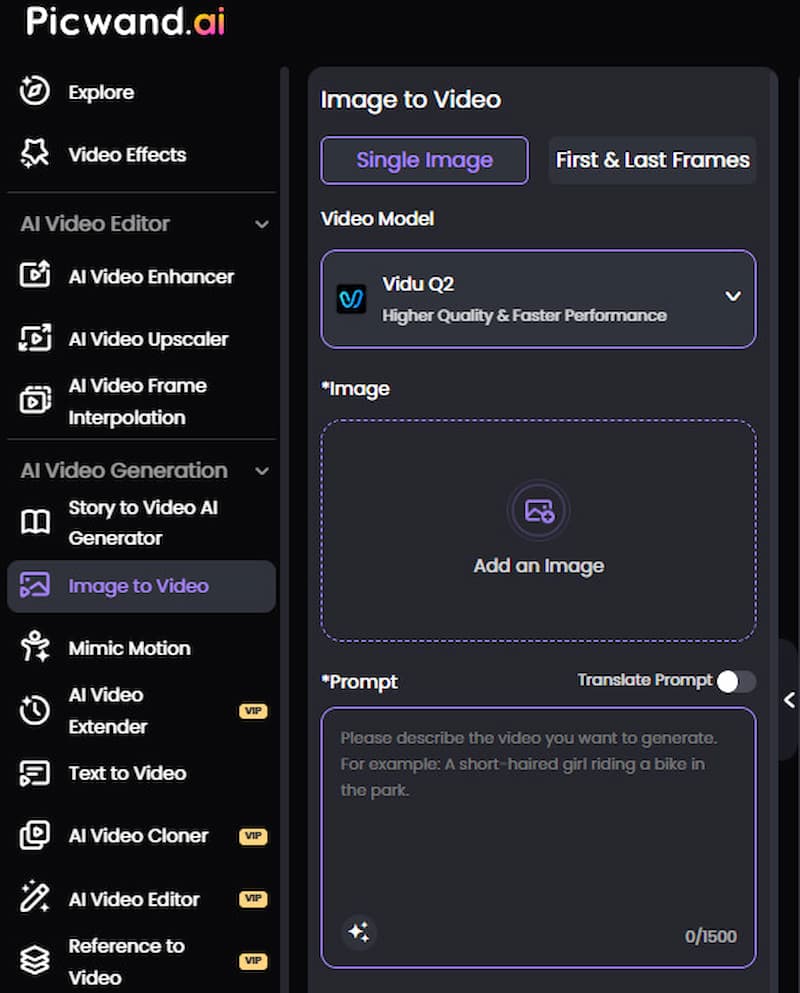
Step 1. Go to Picwand Image to Video, select a video model, upload your photos, and enter text prompts.
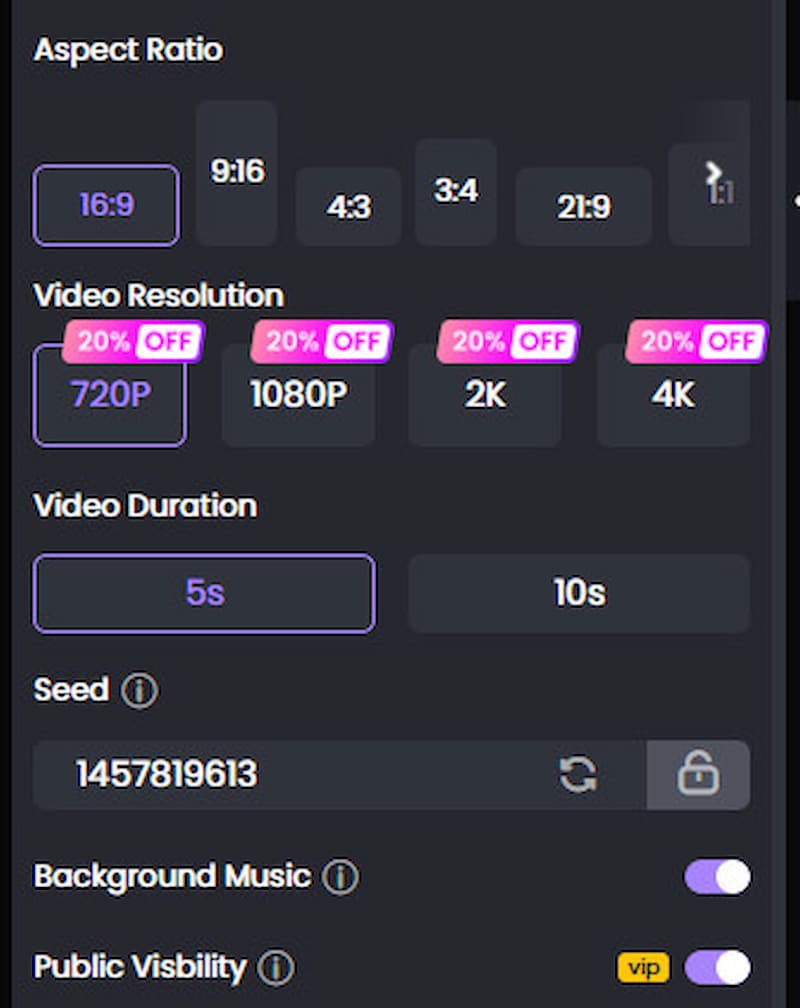
Step 2. Adjust the video aspect ratio, resolution, duration, and other settings.
Step 3. Click Generate to produce the video.
Results
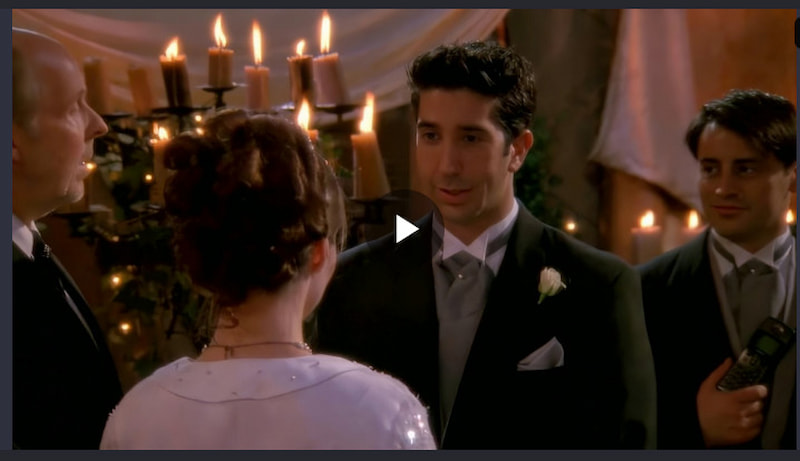
Videos generated using Picwand Image to Video have a cinematic feel, with character dialogues achieving lip-sync and smooth, natural visuals.
Part 4: FAQS
Is Haiper AI better than Sora?
While Sora (by OpenAI) is optimized for long-form consistency and physics, Haiper AI is often better for artistic expression and stylized "repainting" of existing footage.
Can I use Haiper AI for free?
Yes, Haiper AI image to video offers a "Free" tier that refreshes daily credits, allowing you to generate a limited number of 2-second clips per day.
Which AI is best for "Image to Video"?
For artistic flair, Haiper AI is excellent. For marketing, product showcases, and high-resolution upscaling, Picwand AI typically provides more "production-ready" results.
Does Haiper AI support sound?
As of 2026, Haiper focuses primarily on visual generation. If you need native audio-sync, you might look toward models like Vidu Q3 or specialized audio-AI tools.
Conclusion
Overall, Haiper AI video generator performs exceptionally well in creative video generation, producing visually rich and highly artistic content, with capabilities such as text-to-video, image-to-video, and a unique video repainting feature. However, for users who prioritize efficiency and high-resolution video production tailored for marketing and social media, Picwand AI offers a more effective solution, enabling fast generation of professional-quality videos. Ultimately, the choice between Haiper AI and Picwand AI depends on whether the user values artistic exploration or professional-grade video production.
AI Picwand - Anyone Can be A Magician
Get Started for Free