How to Make a Video Longer Using AI Video Extension

People watch a lot of videos on the internet these days. But sometimes video creators have a problem. Their videos are just too short. This happens whether you are putting videos on YouTube, TikTok, Instagram or using them for classes, presentations or advertisements. Now there are tools that use intelligence to make this process easier and more natural. These tools can make your videos flow better without freezing on one picture or repeating the same clip over and over. In this guide we will talk about how can you make a video longer, why people want to make their videos longer, how artificial intelligence is changing this process, and how to use Picwand AI Video Extender to make your videos longer without making them look bad.
Contents:
Part 1. Why People Need to Make Videos Longer
There are reasons why creators, marketers, educators and businesses want to make their videos longer. In cases, extended videos do better and explain things more clearly.
Meet Platform Requirements
Some media and video-sharing platforms like videos that are longer. A video that feels too short might make people lose interest or not give them information. Creators, marketers, educators and businesses want to extend the length of a video to make sure it does well on these platforms.
Improve Storytelling
Fast cuts and extremely short scenes can sometimes feel rushed. Extending length of a video allows creators to:
- • Build emotional connection
- • Add smoother transitions
- • Improve pacing
- • Enhance cinematic flow
Longer videos also help viewers absorb information more naturally.
Add Professional Quality
Videos that abruptly end often appear unfinished. By extending scenes carefully, creators can produce more polished and professional-looking content.
Reuse Existing Footage
Sometimes creators only have limited footage available. Of filming again we can use AI tools to make scenes longer and get more out of the content we already have.
Increase Audience Engagement
When videos are well-paced people will watch them for a time. This can help with the algorithms that platforms use and make our content more visible, to others.
Part 2. Common Methods to Extend Video Length
Before we started using AI tools, people who made videos used ways to make them longer. Some of these methods still work well today but they might take a bit more work to do. We are talking about video length and how to extend video length by using these methods to make our videos like extended length.
1. Slow Motion Effects
One of the simplest ways to extend video duration is by slowing down footage.
Advantages
- • Easy to apply
- • Creates dramatic visual effects
- • Useful for sports and cinematic scenes
Limitations
- • Excessive slow motion may appear unnatural
- • Low-frame-rate footage can become blurry or choppy
2. Repeating Clips
Some editors duplicate certain scenes to increase runtime.
Advantages
- • Quick solution
- • No additional footage needed
Limitations
- • Repetition can feel obvious
- • May reduce viewer engagement
3. Adding B-Roll Footage
B-roll refers to supplementary visuals inserted between primary scenes.
Examples include:
- • Landscape shots
- • Product close-ups
- • Reaction shots
- • Environmental footage
Advantages
- • Improves storytelling
- • Adds visual variety
Limitations
- • Requires additional footage resources
4. Freeze Frames and Hold Effects
Editors sometimes pause frames briefly to extend moments for emphasis.
Advantages
- • Useful for dramatic scenes
- • Simple editing technique
Limitations
- • Overuse can interrupt video flow
5. Transition Expansion
Longer transitions between scenes can increase total runtime slightly.
Advantages
- • Creates smoother pacing
- • Enhances cinematic style
Limitations
- • Does not significantly extend content
6. Voiceovers and Captions
Adding narration, explanations, or subtitles can naturally slow pacing and increase total duration.
Advantages
- • Improves accessibility
- • Adds educational value
Limitations
- • Requires scripting and audio work
Part 3. How AI Helps Extend Videos Naturally
Traditional methods often require manual editing and may produce unnatural results. AI video extension technology changes the process completely by generating more seamless visual continuity. Instead of simply stretching clips, AI analyzes motion, frames, and scene structure to create smoother expansions. No worries on how can I make a video longer anymore.
AI Scene Extension
AI scene extension allows software to generate additional visual frames beyond the original footage. You can refer to AI prompt examples for better visual effects.
For example:
- • Extending camera movement
- • Continuing background motion
- • Expanding visual environments
- • Creating smoother transitions
This helps videos feel more complete without obvious duplication.
Natural Timeline Expansion
AI can intelligently adjust pacing while maintaining realistic movement.
Instead of awkward pauses, the system:
- • Predicts frame progression
- • Smooths transitions
- • Maintains visual consistency
- • Reduces jump cuts
The final result looks much more natural than traditional stretching techniques.
Better Storytelling Flow
AI extension tools improve storytelling by giving scenes more breathing space. Creators can:
- • Emphasize emotional moments
- • Extend dramatic sequences
- • Create cinematic pacing
- • Improve viewer immersion
This is especially useful for:
- • Travel videos
- • Short films
- • TikTok storytelling content
- • Product commercials
- • YouTube videos
Faster Editing Workflow
Manual video extension often takes significant editing experience. The Artificial Intelligence makes it easy to make looking videos. This is because it does things for you automatically. So people who are new, to making videos can make them look really good in an amount of time.
Enhanced Video Quality
Some AI tools not only extend footage but also improve clarity, stabilize motion, and optimize resolution simultaneously. Bring the best result like Recraft AI.
Part 4. Step-by-Step Guide
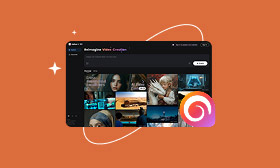
What to know how to extend a video? The Picwand AI Video Extender is a tool for creators. It helps them make their videos longer in a way. The Picwand AI Video Extender uses intelligence to look at the scenes in the video. Then it makes the video flow better from one scene to the next. This makes the story in the video easier to follow. The extended video is really good at making videos that tell a story in a way.
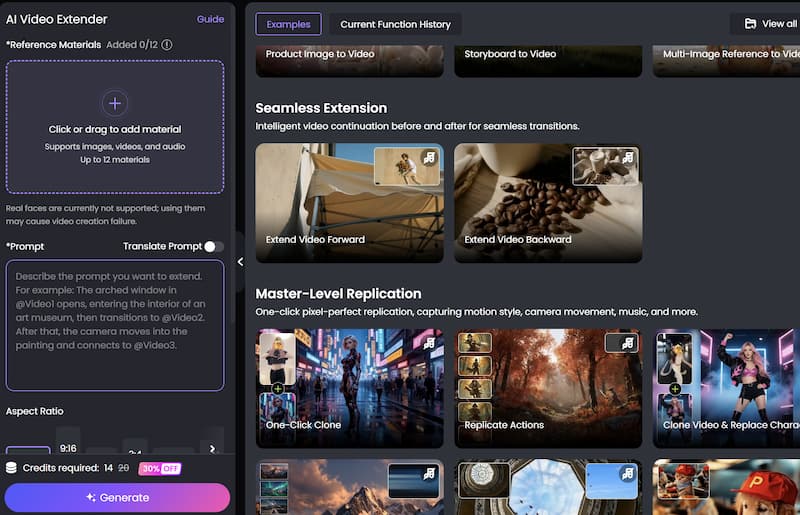
Below is a simple step-by-step guide.
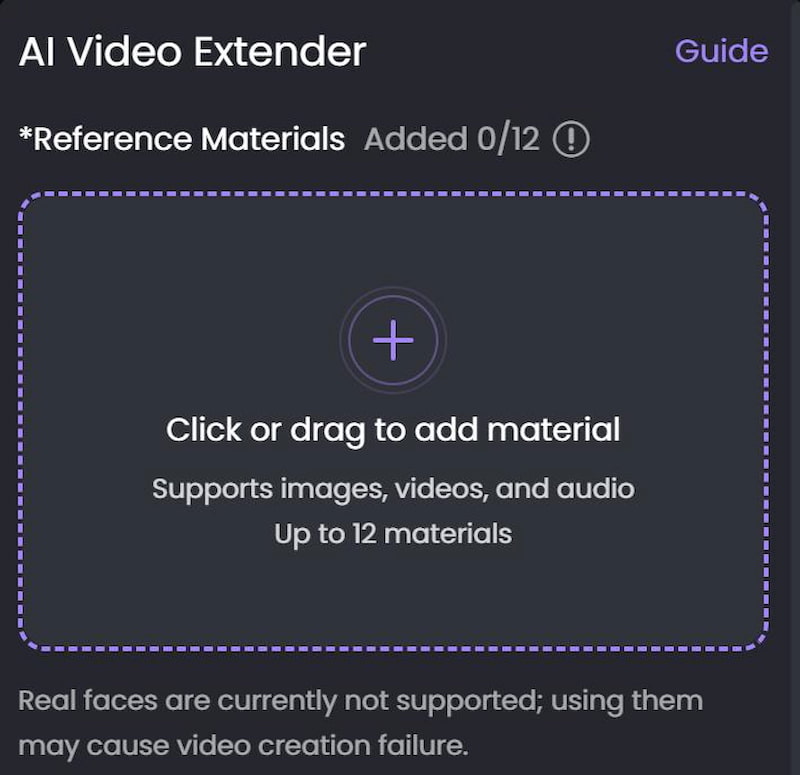
Step 1. Upload Your Video
Open the PicWand AI Video Editor website and Click or drag to add material. After uploading, the AI system will process the video automatically.
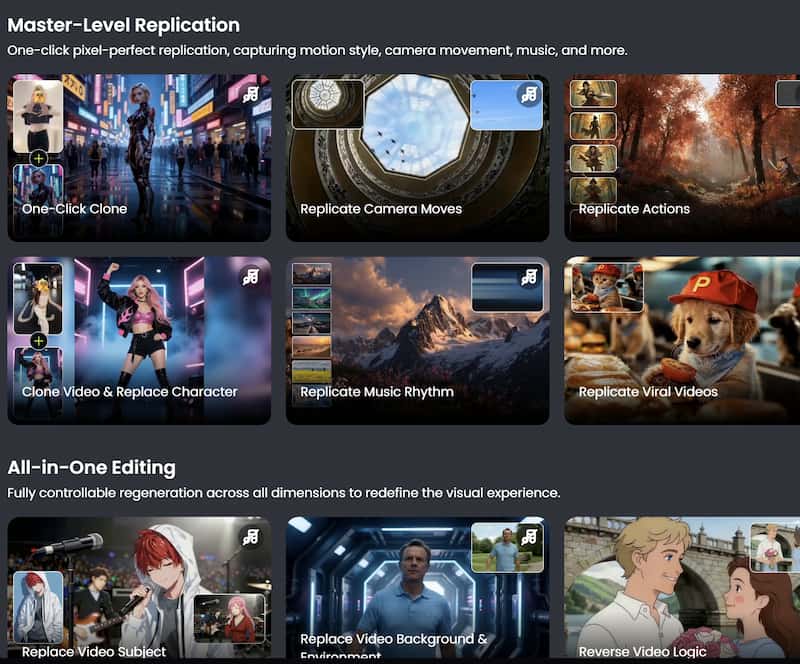
Step 2. Apply Visual Effects
Browse available AI filters and effects and choose the one you need.
Step 3. Preview and export the Final Video
After finishing the edits, export the video in your preferred resolution. Download the final video and share it directly on your preferred platforms.
Part 5. FAQs about How Can You Make a Video Longer
What is the easiest way to extend video length?
Using an AI video extender is one of the easiest methods because it automates scene expansion and pacing adjustments.
Will extending a video reduce quality?
Not necessarily. Advanced AI tools like PicWand AI Video Extender can maintain or even improve video quality during the extension process.
Can beginners use AI video extension tools?
Yes. Most AI video extenders are designed with beginner-friendly interfaces and require little editing experience.
Conclusion
That’s all about how can you make a video longer. Making a video longer is not as hard as it used to be. We used to need to know a lot of editing tricks and have extra footage. Now we have tools that use intelligence to make videos longer and it is a lot easier. Picwand AI Video Extender is a tool that can help people make their videos longer. It is easy to use for people who are just starting out. People can use it to make their videos look more professional. It is useful for people who make videos for TikTok, YouTube or for advertisements.
AI Picwand - Anyone Can be A Magician
Get Started for Free