How To Animate A Photo: Turn Still Images Into Life

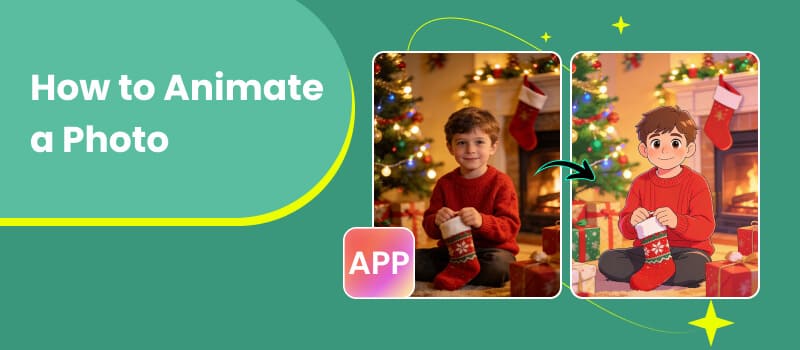
Photos capture a moment—but what if you could bring that moment back to life? With recent advances in AI, animating a photo is no longer something reserved for professionals or expensive software. Today, anyone can transform a static image into a moving, expressive video in just a few clicks. Whether you want to revive an old family portrait, create engaging social media content, or experiment with creative storytelling, AI-powered animation tools make it surprisingly simple. In this guide, you’ll learn exactly how to animate a photo step by step. We’ll also explore why this trend is booming, what tools work best (including Picwand AI), and how to get the most realistic results—even if you’re starting from scratch.
Contents:
Part 1. Why do you need to create an animation from photos for free
Animating photos isn’t just a fun gimmick—it’s quickly becoming a powerful creative and marketing tool. Before introducing how to animate a photo using AI, here’s why more people are turning still images into motion:
1. Make Content More Engaging
Static images are easy to scroll past. Animated visuals, on the other hand, capture attention instantly. Whether you’re posting on TikTok, Instagram, or YouTube Shorts, moving content naturally performs better. A simple blinking effect or subtle facial movement can dramatically increase watch time and engagement.
2. Bring Old Memories Back to Life
One of the most meaningful uses of photo animation is restoring old pictures. AI can add natural facial expressions—like smiling, blinking, or slight head movement—to vintage photos.
For many people, this creates an emotional connection, especially when animating photos of loved ones who are no longer around.
3. Save Time and Money
Traditional animation requires technical skills, editing software, and hours of work. AI tools eliminate most of that complexity.
With free or affordable platforms, you can:
- • Skip manual frame-by-frame editing
- • Avoid hiring designers
- • Produce results in minutes
4. Enhance Marketing and Branding
Businesses are also using photo animation to:
- • Create eye-catching ads
- • Animate product images
- • Add personality to brand visuals
Compared to static banners, animated visuals are more likely to convert viewers into customers.
5. Unlock Creative Possibilities
Photo animation opens the door to creative experiments:
- • Make portraits talk or sing
- • Turn selfies into cinematic clips
- • Create storytelling videos from still images
Even casual users can produce professional-looking results without prior experience.
6. Boost Storytelling in the Digital Age
In today’s fast-paced digital environment, storytelling has become more visual and immersive than ever. Simply posting a static image is often not enough to capture attention or convey emotion effectively. By animating a photo, you can add depth, movement, and narrative to otherwise still content.
For example, a single portrait can be transformed into a short scene where the subject appears to react, smile, or even speak. This makes your content feel more alive and helps viewers connect with it on a deeper level. Whether you're sharing personal memories or building a brand story, animated visuals make your message more memorable.
Part 2. The Best Tool to Help You Animate Your Photo
While there are many AI animation tools available today, for example, people already know how to animate a photo in powerpoint or how to animate a photo in Canva, while choosing the right one depends on your needs—especially whether you’re working with modern photos or restoring old ones. One of the most versatile options is Picwand AI, which offers dedicated tools for both scenarios.
1. Animate General Photos with AI Image Animator
If you want to animate everyday images—like selfies, portraits, or social media visuals—the AI Image Animator is a great starting point, which also allows AI age detector and other functions.
Key Features:
- • Adds natural motion (blinking, smiling, head movement)
- • Supports various image types (selfies, group photos, avatars)
- • Quick processing with minimal setup
- • Beginner-friendly interface
How To Animate a Photo:
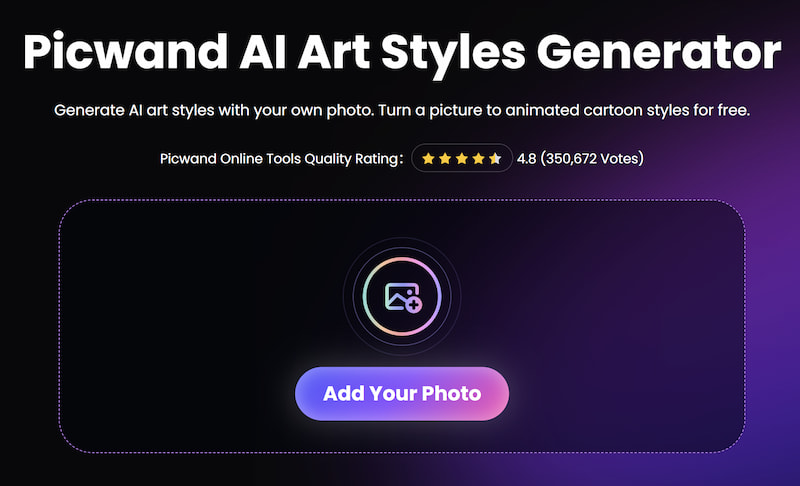
Step 1: Upload your photo
Choose a clear image where the subject’s face is visible.
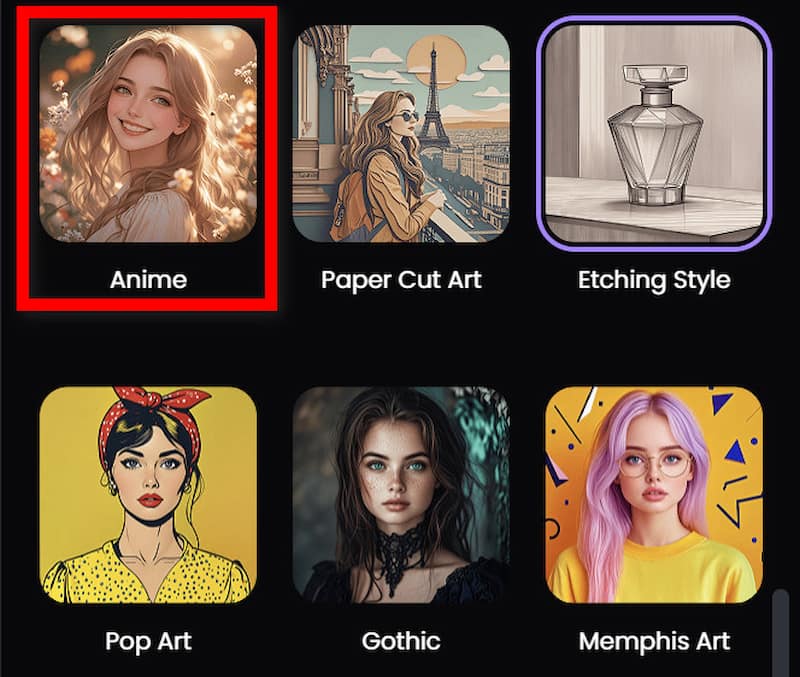
Step 2: Select animation effects in AI Art Styles
Pick from preset motions like:
- • Anime
- • Cartoon
- • Cartoon Animation
Step 3: Generate animation
Click the generate button and let AI process the image.
Step 4: Download your video
Export the animated result and share it anywhere.
2. Restore and Animate Old Photos
For vintage or damaged images, Picwand provides a specialized tool designed for historical restoration, animation, and image color correction.
Why Use This Tool:
Old photos often require more than animation—they need enhancement first. This tool combines:
- • Image restoration
- • Facial enhancement
- • Motion animation
Best For:
- • Family archives
- • Black-and-white photos
- • Historical portraits
How to Animate a Photo:
Step 1: Upload an old photo
Even faded or slightly damaged images can be processed.
Step 2: Enhance image quality
The AI improves clarity, sharpness, and facial details.
Step 3: Apply animation
Add subtle, realistic movements like blinking or smiling.
Step 4: Export the result
Download a lifelike animated version of the original photo.
3. Choosing the Right Tool for Your Needs
Not all photos are the same, so selecting the right tool matters:
By using the right tool, you’ll get better results with less effort.
4. Tips for Better Animation Results
To make your animated photos look more realistic:
- • Use high-quality images (clear faces work best)
- • Avoid heavy shadows or blur
- • Choose subtle effects for natural motion
- • Center the face in the frame
- • Experiment with different styles
Small adjustments can make a big difference in the final output.
5. Advanced Use Cases for AI Photo Animation
Beyond basic animation, tools like Picwand AI are increasingly used for more advanced creative and professional scenarios.
For example, content creators often turn static profile pictures into short talking videos for TikTok or YouTube Shorts. Instead of filming themselves, they animate a still image with lip-sync or facial motion, saving both time and effort.
In addition, e-commerce sellers are beginning to animate product images. A simple product photo can be transformed into a subtle motion clip, making listings feel more dynamic and interactive. This is especially useful for platforms where video content performs better than static images.
Educators and digital storytellers also use animated historical photos to make lessons more engaging. A still portrait from history can be turned into a lifelike visual, helping audiences connect emotionally with the subject.
6. Common Mistakes to Avoid When Animating Photos
While AI tools are easy to use, certain mistakes can reduce the quality of your results:
- • Use high-quality images (clear faces work best)
- • Using low-resolution images: Blurry or pixelated photos often lead to unnatural animations
- • Overusing effects: Too many exaggerated movements can make the animation look unrealistic
- • Incorrect face positioning: Faces that are tilted or partially hidden may not animate properly
- • Ignoring lighting conditions: Uneven lighting can confuse AI detection
To get the best outcome, always start with a clear, well-lit image and keep animations subtle.
Part 3. FAQs about How to Animate a Photo
Do I need editing skills to animate a photo?
Not at all. Most AI tools are designed for beginners. You simply upload an image, choose an effect, and let the system handle the rest.
How long does it take to animate a photo?
Typically, it takes anywhere from a few seconds to a couple of minutes, depending on the tool and effect complexity.
Can I use animated photos for commercial purposes?
It depends on the platform’s licensing terms. Always review usage rights before using animations for business or marketing.
Conclusion
That’s all about how to animate a photo. Animating a photo is no longer complicated or time-consuming. Thanks to AI, anyone can turn a still image into a vivid, lifelike video in just minutes. Whether you’re looking to enhance social media content, revive old memories, or explore creative storytelling, tools like Picwand AI make the process accessible and efficient. With specialized options for both modern images and historical photos, you can choose exactly what fits your needs. The best part? You don’t need technical skills or expensive software to get started. Upload a photo, apply an effect, and watch your image come to life.
AI Picwand - Anyone Can be A Magician
Get Started for Free