How to Make a Custom Wallpaper on iPhone in 2026

A phone wallpaper is more than a backdrop image. Every time you unlock your device, it displays your personality, hobbies and style. The built-in wallpapers may seem good, but nowadays most users prefer to utilize custom wallpapers, since they seem more personal and distinctive. With AI technology you don’t need to learn graphic design abilities to create a bespoke wallpaper. Modern wallpaper software can make amazing backdrops from basic text prompts, turn images into artwork, and even create wallpapers based on your preferred colors and themes.
In this guide, we'll explain what a custom wallpaper is, introduce the best wallpaper creation apps available in 2026, and show you how to make a custom wallpaper step by step using AIPixWall.
Contents:
Part 1. What Is a Custom Phone Wallpaper?
Before introducing how to make a custom wallpaper, you need to know what is a custom Phone Wallpaper. A custom phone wallpaper is a background image that is personalized according to your preferences rather than downloaded from a standard wallpaper collection. Custom wallpapers can be made based on certain aspects such as:
- • Photos personal
- • Favorite colors
- • Anime characters
- • Scenery of nature
- • Animals are pets.
- • Quotes to inspire you
- • Abstract art
- • Artwork created by AI
- • Video game themes
- • Travel memories
For example, instead of using a default mountain wallpaper that millions of other people may have, you can create a unique sunset landscape with your preferred color palette and artistic style. Custom wallpapers have become increasingly popular because they allow users to express individuality while making their phones feel more personal. Today, AI wallpaper generators make the process easier than ever by using AI image models.
Advantages of Custom Wallpapers
• Improved personalization
You may make something that really represents your hobbies and personality.
• Original Designs
AI generated wallpapers are generally unique so you are less likely to encounter the same wallpaper on someone else’s device.
• Higher Creative Freedom
You can experiment with countless styles, themes, and artistic directions.
• Improved Device Appearance
A carefully designed wallpaper can make your home screen look cleaner, more professional, or more visually appealing.
Part 2. Top 3 App to Create Custom Wallpapers
What to know how to Make a Custom Wallpaper? Looking for the quickest way to make personalized wallpapers? These 3 applications are some of the most popular in 2026.
1. AIPixWall
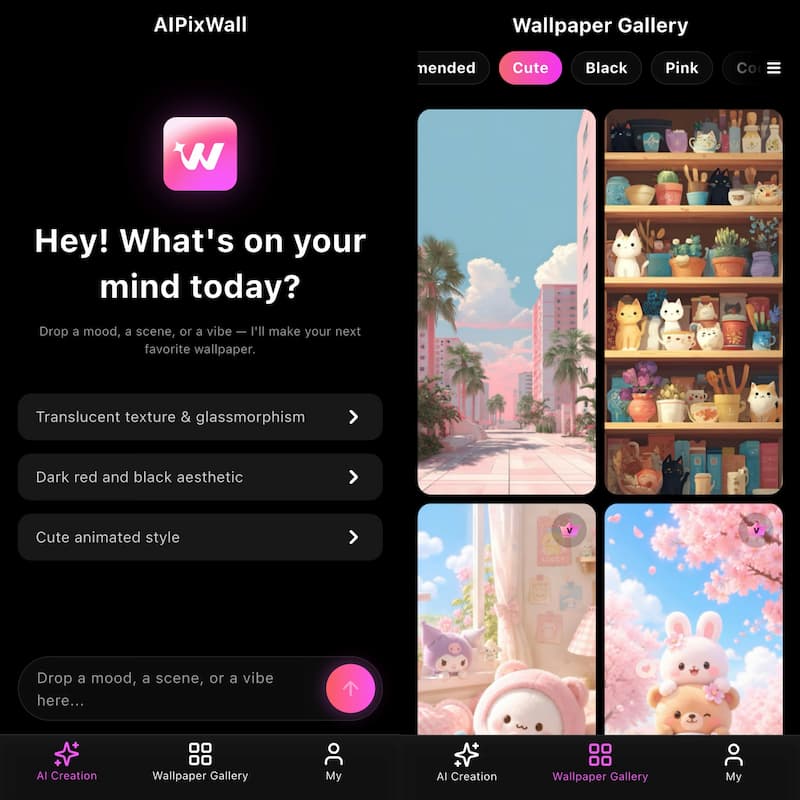
AIPixWall is an AI wallpaper maker software for those who wish to create personalized phone wallpapers without using sophisticated editing tools. It is a full suite platform, with AI picture generator, wallpaper editing, and a vast wallpaper collection. You can refer to AI video prompt for more information.
Main Features
- • AI text to wallpaper creation
- • Wallpaper in high quality
- • Different forms of art
- • Utilities to edit wallpaper
- • Suggestions for daily wallpapers
- • Great Wallpaper Gallery
- • One tap to download wallpaper
Benefits
- • Easy-to-use for beginners
- • AI creation in seconds
- • Huge range of styles
- • Mobile optimized screens
- • Wallpapers updated often
Cons
- Some sophisticated functions require a paid subscription
- Speed of AI formation relies on network status
Rating: 4.8/5
Best for people who want the most originality with the least amount of work.
2. YeaArt
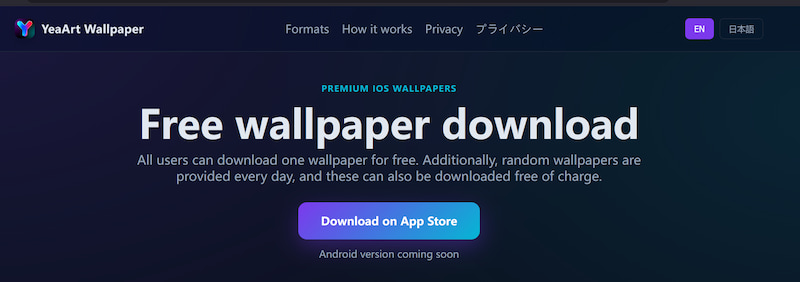
YeaArt is a popular AI art generator that is also good for custom wallpapers.
It focuses on artistic picture production and creative design rather than only emphasizing wallpapers.
Features
- • AI art generation
- • Different artistic styles
- • World creation
- • Anime & fantasies themes
- • Community gallery
The good news
- • Great Artistic Quality
- • Strong anime generating ability
- • Wide range of styles
Disadvantages
- • Possibly overwhelming for beginners
- • Not as wallpaper-focused as specialized wallpaper applications
- • Little wallpaper optimization tools
Rating: 4.6/5
Best for those who want to make artistic and fantasy wallpapers.
3. WallPics
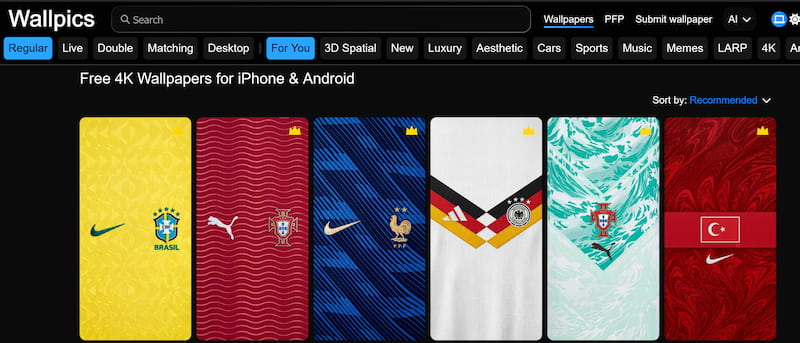
WallPics specializes in personalized wallpaper from your own images. It is particularly handy for people who wish to display memories, family images or holiday pictures.
Main Features
- • Photo collage creator
- • Custom layouts
- • Image editing
- • Custom wallpaper templates
- • Social sharing options
Benefits of
- • Excellent for image wallpapers
- • Simple customization
- • Simple User Interface
Cons
- Limited AI generation features
- Less art styles
- Not as great for making very creative artwork
Rating: 4.4/5
Best for users who want to create wallpapers from personal photos. For most users seeking custom wallpapers, AIPixWall offers the best balance between creativity, convenience, and wallpaper-focused features.
Part 3. How to Make a Custom Wallpaper on Phone
Step 1. Open AIPixWall and Enter Your Wallpaper Idea
Type a detailed text prompt describing the wallpaper you want. The more specific your prompt is, the better the generated result will be.
For example: A highly detailed, ultra-realistic digital painting of a futuristic cyberpunk city atnight, with towering skyscrapers, glowing neon signs in vibrant pinks and blues,flying vehicles leaving light trails, and a cinematic atmospheric mood.8k resolution,Unreal Engine 5 render style.
Step 2. Generate the Wallpaper
Click the Generate button and let the AI create a unique wallpaper based on your description. The generation process usually takes only a few seconds.
Step 3. Download and Apply
Preview the generated result, and Download it in HD or 4K quality. Then set it as your home screen, lock screen, or desktop background.

Part 4. FAQs about How to Make a Custom Wallpaper
Can I make a custom wallpaper for free?
Yes. Many wallpaper apps offer free wallpaper creation tools and AI generations. However, premium plans may provide higher resolutions and additional styles.
Is AIPixWall suitable for beginners?
Absolutely. AIPixWall is designed for users with little or no design experience. The interface is straightforward, and wallpapers can be generated in just a few taps.
Are custom wallpapers better than the default wallpapers?
Custom wallpapers allow you to add a more personalized and creative touch. They allow users to design backdrops that more closely match their likes, hobbies and visual preferences.
Conclusion
That’s all about how to make a custom wallpaper. Custom wallpapers have become one of the easiest ways to customize a smartphone. Whether you want to highlight beloved memories, create beautiful backdrops, or construct totally new AI-driven patterns, today’s wallpaper applications make it easy and accessible. Among the available options, AIPixWall stands out for its combination of AI generation, customization tools, wallpaper-focused features, and user-friendly experience. With just a few taps, you can transform a simple idea into a high-quality wallpaper that perfectly matches your style. If you're ready to move beyond generic backgrounds, creating your own custom wallpaper is a great place to start.
AI Picwand - Anyone Can be A Magician
Get Started for Free