How to Make Instagram Story Long With AI Easily

Instagram stories are a way to connect with people online. But a lot of people have the problem: their videos are just too short to get their point across show something off or tell a whole story.A short video might not be long enough to grab peoples attention or make them feel something. People watching videos want to see something interesting so the people making the videos need to find better ways to make them longer without making them look silly or fake. Now it is easy to make videos because of new technology. In this article you will learn about how to make instagram story long. Let’s get started.
Contents:
Part 1. Instagram Story Time Limits Explained
People want to make Instagram Story videos longer for a lot of reasons. Usually longer videos are more fun to watch. People are more likely to interact with them.
1. Better Storytelling
A short video can feel like it is over too fast. If you make the video a little longer you can add details make it flow better and make people feel something. This helps people understand what you are trying to say.
For example someone who makes travel videos on Instagram may want to show:
- • The destination
- • The journey
- • Scenic highlights
- • Final reactions
A longer Story creates a smoother narrative experience.
2. Improved Audience Retention
When you watch a video with fast-cut clips you might lose interest fast. On the hand, making instagram story longer are more likely to keep you watching for a longer time. This is because videos with pacing are easier to follow and they do not confuse the viewer. Videos with pacing are better at keeping the audience engaged.
When transitions feel natural, viewers are more likely to:
- • Watch the full Story
- • Interact with stickers or polls
- • Visit your profile
- • Share the content
3. More Professional Content
Brands and influencers usually make their videos a bit longer to make the content look really good. A Story that has a pace feels like a real movie and it is more interesting to watch than a short video that just stops suddenly. Brands and influencers like to use this technique to make their Stories feel more cinematic.
This is especially useful for:
- • Product showcases
- • Tutorials
- • Fashion content
- • Fitness demonstrations
- • Food videos
4. Filling Gaps in Content
Sometimes creators simply do not record enough footage. AI video extension tools can help fill empty moments naturally without requiring reshoots. This saves time and improves workflow efficiency.
Part 2. Common Methods to Extend Video Length
Before AI tools became popular, creators usually relied on traditional editing methods to make videos longer. While these methods still work, they often require extra effort and may reduce video quality.
1. Looping Video Clips
Looping repeats the same section multiple times.
Advantages
- • Simple to apply
- • Works for aesthetic clips
- • No advanced skills needed
Disadvantages
- • Can look repetitive
- • May reduce viewer engagement
- • Feels unnatural in storytelling videos
Looping works best for:
- • Background animations
- • Slow-motion scenes
- • Minimalist content
2. Adding Slow Motion
Slowing down footage increases duration instantly.
Advantages
- • Creates dramatic effects
- • Adds cinematic feeling
- • Extends runtime naturally
Disadvantages
- • Low-quality footage may become blurry
- • Overuse can feel awkward
- • Audio synchronization issues
This method works best with high-frame-rate videos.
3. Using Freeze Frames
A freeze frame pauses a moment on screen for several seconds.
Creators often add:
- • Text overlays
- • Captions
- • Emojis
- • Background music
However, too many freeze frames can interrupt the flow of the Story.
4. Adding B-Roll Footage
Extra clips can help extend the timeline naturally.
Examples include:
- • Nature shots
- • Crowd footage
- • Product close-ups
- • Environmental scenes
This method is effective but requires additional footage.
5. Manual Timeline Editing
Professional editors may manually stretch timelines using advanced software.
While powerful, this approach:
- • Takes more time
- • Requires editing experience
- • Can be difficult for beginners
This is why AI-powered video extension tools are becoming increasingly popular.
Part 3. How AI Helps Extend Videos Naturally
AI video extension technology changes the way creators edit content. Instead of simply repeating frames, AI analyzes movement, objects, and scene structure to generate smoother visual continuity. Below are techniques on how to make video longer for Instagram story.
1. AI Scene Extension
AI can intelligently predict what should appear beyond the original frame sequence.
For example:
- • Extending camera movement
- • Continuing background motion
- • Generating smooth transitions
This creates a more immersive viewing experience.
Unlike traditional looping, AI-generated extensions feel more organic and visually appealing.
2. Natural Timeline Expansion
AI tools can increase video duration while maintaining:
- • Motion consistency
- • Visual quality
- • Subject continuity
This helps videos appear professionally edited without obvious repetition.
AI timeline expansion is especially useful for:
- • Social media Stories
- • TikTok clips
- • Reels
- • Short-form marketing videos
3. Better Storytelling Flow
One of AI’s biggest advantages is pacing improvement.
AI helps:
- • Smooth transitions between scenes
- • Reduce abrupt endings
- • Create cinematic movement
As a result, the Story feels more complete and emotionally engaging.
4. Faster Editing Workflow
Traditional editing may require hours of manual adjustments.
AI tools simplify the process by:
- • Automatically generating extensions
- • Enhancing continuity
- • Reducing editing complexity like Pollo AI
This makes content creation easier for beginners and professionals alike.
Part 4. Step-by-Step Guide
Picwand AI Video Extender is an AI-powered editing platform designed to make Instagram story longer. Its AI Video Extender feature allows creators to expand scenes naturally and create smoother Instagram Story content. Here is a step-by-step guide to using Picwand AI Video Extender.
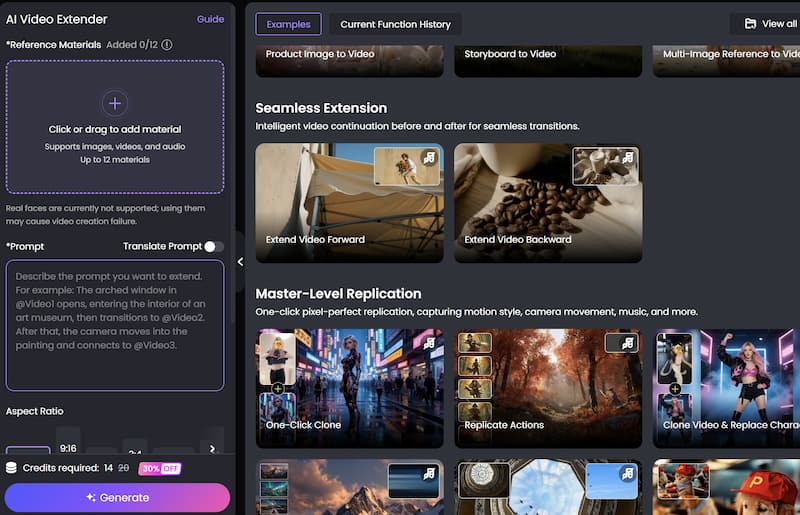
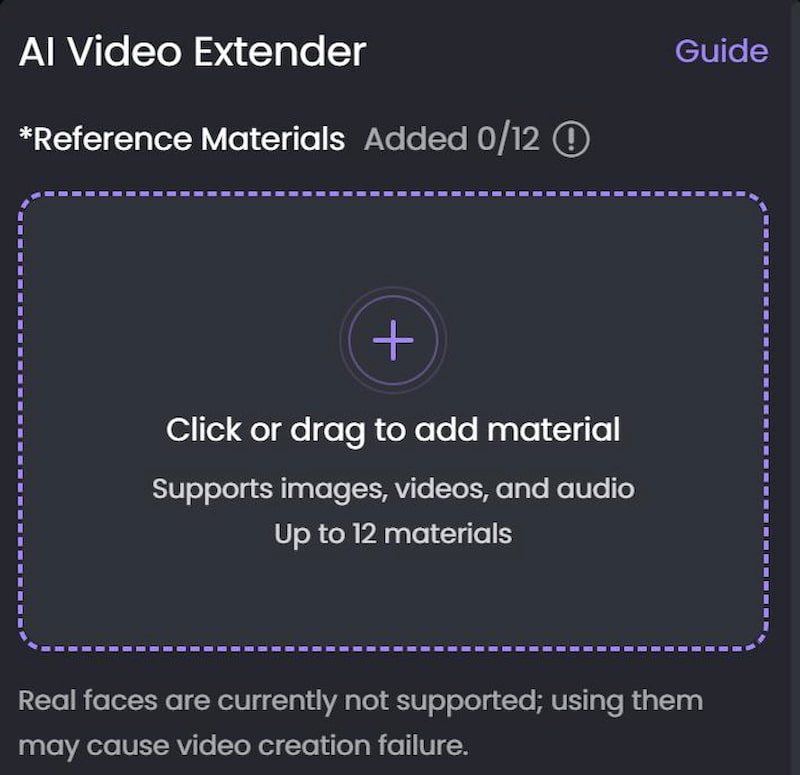
Step 1. Upload Your Video
Open the Picwand AI Video Extender website and Click or drag to add material. After uploading, the AI system will process the video automatically.
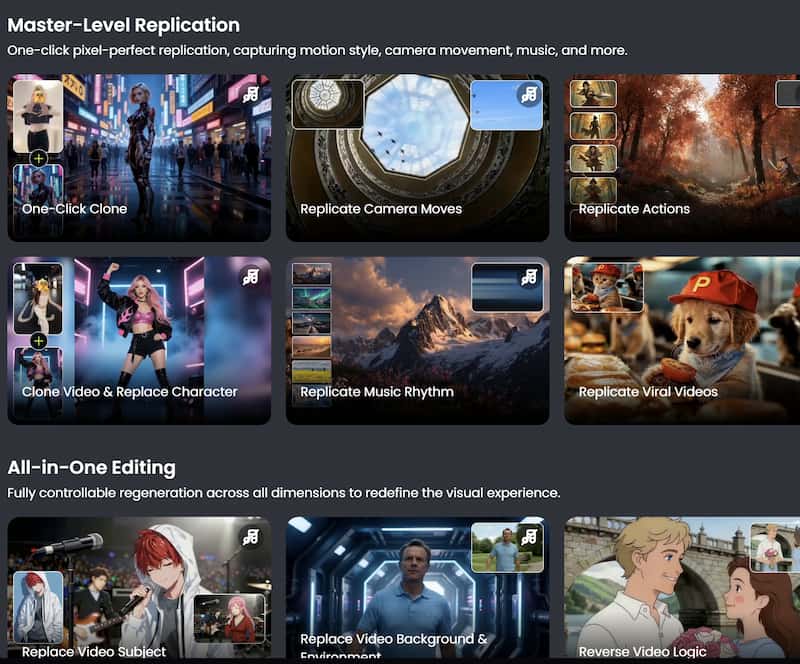
Step 2. Apply Visual Effects
Browse available AI filters and effects and choose the one you need.
Step 3. Preview and export the Final Video
It brings excellent results like Ideogram AI. After finishing the edits, export the video in your preferred resolution. Download the final video and share it directly on your preferred platforms.
For best Instagram Story quality:
- • Use vertical format
- • Maintain high resolution
- • Keep transitions smooth
FAQs about How Can You Make a Video Longer
Can I make an Instagram Story video longer without editing skills?
Yes. AI-powered tools like Picwand simplify the process significantly. Most users can extend videos in just a few clicks without advanced editing knowledge.
Does AI video extension reduce quality?
High-quality AI tools are designed to preserve visual consistency and smooth motion. Results are generally much better than simple looping or frame duplication.
What is the best way to make videos longer naturally?
AI scene extension is one of the most natural methods because it generates realistic visual continuation instead of repeating the same frames.
Conclusion
That’s all about how to make instagram story long. Making Instagram stories that are longer and more interesting is not hard anymore. We used to use methods like looping or slow motion. These methods can look like we are repeating things or they need extra work to edit. AI-powered tools are a way to do things. They make scenes longer in a way they make transitions better and they make the story flow better so the videos feel nicer and more professional.With Picwand AI Video Extender people can change videos into really interesting Instagram Story content without needing to know a lot, about editing. If you make things if you influence people if you market things or if you just use Instagram using AI to make your videos longer can help your Stories stand out and keep people watching Instagram Stories.
AI Picwand - Anyone Can be A Magician
Get Started for Free