How to Make Pixel Art: A Beginner-Friendly AI Guide

Pixel art has had a notable comeback in recent years because to the popularity of NFTs, digital production platforms, and retro-style games. In a matter of seconds, AI-powered tools can now do tasks that formerly required laborious human drawing on grid-based canvases. No matter how much expertise you have with digital graphics, learning how to make pixel art is now easier than ever. You may utilize modern AI technology to transform ordinary photos into stunning pixel-style artwork or even animated pixel films without the need for artistic skills.
In this book, we'll walk you through every stage of the process, from understanding the principles of pixel painting to using advanced AI tools like Picwand to effortlessly produce your own creations.
Contents:
Part 1. What Is Pixel Art
"Pixel art" is a kind of digital art in which pictures are created and altered at the pixel level. Every image is composed of tiny squares, or pixels, that are carefully arranged to form objects, people, or scenes. In the early days of video games, this style became popular due to hardware limitations. Pixel art was employed in classic games since intricate visuals were not supported on low-resolution devices. AI pixel art generator are now valued for their simple style and nostalgic appeal.
Important Features of Pixel Art:
- • Grid-based design: Each pixel is positioned with purpose.
- • Restricted color scheme: Frequently employs fewer hues for aesthetic impact
- • Blocky appearance: Sharp edges and visible squares
- • High attention to detail: Despite its simplicity
Types of Pixel Art:
- • Static pixel art: Icons, avatars, illustrations
- • Isometric pixel art: 3D-like designs
- • Animated pixel art: GIFs and game sprites
Modern creators use pixel art for:
- • Indie game design
- • Social media visuals
- • Branding and logos
- • NFTs and digital collectibles
Part 2. Best AI Tools to Make Pixel Art
By automating difficult procedures while maintaining creative quality, AI systems have completely transformed the production of pixel art. Here are two potent Picwand tools that are particularly noteworthy in 2026.
1. Picwand AI Art Styles Generator – Pixel Art Style Image Generation
Picwand AI Art Style Generator can convert photos into pixel art instantly, resolving your concern on how to make image into pixel art.
Features:
- • Converts photos into pixel art instantly
- • Multiple artistic styles, including retro and 8-bit effects
- • High-resolution output suitable for social media and design
- • No installation required (web-based tool)
- • Beginner-friendly interface
Best For:
Users who want to quickly turn photos into pixel-style images without manual drawing or design experience. Ideal for avatars, profile pictures, and creative posts.
2. Picwand AI Pixel Art Generator – Convert Images to Pixel Art Videos
If you want to know how to make pixel art videos, Picwand AI Pixel Art Generator can give you the answer. It can transform images or clips into animated pixel art videos quickly with excellent visual effect.
Features:
- •Transforms images or clips into animated pixel art videos
- •Maintains motion and facial details during conversion
- •Fast processing with high-quality rendering
- •Supports dynamic content creation for reels and short videos
Best For:
Social media users and content producers looking for captivating animated pixel art films for YouTube Shorts, Instagram, or TikTok.
Part 3. How to Make Pixel Art with Picwand AI
Creating pixel art with Picwand picture pixel converter is simple and efficient. Below are two easy methods using the Picwand AI Art Styles Generator.
Method 1: Convert a Photo to Pixel Art
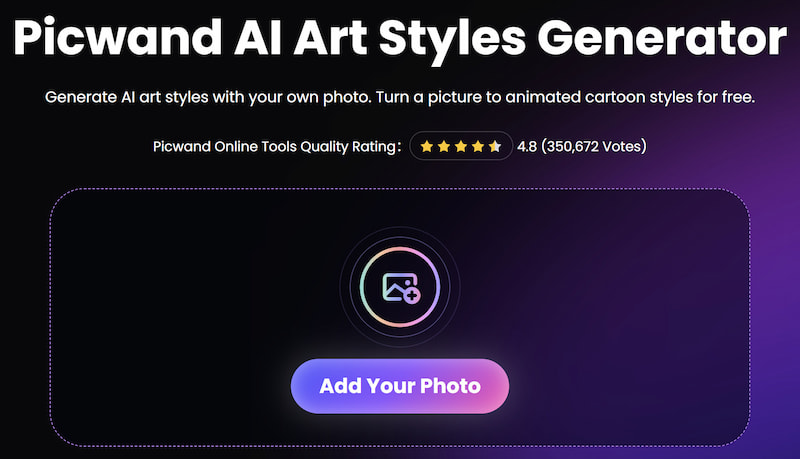
Step 1. Add Your Photo
Click Add Your Photo and choose a clear photo. Portraits and simple backgrounds work best.
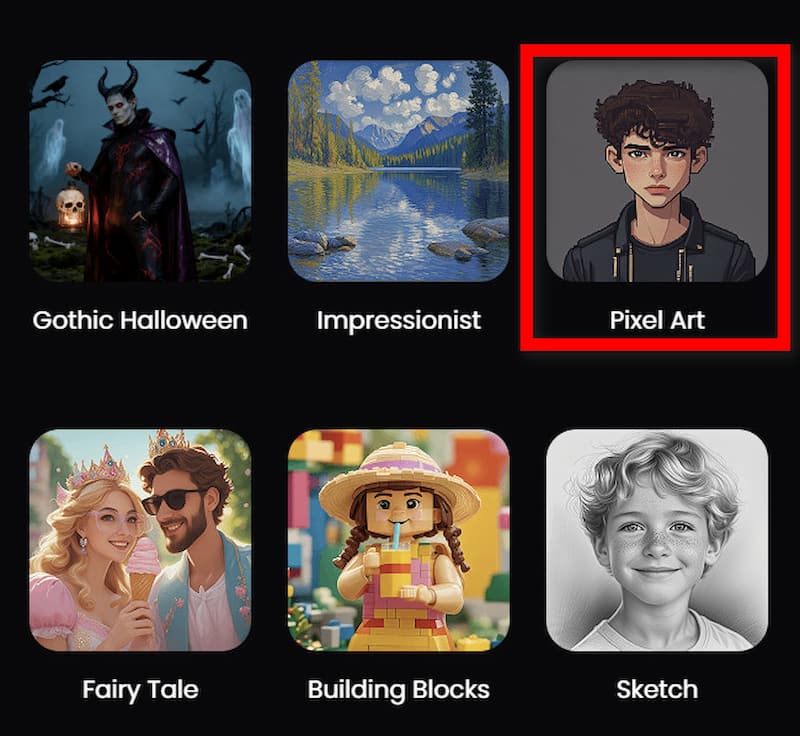
Step 2. Select Pixel Art Style
Browse through available styles and choose a pixel or 8-bit effect.
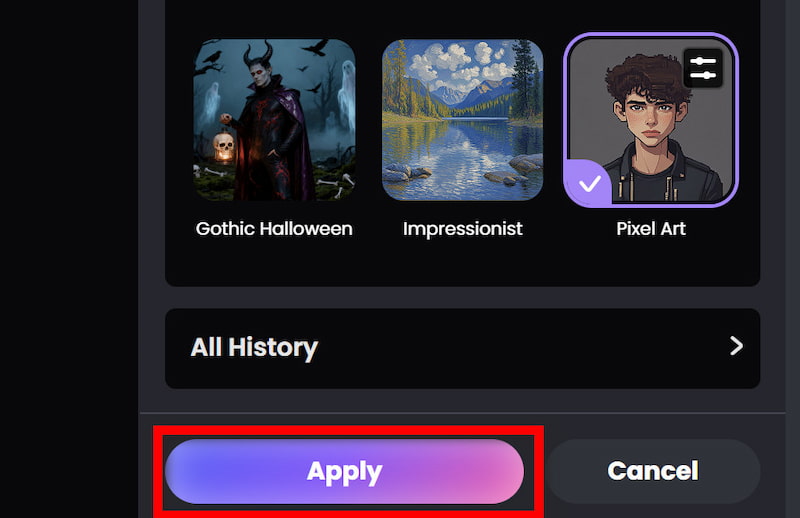
Step 3. Apply and Download
Click Apply and let the AI process your image. Preview the output and download your pixel art image in high quality.
Method 2: Customize Your Pixel Art Output
Similar to steps above, you can try to customize your pixel art output, such as image to minecraft pixel art.
Step 1. Upload a High-Quality Image
Click on Add Your Photo to upload your image. Better input leads to better output, so use well-lit and sharp images.
Step 2. Experiment with Styles
Try different pixel art filters to find the best aesthetic.
Step 3. Adjust Details
If available, tweak parameters like color intensity or sharpness.
Step 4. Compare Versions
Generate multiple variations and choose the most visually appealing one.
Step 5. Export and Share
Download your final image and share it on social platforms or use it in projects.
Bonus: Create Pixel Art Videos
If you want to go beyond static images:
- • Use Picwand AI Pixel Art Video Generator
- • Upload a short video clip
- • Apply pixel art effect
- • Export your animated pixel content
This is ideal for producing viral content and captivating visual narratives. It's critical to comprehend how input quality influences output while utilizing the Picwand AI pixel art generator in order to achieve optimal results. Sharper and more eye-catching pixel art will result from high-resolution photos with distinct topic separation. Steer clear of photos that are too compressed or fuzzy since this might result in pixel patterns that are distorted.
Experimenting with various picture kinds is another helpful approach. For instance, landscapes can create stunning retro-style settings, but portraits typically result in really captivating pixel avatars. By playing with various inputs, you may make the most of the pixel art generator.
Lighting and contrast are also crucial. An picture with strong contrast helps the AI distinguish between different areas, resulting in more distinct shapes and clearer pixel boundaries. If required, you can pre-edit your image to increase brightness or clarity before uploading.
Lastly, don't be scared to give it another go. The capacity of AI technologies to produce several variants rapidly is one of its advantages. You may choose the most aesthetically pleasing version or even combine ideas for more creative endeavors by comparing several results.
Part 4. FAQs about How to Make Pixel Art
Do I need drawing skills to make pixel art?
No. With AI tools like Picwand, anyone can create pixel art without any artistic background.
Can I animate pixel art?
Yes. Tools like Picwand’s video generator allow you to create animated pixel art easily.
Can I use pixel art for commercial projects?
Yes, but always check the licensing terms of the tool you use.
Conclusion
That’s all about the content of how to make pixel art. As a distinctive and nostalgic kind of digital creation, pixel art is still quite popular. Modern AI technologies have made the procedure quicker, simpler, and more accessible than before, but conventional approaches still call for patience and accuracy. With only a few clicks, you can turn commonplace photographs into breathtaking pixel graphics with programs like Picwand AI Art Styles Generator and Pixel Art Video Generator. Whether you're creating animated videos or static artwork, these tools provide a powerful and intuitive way to bring your ideas to life. Now that you know how to create pixel art, it's time to experiment, create, and share your own pixel-inspired works with the world.
AI Picwand - Anyone Can be A Magician
Get Started for Free