Kling AI Review: Is It Worth Using in 2026?

AI video generation is evolving rapidly, and one of the newest tools drawing attention is Kling AI. Positioned as a next-generation text-to-video and image-to-video platform, Kling AI promises cinematic motion, realistic visuals, and advanced camera control powered by large-scale generative models. But does Kling AI truly deliver professional-grade output? Is it suitable for marketers, content creators, and businesses? And how does it compare to alternative AI tools like Picwand AI? In this comprehensive Kling AI review, we’ll break down Kling AI’s core features, video quality, pricing structure, pros and cons, and help you decide whether it’s the right tool for your workflow.
Contents:
Part 1. What is Kling AI
Kling AI video generator is an AI-powered video generation platform developed by Kuaishou. It leverages advanced diffusion models and multimodal AI systems to generate high-quality videos from text prompts or still images.
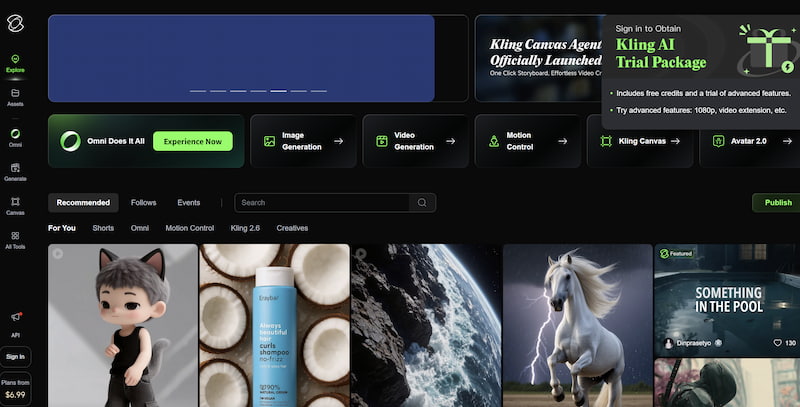
Unlike early AI video tools that produced short, unstable clips, Kling AI focuses on:
- • Longer video duration
- • Natural motion physics
- • Realistic character consistency
- • Cinematic camera control
The platform aims to compete with emerging generative video systems by offering smoother transitions and more coherent storytelling within AI-generated clips.
Part 2. Kling AI’s Key Features
1. Text-to-Video Generation
Kling AI text-to-video allows users to generate videos directly from descriptive text prompts.You simply enter a scene description, such as:
"A futuristic city at sunset with flying cars and soft cinematic lighting."
The AI then interprets the prompt and produces a dynamic video sequence. Compared to earlier-generation tools, Kling AI tends to:
- • Produce more stable character movement
- • Maintain scene consistency
- • Handle lighting and depth more naturally
However, output quality still depends heavily on how detailed and structured your prompt is.
2. Image-to-Video Generation
Another powerful feature is Kling AI’s image-to-video transformation.
Users can upload:
- • Portrait photos
- • Landscape images
- • Concept art
- • Product shots
Kling AI animates the image with realistic motion. This is especially useful for:
- • Social media ads
- • Short promotional clips
- • E-commerce product animation
- • Storyboarding concepts
Motion realism is one of Kling AI’s stronger aspects, particularly when animating environmental elements like wind, water, and lighting shifts.
3. Automatic Audio Generation
Kling AI also integrates AI-generated sound, including:
- • Background music
- • Ambient effects
- • Simple environmental sounds
While it’s not a full-featured audio production suite, this feature reduces the need for external editing tools and helps creators quickly produce ready-to-share short videos.
That said, audio customization options remain somewhat limited compared to dedicated AI music generators.
4. Camera Movement Control
One of Kling AI’s most talked-about features is its camera motion system.
Users can guide cinematic movements such as:
- • Zoom-in / zoom-out
- • Pan left/right
- • Tracking shots
- • Rotational movement
This allows creators to simulate professional filmmaking techniques. The result of Kling AI videos often feels more immersive compared to static AI-generated clips. You can refer to the best Kling AI prompts for better results. For storytellers and marketers, this feature adds a layer of visual sophistication.
Part 3. Kling AI Video Quality
Video quality is where Kling AI tries to differentiate itself.
Strengths:
- • Smooth motion transitions
- • Better physics simulation
- • Improved subject stability
- • More natural facial rendering
Limitations:
- • Occasional distortions in hands or fine details
- • Prompt misinterpretation in complex scenes
- • Rendering time can vary
- • Longer videos may reduce consistency
Overall, Kling AI produces impressive short-form cinematic clips. For social media content and concept visualization, the quality is competitive. For high-end commercial production, additional editing may still be necessary.
Part 4. Who is Kling AI Best for?
Kling AI is most suitable for:
- • Content Creators
YouTubers, TikTok creators, and Instagram marketers who need eye-catching AI-generated clips. - • Digital Marketers
Quickly generate ad concepts, product teasers, or visual experiments without hiring full production teams. - • Indie Filmmakers
Storyboard scenes or prototype cinematic ideas before real filming. - • Designers & Agencies
Pitch visual ideas to clients using AI-generated scene previews.
It may not be ideal for:
- • Large-scale film production requiring frame-level precision
- • Users needing deep editing timelines
- • Professionals requiring full commercial licensing clarity in all regions
Part 5. Kling AI Pricing Plans
Pricing structures may change over time, but typically Kling AI follows a credit-based or subscription model.
(Always check official pricing for the latest updates.)
Pros
- High-quality motion realism
- Advanced camera control
- Text-to-video & image-to-video
- Cinematic output style
- Integrated audio generation
Cons
- Still developing global access
- Prompt-sensitive results
- Rendering speed varies
- Limited deep editing tools
- Pricing may increase with usage
Part 6. Best Alternative: Picwand AI
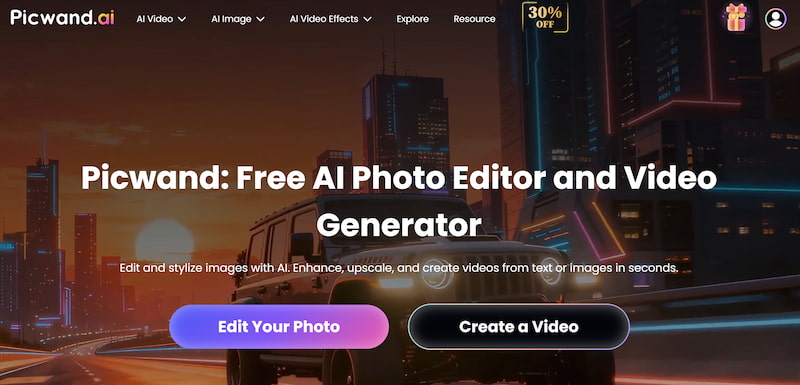
While Kling AI focuses on cinematic video generation, some users may need a more versatile AI creative toolkit. Picwand AI Text-to-Video Generator offers powerful AI-driven image and video enhancement tools designed for marketers, e-commerce sellers, and content creators, recognized as the best Kling AI alternative.
Why Consider Picwand AI?
- • AI photo enhancement
- • Background removal
- • Image upscaling
- • AI-powered visual optimization
- • Beginner-friendly interface
If your workflow requires not only video generation but also image polishing, resizing, and professional enhancement, Picwand AI can provide a more practical and cost-effective solution. You can refer to the best AI prompt generator to improve the instruction. For creators focused on visual clarity and editing rather than cinematic storytelling, Picwand AI may be the smarter choice.
Part 7. FAQs about Kling AI Review
Is Kling AI free to use?
Kling AI usually offers limited trial credits. Full functionality typically requires a paid subscription.
Can Kling AI create long videos?
It supports longer clips compared to early AI tools, but performance may vary depending on plan level and rendering load.
Is Kling AI good for commercial projects?
It can be used for marketing and promotional materials, but always review licensing terms before large-scale commercial use.
Conclusion
That’s all about Kling AI review. Kling AI represents a significant step forward in AI-generated video technology. With its text-to-video system, image animation capabilities, automatic audio generation, and cinematic camera control, it offers impressive creative potential.
However, like all AI tools, it has limitations—especially regarding editing flexibility and prompt sensitivity. If your goal is cinematic AI video experimentation, Kling AI is worth exploring. But if you need a broader AI media toolkit with practical enhancement features, Picwand AI Text-to-Video Generator provides a strong alternative. Ultimately, the best choice depends on your creative goals, budget, and production needs.
AI Picwand - Anyone Can be A Magician
Get Started for Free