Rewards
Back to Generate
Product Background Changer
*Product Image
Upload the product image whose background you want to replace.
Add an Image
Add an Image
Background Reference
Upload a reference image to replace the product background. If you don't upload one, you'll need to enter a background description.
Add an Image
Add an Image
Background Description
Fill this in or upload a background reference image. You can also use both.
0/1500
Generate
(
--
)
Upload a product image to start generating backgrounds
AI automatically detects the product subject and preserves its colors, materials, and logo details to generate backgrounds with realistic perspective, lighting, and contact shadows.
Upload a product image to start generating backgrounds 1
Upload a product image to start generating backgrounds 2
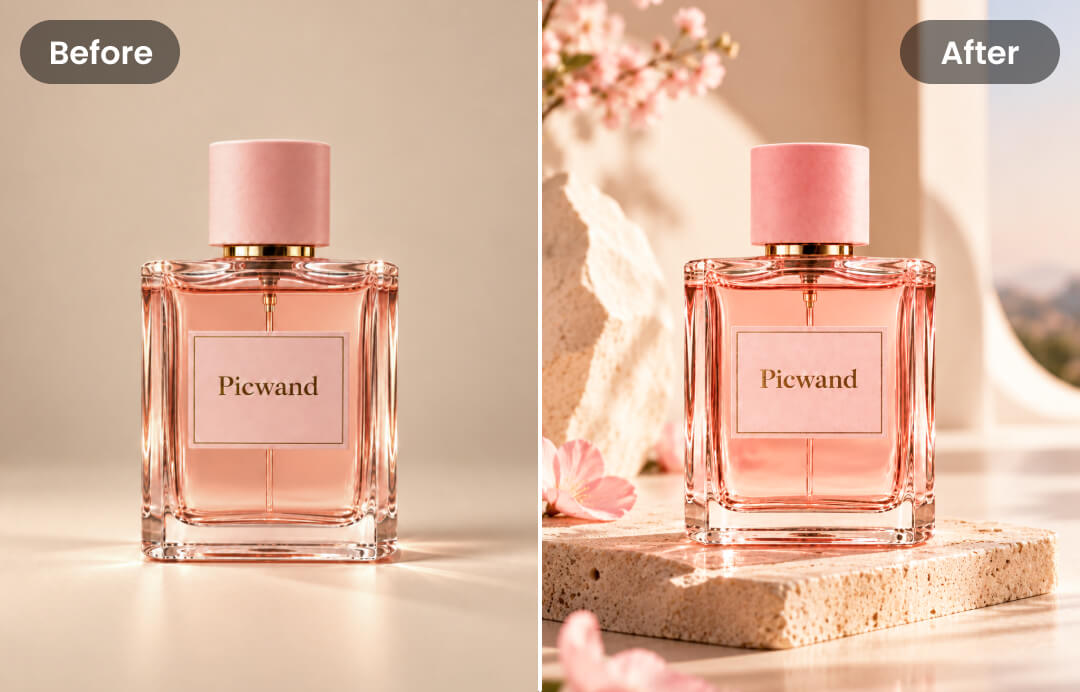
Sample results. Actual output depends on your product image and description.
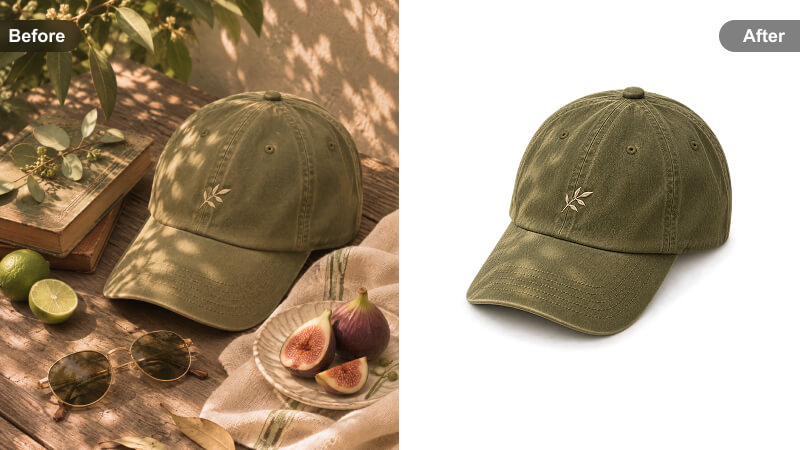
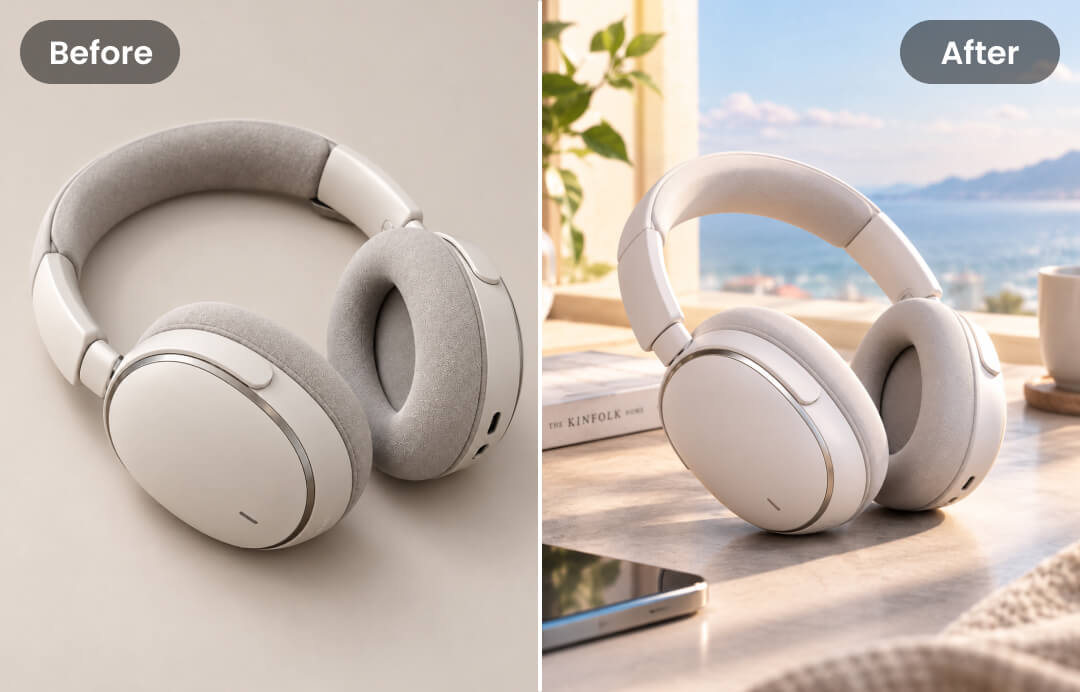
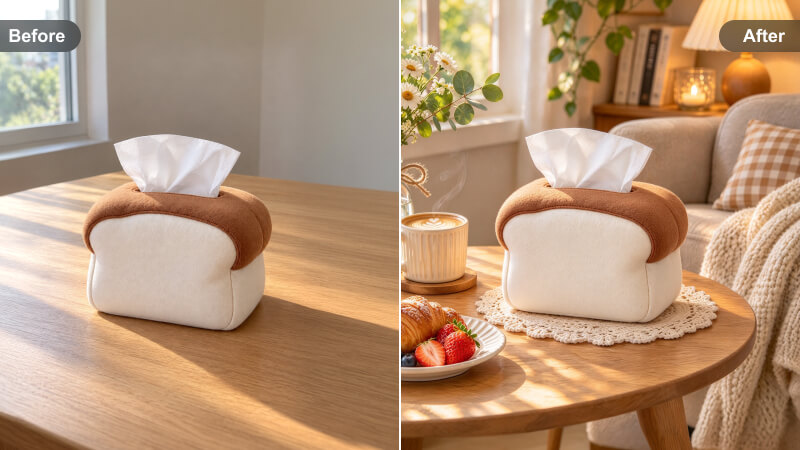
Before & After: Product Background Transformation

White Product Background
Lifestyle Product Background
Advertising & Marketing Backgrounds
Luxury Product Background
White Product Background
Lifestyle Product Background
Advertising & Marketing Backgrounds
Luxury Product Background
Professional Product Backgrounds

Professional Product Backgrounds Without a Photoshoot

Replace cluttered or distracting backgrounds with clean, professional scenes. Picwand photo background changer detects your product and preserves its original colors, materials, and logo details while generating realistic lighting, perspective, and shadows.

Create Now

Generate Custom Product Backgrounds with AI

Create unique product backgrounds with text descriptions, reference images, or both. Simply describe your desired scene or upload an example to generate backgrounds that match your brand style and creative vision with background replacer.

Create Now
Custom Product Backgrounds
Different Platforms

Create AI Product Images for Every Platform

Create versatile product visuals for e-commerce listings, online stores, Instagram posts, paid ads, and marketing campaigns. Adapt your images to different platforms and creative needs with a background color changer.

Create Now

How to Change a Product Photo Background with AI

Upload Your Product Image

Step 1: Upload Your Product Image

Upload a product photo and optionally add a reference image.

Describe Your Desired Background

Step 2: Describe Your Desired Background

Enter a text prompt, upload a reference image, or use both.

Generate Your Product Image

Step 3: Generate Your Product Image

Let AI create and blend a new background with your product.

What Our Users Are Saying

5.0

My online store needs cleaner product photos. It is convenient to create different backgrounds without setting up another photo.

James

E-commerce Seller

James
5.0

It is very useful for creating product visual effects for different activities. I can try several background styles to match the appearance of each promotion.

Emma

Marketing Specialist

Emma
4.9

I like how easy it is to experiment with different product scenes. It gives me more options when preparing visual concepts for clients.

Sophia

Graphic Designer

Sophia
4.8

It's a simple way to make my product photos look more polished. I don't need much editing experience to get started.

Davis

E-commerce Seller

Davis

Frequently Asked Questions

What is an AI image background changer?

A background changer is a tool that uses artificial intelligence to replace or generate backgrounds in product photos. It helps create professional product visuals without manual editing or reshooting.

How to change background on iPhone?

Upload your product image, enter a background description or add a reference image, and let AI generate a new scene. Picwand automatically detects the product and blends it with the new background.

Can I generate custom product backgrounds with AI?

Yes. Picwand lets you create custom product backgrounds using text descriptions, reference images, or both. You can describe the setting, style, colors, and other visual details you want.

Can I use AI-generated product images for e-commerce?

Yes. AI-generated product images can be used for online stores, product listings, promotional banners, and other e-commerce marketing materials. Make sure the final visuals accurately represent the actual product.

Do I need photography or design skills to replace backgrounds?

No. You only need to upload a product image and describe the background you want. Picwand AI handles background generation and blending, making the process accessible to beginners.

Why Choose Picwand AI Product Background Changer?

One-Click Background Change

One-Click Background Change

Replace backgrounds without manual editing.

Realistic Results

Realistic Results

Preserve details with natural lighting and shadows.

Multi-Channel Visuals

Multi-Channel Visuals

Create images for stores, social media, and ads.

Easy for Everyone

Easy for Everyone

Upload an image and describe your desired background.

Picwand Product Background Changer

Also available for mobile: