- Upscale, enhance, remove objects, and colorize photos easily.
- Turn photos into cartoons and more style options available.
- Edit photos basic settings and manage projects for free.
How to Restore Old Photos with AI: 3 Easy Methods
Old photos often preserve precious moments. You may want to restore them to better keep and share these cherished memories. This guide covers three helpful methods to restore old photos. You can select your preferred tool to start the photo restoration.
Contents:
Quick Comparison: 3 Ways to Restore Old Photos
Not sure which method to choose? The table below gives you a quick comparison of the three ways to restore old photos, including their ideal users, key advantages, and limitations.
Which Old Photo Restoration Method Should You Choose?
- • Choose Picwand AI Photo Restoration if you are a beginner and want a simple, automated way to restore old photos with minimal editing.
- • Choose Picsart if you want to quickly restore and enhance an old photo online without installing desktop software.
- • Choose Adobe Photoshop if you need detailed manual control or want to handle complex photo restoration projects.
How to Choose the Right Photo Restoration Tool
The right photo restoration tool depends on your editing needs, experience, and how much control you want over the restoration process.
- • Want the easiest option? Choose an AI photo restoration tool like Picwand for quick, automatic enhancement.
- • Need a quick online solution? Choose Picsart to restore and enhance photos directly in your browser.
- • Need advanced control? Choose Photoshop if you want to manually adjust details, colors, scratches, and other image elements.
- • Restoring severely damaged photos? Consider a professional restoration service for more complex repairs.
Restore Old Photos Using AI
To fix and restore old physical photos, you need to scan them at a high resolution first. You can use a good-quality scanner, a digital camera, or your phone to create digital versions of your old photos. Once these photos are scanned, you can then use image editing software like Adobe Photoshop or a specially designed photo restoration tool to restore them.
To effectively restore old photos, you can rely on the easy-to-use Picwand AI Photo Restoration. This AI-powered old photo restoration tool offers a straightforward way to repair old, scratched, blurry, and low-resolution images. It adopts advanced AI technology to analyze the content and various color data of your old photo and automatically enhance it.
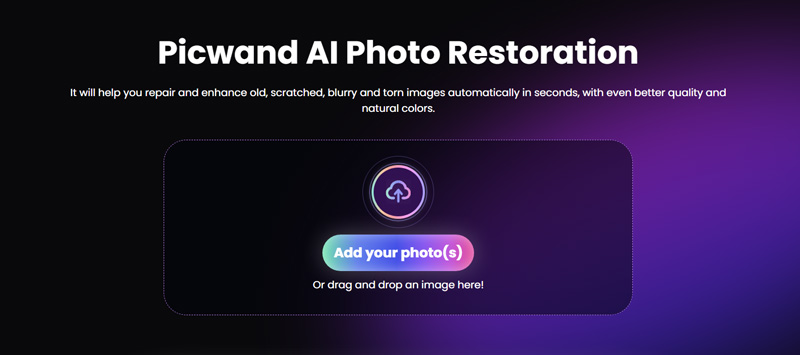
When you want to restore an old photo for free, navigate to the Picwand AI Photo Restoration website and click the Add your photo(s) button to browse and upload the old image you want to restore. Once added, Picwand will automatically start the old photo restoration process. You can check the details of the enhanced photo and compare it with the source image.
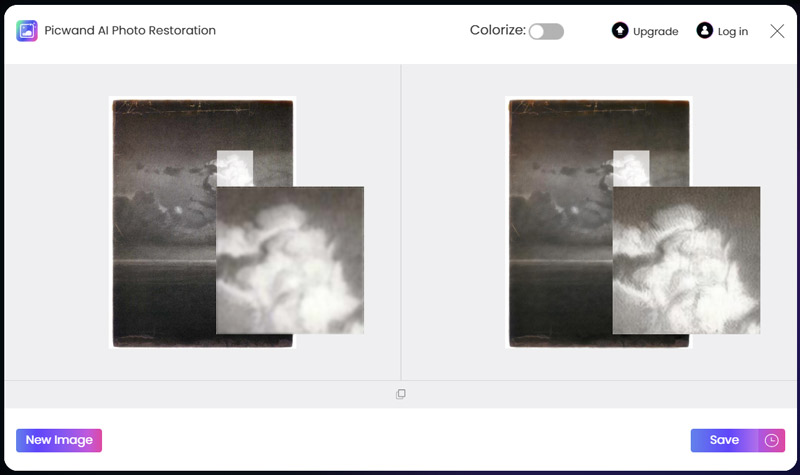
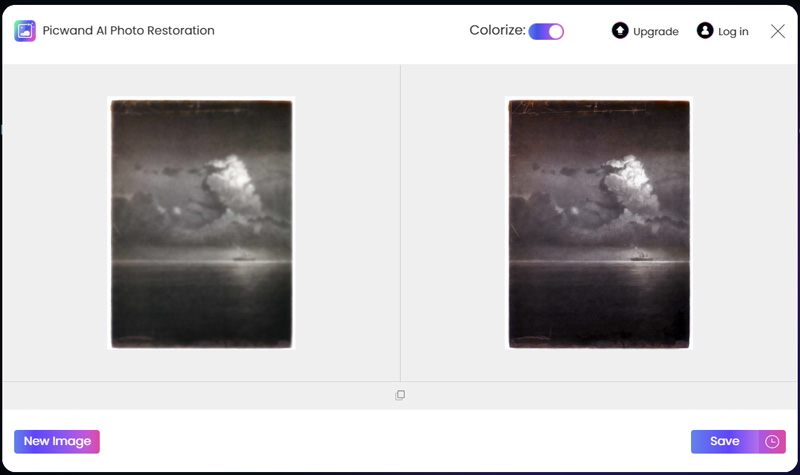
If you are happy with the photo restoration result, click the Apply button to save your operation. And then you can choose Download, which on the upper right corner of the page, to save the processed photo. As you can see, Picwand also offers a one-click way to colorize the old black-and-white picture. You can enable Colorize to intelligently add natural color to your old photo.
Restore Old Photos Online with Picsart
When you search for a way to restore old photos online, you may easily get the Picsart recommendation. It is a popular AI photo restoration tool that can help you restore, enhance, and refine old photos. Like Picwand, Picsart provides an automatic way to quickly complete the old photo restoration. It is designed with an individual AI Enhancement function to help you restore old images online.
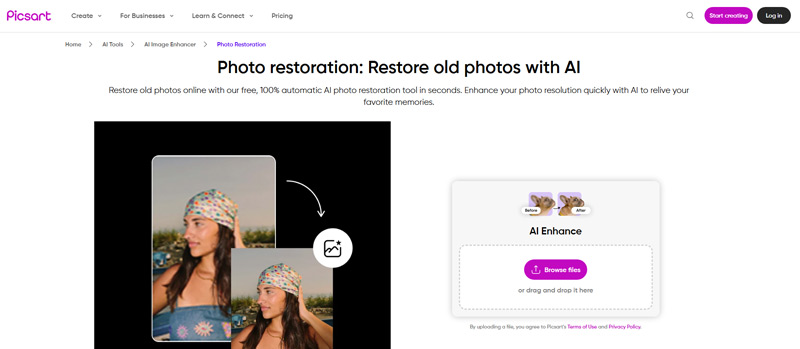
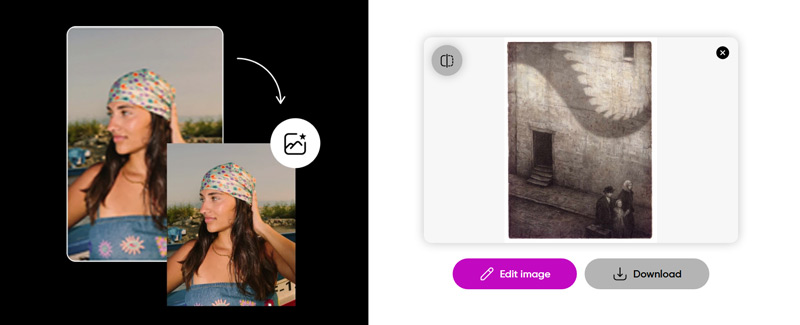
Open a web browser and go to the specific Picsart AI Image Enhancer Old restoration page. Click the Browse Files button to upload your old photo. It will automatically complete the old photo restoration process. Click Edit Image if you are unsatisfied with the old photo restoration result or want to edit the restored image.
If you are satisfied with the result, click Download and select the desired quality to save it. You need to upgrade to the paid Pro version to download the restored photo in HD.
Restore Old Images in Photoshop
If you want to manually restore old photos, increase the photo’s clarity, sharpen details, optimize the overall effects, and do other image enhancements, you can turn to professional Adobe Photoshop. You can download the latest version of Photoshop on your computer and follow the steps below to start the old photo restoration.
Launch Photoshop and open your old photo. Before the photo restoration, you’d better create a duplicate layer to ensure the source image won’t be affected. You can right-click the background layer and select Duplicate Layer.
Photoshop is designed with a specific Photo Restoration feature for you to quickly restore old images. You can go to the Filter menu, choose Neural Filters, and then find the Photo Restoration option. Apply it to restore the old photo and improve its clarity. Drag the sliders to enhance the image, enhance the face, and reduce scratches based on your needs.
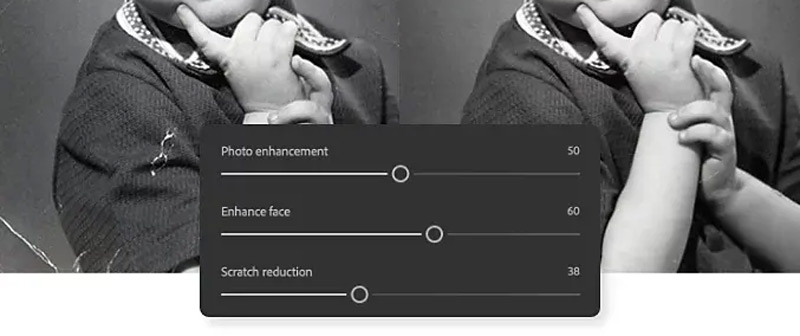
To repair and enhance your old photo, you can also choose to increase contrast and brighten the image. What’s more, Photoshop offers various options to adjust the color balance. You can also use the related Spot Healing Brush Tool to remove small blemishes and scratches. To remove some unwanted elements, you can select the area and use the Content-Aware Fill function to fill it in.
If you want to add color to a black-and-white photo, click the top Image menu and select the Colorize tool. Similarly, you can use other functions to enhance your old image. After image editing and enhancement, save the restored photo in a high-quality format.

Picwand AI Photo Editor
FAQs of Old Photo Restoration
Question 1. Can AI restore old color photos?
Yes. AI can restore old color photos by fixing faded colors, reducing scratches and noise, sharpening details, and improving overall image quality.
Question 2. How to restore old photos with AI online for free?
There are several web-based tools that allow you to restore old photos online for free. As mentioned above, some popular ones include Picwand, Picsart, PicWish, Fotor, Adobe, and others. You can select your preferred old photo restoration tool to restore, enhance, and colorize old photos.
Question 3. What is the best way to restore old photos?
If you prefer a free way to restore old photos, an online photo restoration service may be your best option. When you deal with complex restorations, you can turn to some professional photo restoration services. Professionals have the expertise and tools to handle various damage and color-fading issues. In some cases, if you want to manually restore your old photos, you can start with some powerful image editors like Photoshop. You get all the necessary editing functions and tools to edit, enhance, and restore old photos.
Question 4. What file formats are supported for restoration?
Most photo restoration tools support common image formats such as JPG, JPEG, PNG, and WEBP. Check the tool's requirements before uploading your photo.
Summary
This article shares three helpful methods to restore old photos with ease. You can select your preferred tool to repair and enhance your valuable images. If you want to achieve the best possible results, consider getting help from a professional photo restoration service.

AI Picwand - Anyone Can be A Magician
Get Started for Free
Edit Your Photo