*Image

Add an Image
Add an Image
Video Resolution
Video Duration
Background Music
Public Visbility
vip
Copy Protection
vip
Inspiration
Current Function History
View all history
'/%3e%3cpath%20d='M9.34735%205.07241C11.8356%205.07241%2013.9133%206.66418%2014.4578%208.83779C14.5265%209.20482%2014.5341%209.42424%2014.462%209.87377C14.3473%2010.4315%2013.9838%2010.9592%2013.3677%2011.4305L18.6592%2011.5945C18.8793%2010.9561%2018.9982%2010.2749%2018.9982%209.56752C18.9982%205.94038%2015.8716%203%2012.0148%203C9.47604%203%207.25371%204.27403%206.03125%206.17934C6.93603%205.48726%208.09017%205.07241%209.34735%205.07241Z'%20fill='url(%23paint1_linear_1934_63555)'/%3e%3cpath%20fill-rule='evenodd'%20clip-rule='evenodd'%20d='M11.481%2011.5949C14.3855%2011.5949%2016.7401%209.38049%2016.7401%206.64894C16.7401%205.77328%2016.4981%204.95076%2016.0736%204.2373C17.8326%205.42984%2018.9777%207.37338%2018.9777%209.56846C18.9777%2013.1956%2015.8511%2016.136%2011.9943%2016.136C11.8476%2016.136%2011.7019%2016.1317%2011.5574%2016.1233V16.1558C11.4179%2016.1471%2011.2771%2016.1427%2011.1352%2016.1427C8.15594%2016.1427%205.66016%2018.0896%205.00781%2020.7043V15.0129C6.1949%2012.9801%208.49286%2011.6023%2011.133%2011.6023C11.2191%2011.6023%2011.3049%2011.6037%2011.3902%2011.6066V11.5941C11.4204%2011.5946%2011.4506%2011.5949%2011.481%2011.5949Z'%20fill='url(%23paint2_linear_1934_63555)'/%3e%3cdefs%3e%3clinearGradient%20id='paint0_linear_1934_63555'%20x1='11.9834'%20y1='3'%20x2='11.7463'%20y2='16.6886'%20gradientUnits='userSpaceOnUse'%3e%3cstop%20stop-color='%23E5007C'/%3e%3cstop%20offset='0.585'%20stop-color='%239351FF'/%3e%3cstop%20offset='1'%20stop-color='%23873DFF'/%3e%3c/linearGradient%3e%3clinearGradient%20id='paint1_linear_1934_63555'%20x1='12.5147'%20y1='3'%20x2='15.6761'%20y2='9.09519'%20gradientUnits='userSpaceOnUse'%3e%3cstop%20stop-color='%23FA0BFF'/%3e%3cstop%20offset='1'%20stop-color='%23EF500C'/%3e%3c/linearGradient%3e%3clinearGradient%20id='paint2_linear_1934_63555'%20x1='6.39714'%20y1='14.8007'%20x2='19.3204'%20y2='13.5723'%20gradientUnits='userSpaceOnUse'%3e%3cstop%20stop-color='%23FF2B5B'/%3e%3cstop%20offset='1'%20stop-color='%23FFAA72'/%3e%3c/linearGradient%3e%3c/defs%3e%3c/svg%3e)


Step 1
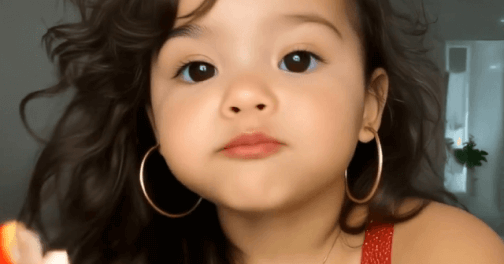
Upload two single-person photos of different ages. Use the same person for the best results.

Step 2
Click "Generate" to create an AI age progression video and preview the effect.

Step 3
Suppose you are satisfied with the video effect. Click "Download" to download the video.
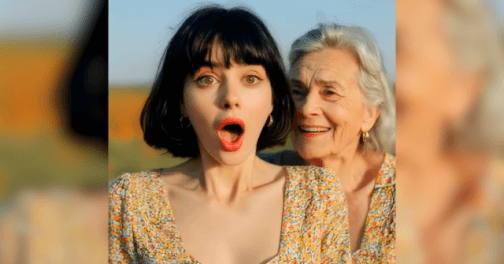
Our AI age filter uses advanced algorithms and AI technology to accurately simulate facial contours and skin textures. Simply upload two photos of the same person at different ages, and you can see how the face changes over time within seconds. The transition is smooth and natural, the process is easy with no editing experience required, and you can effortlessly generate seamless facial age-progression videos online.
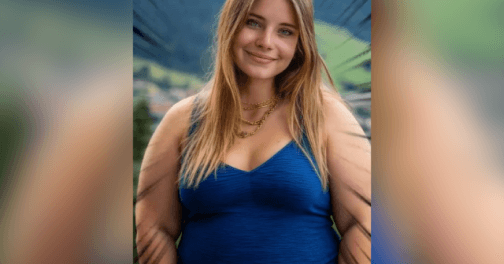
The AI age generator can generate videos across different age stages. You can watch yourself grow from childhood to youth, from youth to old age, or even reverse the process to experience going from old to young, allowing you to relive your youthful moments as if turning back time.
Increasingly, people are using artificial intelligence on social media to share how they envision themselves aging. With the Picwand age changer, you can join the trend and show everyone what I will look like when I grow up by applying a realistic age simulator.
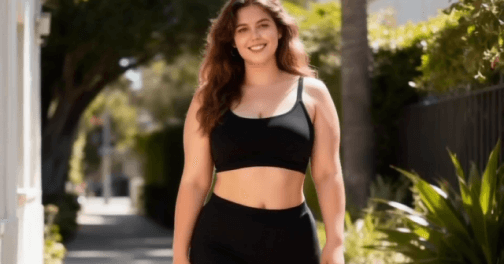
Simply upload two photos, one from your childhood and one from your middle age. Our aging filter will create a video showing your age progression transformation from childhood to middle age. It seamlessly connects your facial features to present a realistic and natural age progression, allowing you to clearly see your face aging online for free.
What is an AI Age Progression Video Generator?
The Age Filter is an AI video generation tool that generates age progression videos based on two uploaded photos, producing realistic and natural results.
Are the generated results of the AI age journey realistic?
Yes. The face ager uses advanced AI algorithms to simulate the aging process. Simply upload two photos, and the AI will thoroughly analyze your facial features, bone structure, and proportions to create a more natural age progression video.
What type of images work best?
For best results, please upload two single-person photos of the same person at different ages, ensuring good lighting and a clean background. This helps the age transformer simulate the aging process more accurately.
Can I share the generated aging video on social media?
Yes. Once the age morph video is generated, you can click "Download" to save it and share it on social media platforms such as Instagram, Twitter, YouTube, and Facebook, allowing everyone to see your age progression transformation video.
Also available for mobile:
Copyright © 2026 Picwand Studio. All rights reserved.