*Image

Add an Image
Add an Image
Video Resolution
Video Duration
Background Music
Public Visbility
vip
Copy Protection
vip
Inspiration
Current Function History
View all history
'/%3e%3cpath%20d='M9.34735%205.07241C11.8356%205.07241%2013.9133%206.66418%2014.4578%208.83779C14.5265%209.20482%2014.5341%209.42424%2014.462%209.87377C14.3473%2010.4315%2013.9838%2010.9592%2013.3677%2011.4305L18.6592%2011.5945C18.8793%2010.9561%2018.9982%2010.2749%2018.9982%209.56752C18.9982%205.94038%2015.8716%203%2012.0148%203C9.47604%203%207.25371%204.27403%206.03125%206.17934C6.93603%205.48726%208.09017%205.07241%209.34735%205.07241Z'%20fill='url(%23paint1_linear_1934_63555)'/%3e%3cpath%20fill-rule='evenodd'%20clip-rule='evenodd'%20d='M11.481%2011.5949C14.3855%2011.5949%2016.7401%209.38049%2016.7401%206.64894C16.7401%205.77328%2016.4981%204.95076%2016.0736%204.2373C17.8326%205.42984%2018.9777%207.37338%2018.9777%209.56846C18.9777%2013.1956%2015.8511%2016.136%2011.9943%2016.136C11.8476%2016.136%2011.7019%2016.1317%2011.5574%2016.1233V16.1558C11.4179%2016.1471%2011.2771%2016.1427%2011.1352%2016.1427C8.15594%2016.1427%205.66016%2018.0896%205.00781%2020.7043V15.0129C6.1949%2012.9801%208.49286%2011.6023%2011.133%2011.6023C11.2191%2011.6023%2011.3049%2011.6037%2011.3902%2011.6066V11.5941C11.4204%2011.5946%2011.4506%2011.5949%2011.481%2011.5949Z'%20fill='url(%23paint2_linear_1934_63555)'/%3e%3cdefs%3e%3clinearGradient%20id='paint0_linear_1934_63555'%20x1='11.9834'%20y1='3'%20x2='11.7463'%20y2='16.6886'%20gradientUnits='userSpaceOnUse'%3e%3cstop%20stop-color='%23E5007C'/%3e%3cstop%20offset='0.585'%20stop-color='%239351FF'/%3e%3cstop%20offset='1'%20stop-color='%23873DFF'/%3e%3c/linearGradient%3e%3clinearGradient%20id='paint1_linear_1934_63555'%20x1='12.5147'%20y1='3'%20x2='15.6761'%20y2='9.09519'%20gradientUnits='userSpaceOnUse'%3e%3cstop%20stop-color='%23FA0BFF'/%3e%3cstop%20offset='1'%20stop-color='%23EF500C'/%3e%3c/linearGradient%3e%3clinearGradient%20id='paint2_linear_1934_63555'%20x1='6.39714'%20y1='14.8007'%20x2='19.3204'%20y2='13.5723'%20gradientUnits='userSpaceOnUse'%3e%3cstop%20stop-color='%23FF2B5B'/%3e%3cstop%20offset='1'%20stop-color='%23FFAA72'/%3e%3c/linearGradient%3e%3c/defs%3e%3c/svg%3e)


Step 1
Upload a photo of a single-person photo.

Step 2
Click "Generate" to create an AI emoji video and check the effect.

Step 3
Suppose you are satisfied with the video effect. Click "Download" to download the video.
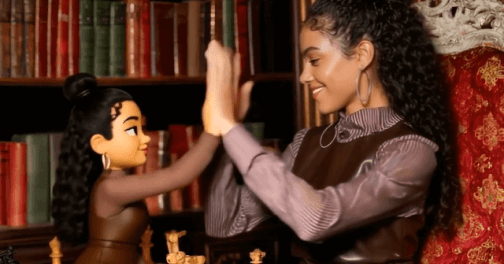
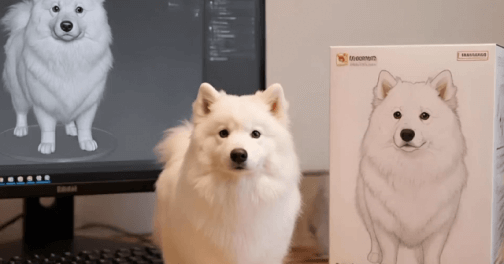
Just upload an image, and it can quickly turn into an interesting smiley face emoji video, with realistic and natural smiley face expressions and a large number of small emojis popping up without any video editing skills. In addition to characters transforming into emoji expressions, it will automatically generate a large number of small emoji popping-up effects, making the video full of vitality and fun.
Use Picwand AI Emoji Generator to create your emoji video. The AI will capture your facial contours and preserve your facial features, hairstyle, and skin tone, allowing the transformed emoji video to still showcase your unique personality. At the same time, the expressions are vivid and natural, including blinking, smiling, and other actions, fully demonstrating your charm.
Create interesting transformation emoji videos with the AI emoji maker to attract more attention on social media platforms such as TikTok and Instagram. Personalized emoji dynamic videos are perfect for sharing on social platforms, following trends to increase likes and interactions, and quickly becoming popular on social media.
What is an AI Emoji Generator?
Picwand AI Emoji Generator is a fun AI video creation tool that can transform your photos into animated emoji videos, complete with lively blinking and natural smiles.
Do I need editing skills to use the AI Emoji Generator?
No, using the AI Emoji Generator on Picwand is very simple. Just upload a photo, and you can generate a smooth emoji transformation video with one click. It's perfect for beginners with no editing experience.
What kind of photo works best for AI-generated emoji videos?
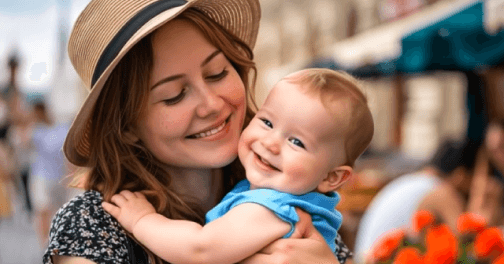
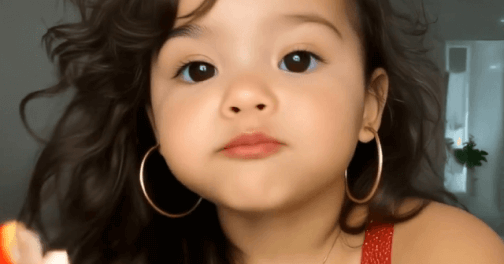
Try to upload a portrait photo with good lighting and clear quality. Front-facing half-body or full-body shots usually produce the best results.
Also available for mobile: