Best Free Video Editor: Top Picks for Beginners and Creators

Making videos used to be hard because you needed to know a lot about technology and have a computer and spend a lot of time doing it. That is why people like using video editing software that uses intelligence. This software can do lots of things for you like make subtitles or take out the background or make the video look better or even make a video for you. Now people who are just starting out and people who have been doing this for a time are using AI to save time and get things done faster. In this guide we will talk about the best free video editors and introduce PicWand AI as one of the top AI-powered solutions for smart and beginner-friendly editing.
Contents:
Part 1. What Is the Best AI Video Editing Platforms
AI video editing software is a type of tool that uses intelligence to make video editing easier. This software helps with the video production process. Traditional video editing software makes users do a lot of work. They have to cut clips by hand change the colors add words to the video and organize all the footage.
They make it simpler to edit videos with AI video editing software:
- • Remove video backgrounds
- • Enhance video quality
- • Generate subtitles automatically
- • Detect scenes intelligently
- • Improve audio clarity
- • Resize videos for different social media platforms
- • Apply smart effects and filters
AI technology has made video editing more accessible for:
- • Content creators
- • Social media influencers
- • Small businesses
- • Online educators
- • Marketing teams
- • Beginner editors
Instead of replacing creativity, AI mainly helps users work faster and more efficiently.
Why AI Video Editing Is Becoming Popular
Several reasons explain the rapid growth of AI editing tools.
• Faster Editing Workflow
AI automation saves significant editing time. Tasks that once required hours can now be completed in minutes.
• Beginner-Friendly Experience
Many AI editors make complicated editing processes very simple, which makes them perfect for beginner editors who have no experience, with video editing.
• Better Productivity for Creators
Content creators need to put out videos all the time and AI tools help them do this without sacrificing the quality of their videos.
• Lower Technical Requirements
Some AI editors can be used in your browser, which means you do not need a really expensive computer or a lot of software to edit videos.
• Improved Video Quality
AI enhancement tools can make blurry footage sharper improve the lighting and reduce noise all automatically.
Because of all these advantages AI video editing software is now used in different industries and platforms by beginner editors and experienced editors alike.
Part 2. Key Features of the Best AI Video Editors
Not all video editors that use intelligence are the same. Before you pick a program you need to know what features will really make editing easier, for you.
Here are the key features you should look for when you are choosing a video editor that uses intelligence.
1. AI Video Enhancement
One of the most valuable AI features is automatic video enhancement.
AI enhancement tools can:
- • Improve video sharpness
- • Increase resolution
- • Reduce grain and noise
- • Correct lighting problems
This feature is especially useful when editing low-quality recordings or older footage.
2. AI Background Removal
The old way of removing backgrounds usually needed a screen and a lot of editing work. Now we have editors that use intelligence to separate the main thing, from the background all by itself which makes making videos a lot easier.
This feature works for:
- • Product videos
- • Tutorials
- • Online meetings
- • Social media clips
3. Smart Scene Detection
AI can analyze footage and identify scene changes automatically.
This helps users:
- • Organize clips faster
- • Remove unnecessary footage
- • Create smoother transitions
4. Beginner-Friendly Interface
Even powerful tools should remain easy to use.
The best AI editors balance:
- • Simplicity
- • Speed
- • Useful automation
- • Creative flexibility
Part 3. Best AI Video Editing Software
There are video editors with artificial intelligence available today. Some are better than others because they are easy to use have features and produce high-quality edits. Here are some top options to consider.
Picwand AI Video Editor (Best Overall)
Picwand AI Video Editor is a choice for creators and users who want fast and smart editing tools. Additionally, it is one of the best video editing software for beginners. Unlike editors that are hard to learn, Picwand AI is simple and automatic.
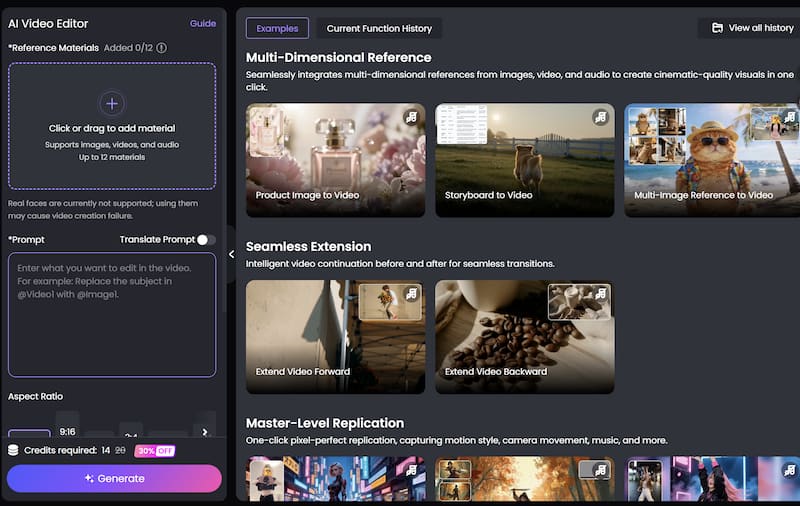
Key Features of Picwand AI
AI Video Enhancement
PicWand AI can improve video clarity automatically by sharpening details and reducing noise.
This feature helps users upgrade low-resolution videos quickly.
AI Background Removal
Users can remove or replace video backgrounds without using complicated green-screen setups.
This is particularly useful for:
- • Social media content
- • Business presentations
- • Product showcases
User-Friendly Interface
PicWand AI is made for people who do not know a lot about editing. It can exert automatic AI video skin retouching, which is easy to use and helps people who're new to editing make videos quickly without getting confused.
Browser-Based Convenience
Since you can use the best free video editor on the internet, you do not have to put programs on your computer to make changes to your videos.
How to Edit Videos Using PicWand AI
Here is how to add elements to a video using Picwand AI Video Editor.
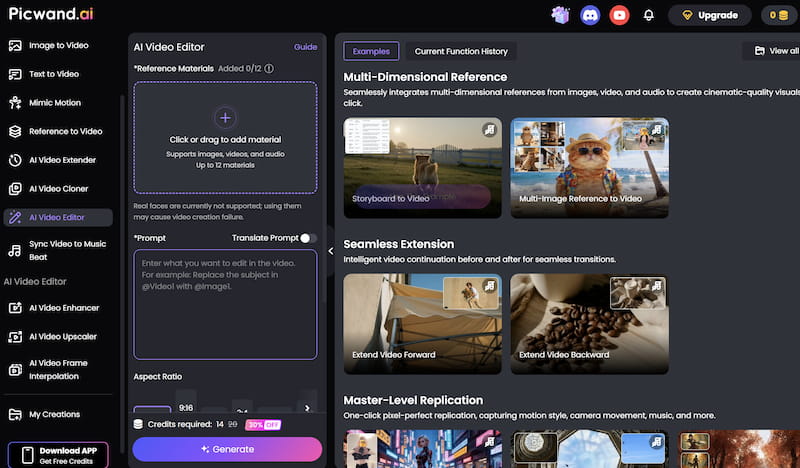
Step 1. Upload Your Video
Open the PicWand AI Video Editor website and Click or drag to add material. After uploading, the AI system will process the video automatically.
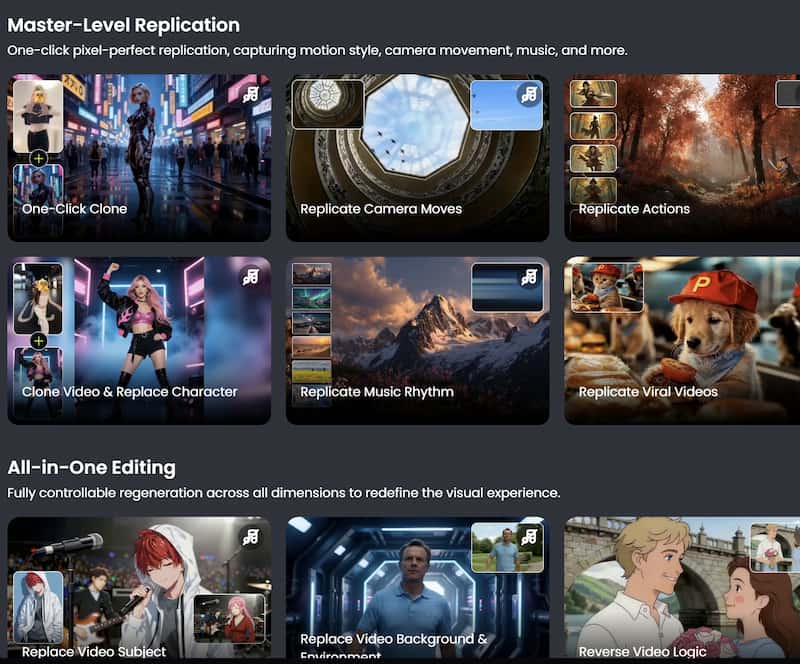
Step 2. Apply Visual Effects
Browse available AI filters and effects and choose the one you need.
Step 3. Preview and export the Final Video
After finishing the edits, export the video in your preferred resolution. Download the final video and share it directly on your preferred platforms.
CapCut
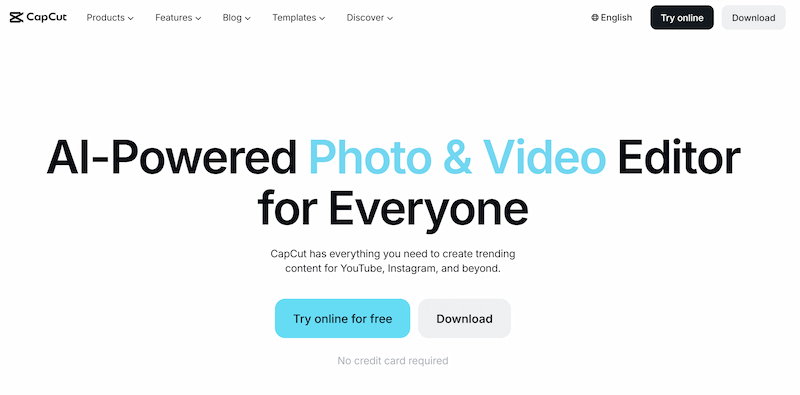
CapCut is one of the best AI video editing software that uses AI and is loved by social media creators. It was first known for helping make videos. Now CapCut is an editing tool, for people who use mobile phones and computers.
Main Features
- • AI caption generation
- • Background removal
- • Video templates
- • Auto-cut editing
- • Music synchronization
- • Social-media-friendly export settings
Advantages
- • Beginner-friendly
- • Strong mobile editing experience
- • Large template library
Limitations
- • Some advanced features require subscriptions
- • Internet connection needed for certain AI functions
This best AI video editing software for YouTube works especially well for short-form content creators.
VEED.IO
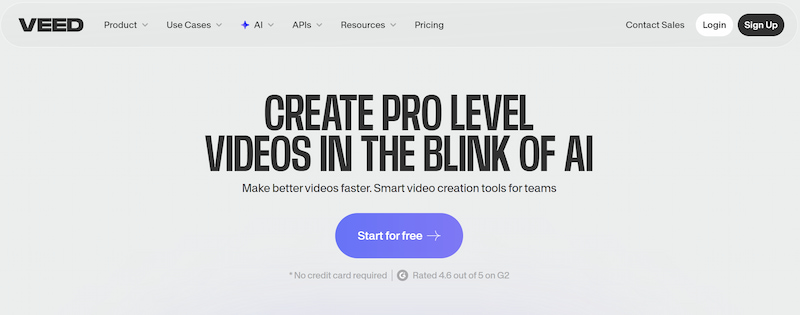
VEED.IO is another best free AI video editing software, which is a browser-based AI video editor designed for creators, educators, and marketing teams. Its collaborative online editing environment makes it useful for teams working remotely.
Main Features
- • AI subtitle generation
- • Screen recording
- • Video resizing
- • AI voice tools
- • Team collaboration features
Advantages
- • Fully browser-based
- • Easy sharing and collaboration
- • Fast subtitle generation
Limitations
- • Free version includes limitations
- • Large projects may require better internet speeds
VEED.IO is a great Kling AI alternative, which serves as a good option for businesses and online content creators who prioritize workflow efficiency. It is also the best AI-powered video ad editing software for marketers.
Part 4. How to Choose the Right AI Video Editing Software
Choosing the best AI video editing software depends on your goals, editing experience, and workflow needs.
Here are some important factors to consider.
Consider Your Skill Level
Beginners should prioritize:
- • Easy interfaces
- • AI automation
- • Simple navigation
Professional editors may need:
- • Advanced timeline controls
- • Detailed customization
- • Multi-track editing
Identify Your Content Type
Different creators need different features.
For example:
- • TikTok creators may prioritize templates and captions
- • Businesses may focus on branding tools
- • YouTubers may require advanced editing flexibility
Check Export Quality
Always ensure the software supports:
- • HD or 4K export
- • Multiple formats
- • Watermark-free downloads
Evaluate AI Features
Not all AI tools are equally useful.
The best AI features usually include:
- • Subtitle generation
- • Video enhancement
- • Background removal
- • Smart automation
Compare Pricing
A lot of intelligence editors have free versions but the advanced features of these artificial intelligence editors usually need a subscription. Before you pay for these intelligence editors you should try them out to see if they are what you need for editing.
Browser-Based vs Desktop Software
Editors that you can use in a browser are really convenient. Software that you install on your desktop computer may work better for big projects. You should choose the type of editor that fits the way you work and what your device can handle whether it is a browser-based editor or a desktop software editor.
Part 5. FAQs about Best Free Video Editor
Is AI video editing software good for beginners?
Yes. The thing about AI video editing software is that it makes a lot of tasks easy so it is perfect for beginners who do not know a lot about editing videos.
What is the best AI video editor for media?
There are some tools like PicWand AI and CapCut that're really good, for making videos for social media.
Do AI video editors work online?
A lot of AI video editors can be used in your browser and you do not have to put them on your computer.
Conclusion
That’s all about the best free video editor. AI technology changed video editing. It makes editing simple and everyone can do it now. Creators do not have to spend hours editing footage. They can use automation to work and make better content. Picwand AI Video Editor is a choice. It is easy to use for beginners. AI video editing tools help people make videos. Thus, you can be a content creator, marketer, educator or just someone who likes making videos. These tools help you make looking videos. You can make them faster than before.
AI Picwand - Anyone Can be A Magician
Get Started for Free