3 Best Cheap AI Video Clone Maker Tools for Beginners

Cheap AI clone video makers use artificial intelligence to replicate voices, faces, and video styles. They help users quickly produce viral videos, marketing content, and AI avatars. Tools like Picwand, DeepVid AI, and Argil offer different features, pros, and cons, making video cloning accessible and affordable today.
Video cloning is now one of the trendiest video editing techniques on the internet. Using artificial intelligence, these tools can create realistic AI-generated content. Many people use video cloning to save filming time, automate content production, create virtual presenters, and recreate viral social media videos more efficiently. As the demand for AI-generated videos grows, more affordable cloning tools are becoming available online. In this post, we will introduce the best cheap AI clone video makers. We will explain how they work and discuss their features, pros, and cons. This way, you can find the best affordable AI video cloning software that matches your content creation needs, editing experience, and production goals.
Contents:
Part 1. What is an AI Clone Video Maker
An AI video cloning tool uses artificial intelligence to duplicate uploaded content, such as videos, photos, and audio files. It analyzes the reference materials to generate videos that closely imitate the original content. Advanced tools allow you to type a script, enter a prompt, or upload audio to generate realistic videos that speak the words. These tools help save time, lower production costs, and streamline video creation.
Part 2. How AI Video Cloning Works
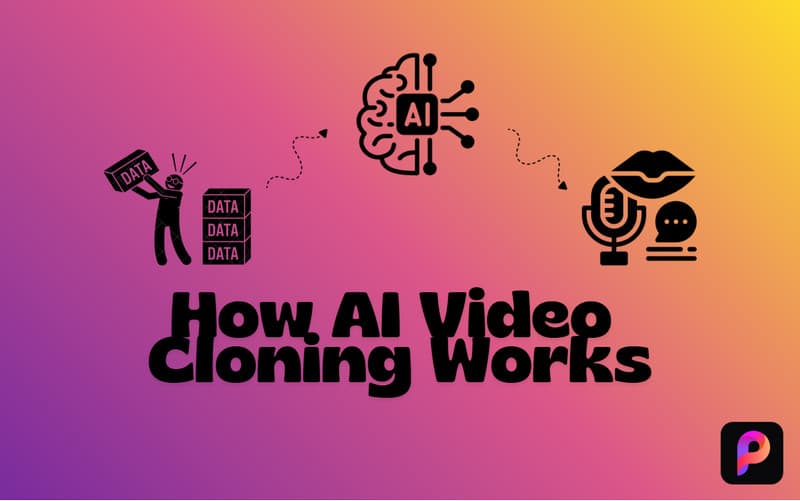
Data Collection
Video cloning tools begin with collecting uploaded materials such as videos, photos, and audio. Users record a high-resolution video with natural facial expressions and steady eye contact. Clean audio samples are also required so the AI can accurately output realistic cloning results.
The AI Engine
The AI engine analyzes the uploaded materials to create a digital version of the user. It maps facial movements, expressions, and gestures to build a realistic facial model. Also, neural networks analyze speech patterns and vocal characteristics to generate synthetic voices.
Generation & Lip-Syncing
After entering the script, the AI generates both audio and video output. The text-to-speech system creates speech using the cloned voice. Meanwhile, the AI avatar performs synchronized lip movements, blinking, and natural head motions.
Part 3. Best Cheap AI Clone Video Tools
Picwand AI Video Cloner
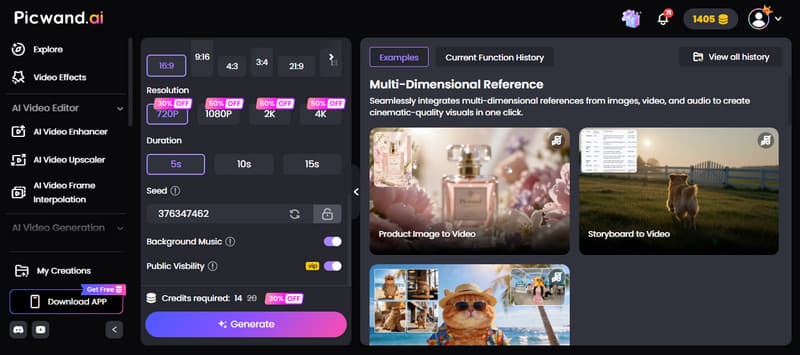
Picwand AI Video Cloner is the best AI video clone maker that focuses heavily on AI-powered video replication. It allows you to replicate videos by uploading up to 12 reference materials. This includes images, video clips, audio files, or a combination of three. Additionally, it supports prompt-based generation to guide the cloning process. Not to mention, you can resize your clips by selecting 16:9, 9:16, 4:3, 3:4, 21:9, or 1:1 presets. In terms of output quality, Picwand offers multiple resolutions, including 720p, 1080p, 2K, and up to 4K. It also supports video lengths of 5, 10, and 15 seconds.
Pros
- It supports multiple input formats, including image, video, and audio.
- It intelligently extends video scenes while maintaining visual continuity.
- It generates natural-looking transitions between original and extended segments.
Cons
- It does not support real faces as a reference material.
- It requires an internet connection to process the cloning.
Picwand AI Video Cloner is a fast, beginner-friendly video cloning tool that delivers smooth motion replication and impressive visual consistency. It simplifies complex editing tasks while supporting multiple formats, aspect ratios, and high-resolution exports.
DeepVid AI
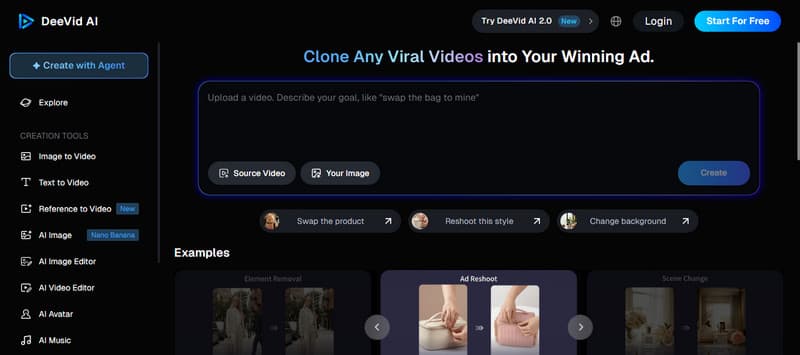
DeepVid AI is a cheap AI clone video maker that specializes in viral video cloning. It transforms imported videos, images, and prompts into AI-generated videos that match their movement and style. It supports swapping objects, removing unnecessary elements, translating videos, reshooting the style, and changing the background scene. You can also clone videos and animate a photo through text prompts using this tool.
Pros
- It supports text-to-video and image-to-video generation.
- It recreates viral-style videos with realistic motion and transitions.
- It includes AI motion controls to improve scene dynamics and realism.
Cons
- It struggles to maintain detailed facial consistency.
- It generates inconsistent visuals when handling fast motion.
DeepVid AI impresses with its powerful video cloning technology that recreates viral-style content. It can output clone videos with smooth motion, cinematic transitions, and strong visual consistency. However, it often creates repetitive AI-generated movements during extended clips.
Argil
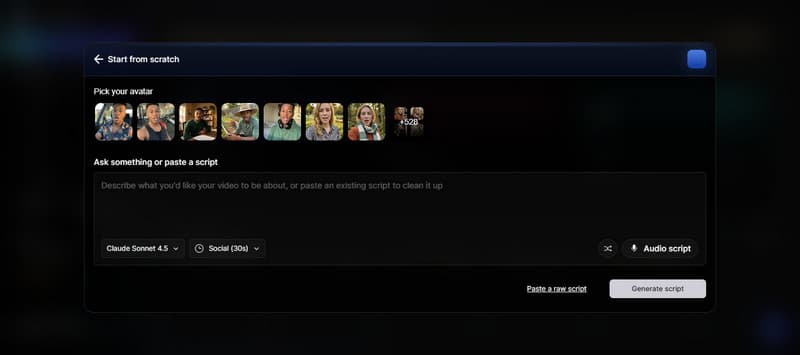
Argil AI is primarily a free AI video cloning avatar and talking-head video generator. It is powered by Seedance AI to create a digital clone using a single photo and a short voice recording. It can generate videos for social media platforms or generic avatars up to 2 minutes long. Additionally, it supports horizontal and vertical video formats, automated captions, B-roll generation, transitions, background presets, and voice customization.
Pros
- It creates realistic AI video clones using photos and videos.
- It supports multilingual voice generation and AI narration features.
- It generates natural lip-syncing and facial expressions for talking heads.
Cons
- It can generate unnatural facial movements during longer scenes.
- It requires high-quality training footage for more accurate avatar cloning.
Argil AI stands out for its realistic AI avatar cloning, natural lip-syncing, and efficient script-to-video workflow. Its long-form generation and social-media-ready outputs are impressive. However, it cannot fully replicate emotional nuances from the original speaker.
Part 4. FAQs about AI Clone Video Makers
Do I own the rights to my AI-generated clone?
In most situations, you own your AI-generated clone if you used your own face, voice, and uploaded materials. However, ownership depends on the platform's terms and licensing policies. Some services keep limited usage rights for training or promotion.
What are the disadvantages of AI video?
AI-generated videos can sometimes look unrealistic, especially when depicting complex movements or emotional expressions. They may also produce inconsistent facial details, unnatural lip-syncing, or visual artifacts. Other disadvantages include privacy concerns and risks of deepfake misuse.
How does AI cloning work?
AI cloning analyzes uploaded videos, images, and voice recordings to create a digital version of a person. The AI studies facial expressions, movements, gestures, and speech patterns using machine learning models. After training, it generates realistic videos.
Conclusion
Cheap AI clone video makers have made advanced video cloning technology more accessible. These tools can replicate voices, facial expressions, movements, and video styles. Whether you want to create AI avatars, viral-style videos, and marketing content, these tools offer powerful features without requiring professional editing skills. Among the available options, Picwand AI Video Cloner stands out as the most affordable and powerful tool. It offers realistic video cloning, support for multiple aspect ratios, and high-quality output. If you want an easy, efficient way to create AI-generated, cloned videos, Picwand AI Video Cloner is definitely worth trying.
AI Picwand - Anyone Can be A Magician
Get Started for Free