Basic PlanVIP PlanVIP ExpiredPurchased credits are valid for life but require an active VIP subscription to use
0Credit(s)
You can use credits to access all the AI tools on Picwand, such as the AI Image Upscaler, AI Age Filter, AI Video Enhancer, AI Video Upscaler, AI Video Effects, and more.
Your phone wallpaper is one of the first things you view every single day. A personalized wallpaper can make your smartphone seem uniquely yours, whether it’s a beloved photo, a breathtaking scenery, an anime-inspired art piece or an AI-generated design. The good news is, it's never been easier to make a phone wallpaper. Smartphones these days have editing tools built-in, there are applications out there just for setting wallpapers that come with thousands already produced for you, and then there are AI wallpaper makers that can generate fully unique images in a matter of seconds.
In this guide, you'll learn how to make a phone wallpaper, compare different methods, and discover how AI wallpaper apps like AIPixWall can help you create custom backgrounds effortlessly.
There are several ways to create a wallpaper for your smartphone. The best option depends on how much customization you want and how much time you're willing to spend.
Method 1. Use Your Phone's Built-In Photo Wallpaper Editor
Both iPhone and Android devices allow users to turn personal photos into wallpapers without installing additional apps.
How To Create Wallpaper On iPhone
• Launch the Photos app.
• Choose the picture you wish to use.
• Tap Share.
• Select Use as Wallpaper (or save and set from Settings).
• Zoom and move the picture.
Looking to change the lock screen effects?
Tap Add and select if you want for it to be your Lock Screen, Home Screen or both.
Advantages
• No extra downloads required
• Fast and convenient
• Fully integrated with iOS
Limitations
• Limited design options
• Cannot generate new artwork
• Basic editing capabilities
How to Make a Wallpaper on Android
The process varies slightly by manufacturer, but generally:
• Open the Gallery app.
• Select a photo.
• Tap the menu icon.
• Choose Set as Wallpaper.
• Crop and position the image.
• Apply it to the Home Screen, Lock Screen, or both.
Advantages
• Easy and quick
• No third-party apps required
• Works with personal photos
Limitations
• Limited creative features
• Quality depends on the original image
• Few customization options
Method 2. Use Dedicated Wallpaper Apps
Wallpaper programs are far more versatile than the built-in editors. While you don’t need to worry about how to choose AI model, because these applications are often divided into two types:
Wallpaper Libraries
These programs provide huge libraries of ready-made wallpapers.
Often features include:
• 4k background
• Animated wallpapers
• Anime Backgrounds
• Natural backgrounds
• Minimalistic design
• Collections by season
They are great for those who wish to have nice looking wallpapers without developing them from scratch.
Wallpapers Manufacturers
You may use wallpaper creation programs to make your own iphone background.
Common characteristics are:
• AI Picture Creation Text-to-wallpaper generation:
• Image processing
• Artistic filter
• Removing the background
• Custom sizes
These applications give more personalisation and uniqueness.
Method 3. Use Online Wallpaper Makers
Another option is making wallpapers directly in the browser. Most online wallpaper producers offer:
• AI image generations
• Design templates
• Drag & drop editing
• Storage in the cloud
These tools work nicely on PCs and iPads.
If you want to make your own iphone background, you might want to look at an app that processes locally and has good privacy protection. Among these options, AI wallpaper maker apps are becoming the most popular choice because they combine convenience, creativity, and personalization.
Part 2. How to Make Your Own Wallpaper with Wallpaper Apps
Why We Recommend AIPixWall
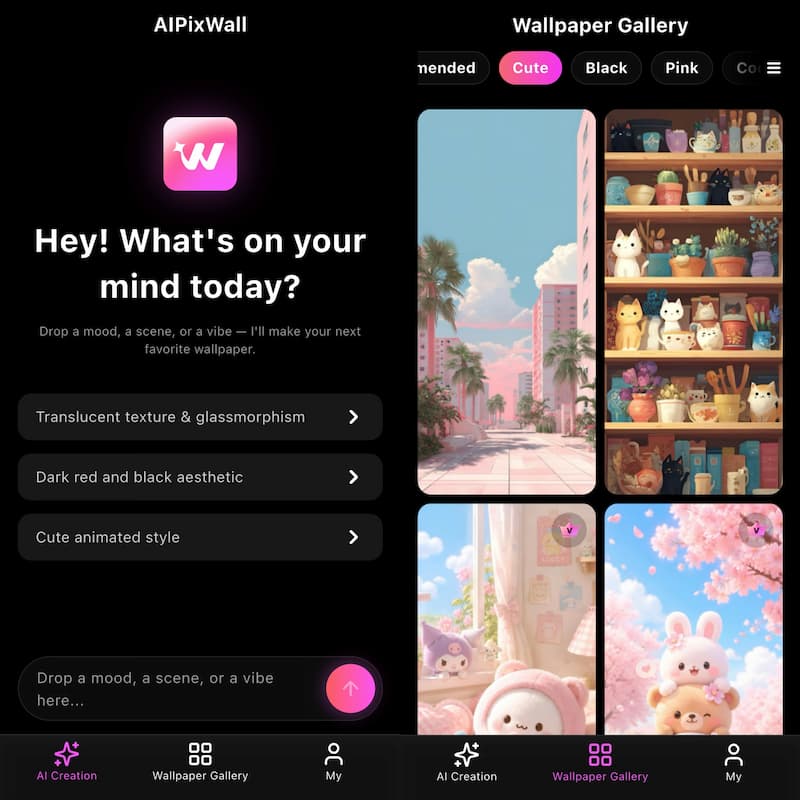
AIPixWall combines wallpaper creation, customization, and AI image generation into a single platform.
No graphic design experience necessary. You just explain what you want and the AI will produce it for you.
Fully Customizable
Users can produce wallpapers from:
• Art genres
• Color themes
• Images of fantasy
• Anime-style
• Natural landscapes
• Abstract Ideas
Privacy Focused
Unlike other web-based programs, specialized wallpaper apps usually offer a more secure environment for handling your own photos.
High Resolution Rendering
AIPixWall creates wallpapers that are suited for current smartphone displays, so your images stay sharp and detailed.
Gigantic Wallpaper Collection
In addition to AI creation, customers may also explore a huge library of professionally created wallpapers.
How to Create Wallpapers with AIPixWall
Creating a personalized wallpaper with AIPixWall takes only a few steps:
Step 1. Open AIPixWall and Enter Your Wallpaper Idea
Type a detailed text prompt describing the wallpaper you want. The more specific your prompt is, the better the generated result will be.
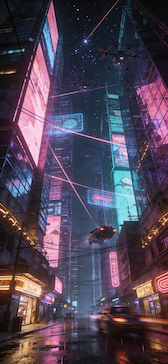
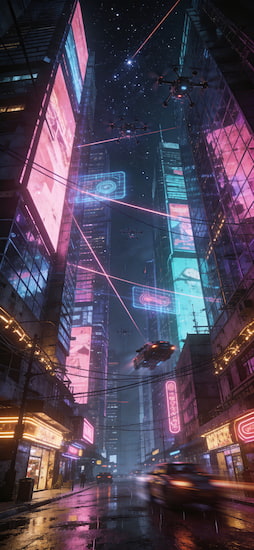
For example: A highly detailed, ultra-realistic digital painting of a futuristic cyberpunk city atnight, with towering skyscrapers, glowing neon signs in vibrant pinks and blues,flying vehicles leaving light trails, and a cinematic atmospheric mood.8k resolution,Unreal Engine 5 render style.
Step 2. Generate the Wallpaper
Click the Generate button and let the AI create a unique wallpaper based on your description. The generation process usually takes only a few seconds.
Step 3. Download and Apply
Preview the generated result, and Download it in HD or 4K quality. Then set it as your home screen, lock screen, or desktop background.
Part 3. AI-Powered Wallpaper Ideas (2026 Trend)
1. Cyberpunk Cities of the Future
Tech fans still love the idea of neon skylines, flying cars, holographic billboards and colourful nightscapes.
Prompt:
"A highly detailed, ultra-realistic digital painting of a futuristic cyberpunk metropolis at night, featuring towering neon skyscrapers, holographic billboards, glowing streets reflecting after rain, autonomous flying vehicles, and bustling futuristic crowds. Vibrant neon pink, electric blue, and purple lighting create a cinematic atmosphere filled with depth and mystery. Ultra-sharp details, volumetric lighting, 8K resolution, Unreal Engine 5 render style."
Copy Prompt
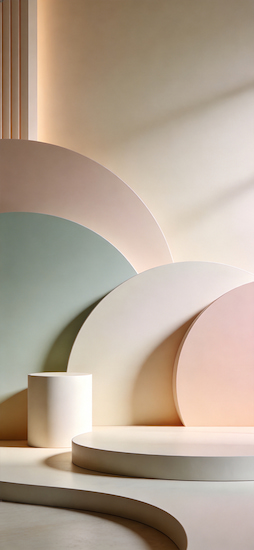
2. Minimalist Aesthetic Wallpapers
Many people choose clear backgrounds without distractions.
Prompt:
"A clean and elegant minimalist wallpaper featuring smooth geometric shapes, soft gradients, balanced composition, and subtle shadows. Neutral tones blended with muted pastel colors create a calm and modern aesthetic. Spacious negative space, premium desktop wallpaper design, ultra-smooth textures, crisp edges, soft ambient lighting, 8K resolution, high-end digital art."
Copy Prompt
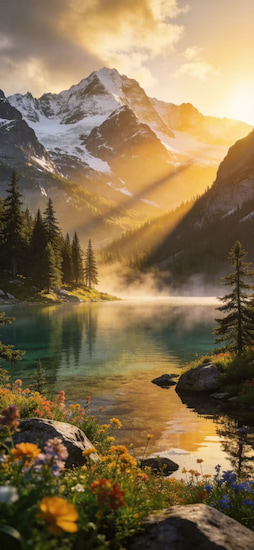
3. Scenery of Nature and Travel
AI can build stunning landscapes that resemble professional photography. It functions similarly to how does AI video work.
Prompt:
"A breathtaking ultra-realistic landscape of crystal-clear alpine lakes surrounded by majestic snow-capped mountains, lush pine forests, colorful wildflowers, and golden sunrise light illuminating the valley. Mist gently rises from the water while reflections create a peaceful atmosphere. Rich natural colors, cinematic composition, ultra-high detail, HDR lighting, 8K resolution, photorealistic digital artwork."
Copy Prompt
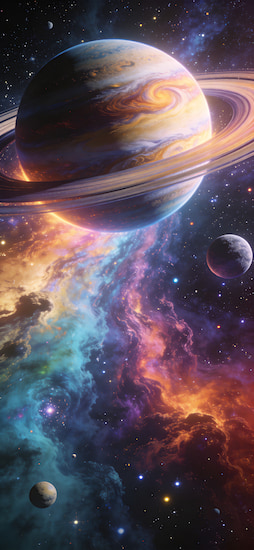
4. Space and Science Fiction Designs
And space-themed backgrounds are still popular among wallpaper app users.
Prompt:
"An awe-inspiring deep space scene featuring glowing galaxies, colorful nebulae, distant planets, sparkling stars, and a massive ringed gas giant dominating the horizon. Brilliant cosmic lighting creates an epic sense of scale and mystery. Hyper-detailed textures, vibrant colors, cinematic atmosphere, NASA-inspired realism, 8K resolution, Unreal Engine 5 render style."
Copy Prompt
Part 4. FAQs about How to Make a Phone Wallpaper
What size should a phone wallpaper be?
The ideal size depends on your device. Most modern smartphones work well with wallpapers between 1080 × 2400 and 1440 × 3200 pixels.
What's the best app for making custom wallpapers?
The best app is the one you need. AIPixWall is a solid choice if you want AI creation, customisation, wallpaper collections and easy to use tools in one location.
How secure are online wallpaper generators?
Most well-known services are secure, but users should check the privacy policies before uploading intimate photos. Dedicated apps might provide you more control over your personal material.
Conclusion
That’s all about how to make a phone wallpaper. Dive into the worlds of your phone’s built-in tools, explore wallpaper collections, play around with online artists, or build totally unique artwork with AI. The AI wallpaper producers have emerged as the top choice for consumers who want to be as creative and personalized as possible. AIPixWall is a great tool to generate wallpapers that suit your personality and style with it’s Text-to-Image capability, Style, Image Enhancement and a huge choice of wallpapers. Whether you love minimalist patterns or anime artwork, futuristic cityscapes or stunning landscapes, now’s the perfect moment to create a wallpaper that’s all your own.