How to Make AI Reels for Free: A Beginner's Guide

Creating Instagram Reels can be surprisingly time-consuming. Even a short video may require a script, filming, lighting, editing, captions, music, and several takes before it is ready to publish. For creators managing multiple social channels, that workflow can quickly become difficult to maintain. AI is revolutionizing short video production. You can utilize AI to create images, explore ideas, construct characters or build a digital replica of oneself instead of recording every tape yourself. The outcome is a speedier approach, able to take a simple idea and transform it into a social-ready Reel.
The good news is that you don't necessarily need expensive production software to get started. In this guide, we'll explain how to make AI Reels for free, what you need, and how Picwand AI can simplify the process.
Contents:
Part 1: What Are AI Reels?
AI Reels Definition
AI Reels are short-form social videos created with the help of artificial intelligence. AI may be responsible for one part of the production process or nearly the entire workflow.
For instance, creators can utilize AI to:
- • Make video clips from text prompts
- • Develop scripts and content concepts
- • Create digital characters
- • Create AI Avatars or Clones
- • Add voiceovers.
- • Make captions
- • Use visual effects
- • Edit existing video or add new video
How to make AI reels for free? An AI Reel doesn't have to look completely artificial. With the right prompts and editing, AI-generated scenes can be combined with real footage, product images, screenshots, or other original material. This makes AI particularly useful for creators who want to experiment with formats without setting up a camera every time.
Social Media Video Trends
Short-form video remains one of the most important formats for social media creators. Instagram Reels, TikTok videos, and YouTube Shorts all reward content that can communicate an idea quickly.
That has created several popular Reel formats, including:
- • Educational clips: Quick tips, facts, tutorials, and explanations.
- • Storytelling: Short fictional stories, personal experiences, or mini-narratives.
- • Product content: Demonstrations, features, comparisons, and promotional videos.
- • Trend-based videos: Content built around current topics, formats, or memes.
- • AI entertainment: Surreal scenes, fictional characters, animated stories, and other visuals that would be difficult to film traditionally.
AI tools such as AI TikTok video generators make it easier to experiment with these formats because creators can produce multiple visual concepts without a full production setup.
Part 2: What You Need to Create AI Reels
How to make AI reels for free? Before creating your first AI Reel, prepare three basic things: an AI creation tool, a simple content idea, and a visual structure.
1. AI Tools
The most important tool is an AI video generator or AI content platform.
Look for features such as:
- • Text-to-video generation
- • AI avatar or clone creation
- • Image-to-video generation
- • Script assistance
- • Voice generation
- • Automatic captions
- • Basic editing
For beginners, an all-in-one platform can be easier than switching between several specialized applications.
2. Scripts and Ideas
You don't need a complicated script for a Reel. In fact, shorter is often better.
Start with one clear idea and build the video around it.
A simple structure looks like: Hook > Value > Payoff > CTA
For instance:
- • Hook: “Ever wonder why your morning coffee tastes different at home?
- • Reason. Give one or two arguments.
- • Payoff: Give the viewer a practical solution.
- • CTA: “Try this tomorrow and see the difference.”
For entertainment content, the structure can become: Setup → Problem → Twist → Ending. The important thing is to give the viewer a reason to keep watching.
3. Templates
Templates can speed up production by providing a predefined structure for scenes, text, transitions, and layouts. If you're creating several Reels for the same brand, a consistent template can also make your content look more recognizable. However, avoid making every Reel identical. Change the hook, visuals, pacing, and story while keeping only the essential branding elements consistent.
Part 3: How to Make AI Reels
Creating Instagram Reels with AI can make short-form video production faster and easier. With Picwand AI Agent, you don't need to plan every scene or create video assets manually. Simply describe your idea or upload reference images, and the AI can help develop your concept, write scripts, and generate videos for your social media content.
Picwand AI Agent
Picwand AI Agent is an AI-powered creative assistant that helps turn ideas into engaging visual content through natural conversations. Whether you want to create personal-brand Reels, product showcases, tutorials, or promotional videos, you can describe your creative direction and let the AI help bring it to life.
It's particularly useful for:
- • Personal-brand Reels
- • Educational and tutorial videos
- • Product showcases
- • Social media advertisements
- • Short storytelling videos
- • Promotional content
Features
Picwand AI Agent offers several capabilities for creating AI Reels:
- • Conversational Video Creation: Describe your ideas in natural language and let AI assist with the creative process.
- • AI Script Writing: Generate and refine scripts based on your video concept.
- • AI Image Generation: Create custom visuals for your Reels.
- • Text-to-Video: Turn written descriptions into video clips.
- • Image-to-Video: Animate still images into dynamic video content.
- • Creative Customization: Refine scenes, characters, and visual details through follow-up instructions.
With these features, creators can produce different types of Reels without repeatedly recording footage or manually creating every visual asset.
Steps to Create AI Reels with Picwand AI Agent
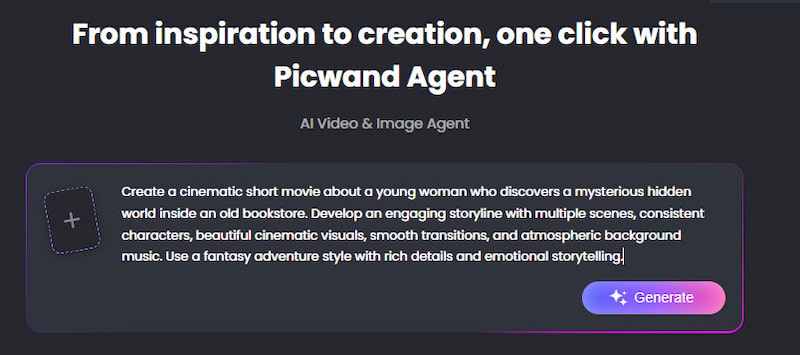
Step 1: Describe Your Reel Idea
Open Picwand AI Agent and describe the Reel you want to create. You can provide a simple concept, specify the target audience and visual style, or upload reference images to guide the AI.
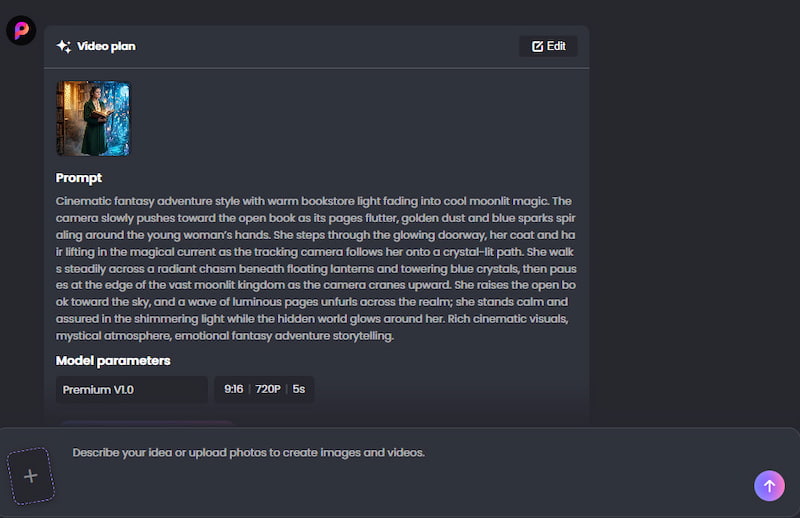
Step 2: Generate and Refine Your Script
Picwand AI Agent can help develop your idea into a video script. You can ask it to adjust the wording, scenes, characters, or storytelling style through natural conversations until the script matches your vision.
Step 3: Generate Your AI Reel
Once your creative direction is ready, ask the AI Agent to generate the video. It can create visuals and video content based on your instructions, turning your script or reference materials into a short-form video.
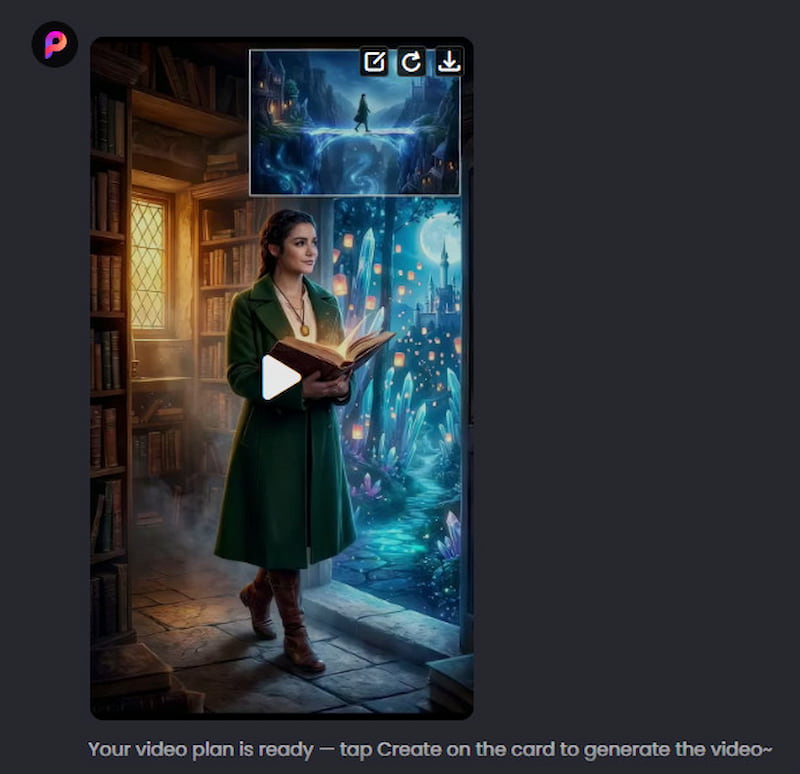
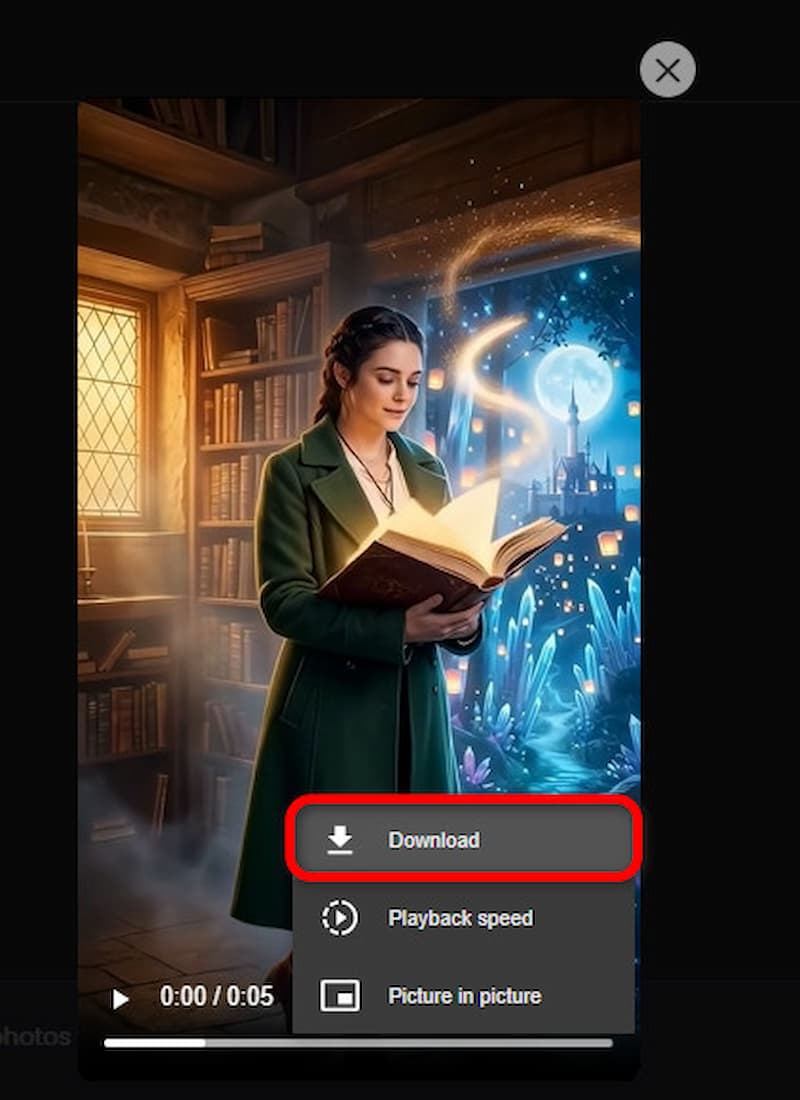
Step 4: Preview and Download Your Reel
Preview the generated video to check the visual effects and overall result. If you're satisfied, download the finished video and share it on Instagram Reels or other social media platforms.
Here’s an example of a rudimentary AI Reel:
- • 0–3 seconds: AI presenter hooks the viewer.
- • 3–15 seconds: Main notion is further explained by the presenter and accompanying images show.
- • 15-25 seconds: Introduce the major example or outcome.
- • 25–30 seconds: Finish with a quick CTA or question.
This structure keeps the video focused and makes it easier to maintain viewer attention.
Part 4: FAQs About How to Make AI Reels for Free
Can I make AI Reels for free?
Yes. Some AI video platforms provide free trials, free credits, or limited free functionality. However, free access can have limitations such as watermarks, limited generations, inferior output quality or usage limits
Always check the current plan details before creating a large batch of videos.
What is the best free AI Reel maker?
The best option depends on the type of Reel you want to create. If you want to experiment with AI-generated visuals or personalized AI content, Picwand AI agent is worth considering. Other tools may be more suitable for stock footage, traditional editing, or avatar-based presentations.
Can AI make Instagram Reels without shooting?
Yes. AI video generators allow you to create scenes, characters, avatars, etc. without the need for traditional recording. AI agent technology can also assist creators in making presenter-style videos without having to record themselves every time. However, adding original ideas, footage, screenshots, or commentary can make the final content more distinctive.
How long should an Instagram Reel be?
There is no single ideal length. A quick tip may only need 15–20 seconds, while a story or tutorial may require more time.
Instead of trying to reach a particular duration, remove anything that doesn't contribute to the video's main idea.
Can AI Reels be monetized?
AI-assisted content can potentially be monetized, but eligibility depends on the platform's current policies and the originality and value of the content. Simply generating large volumes of repetitive AI videos is unlikely to be a strong long-term strategy.
Focus on creating useful, entertaining, or original content rather than relying on automation alone.
Conclusion
That’s all about how to make AI reels for free. Learning how to make AI Reels for free doesn't require a professional studio or advanced editing skills. With a clear idea, a short script, useful templates, and an AI video tool, you can turn concepts into social-ready videos much faster. Picwand AI's AI video agent capabilities offer another way to approach Reel creation by helping creators develop consistent presenter-style content without recording every video from scratch. Combine that with strong hooks, readable captions, mobile-friendly visuals, and a clear takeaway, and you have a practical workflow for creating better Reels. AI can handle much of the production, but the idea is still yours. Use the technology to experiment more, publish more consistently, and spend less time on repetitive editing.
AI Picwand - Anyone Can be A Magician
Get Started for Free