How to Make AI YouTube Shorts: Create Short Videos with AI

Shorts are one of the easiest ways for creators to reach new viewers without creating extended-form videos on YouTube. The trick is keeping ahead of the ever-increasing demand for new material. Writing screenplays, shooting film, editing clips, adding subtitles and choosing the proper music can easily convert a 30-second movie into an hour-long production.
AI tools can shorten that process. With an AI video generator, you can start with a simple idea, text prompt, or story and turn it into a short video with visuals, narration, and other elements.
In this guide, you'll learn how to make AI YouTube shorts, what makes a Short worth watching, and how to use Picwand AI to speed up the production process.
Contents:
Part 1: What Are AI YouTube Shorts?
AI Short Video Summary
AI YouTube Shorts are short-form videos made or helped by artificial intelligence. Instead of shooting everything manually, artists can employ AI to help with some of the production process.
Depending on the tool, you can create:
- • Frames from video from text prompts
- • Short scripts and story ideas
- • AI-produced characters
- • Voiceover and narration
- • Music in the background
- • Subtitles and closed captions
- • Visual Effects and Transitions
For example, you could enter a prompt such as: “A tiny robot discovers a hidden garden on Mars.”
The question of how to make AI videos for YouTube Shorts is pretty easy to answer. An AI video generator can interpret the concept and create a sequence of visual scenes around it. You can then edit the result and adapt it for YouTube Shorts. The point is that AI doesn’t have to replace the creator. Think of it as a production assistant that does the boring stuff while you manage the concept, tone and final edit.
Advantages for Creators
- • Faster production. AI can automate time-consuming parts of video creation, allowing you to produce multiple Shorts without filming every scene yourself.
- • Lower production requirements. You don’t necessarily need a camera, studio, actors, or advanced editing software to get started.
- • More room for experimentation. AI makes it easier to test different stories, visual styles, hooks, and formats before deciding what works best.
- • Consistent content creation. Once you establish a repeatable workflow, you can turn ideas into Shorts more efficiently and maintain a regular publishing schedule.
Part 2: What Makes Good AI Shorts
Using AI does not automatically make a Short entertaining. The tool can generate the video, but the idea still needs to hold the viewer's attention.
1. Short Scripts
A Short needs to get to the point quickly. Instead of spending the first several seconds explaining the topic, start with a hook. A useful structure is: Hook → Main idea → Payoff → Call to action
Such as:
- • Hook: “What if we could live on Mars?”
- • Main idea: Describe one shocking option.
- • Payoff: Reveal a startling fact or circumstance.
- • CTA: “Would you live there?”
- • Write to be heard, not to be read. Keep sentences short.
2. Special Effects
Short-form videos are visual. Very visual. Even intriguing narration can lead to the viewer swiping away if the scene is static.
Try:
- • Quick scene modifications
- • Camera motion.
- • Close-ups, zooms
- • Animated text
- • Character actions
- • Visual transitions
- • Captions
However, avoid adding effects simply because you can. Every visual should support the story or information. You can use Sora AI text to video to kick a start.
3. Trending Topics
Mentioning how to make YouTube Shorts with AI for free, a strong topic can give your Short a better chance of attracting attention. You can explore current YouTube trends, popular search topics, seasonal events, internet discussions, or questions frequently asked by your target audience. At the same time, don't chase every trend blindly. A topic should fit your channel. A consistent niche makes it easier for viewers to understand why they should follow you. Use effective tools like Hailuo AI.
Part 3: How to Create AI YouTube Shorts
You don't need a complicated workflow to make an AI Short. With Picwand AI YouTube Shorts Generator, you can experiment with several approaches depending on the type of content you want to create.
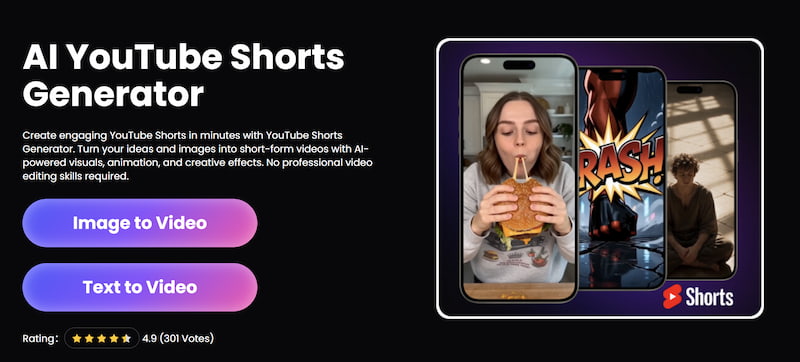
Method 1: Text to Video
Step 1: Enter a prompt
Choose Text-to-Video, Image-to-Video, or other functions in Picwand as you like. If you only have an idea, start with text-to-video and enter a prompt.
For example:
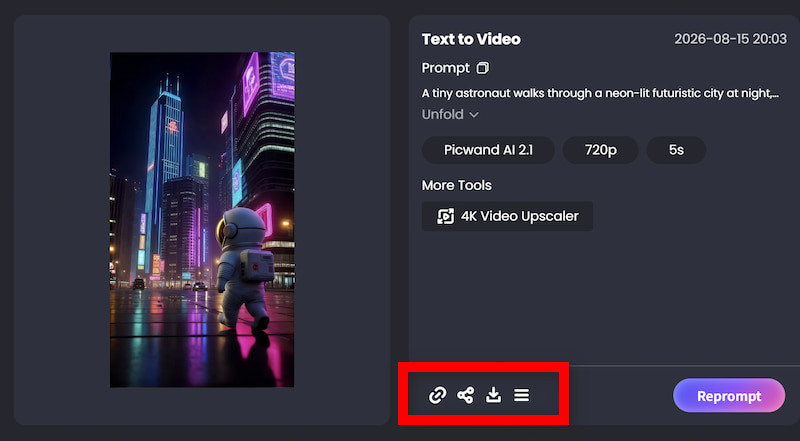
“A tiny astronaut walks through a neon-lit futuristic city at night, cinematic camera movement, realistic lighting, vertical social media video.”
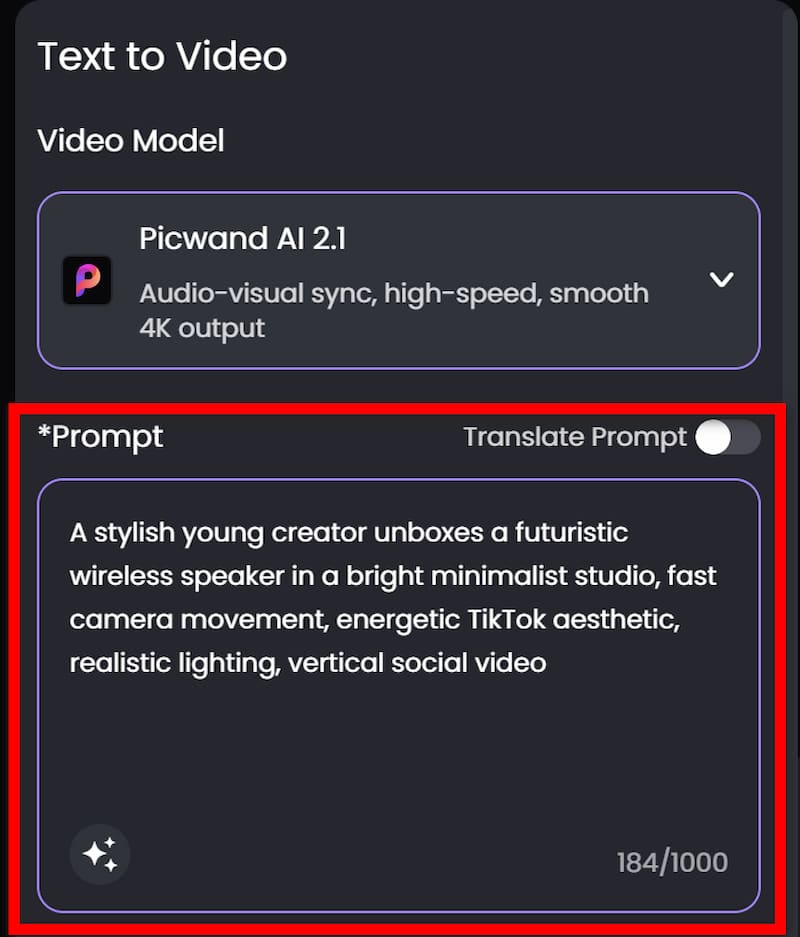
Step 2: Adjust parameters
Use a 9:16 vertical composition and choose other visual effects you need. After finishing, click on Generate.
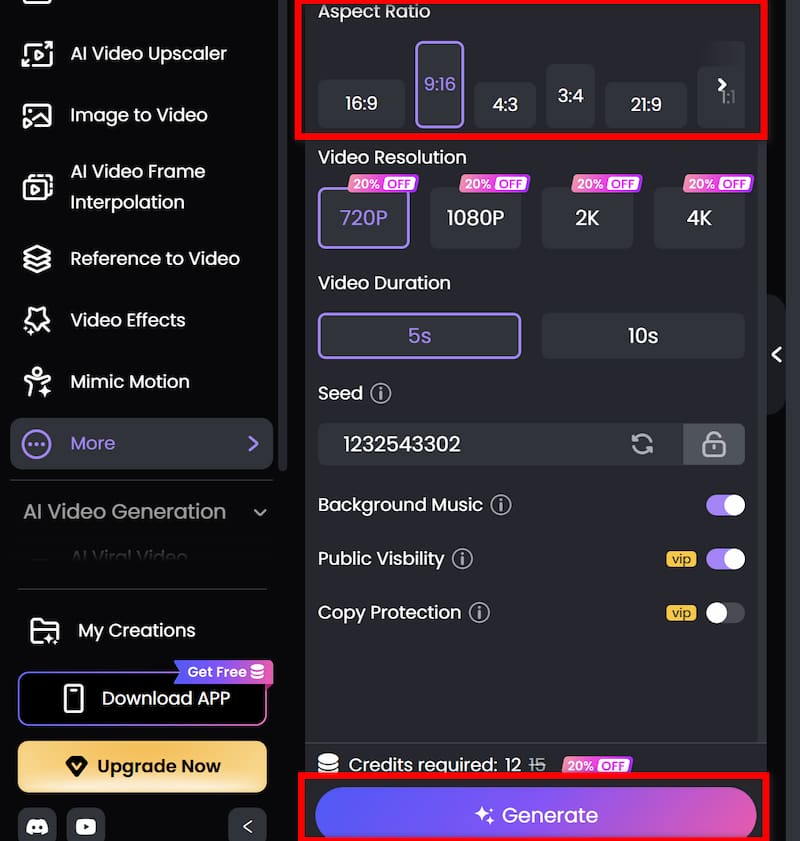
Step 3: Download
If you are satisfied with the final output, download the finished video and share it to other social media platforms.
Method 2: Image to Video
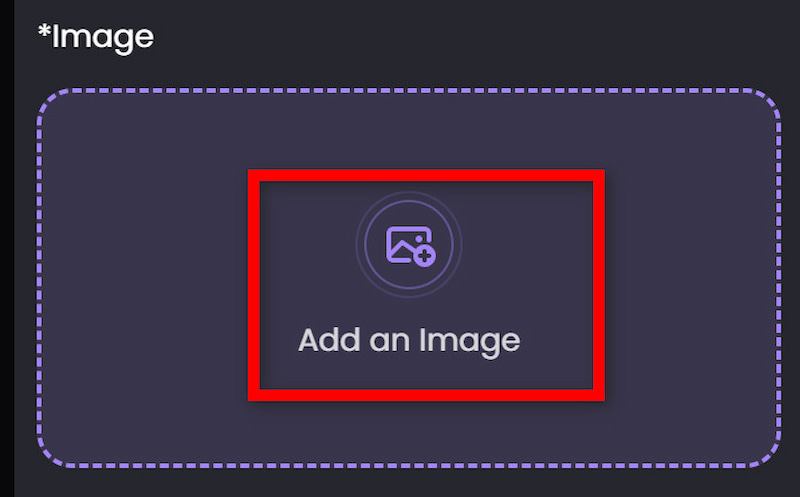
Step 1: Upload your image
Open Picwand's AI Image to Video and upload the image you want to animate.
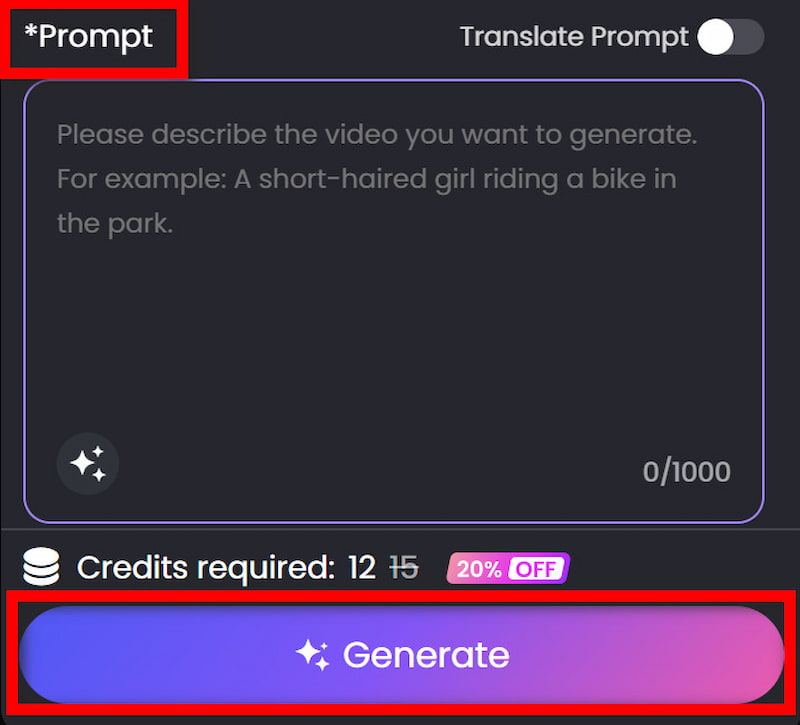
Step 2: Describe the motion
Don’t describe the image in the prompt, choose the aspect ratio and other parameters. Click on Generate.
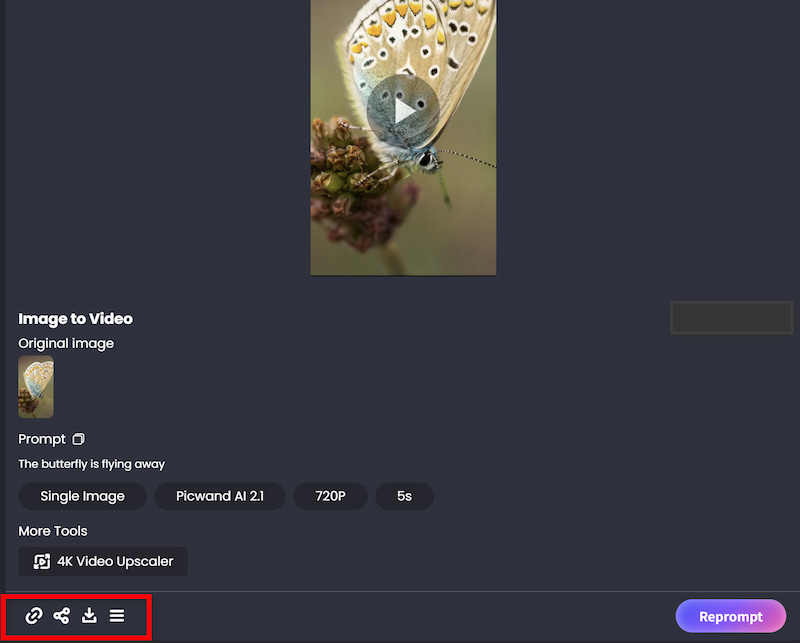
Step 3: Download
If you are satisfied with the final output, download the finished video and share it on other social media platforms.
Part 4: FAQs About How to Make AI YouTube Shorts
Can we make YouTube Shorts 100% with AI?
Yes. AI tools can assist with scriptwriting, visuals, voiceovers, subtitles and other production elements. But there’s still a place for human editing to verify quality, accuracy, timing and creativity.
What is the greatest AI tool for YouTube Shorts?
It’s about your workflow. Picwand AI is a great choice for producers who wish to create short movies from text prompts or create entire stories with AI. Other platforms may be more appropriate for stock footage, talking avatars, or professional editing operations.
How long should a YouTube Short be for AI?
YouTube Shorts can last up to three minutes if they meet the YouTube Shorts standards. But the appropriate duration depends on the topic. A simple joke might run 15-30 seconds, but a tutorial or mini-story might be longer.
The priority should be retention, not attaining a set length.
Can AI-Generated Shorts Earn Money?
Maybe. Yes. Content created by AI can be monetized provided it adheres to YouTube’s applicable monetization regulations and has enough original value. Making repetitive or minimally transformed AI films is not a dependable way to monetize.
How to make AI YouTube Shorts more engaging?
Begin with a good hook, maintain a concise narrative, use visually engaging scenes, keep the pace brisk, and ensure viewers receive a clear payout. Most crucially, make material for a specific target audience, don't just make random AI videos.
Conclusion
That’s all about how to make AI YouTube shorts. Making AI YouTube Shorts is less complicated than traditional video creation. Start with a basic idea, utilize AI to generate the screenplay or images, polish the scenes, add subtitles and audio, and finally optimize the final video for vertical viewing. Picwand AI provides several ways to approach the process. Text to Video works well when you already know what visual you want, while Story to Video is better suited to multi-scene narratives. AI clone-style features can also help creators produce personalized content more efficiently. The most important part is still the idea. AI can speed up production, but a strong hook, useful information, entertaining story, or memorable visual is what gives viewers a reason to stop scrolling.
AI Picwand - Anyone Can be A Magician
Get Started for Free