Basic PlanVIP PlanVIP ExpiredPurchased credits are valid for life but require an active VIP subscription to use
0Credit(s)
You can use credits to access all the AI tools on Picwand, such as the AI Image Upscaler, AI Age Filter, AI Video Enhancer, AI Video Upscaler, AI Video Effects, and more.
Most old videos (480p/720p) look terrible on modern screens. When you watch some precious videos on your Mac, you may want to improve their clarity, optimize colors, and make enhancements. A dedicated Mac AI video upscaler can effectively increase resolution and enhance quality.
Modern Macs, particularly those with M1, M2, or M3 chips, are uniquely engineered for video upscaling, editing, and enhancement tasks. Apple Silicon Macs (M1, M2, and M3) are purpose-built for AI-powered video processing, delivering faster upscaling speeds and improved efficiency than previous Intel-based Macs. Check the three contenders below if you need an AI-powered video upscaler specifically for Mac.
How We Tested These Mac AI Video Upscalers
To compare these Mac AI video upscalers fairly, we evaluated each tool based on AI enhancement quality, output resolution, processing speed on Apple Silicon Macs (M1/M2/M3), ease of use, supported formats, pricing, and overall value. We also tested their ability to restore low-resolution videos while preserving details and reducing noise.
You can upscale your video clips in QuickTime Player or basic editors on a Mac. However, these traditional upscaling ways only stretch existing pixels. In most cases, the source video quality is not improved. The noise, blurry, blocky messes remain. You may wonder if the AI video upscaling is different.
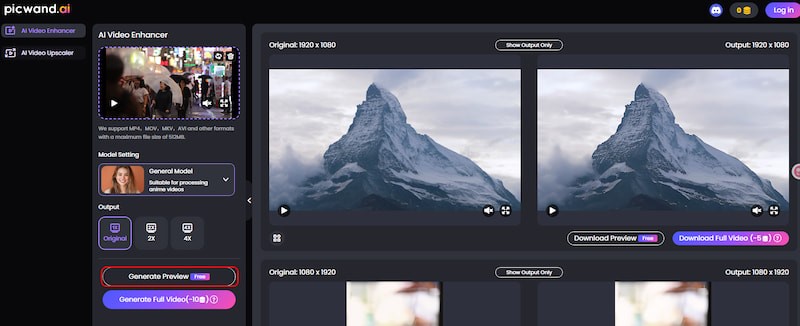
Picwand AI Video Upscaler is a powerful and easy-to-use Mac AI video upscaling tool for Mac, Windows PC, and mobile devices. It offers a web-based version and iOS/Android apps for AI video upscaling. Trained on millions of high-resolution and low-resolution videos, Picwand AI can accurately add details while upscaling videos. Based on its training, this AI tool will intelligently sharpen edges, fill in missing information, reduce grain, customize colors, and more.
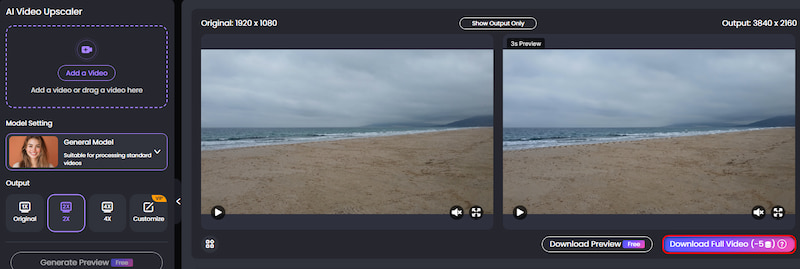
Picwand AI online video upscaler for Mac offers a fluent upscaling and enhancement experience. You can upload your video and let AI upscale it. It lets you upscale videos by 2× or 4× while preserving more details and improving overall clarity. This free Mac AI video upscaler can upscale videos to 4K with enhanced details and quality. Picwand AI is best for content creators and casual users to enhance videos quickly.
Part 2. HitPaw VikPea: Mac AI Video Upscaler for Beginners
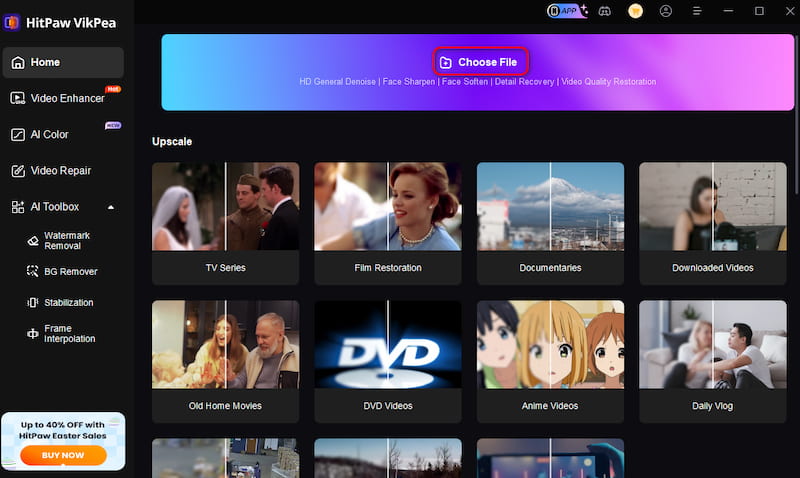
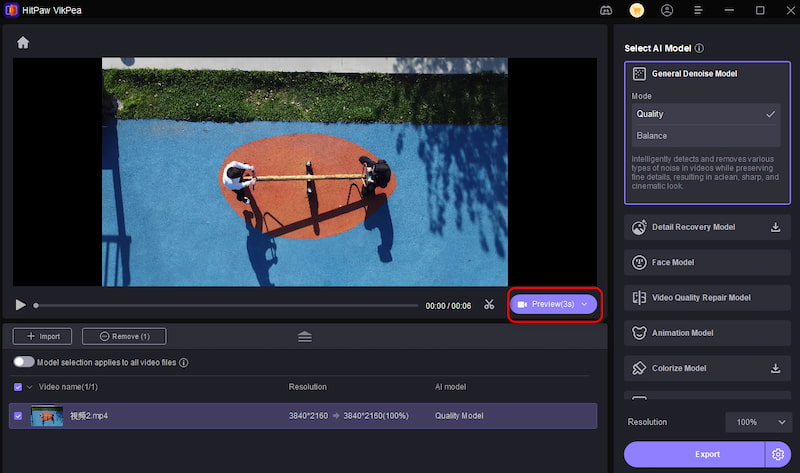
HitPaw VikPea for Mac is a popular video enhancer that can automatically upscale videos using machine-learning AI. This Mac AI video upscaler can increase video resolution to 4K or 8K, add details, remove blur and noise, colorize old black-and-white videos, and repair damaged videos. It offers dedicated AI models for Denoise, Animation, Colorize, Face Refinement, and more.
HitPaw VikPea provides a one-click upscaling way for beginners. You can add your video, select an appropriate AI mode, and start the enhancement with AI. It has AI Video Enhancer versions for both Mac and Windows users. The Mac software is highly optimized for Apple Silicon to process efficiently. Moreover, it allows you to download a free trial version to test its functions. However, the version only lets you preview the upscaling or enhancement results.
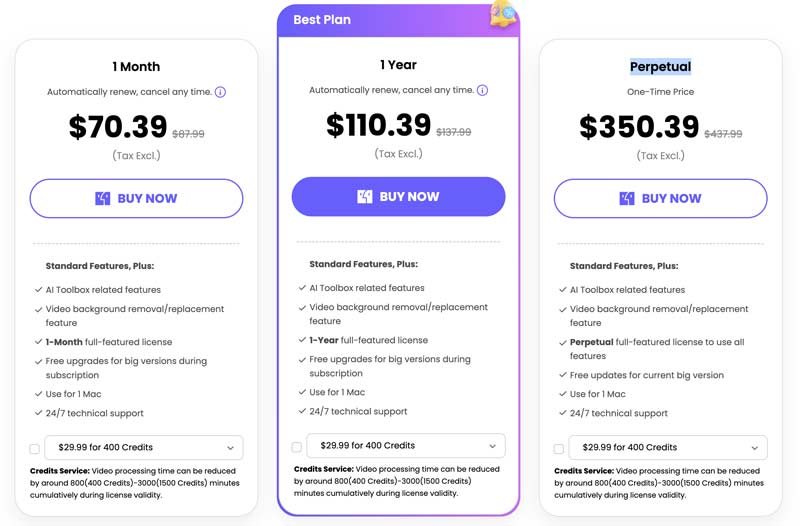
The subscriptions to HitPaw VikPea are pretty expensive, either for 1 month, 1 year, or a perpetual plan. So, even if you are satisfied with its upscaling results, you’d better try several AI video upscaler tools and then make your decision.
Best for:
• Beginners who want one-click AI enhancement
• Restoring old family videos
• Improving social media clips before uploading
Part 3. Topaz Labs Video AI 7: Professional Mac Video Upscaling
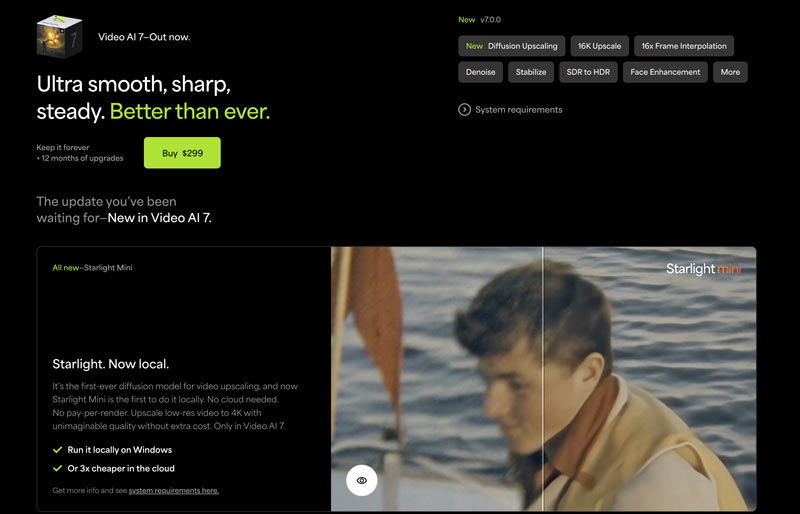
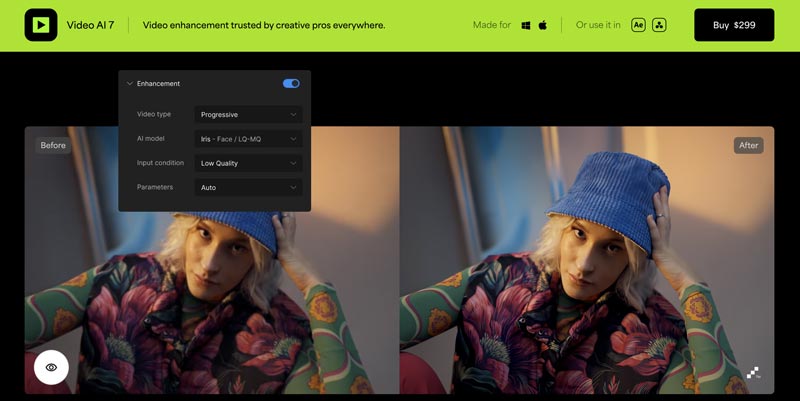
Topaz Labs Video AI 7 is another professional tool designed to upscale and enhance videos. It offers AI-powered enhancement functions to improve your video quality effectively. For AI video upscaling, Video AI 7 lets you easily increase resolution up to 1080p HD or 4K. Like Picwand AI, it uses AI to add detail and reduce blur during the upscaling process.
Topaz Labs Video AI 7 ($299) is especially used for complex and challenging footage. It is designed with various specialized AI models for your upscaling, editing, and enhancement needs. Moreover, it provides granular control over parameters like sharpness, noise reduction, motion deblurring, and more. As an all-featured Mac AI video upscaler, Topaz Video AI requires a steeper learning curve. In addition, it needs ample storage space for output files. You can download the Video AI Trial version to use its AI enhancement and upscaling features with no time limit. But your outputs will be added to a watermark.
Best for:
• Professional video editors
• 4K and 8K content creators
• Restoring archival footage with advanced AI models
Part 4. FAQs of Mac AI Video Upscaler
Question 1. Does Apple have a video upscaler?
Apple doesn’t have a dedicated video upscaling app. But you can import your video to the built-in iMovie, do your edits, and then output it with a higher resolution. That is ideal for upscaling a low-resolution video like 360p, 480p, or 720p. If you need AI-powered super-resolution, consider dedicated Mac AI video upscalers such as Picwand AI, HitPaw VikPea, or Topaz Video AI. Final Cut Pro is an excellent video editor, but its AI enhancement capabilities are more limited than specialized upscaling software. It is a professional video editor and enhancer app for Mac. It uses machine learning to upscale SD clips to HD and even 4K videos.
Question 2. Can I use AI to upscale a video on my Mac?
Yes, you can definitely use AI to upscale videos on your Mac. There are many powerful video upscaler tools designed specifically for macOS. As introduced above, you can use Picwand AI Video Upscaler, Final Cut Pro, Picwand AI Video Upscaler, HitPaw VikPea, Final Cut Pro, and Topaz Video AI to increase the resolution of your video and enhance its overall quality. The AI-powered video upscaling software provides a convenient and effective way to upscale videos on your Mac.
Question 3. Can I upscale videos on an M1, M2, or M3 Mac for free?
Yes. Several AI video upscalers offer free trials or free online versions. Picwand AI provides a web-based solution for quick upscaling, while HitPaw VikPea and Topaz Video AI offer trial versions so you can evaluate their AI enhancement quality before purchasing.
Question 4. Will AI video upscaling improve blurry videos?
AI video upscaling can significantly improve perceived quality by increasing resolution, sharpening edges, reducing noise, and restoring missing details. However, severely damaged or extremely low-quality footage cannot always be fully restored.
Question 5. Which Mac AI video upscaler is best for beginners?
Picwand AI is ideal for users who want fast online enhancement without installing software. HitPaw VikPea is a better choice if you prefer desktop software with one-click AI models, while Topaz Video AI is designed for professional workflows.
Summary
Choosing the best Mac AI video upscaler depends on your editing needs, budget, and experience level. Picwand AI is ideal for quick online enhancement, HitPaw VikPea offers beginner-friendly AI upscaling with more advanced features, and Topaz Video AI delivers professional-grade results for demanding projects. Compare their strengths and choose the solution that best fits your workflow. You can use Picwand AI Video Upscaler if you prefer a free and quick video upscaling. For more advanced functions, you can try HitPaw VikPea. If you want professional-grade enhancement results, use the trial version of Topaz Labs Video AI. Moreover, you can consider using Final Cut Pro on your Mac for video editing.