Basic PlanVIP PlanVIP ExpiredPurchased credits are valid for life but require an active VIP subscription to use
0Credit(s)
You can use credits to access all the AI tools on Picwand, such as the AI Image Upscaler, AI Age Filter, AI Video Enhancer, AI Video Upscaler, AI Video Effects, and more.
In the 21st century, technology has become increasingly innovative and advanced. They transform the way we work, create, and communicate. One of the most exciting developments in recent years is the rise of AI prompt generators. These tools help users craft effective prompts that maximize the output of AI models. Many marketers, developers, and business teams rely on AI to produce text, images, or even videos efficiently. With numerous options available today, finding the right tool can be a challenging task. This post will cover the best AI prompt generators currently available. We will highlight their features, advantages, and ideal use cases. Our goal is to provide you with an honest review, enabling you to choose the right tool. This helps you improve productivity and maximize the benefits of AI technology.
Part 1. Factors to Consider When Choosing AI Prompt Generator
Choosing the right prompt-genie can affect the quality, efficiency, and effectiveness of your AI work. With the growing number of AI tools, not all generators are created equal. Before committing to a tool, it’s important to evaluate several key factors. This ensures it aligns with your goals, workflow, and the types of AI tasks you want to accomplish.
Ease of Use and User Interface
How intuitive is the tool? Can beginners generate effective prompts quickly? Or is it designed mainly for experienced prompt users?
Prompt Optimization and Refinement Features
Does the tool automatically improve, optimize, or structure prompts for better AI outputs?
Model Compatibility
Can the generator work with the AI models you plan to use?
Output Quality
How accurate, coherent, and relevant are the generated prompts for your intended purpose?
Speed and Efficiency
How quickly does the tool generate prompts, especially when producing multiple variations or working with large projects?
Part 2. The Best 3 AI Prompt Generators After We Tested
Team-GPT
Best For: Teams and marketing workflows with deep collaboration.
Price: $20 starting price
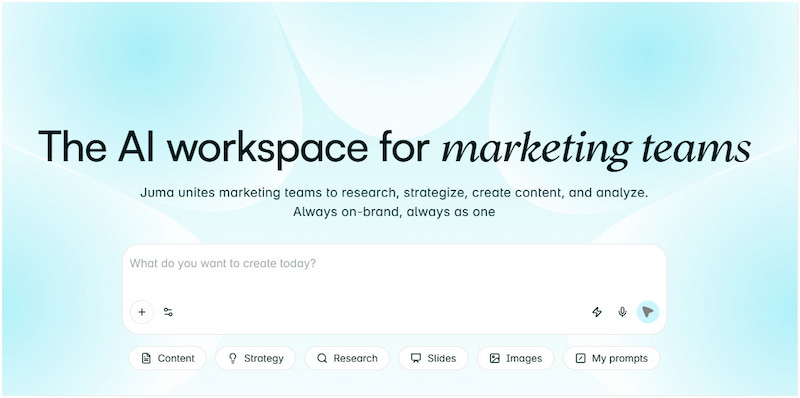
Team-GPT, now known as Juma, using various AI models like ChatGPT, DALL-E 3, and Claude, is a collaborative prompt generator designed for teams, particularly marketing teams. It enables users to analyze, create, research, and strategize on-brand content collaboratively. This tool turns your description into a well-structured, formatted prompt. However, chat memory can run out, which makes it challenging to back up conversations.
• Saves any generated or custom prompt into a Prompt Library.
• Supports multiple AI models, including ChatGPT, Claude, Gemini, etc.
• Includes a built-in Prompt Builder for creating high-quality, structured prompts.
• Let multiple users co-create, share prompt libraries, and collaborate on conversations.
Verdict: Team-GPT focuses on efficiency and team collaboration by maintaining a shared prompt library for reuse. This approach reduces inconsistencies and improves the quality of AI responses across projects.
PromptPerfect
Best For: optimizing and scaling text prompts.
Price: $19.99 starting price
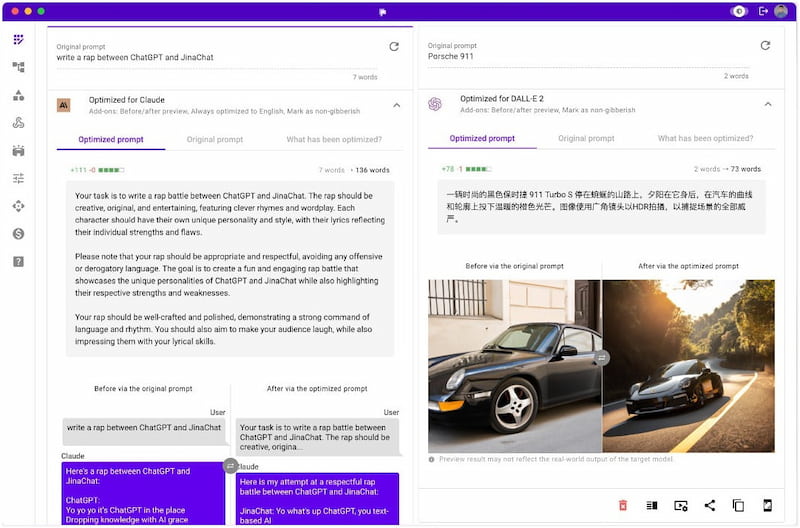
PromptPerfect, by Jina AI, is among the best prompt generators powered by GPT-4, Claude, and Midjourney models. It features an Arena mode, where you can compare how different models respond to your prompt side by side. However, in some cases, the tool may over-optimize prompts, trimming away creative ambiguity.
• Powerful auto‑tuning engine that refines input prompts.
• Supports turning an optimized prompt into a REST API endpoint.
• Features an Interactive mode to build prompts in a conversation-like flow.
• Includes Arena mode that runs prompts against multiple models side by side.
Verdict: PromptPerfect is designed for those who want to thoroughly optimize their prompts for various LLMs. You can also use it to generate photos to cartoons in Midjourney.
HIX AI
Best For: generating prompts and writing content.
Price: $23.99 starting price
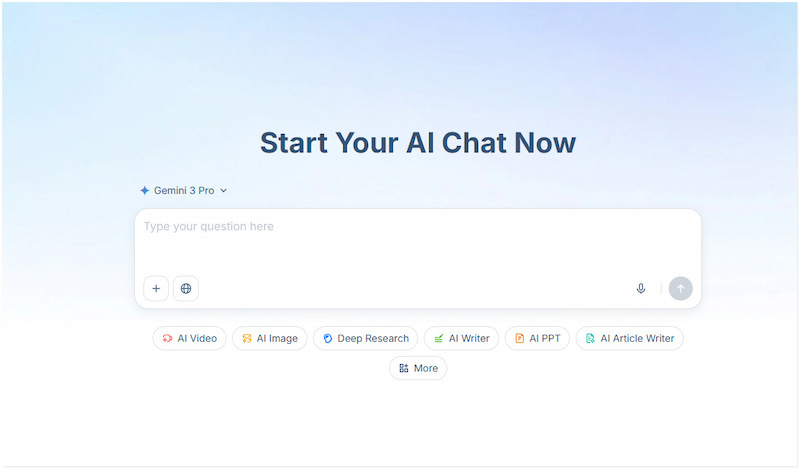
HIX AI is a lesser-known yet flexible AI prompt writer accessible online. It is designed to produce quality prompts within seconds, making it highly efficient for rapid ideation. It also supports over 30 languages, which is particularly helpful for non-English users or those working in multilingual workflows. However, many of its generated texts are poorly structured and contain grammatical errors.
• Allows editing the output directly inside the tool.
• Generate several high-quality prompt options in seconds.
• Supports 30+ languages, making it ideal for multilingual AI tasks.
• Optimized for GPT‑3.5 or GPT‑4, depending on which model you plan to use.
Verdict: HIX AI lets you decide which model to target, which affects how the prompt is crafted. This allows you to easily edit them directly or via the HIX Editor for further refinement.
Part 3. Use Prompts to Generate Interesting Videos With Picwand
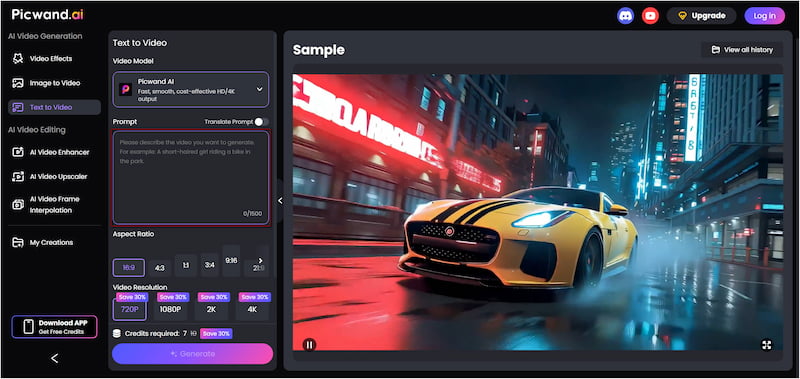
Picwand AI Text-to-Video Generator is a top-performing AI prompt generator available in our current tech era. It can transform written ideas into full-motion video content without needing editing experience. The prompt supports up to 1,500 characters. This enables you to describe your clip in detail for more accurate results.
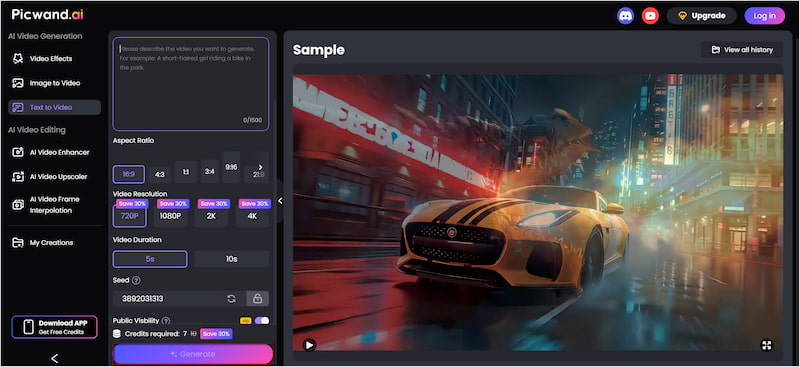
Furthermore, it provides flexible aspect ratio options, including 16:9, 4:3, 1:1, 3:4, 9:16, 21:9, and more. When generating your video, you can choose from multiple export resolutions, such as 720p, 1080p, 2K, and even 4K. This ensures the output matches your quality needs. It supports video durations of up to 10 seconds, which is ideal for various use cases.
Why Choose Picwand AI Text-to-Video Generator:
• Generates videos from text without a watermark on the final output.
• Choose whether your created video is publicly visible or kept private.
• Accepts text in multiple languages, and the AI detects and processes them.
• Provides flexible video styles, including realistic scenes, animations, and 3D-cartoon.
Step 1: Using a browser, navigate to the official Picwand AI Text-to-Video Generator site via the provided link. In the prompt box, type a detailed idea and be descriptive to get better visuals. Tell what is happening, who or what is in the scene, where it is happening, etc.
Step 2: Move to the Aspect Ratio section to select the video ratio that matches your platform. For example, 16:9 for YouTube or 9:16 for TikTok, Reels, and Shorts. Then, select 4K for the quality level and set how long your video should be.
Step 3: Optionally, toggle the Public Visibility to keep your video hidden from the public gallery. After all settings are selected, click Generate to allow the AI to process your prompt. The tool will then automatically create the frames and motion based on your description.
Picwand AI Text-to-Video Generator is the best AI prompt generator you could ever have. This tool effortlessly turns written prompts into video clips without needing editing software. If you have an existing YouTube video but its poor quality is an issue, use a YouTube video enhancer.
Part 4. FAQs about AI Prompt Generators
How to generate good prompts for AI?
A well-crafted prompt should clearly state what you want the AI to do. Include any necessary background information, define the desired format, and specify any constraints or style guidelines as needed.
What technique is recommended to use at the start of a prompt?
At the start of a prompt, it is recommended to use a directive or role-based technique. Tell the AI to adopt a specific persona, role, or perspective, which guides its tone, style, and approach.
What is the purpose of an AI prompt generator?
Prompt generators for AI assist users in crafting high-quality prompts that optimize the effectiveness of AI models. It simplifies the process by providing guidance, structure, and optimization.
Conclusion
The best AI prompt generators can save time, enhance creativity, and ensure more accurate outputs. Tools like Team-GPT, PromptPerfect, and HIX AI offer unique features tailored to different needs. Choosing the right tool depends on your workflow, objectives, and the level of customization you require. For those looking to take their AI-generated ideas a step further, we recommend Picwand AI Text-to-Video Generator. This tool lets you transform your well-crafted prompts into engaging videos in seconds.