Basic PlanVIP PlanVIP ExpiredPurchased credits are valid for life but require an active VIP subscription to use
0Credit(s)
You can use credits to access all the AI tools on Picwand, such as the AI Image Upscaler, AI Age Filter, AI Video Enhancer, AI Video Upscaler, AI Video Effects, and more.
AI hug apps use image-to-video diffusion to animate static photos into realistic clips. Based on our tests, Picwand AI Hug Generator offers the best resolution (up to 4K), while Mango AI is the fastest for single-photo animations. Many users primarily use these tools for digital reunions and social media trends like hugging their younger selves.
Sometimes, we miss someone who is no longer with us and wish we could hug them one last time. In moments like these, the feeling of longing can be overwhelming. Fortunately, there are dedicated apps that let you generate hugging videos from photos. These tools help recreate those emotional connections digitally. Although these hugs are not real, they can still bring comfort and a sense of closeness when seeing yourself with someone you deeply miss. This post will list five of the most commonly used AI hug apps available today. We will explore these tools so you can choose the one that best fits your emotional or creative needs.
Picwand AI Hug Generator is a creative AI tool that can turn two separate photos into a lifelike hugging scene. It uses advanced motion-generation technology to analyze body posture and facial details, creating a believable interaction between the subjects. You can upload 2 reference images, and the AI will handle the animation.
Furthermore, this AI hug app offers flexible aspect ratios to fit different platforms. The generated clips can run up to 8 seconds, and videos can be exported in 720p up to 4K. On the privacy side, the Public Visibility toggle ensures uploads stay private. It also includes a Copy Protection feature, which helps safeguard your content from unauthorized reuse.
Why Choose Picwand AI Hug Generator:
• Creates concise clips, up to 8 seconds long.
• Enhances hug videos by adding background music.
• Supports exporting videos in 720p, 1080p, 2K, and 4K.
• Choose from preset formats like 16:9, 9:16, 1:1, 4:3, and 3:4.
Pros
It generates hugging videos in just 1-2 minutes.
It creates realistic hugging animations from two static photos.
It uses advanced AI to map body positions and facial expressions.
Cons
It limits video length to around 5 seconds.
It lacks manual controls for customizing the hugging motion.
Here’s how to make AI hug videos:
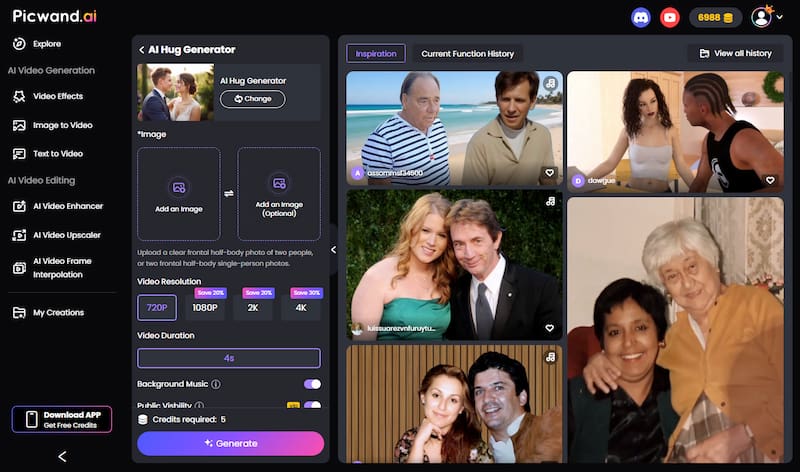
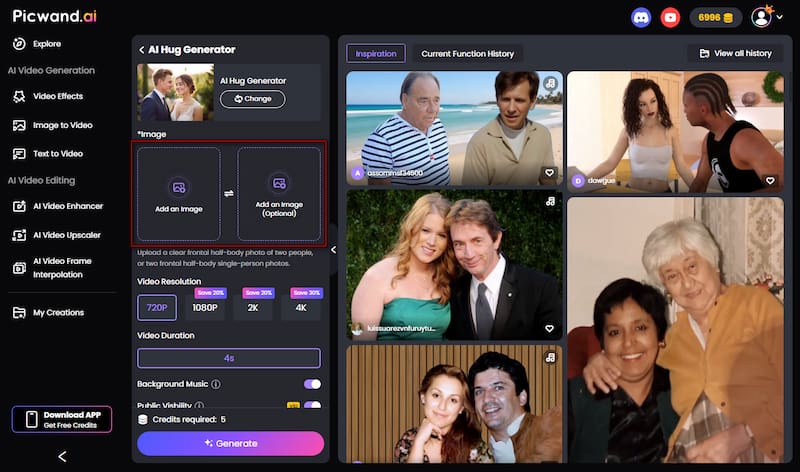
Step 1. Head to the official Picwand AI Hug Generator site via the provided link. On the homepage, click Add an Image to upload your main photo, then add a second image for the hug interaction. After uploading, select your preferred aspect ratio based on where you’ll share the video.
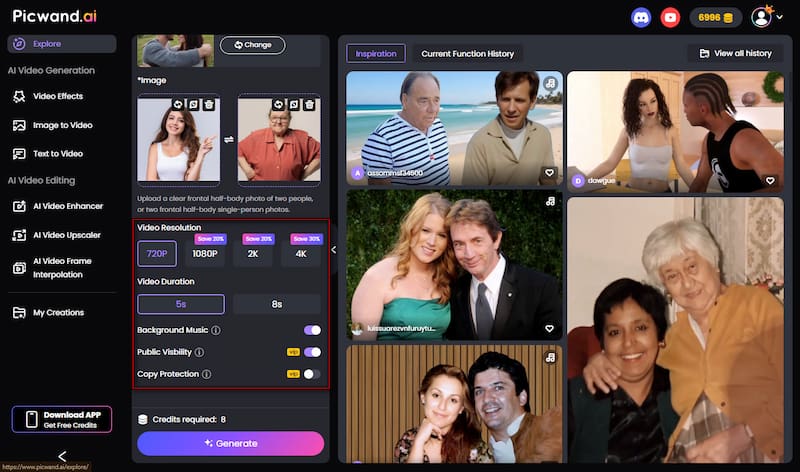
Step 2. Choose your desired video resolution and set the video length. You can also enable Background Music to make the hug feel more emotional. If you’re a VIP user, turn on Copy Protection to prevent others from downloading or reusing your content.
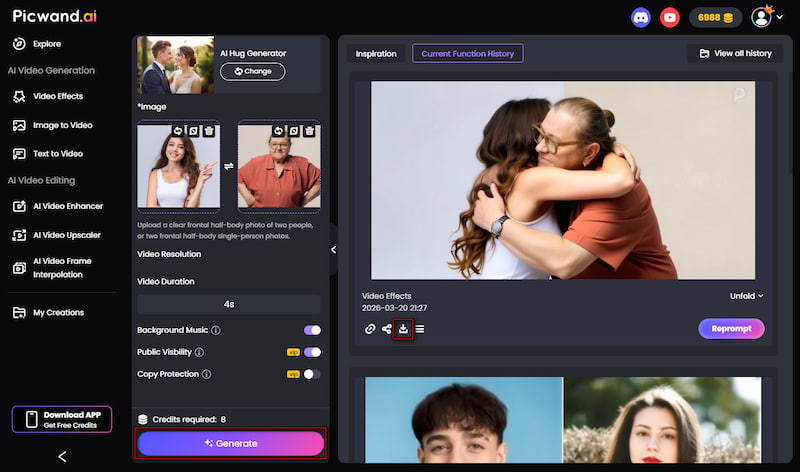
Step 3. Click Generate and let the AI create your hugging video. Once it’s ready, preview the hugging video result to ensure the motion looks natural. If you are satisfied with the outcome, click Download to save your final video.
Picwand AI Hug Generator makes it easy to turn still images into realistic hugging clips. During our testing, Picwand maintained the best limb-to-torso consistency, avoiding the floating arm glitch common in lower-tier AI models.
Top 2. Mango AI
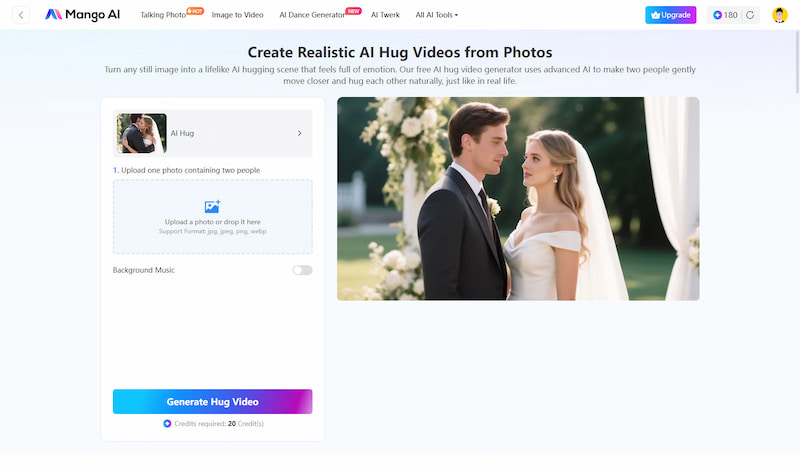
Mango AI is a free AI hug app that can convert photos into realistic AI-generated hugging videos. It lets you upload a single photo of two people, and it automatically generates a hugging animation. In addition, it also enhances the emotional impact of videos by offering optional background music. Once generated, you can download videos in MP4 format.
Why Choose Mango AI:
• Transforms a single image into a complete hugging video.
• Quickly processes and renders hugging videos within minutes.
• Option to add background music that matches the mood of the hug.
• Download videos in MP4 format or share them directly on social media.
Pros
It provides a free version.
It renders hugging videos fast.
It supports multiple image formats.
Cons
It produces generic or repetitive animation styles.
It requires at least 20 credits to generate hugging videos.
Top 3. GoEnhance AI
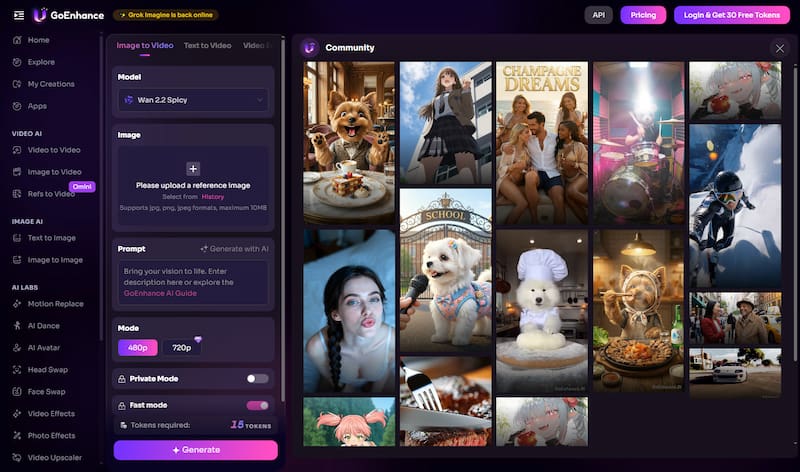
GoEnhance AI is among the best AI hug apps, transforming static images into high-quality videos. Through its Image-to-Video tool, you can animate photos with smooth motion, enabling realistic interactions such as hugging scenes. It also offers flexibility in output, allowing you to create content with different aspect ratios and resolutions. (To make a perfect AI hug video, you should know how to write prompts correctly.)
Why Choose GoEnhance AI:
• Generates videos quickly using optimized AI models.
• Maintains consistent facial features and body structure.
• Converts photos with detailed prompts into animated videos.
• Fast cloud-based processing for quickly generating hugging clips.
Pros
It offers face consistency features.
It uses advanced image-to-video models.
It supports multiple creative styles through prompts.
Cons
It produces less realistic results when the input images are of low quality.
It slows down when processing higher-resolution hugging video requests.
Top 4. Flux AI
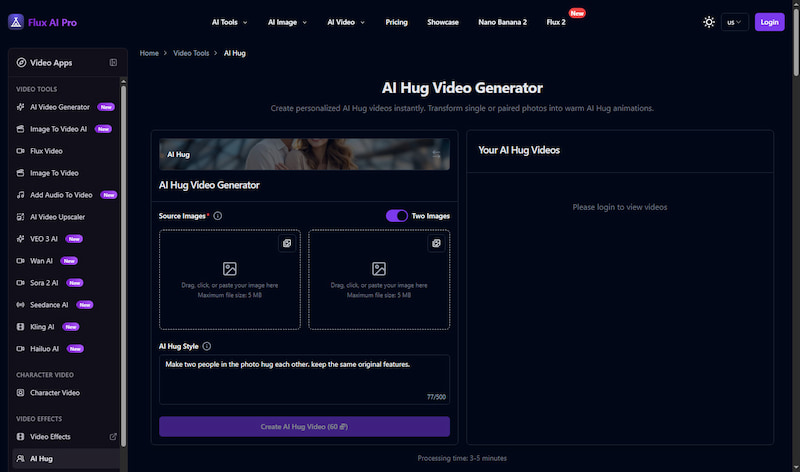
Flux AI is a hug AI app that can generate high-quality visuals and animations from images. It allows you to upload one or two photos and turn them into expressive hug animations. It also offers multiple creative modes and AI video effects, including hugging, kissing, and more. It lets you choose different styles to create the mood you want.
Why Choose Flex AI:
• Offers a variety of emotional templates such as AI Hug.
• Generates hugging videos quickly using cloud AI models.
• Supports cinematic-quality rendering with improved resolution.
• Analyzes body structure and positioning to generate natural-looking embraces.
Pros
It generates realistic AI hugging videos.
It supports multiple emotional templates.
It allows quick image-to-video conversion.
Cons
It struggles with perfect facial consistency. (To achieve consistent facial features, enhance image quality first.)
It produces unnatural movement in complex hugging poses.
Top 5. insMind
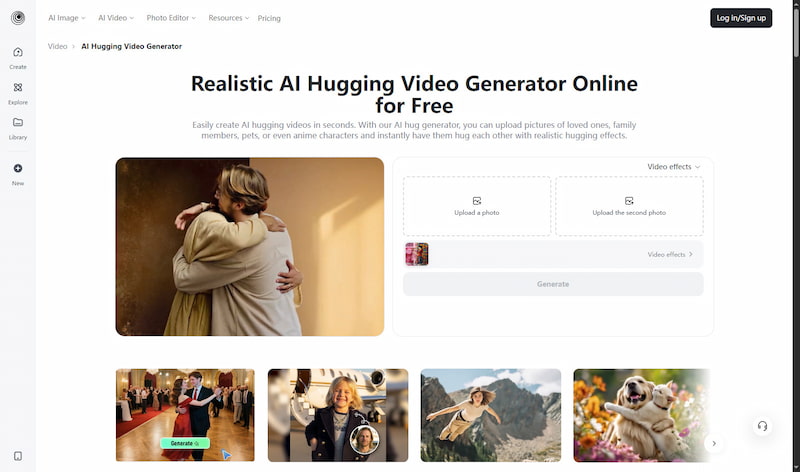
insMind is a free AI hugging app that lets you make realistic hug videos from photos. You can upload single or multiple images, choose a hugging template, and instantly generate a video. It also focuses on emotional storytelling, offering pre-made AI hug effects that help enhance expressions of affection, reunion, or nostalgia.
Why Choose insMind:
• Instant generation of AI hugging videos.
• Provides ready-to-use hugging scenes and templates.
• Advanced AI to generate natural-looking hugs with smooth movement.
• Includes other effects such as kissing, dancing, and cinematic animations.
Pros
It uses pre-built hug templates.
It supports multiple image inputs.
It allows one-click hug video generation.
Cons
It struggles with complex poses.
It generates repetitive animation styles.
Conclusion
AI hug apps have made it possible to turn simple photos into meaningful hugging videos. While they cannot replace a real human connection, they offer a creative and comforting way to relive memories, express feelings, and visualize moments with someone you miss. Among the available options, Picwand AI Hug Generator stands out as a reliable choice. It lets you create realistic, high-quality hugging videos in just a minute.