Basic PlanVIP PlanVIP ExpiredPurchased credits are valid for life but require an active VIP subscription to use
0Credit(s)
You can use credits to access all the AI tools on Picwand, such as the AI Image Upscaler, AI Age Filter, AI Video Enhancer, AI Video Upscaler, AI Video Effects, and more.
In today’s world, videos are everywhere, yet much of the rich visual information they contain remains hidden, unorganized, and underutilized. Manually describing scenes, logging actions, or capturing visual cues is time-consuming and often results in generic or incomplete metadata. AI video prompts are revolutionising the industry by enabling creators to efficiently guide AI tools in generating high-quality videos. In this post, we will provide a comprehensive guide to prompts. We will tackle why prompts are essential for AI-generated videos. Also, we will share practical examples for AI video prompts, image-to-video prompts, and text-to-video prompts.
Why do we actually need to use AI video prompts? Basically, we use prompts because it give the AI a clear direction and purpose. A well-crafted prompt tells the AI exactly what you want by defining key details. This includes the visual style, mood, camera movement, lighting, characters, actions, and context.
Without this guidance, the AI can only guess, resulting in generic or unpredictable outcomes. Strong prompts ensure the video matches your creative vision from the start. Additionally, it reduces the need for heavy editing later. Effective prompting turns AI from a simple generator into a powerful collaborator for video creation.
After understanding why prompts matter, the next step is learning how to write AI prompts effectively. Guide the AI with the right details and structure to get high-quality results.
Part 2. Best AI Video Prompts Examples
In this section, you’ll discover some of the best AI video prompt examples. We’ll cover a variety of use cases, including AI video prompts, image-to-video prompts, and text-to-video prompts. This way, you can see how effective prompts are written for different video generation methods.
AI Video Prompts
Example 1:
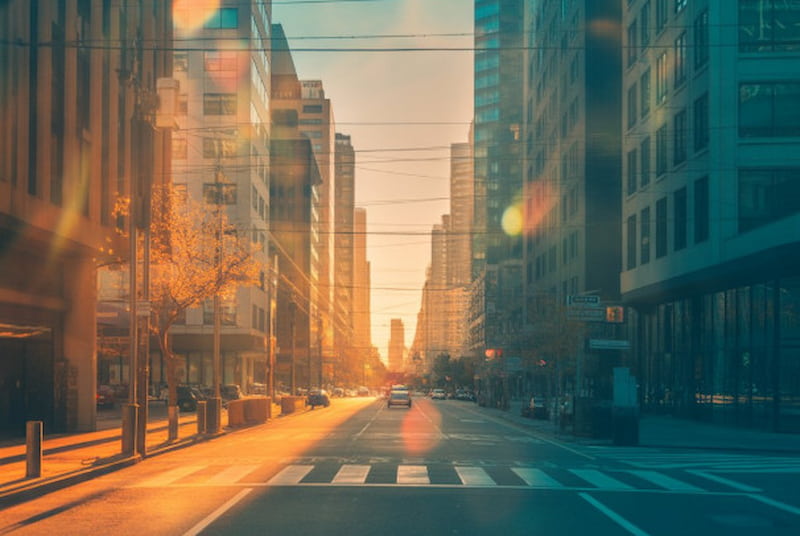
A slow forward camera moves through a lively city street during golden hour, with a shallow depth of field and a 35mm film-style look. Warm orange and teal tones, soft lens flares, light movement from people in the background, and a gentle breeze swaying café lights. Natural background sounds like traffic and footsteps.
Example 2:
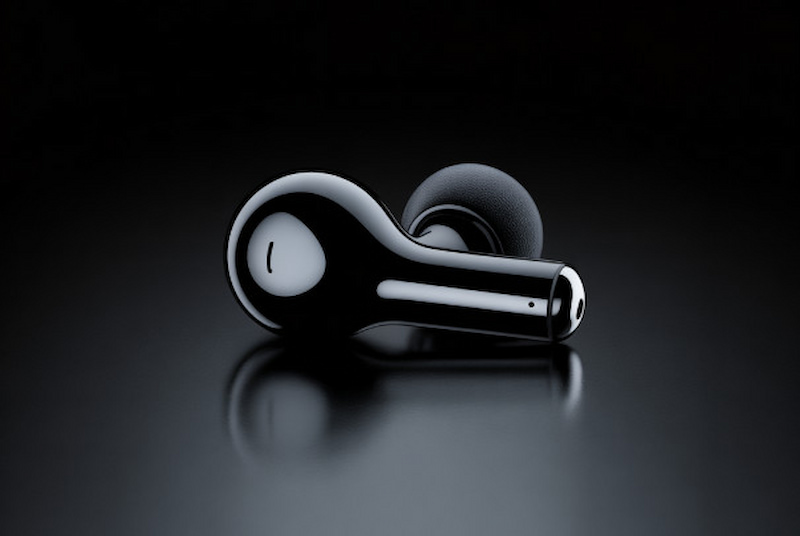
A close-up tabletop shot of a matte black wireless earbud slowly rotating on a shiny black surface. Controlled rim lighting with soft box reflections, a smooth half-turn rotation, and a clean, minimal studio setup. Subtle, polished sound effects.
Image to Video Prompts
Example 1:
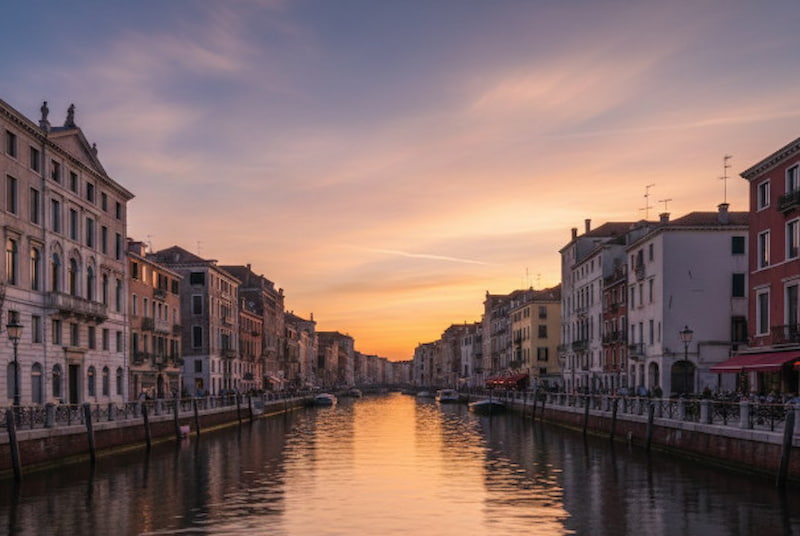
Animate the given sunset canal photo into a calm, living scene while keeping the original composition and colors intact. Introduce gentle water ripples, slowly moving clouds, and light city ambience. Add a soft parallax effect with a smooth 10% forward camera push.
Example 2:
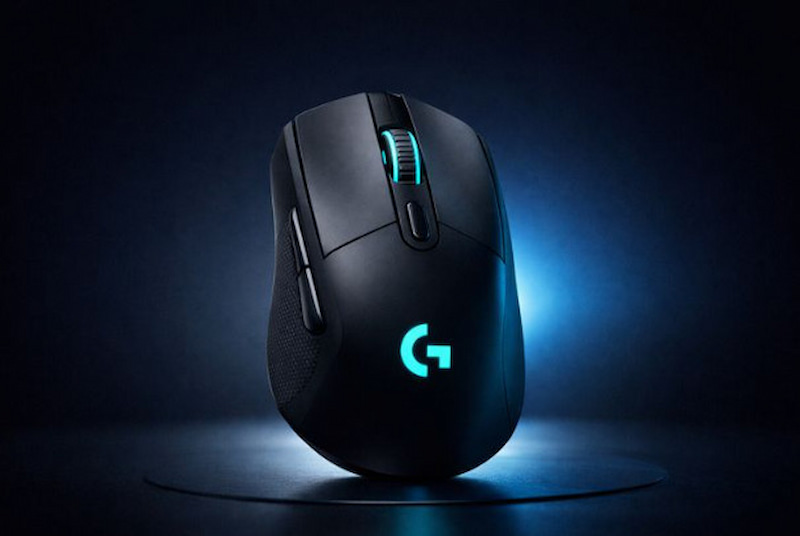
Turn the provided wireless gaming mouse image into a clean, looping showcase on a dark gradient backdrop. Apply a slow full rotation with a subtle sweeping backlight, while maintaining the original materials and brand color details. Include a soft, futuristic whoosh sound effect.
Text to Video AI Prompts
Example 1:
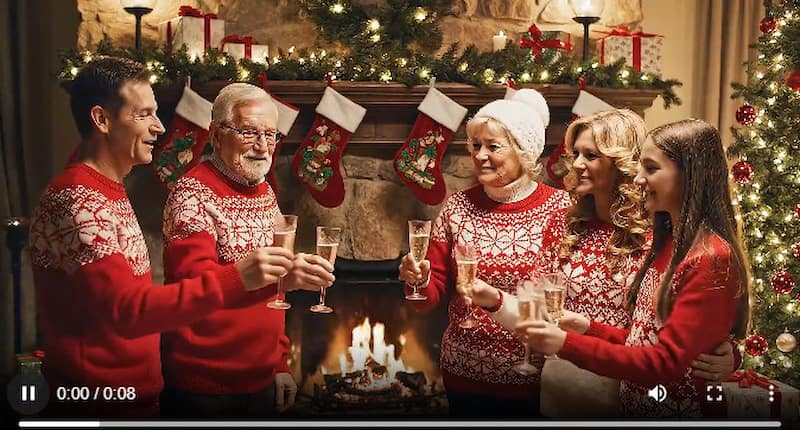
A heartwarming holiday setting in a snug living room with a crackling fireplace adorned with stockings and garlands. A family of five, grandparents, parents, and children, wearing festive red sweaters, cheerfully raise crystal glasses together in a toast. The Christmas tree behind them sparkles with golden fairy lights, casting a warm glow, while soft candlelight highlights their joyful expressions. Medium camera shot, featuring cinematic lighting, 4K quality, and realistic emotions, set against a festive atmosphere with wrapped gifts in the background.
Example 2:
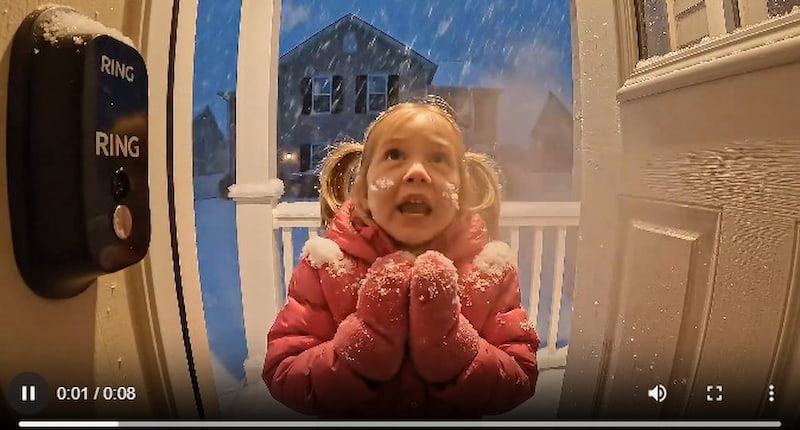
POV from a doorbell camera: a 3-year-old girl stands outside in heavy snow, wearing a puffy pink coat and a knit hat with pom-poms. Her cheeks are rosy from the cold as snowflakes settle on her coat. She looks up at the camera with wide, innocent eyes, gently knocks, and says in a trembling voice, Mommy, it’s so cold, please open the door. Her breath is visible in the frosty air, while the warm porch light softly illuminates the touching winter scene, captured from a fixed, wide-angle perspective.
Part 3. Use the Prepared Prompts to Generate Videos with Picwand AI Text-to-Video Generation
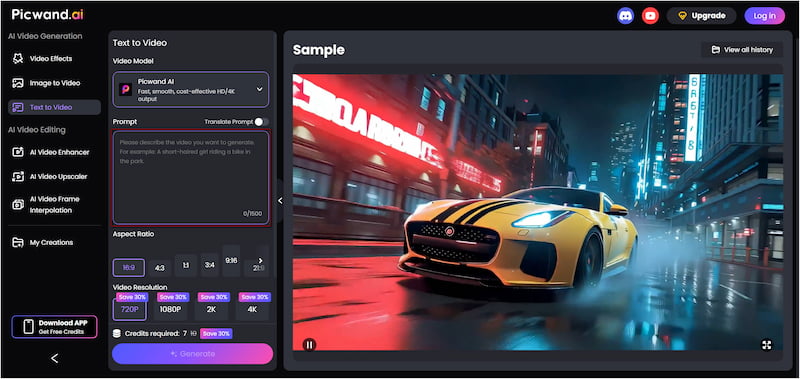
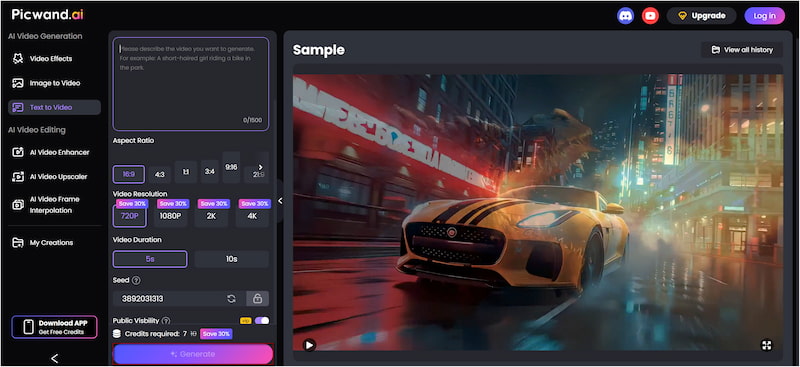
You can transform the provided example prompts for movie-quality video generations. However, you need a powerful and intelligent tool to achieve that. Picwand AI Text-to-Video Generator is a smart, online text-to-video generation tool. You can write prompts of up to 1,500 characters, giving the AI plenty of information to generate accurate scenes. Additionally, it supports video clips of up to 10 seconds and in different aspect ratios. By then, you can export your creations in multiple resolutions, from 720p and 1080p up to 2K and 4K.
Why Choose Picwand AI Text-to-Video Generator:
Provides high-quality cinematic output with realistic visuals and lighting.
Offers flexible aspect ratios for various platforms, including 16:9, 1:1, 3:4, etc.
Supports long prompts of up to 1,500 characters for detailed scene descriptions.
Generates videos up to 10 seconds in length, longer than many competing tools.
Step 1. Reach the official Picwand AI Text-to-Video Generator website through the provided link. In the prompt box, paste one of the text-to-video AI prompts examples or write a new one. Make you prompt descriptive and detailed so the resulting video will be precise.
Step 2. Scroll to the Aspect Ratio section and select the format that best suits your project. Next, select your desired output resolution, with options up to 4K. You can also adjust the video duration. Picwand AI Text-to-Video Generator allows clips of up to 10 seconds in length.
Step 3. If you want to keep your video private, toggle off Public Visibility. Once all settings are configured, click the Generate button. Picwand AI will process your prompt and render a video that matches your description.
With Picwand AI Text-to-Video Generator, creating high-quality videos from detailed text prompts is simple. It supports long prompts, flexible aspect ratios, extended video duration, and professional-level exports.
A: To get the best results from an AI video generator, keep your prompts clear, concise, and structured. Simple prompts with well-defined instructions tend to produce more accurate and predictable outcomes.
Q: Can AI generate a video from both text and image?
A: Yes, AI can generate videos from both text and images. Text-to-video tools allow you to describe a scene or action in words. Meanwhile, Image-to-video tools take a static image and animate it by adding motion, depth, or environmental effects.
Q: Do I own the copyright to AI-generated videos?
A: If a work is 100% AI-generated without human authorship, it is not eligible for copyright protection. This means that anyone can use, copy, or adapt the video unless other legal standards apply. It includes contract agreements or licensing terms imposed by the AI platform.
Conclusion
AI video prompts are a powerful way to transform our ideas into visually compelling content. By crafting clear and detailed prompts, you can guide AI to produce videos that align with your vision. This saves time on editing and unlocks new creative possibilities. To put these strategies into action and create high-quality, professional videos, use Picwand AI Text-to-Video Generator. It is a dedicated tool designed to turn your prompts into cinematic results with ease.