Best AI Animation Generator: Create Animated Videos with AI

In the past, animation meant drawing frames, creating characters and spending hours working in editing software. AI has revolutionized that process. Now, you can take a single image or word prompt and make it into a moving scenario in minutes. However, not all AI animation generators are equally good in motion, character consistency, or visual styles. Some tools are better for cinematic clips, others are easier if you’re just a newbie and want to animate a picture. In the following article, we will recommend the best AI animation generators.
Contents:
Part 1: What Is an AI Animation Generator?
AI Animation Definition
An AI animation generator is a tool that uses artificial intelligence to create or animate visual content. Depending on the platform, you can provide text, images, or other references and receive a short animated video.
In traditional animation, artists draw each frame or manually edit digital materials to produce movement. Much of that effort is now done automatically by AI animation, which predicts how subjects, backdrops, camera motions and other visual aspects should evolve over time. This makes the best AI animation generator useful for social media clips, animated stories, advertisements, character concepts, educational content, product demonstrations, and short-form entertainment.
AI Animation Workflow
The way most AI animation programs work is rather straightforward:
Input → Prompt → Generation → Review → Edit
You give me an image or tell me what you want to see. The AI reads the visual information and prompt, generates movement and outputs a brief clip. Image-to-video is particularly useful because the original image establishes the character, composition, colors, and setting. Your prompt can then concentrate mainly on movement.
Runway's Gen-4 documentation, for example, recommends using a high-quality input image and focusing the text prompt on the desired motion. Gen-4 generates 5- or 10-second videos from an image and text prompt.
Part 2: How to Choose an AI Animation Generator
Check out more than the demo clips before you choose a tool. These five criteria really make a difference in real projects.
1. Quality of Animation
The first thing to check is whether the movement seems natural. Look for abnormalities like warped hands, weird facial expressions, flashing backdrops, or objects that change shape from frame to frame.
A successful generator should maintain the essential visual information of your source image, while adding plausible movement.
2. Consistency of character
If you are developing an entire story, not just a single clip, then character consistency is important. The same character should have the same facial features, dress, proportions and general appearance.
If you’re working with several photos, look for solutions that offer reference photographs or workflows intended for consistent subjects.
3. Motion Control
A simple “make this image move” button can be useful, but creators often need more control.
Look for the ability to describe actions such as:
- • Walking toward the camera
- • Turning around slowly
- • Hair moving in the wind
- • A camera zooming in
- • Clouds drifting across the sky
- • A product rotating on a table
Runway's current Gen-4 workflow specifically separates the visual information supplied by the image from motion instructions supplied through the prompt, making it easier to describe what should happen rather than repeating what is already visible.
4. Style Choices
There's not a single style of animation. You may desire realistic motion, or anime, cartoon, fantasy, 3D, cinematic, illustration, depending on what you are working on.
A good AI animation generator should let you try different looks without having to rewrite the whole procedure.
5. Ease of Use and Cost
Finally, consider how much time it takes to get a usable result—and how quickly credits are consumed.
A sophisticated tool is not necessarily the best choice if you only need a few animated social clips. Conversely, professional creators may prefer a platform with greater control even if the learning curve is higher.
Part 3: Best AI Animation Generator Tools
1. Picwand AI
Features:
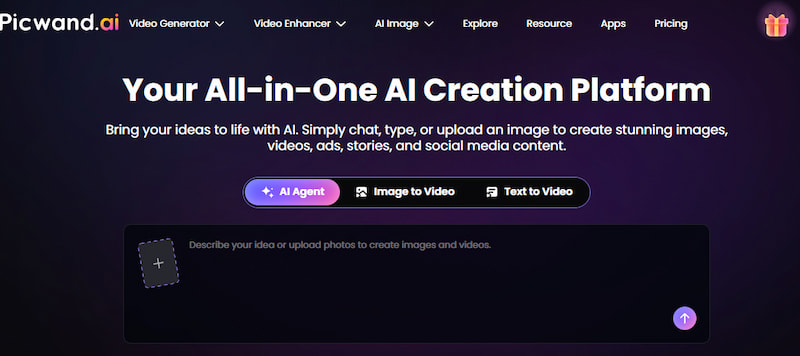
Picwand AI Agent supports conversational image and video creation, allowing users to turn text ideas or uploaded images into videos through natural dialogue. You can describe your concept, upload a portrait, product image, or landscape, and let the AI Agent help develop the idea and generate visuals. It can also support image-to-video creation, making it easier to bring static images to life without manually editing timelines or animating individual elements. Its workflow is accessible to beginners while offering flexibility for different creative projects.
Pros
- Conversational AI-powered creation workflow
- Supports text-to-video and image-to-video generation
- Helps develop creative ideas through dialogue
- No professional editing skills required
- Browser-based access
- Suitable for social media content, advertisements, storytelling, and product videos
Cons
- AI generations require credits
- Advanced motion control may be less detailed than professional animation software
Pricing: Picwand offers a credit-based free option. Paid plans provide additional credits and access to more AI features. Monthly VIP plans start at $14.90/month, with annual and lifetime options also available.
Best for: Beginners, marketers, and social media creators who want to turn ideas or existing images into videos through an AI-assisted conversational workflow.
2. Taxiway
Features:
Runway is geared toward creators who seek more advanced AI video creation and creative control, hailed as one of the best 2026 AI anime image generators. Its current platform comprises Gen-4.5 and other generative models, while Gen-4 provides picture- and prompt-driven video production.
Gen-4 offers 5- or 10-second clips and multiple aspect ratios like landscape, portrait, square and ultrawide.
Pros
- Scalable generative video capabilities
- Motion Prompting In-Depth
- Different aspect ratios
- Ideal for professional creative workflows
- Big ecosystem of AI creative tools
Cons
- More difficult for total beginners
- Frequent experimentation can make credit based generation costly
Pricing: Runway currently has a free plan with 125 one-time credits. Paid plans start at $15/month, or $12/month when billed annually, according to its current pricing page.
Best for: Filmmakers, designers, VFX artists and developers that want more control over AI generated video and AI video depixelate.
3. Seedance
Features:
Another AI video-generation option is Seedance, which focuses on generating dynamic video from prompts and visual inputs, seen as one of the best anime AI art generators. It has several Seedance models in its current ecosystem, including Seedance 2.0 and speedier variations.
For creators already working with AI video, Seedance is particularly interesting when motion quality and cinematic generation are more important than having the simplest possible interface. Seedance models are also available through Runway. Runway's current pricing information lists Seedance 2.0 Pro and Seedance 2.0 Fast among its supported video models.
Pros
- Powerful AI video generator
- Good choice for movie experimentation
- Multiple Model Versions
- Built for more demanding creative operations
Cons
- Availability may vary on the platform you use
- Credit usage is dependent on the model and output
- Less beginner-oriented than simple image animation tools
Pricing: Pricing depends on the platform and Seedance model. When accessed through Runway, Seedance 2.0 Pro is currently listed at 160 credits per 4-second generation, while Seedance 2.0 Fast is 116 credits per 4-second generation.
Best for: Experienced AI-video creators who want to experiment with newer generative video models.
Part 4: How to Create AI Animations with Picwand AI
If you want to turn your ideas or existing images into animated videos, Picwand AI Agent lets you create visuals and videos through natural conversation. You can describe the animation you have in mind or upload a reference image to get started.
Step 1. Describe Your Animation Idea
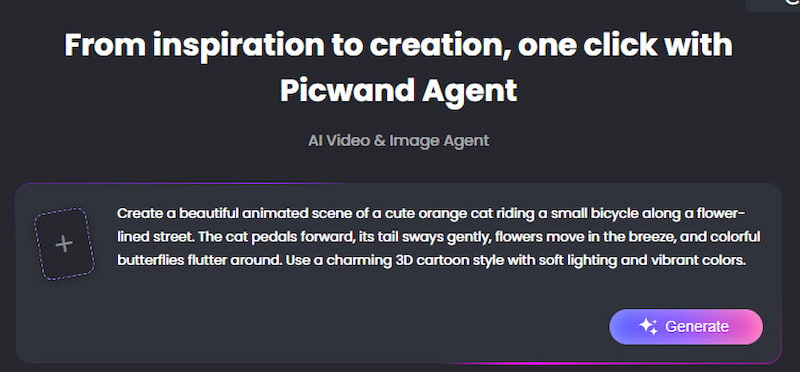
Open Picwand AI Agent and enter a text prompt describing your animation, including the characters, actions, setting, and visual style. You can also upload an image as a visual reference.
Example Prompt:
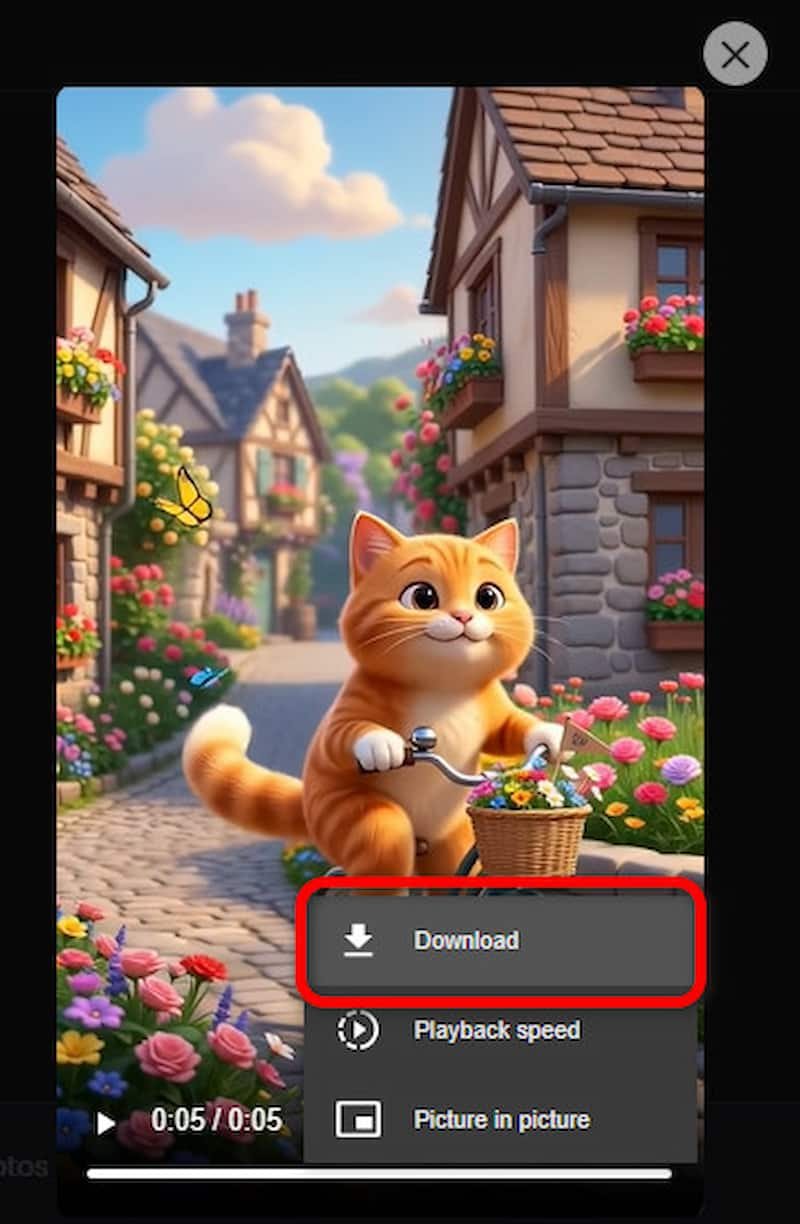
"Create a beautiful animated scene of a cute orange cat riding a small bicycle along a flower-lined street. The cat pedals forward, its tail sways gently, flowers move in the breeze, and colorful butterflies flutter around. Use a charming 3D cartoon style with soft lighting and vibrant colors."
Step 2. Generate Your Animation
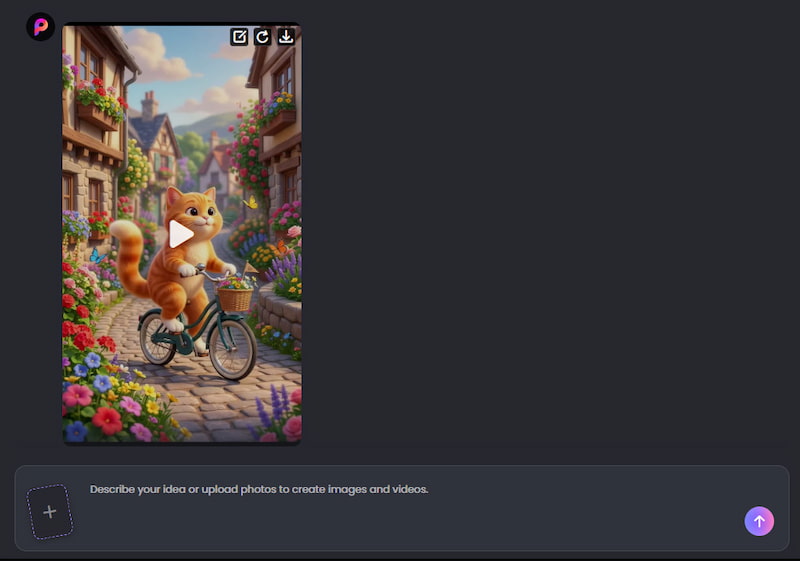
Chat with the AI Agent to develop your idea and generate the visuals. You can further refine the animation by describing changes to character movements, camera angles, backgrounds, or visual effects until you're satisfied with the result.
Step 3. Preview and Download Your Video
Once the video is generated, preview the animation to check the result. If you're happy with it, click Download to save your video.
Part 5: FAQs About the Best AI Animation Generator
What is the greatest animation generator for AI for beginners?
Picwand AI is a good option for novices since its AI video method is simple: input an image, explain what motion you want and output a clip.
Can AI animate a picture?
Yes. Image-to-video AI can transform a static photograph, illustration, or other visual into a moving video. This is one of the easiest ways to start experimenting with AI animation.
Can I make anime animations with AI?
Yes. AI video generators can create or animate anime-style characters and scenes. Results depend heavily on the source image, prompt, and model being used.
Conclusion
What you are aiming to develop is the best AI animation generator. If you want powerful generative-video tools and granular control, Runway is a good alternative for creators. If you’re interested in updated AI video models and cinematic generation, Seedance is worth a look.
If you’re a newbie who already has an image and just wants to bring it to life, Picwand AI is the easiest place to start. It takes a lot of the technological complexity out of the image-to-video pipeline. Upload your visual, specify the motion and let AI animate it.
Start with one image and one simple motion. Once you understand how the generator responds to your prompts, you can move from isolated animated clips to characters, stories, advertisements, and complete visual sequences.
AI Picwand - Anyone Can be A Magician
Get Started for Free