Basic PlanVIP PlanVIP ExpiredPurchased credits are valid for life but require an active VIP subscription to use
0Credit(s)
You can use credits to access all the AI tools on Picwand, such as the AI Image Upscaler, AI Age Filter, AI Video Enhancer, AI Video Upscaler, AI Video Effects, and more.
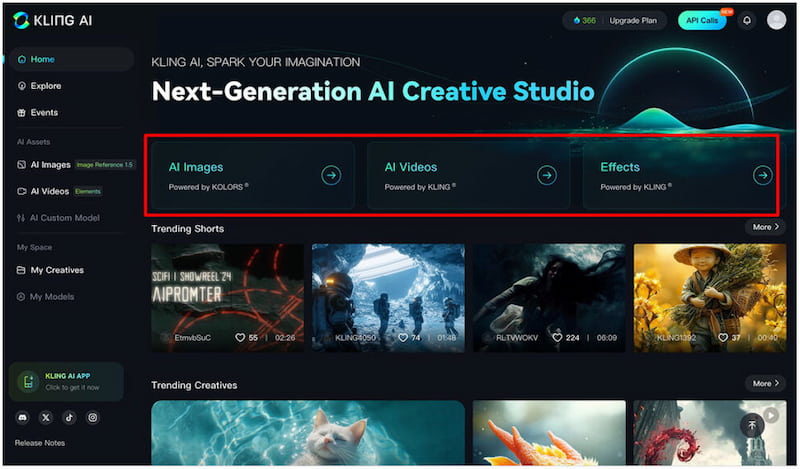
Kling AI is an AI-powered video generation tool that transforms text or image prompts into video. It is used for creating cinematic scenes, social media content, storytelling videos, concept animations, and other visual content. To achieve the best results with Kling AI, it is essential to know how to craft effective prompts. This will guide the AI precisely toward your desired output. In this post, we will cover the best Kling AI prompts and teach you how to write them effectively. We will explain the core components of a successful prompt, provide detailed examples, and share tips. This way, you can unlock the full potential of Kling AI by mastering prompt-writing techniques.
Kling AI is a generative AI tool that can translate textual descriptions into short video clips. Beyond the text-to-video conversion, it also supports image-to-video and image-plus-text-to-video generation. This means you can both describe a scene with words or provide a reference image. Under the hood, Kling AI uses advanced generative modeling to model motion, physics, lighting, and camera movement.
Scene Description:
The scene description is the foundation of the best Kling AI prompt. This section tells the model what it needs to create, including the setting, subjects, and visual concept. The more specific your description, the easier it is to understand the visual you want to create.
Style Details:
The style details section determines the appearance of the video. This includes artistic direction, tone, color palette, lighting, camera mood, and aesthetic. Being clear about style helps the model produce a consistent visual theme throughout the video.
Motion Instructions:
The motion instructions tell Kling AI how the scene should move. Guiding motion is critical for creating natural and cinematic movement. Detailed motion cues prevent the video from feeling static. Additionally, it allows you to shape the pacing and energy of the footage.
Negative Prompts:
Kling AI best negative prompts help refine your video generation by removing unwanted elements. It also eliminates distracting details and ensures the final output remains clean, focused, and of high quality. By specifying what you don’t want in the video, you guide the model toward more accurate visuals.
Below are the most effective categories of negative prompts you should use:
• Emotions: sad tones, excited tones, angry tones, bad atmosphere.
• Color: mixed color style, dark tone, no white balance, overly dark colors.
• Scenes: indoor and outdoor scenes, background, rainy, cloudy, and autumnal.
• Lighting: harsh shadows, hard lighting, ambient lighting, much shadow, morning light.
• Composition: no photographic techniques, unbalanced layout, complex composition.
Part 2. Prompt Examples
For Text to Video
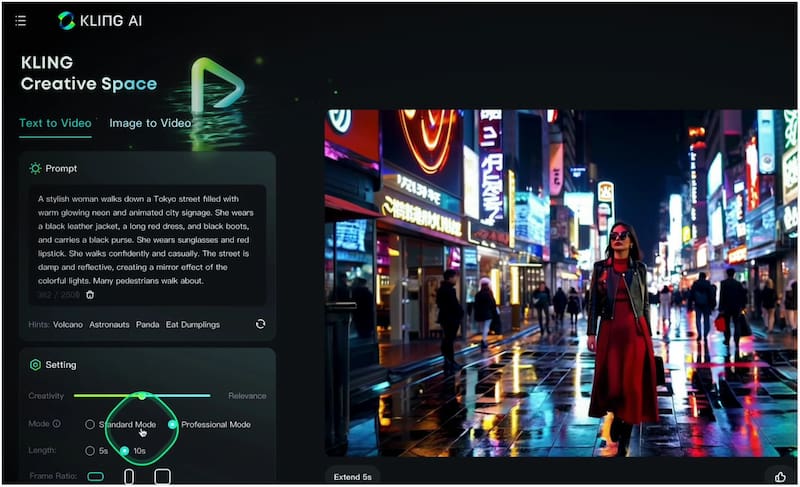
Prompt:
A woman walks down a Tokyo street filled with glowing neon and animated city signage. She wears a black leather jacket, a red dress, black boots, and carries a black purse. She wears sunglasses and lipstick. She walks casually and confidently. The street is damp and reflective, creating a mirror effect of the colorful light. Many pedestrians walk about.
That’s the Kling AI's best prompts for text to video. You might also want to explore how to convert a photo to a cartoon in Midjourney.
For Image to Video
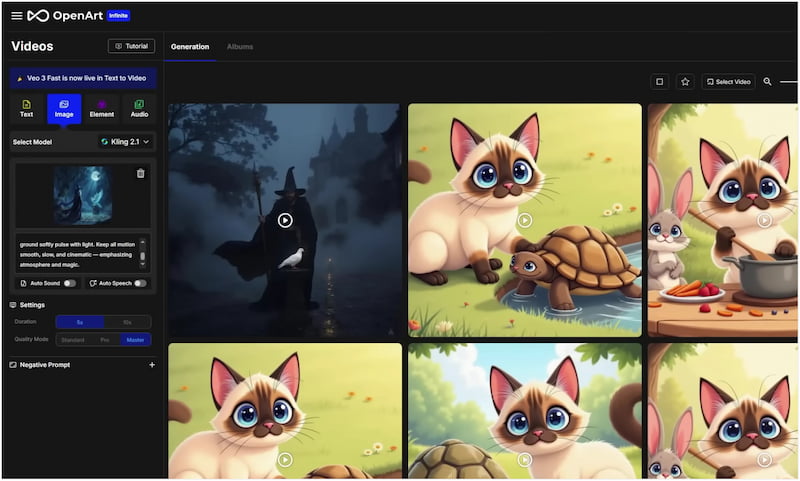
Prompt:
Animate the scene. The magician stands still, his robe gently swaying in the soft, magical wind. The mystical bird in front of him begins to flap its glowing wings slowly, lifting off the ground with a graceful, weightless motion. As the bird ascends, glowing blue and gold particles trail behind it, spiraling upward in a mesmerizing display. Add subtle motion to the mist in the background, drifting sideways through the forest clearing. Light rays shift slightly as the camera performs a slow push-in toward the magician and bird. Magical runes on the ground softly pulse with light. Keep all motion smooth, slow, and cinematic, emphasizing atmosphere and magic.
Part 3. Use Picwand AI Text-to-Video Generator to Turn Prompts into Wonderful Videos
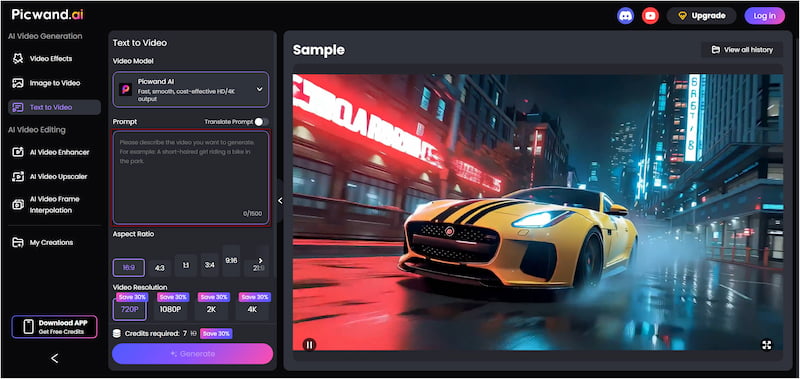
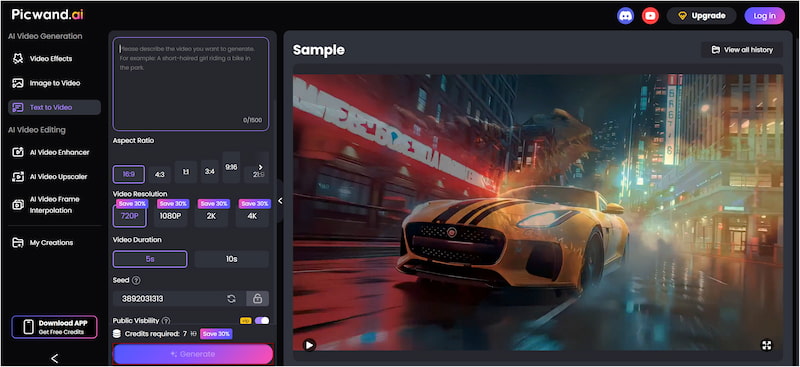
Picwand AI Text-to-Video Generator is the leading generative AI tool for converting text descriptions into video. With a generous 1,500 characters per prompt, you can describe your scene in detail. It also offers flexible aspect ratios, such as 16:9, 4:3, and 1:1, among others. When exporting, you can choose resolutions ranging from 720p to 4K. Additionally, it can generate clips of up to 10 seconds, making it ideal for various platforms.
Why Choose Picwand AI Text-to-Video Generator:
• Supports high-quality video resolutions up to 4K for crisp output.
• Offers multiple aspect ratio options, including 16:9, 9:16, 1:1, and more.
• Allows video durations of up to 10 seconds for flexible short-form content.
• Accepts up to 1,500 characters per prompt for highly detailed scene descriptions.
Step 1. Using your browser, navigate to the official Picwand AI Text-to-Video Generator site via the provided link. In the prompt box, type your idea in detail. Describe the scene clearly, like what is happening, who or what is involved, where the action takes place, etc.
Step 2. Scroll to the Aspect Ratio and choose the size that matches your target platform. Then, select your quality level (Choose 4K for the highest clarity). Lastly, set the video duration to 10 seconds. These settings ensure your video fits your needs perfectly.
Step 3. Optionally toggle Public Visibility if you prefer to keep your video private, rather than displaying it in the gallery. Once all settings are ready, click Generate. Picwand AI will begin processing your prompt, automatically creating a video according to your description.
Picwand AI Text-to-Video Generator is truly one of the best AI prompt tools available today. It effortlessly turns written ideas into polished video clips. If you're looking for a simple yet powerful tool to turn ideas into videos, look no further than Picwand AI.
Part 4. FAQs about Best Kling AI Prompts
What are the most useful AI prompts?
The most effective AI prompts are clear, detailed, and structured. It gives the model strong context about the scene, style, and purpose of the output.
What are the restrictions on Kling AI?
Kling AI places strict limitations on content to ensure safe and responsible video generation. It prohibits violence, adult material, hateful themes, and any harmful or unethical content.
How to best use AI prompts?
To use the best prompt for Kling AI, focus on being specific, descriptive, and intentional with every detail of your idea. Clearly define the subject, environment, style, motion, and mood.
Conclusion
Mastering the best Kling AI prompts lets you create high-quality videos that accurately reflect your ideas. By understanding how to structure your prompts, include detailed descriptions, and guide motion, you can produce videos that are creative. Now that you know how to craft the best prompts for AI video generation, take your creativity further with Picwand AI Text-to-Video Generator. It is an easy-to-use tool that turns your text ideas into videos in just a few clicks.