Basic PlanVIP PlanVIP ExpiredPurchased credits are valid for life but require an active VIP subscription to use
0Credit(s)
You can use credits to access all the AI tools on Picwand, such as the AI Image Upscaler, AI Age Filter, AI Video Enhancer, AI Video Upscaler, AI Video Effects, and more.
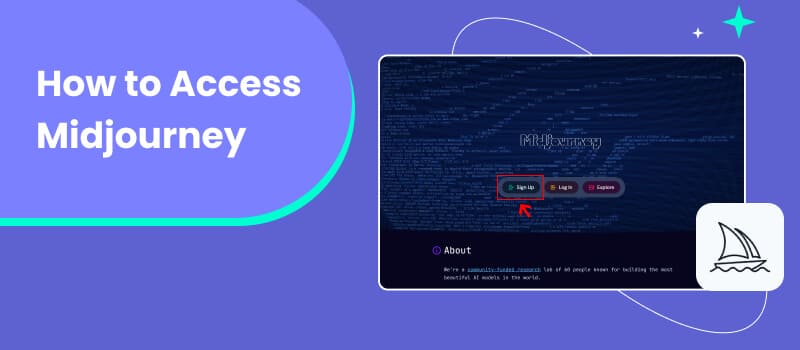
Midjourney has become one of the most well-known AI image generation tools in recent years. From concept art and illustrations to social media visuals, it is widely used by designers, artists, and content creators around the world. However, for many beginners, the biggest challenge is not writing prompts—but simply figuring out how to access Midjourney in the first place.
Unlike most AI tools, Midjourney does not operate through a traditional website or standalone app. Instead, it relies heavily on Discord, which can feel confusing or inconvenient for first-time users. This has led to a surge of search queries like “how to access Midjourney” and “can I use Midjourney without Discord?”
In this guide, we’ll walk you through everything you need to know: what Midjourney is, how it works, how to use it step by step, and what options exist if you prefer not to use Discord. We’ll also introduce a modern AI solution that goes beyond Midjourney by offering both image and video capabilities.
Midjourney is an AI-powered image generation platform that creates images based on text prompts. Users describe what they want to see—such as a scene, object, or artistic style—and the AI generates corresponding visuals within seconds.
How Midjourney Works
At its core, Midjourney uses a diffusion-based model trained on large datasets of images and text. When you submit a prompt, the system interprets your words and gradually refines a random visual pattern into a coherent image.
What makes Midjourney different from many competitors is its strong focus on artistic expression. The results often lean toward stylized, painterly, or cinematic aesthetics rather than strict realism.
Why Accessing Midjourney Feels Different
Midjourney does not offer a traditional web dashboard. Instead:
• All interactions happen through Discord
• Commands are entered using slash prompts
• Images are generated in chat channels
While this setup works well for experienced users, it can be intimidating for beginners.
How to Use Midjourney
This section covers the standard way to access Midjourney via Discord.
Steps
Step 1. Create a Discord Account
If you don’t already have one, visit Discord’s official site and sign up. You can use Discord in a browser or download the desktop app.
Step 2. Join the Midjourney Server
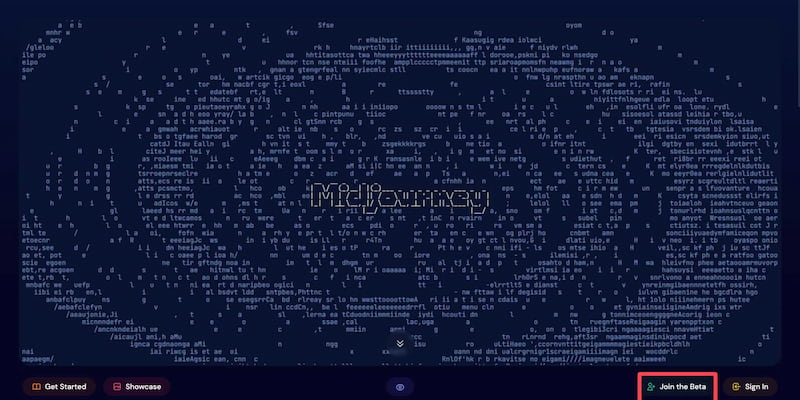
Once logged in, go to Midjourney’s official website and click Join the Beta. This will redirect you to the official Midjourney Discord server.
Step 3. Choose a Channel
New users typically start in the newbies channels. These are public spaces where you can test prompts and see how others interact with the bot.
Step 4. Use the /imagine Command
Type /imagine and enter your text prompt. For example: A futuristic city at sunset, ultra-detailed, cinematic lighting with automatic photo color correction. Within moments, Midjourney will generate four image variations.
Step 5. Refine or Download
You can upscale images, request variations, or download the final result directly from Discord.
Things to Keep in Mind
• Images may appear publicly unless you’re on a higher-tier plan
• Prompt crafting takes practice
• Results can vary significantly depending on wording
How to Use Midjourney Without Discord
One of the most common questions users ask is whether it’s possible to access Midjourney without using Discord. Officially, Midjourney still relies on Discord for core functionality. There is no fully independent Midjourney web app at this time.
Some users access Midjourney through: Limited web-based galleries tied to their accounts or third-party integrations that still require Discord authentication. However, these options are either restricted or indirect. You still need a Discord account to generate images.
Why This Is a Limitation
For many professionals, Discord is not an ideal creative workspace. It lacks:
• A clean visual editor
• Project-based organization
• Integrated image or video workflows
This is why many users actively look for alternatives that provide browser-based access without chat commands.
Part 2. Better Video AI Model: Picwand
While Midjourney focuses almost exclusively on artistic image generation, Picwand AI Text-to-Video Generator takes a broader and more practical approach to AI-powered creativity. It is designed for users who want both image and video capabilities in a single, easy-to-use platform—without relying on Discord.
Features
• AI image generation and enhancement
• Advanced AI video enhancement and upscaling
• Image restoration, clarity improvement, and background tools
• Fully web-based interface
How to Use Picwand AI
Step 1. From the main dashboard, choose the Text-to-Video Generator option. This tool allows you to generate short video clips purely from written descriptions.
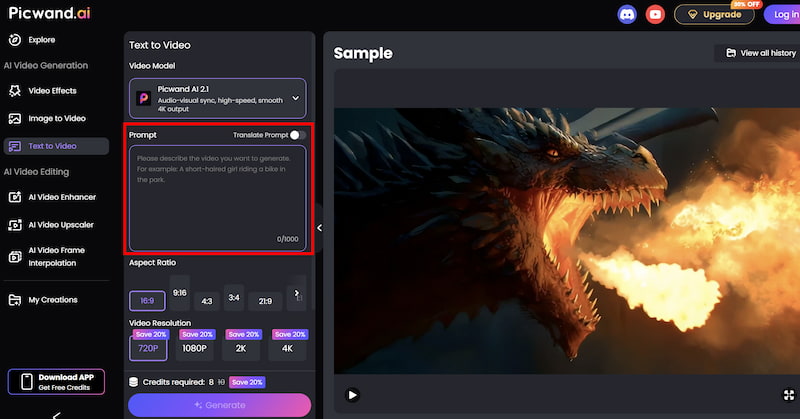
Step 2. Enter your text prompt by describing the scene you want to create using natural language. You can specify elements such as environment, mood, movement, and visual style. For example, you might describe a cinematic landscape, a product showcase, or a short animated concept.
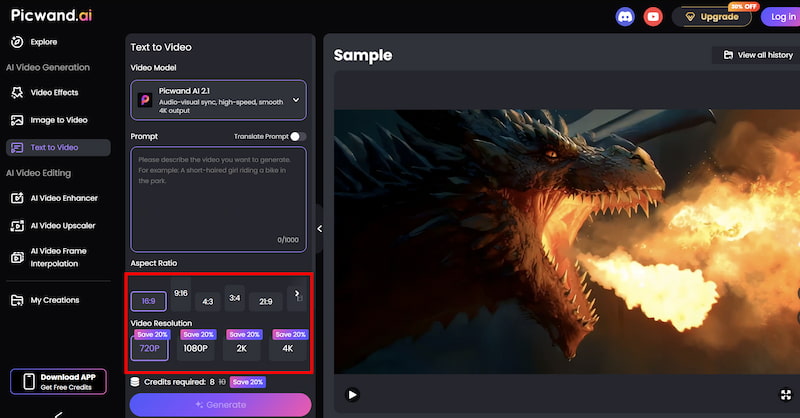
Step 3. Before generating the video, you can fine-tune settings such as Aspect Ration, Video Resolution, etc. These options help tailor the output to social media, marketing, or presentation needs.
Step 4. Once your prompt is ready, click the generate button. Picwand processes the request and produces a preview video within a short time, allowing you to review the result instantly. If you are satisfied with the output, you can export the video directly.
Why Picwand AI Is a Strong Alternative
• Supports video, which Midjourney does not
• More suitable for marketing and commercial content
• Faster workflows for non-technical users
Pros
Beginner-friendly interface
Practical outputs for real-world use
Combines image and video AI tools
This AI Art Enhancer may not aim to replicate Midjourney’s most abstract artistic styles, but it excels where many users actually need results: clarity, speed, and versatility.
Part 3. FAQs about How to Access Midjourney
Is Midjourney free to access?
Midjourney may offer limited trial access, but full usage requires a paid subscription.
Do I need Discord to use Midjourney?
Yes. Discord is currently required for generating images with Midjourney.
Is there an easier alternative to Midjourney?
Yes. Tools like Picwand AI provide web-based access with simpler workflows and additional video features.
Conclusion
How to access Midjourney is not a difficult question. The Discord-based workflow can be powerful once you’re familiar with it, yet it remains a barrier for many users—especially beginners and professionals seeking streamlined production.
If your primary goal is artistic experimentation, Midjourney remains a compelling option. However, if you want a more flexible platform that supports both images and videos, offers browser-based access, and fits modern content workflows, Picwand AI Text-to-Video Generator stands out as a practical and forward-looking alternative. Ultimately, the best tool is the one that fits your workflow—not the one with the steepest learning curve.