Basic PlanVIP PlanVIP ExpiredPurchased credits are valid for life but require an active VIP subscription to use
0Credit(s)
You can use credits to access all the AI tools on Picwand, such as the AI Image Upscaler, AI Age Filter, AI Video Enhancer, AI Video Upscaler, AI Video Effects, and more.
Google’s Veo 3 has quickly become one of the most talked-about AI video generation models. Designed to turn text prompts into high-quality, cinematic videos, Veo 3 represents a major step forward in generative media. In this guide, you will learn how to access Veo 3 using legitimate free and paid methods, including student promotions, Google AI Pro trials, and Google Cloud API credits. If Veo 3 is unavailable to you, we will also introduce Picwand AI, a practical and free alternative for text and image to video generation.
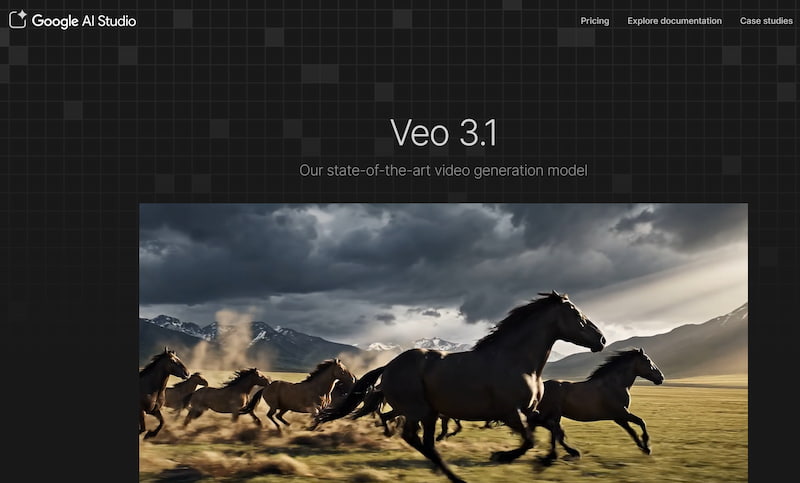
Veo 3 is Google’s latest AI video generation model, developed to compete with cutting-edge tools like OpenAI’s Sora. It is capable of generating high-resolution, realistic video clips from detailed text prompts, with a strong focus on cinematic composition, motion coherence, and visual storytelling.
Key Capabilities of Veo 3
• High-definition video output
• Improved understanding of complex prompts
• Cinematic camera movement and lighting
• Better temporal consistency across frames
Veo 3 is primarily designed for advanced creative use cases, such as advertising, film concept development, and premium digital content. However, due to its computational cost and experimental nature, Google has limited access to specific user groups and platforms. While how to access to Veo 3 for free? Next part offers answers.
Part 2: How to Get Access to Veo 3
Below are the three most reliable ways to access Veo 3 and refer to Veo 3 AI video prompt examples to use it, including free options that many users are unaware of.
Method 1: Free Google Veo 3 via Student Promo
If you are a student, this is often the easiest and safest way to access Veo 3 features.
Who Is Eligible?
• Users with a valid .edu email address
• Students enrolled in universities partnered with Google services
Steps to Access Veo 3 as a Student
Step 1. Sign in to your Google account using your student email
Step 2. Visit Google’s AI or experimental tools portal
Step 3. Activate student benefits (if prompted)
Step 4. Look for Veo or advanced generative video tools under AI features
In many cases, student accounts receive early access or extended trials for experimental AI products.
In many cases, student accounts receive early access or extended trials for experimental AI products.
Pros
Free or discounted access
No payment information required
Cons
Availability varies by region
Not guaranteed for all institutions
Method 2: Free Google Veo 3 with Google AI Pro Free Trial
Google AI Pro is a subscription plan that bundles advanced AI features, and Veo 3 access may be included during promotional trial periods.
How This Method Works
Google occasionally offers 7-day or 30-day free trials for Google AI Pro. During the trial, users can experiment with premium AI tools without immediate cost.
Steps to Access Veo 3
Step 1. Log in to your Google account
Step 2. Navigate to Google AI Pro subscription page
Step 3. Start the free trial (payment method may be required)
Step 4. Explore available generative video tools
Step 5. If Veo 3 is enabled in your region, it will appear as part of the AI Pro toolkit.
Pros
Full feature access during trial
No technical setup required
Cons
Requires cancellation before trial ends
Veo 3 may not be available in all regions
Method 3: Free Google Veo 3 API Access with Google Cloud $300 Trial
For developers and advanced users, Google Cloud offers a $300 free credit for new accounts, which can be used to experiment with AI APIs, including video-related models. Using prompt AI Veo 3 to start your journey right now!
Who Should Use This Method?
• Developers
• Technical users
• Teams building AI-powered applications
Steps to Access Veo 3 via API
Step 1. Create a Google Cloud account
Step 2. Activate the $300 free trial credits
Step 3. Enable AI and media-related APIs
Step 4. Check if Veo 3 or related video models are available
Step 5. Use API calls to generate video outputs
Pros
High flexibility
Ideal for integration and automation
Cons
Technical setup required
Credits can be consumed quickly
Part 3: Free Veo Alternative – Picwand AI
If Veo 3 is unavailable to you—or if you need a simpler solution—Picwand AI offers a practical and free alternative.
What Is Picwand AI?
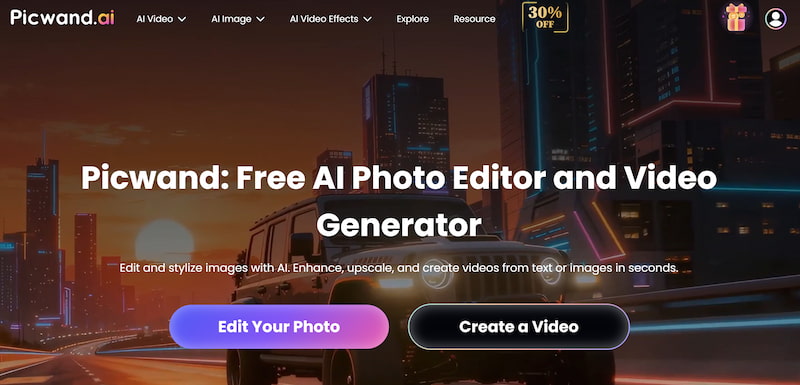
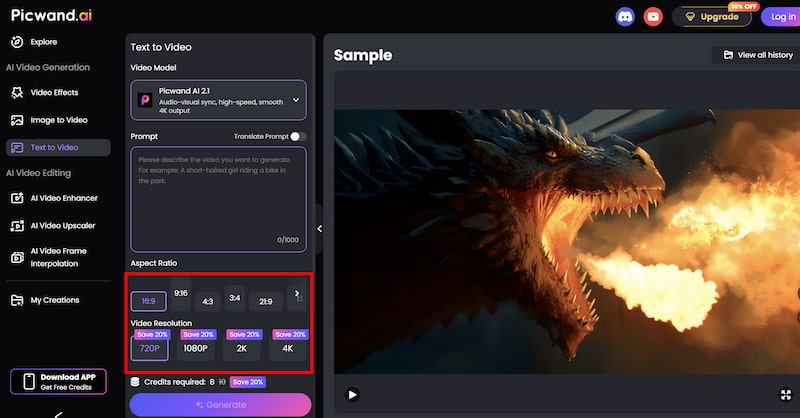
Picwand AI Text-to-Video Generator is a user-friendly platform that allows creators to generate videos from text or images without advanced technical knowledge. Unlike experimental tools, Picwand focuses on accessibility, speed, and consistent output.
Picwand AI Text / Image to Video
With Picwand, users can:
• Convert written prompts into short videos
• Animate static images into dynamic visuals
• Create content for social media, presentations, or marketing
Key Features of Picwand AI
• Text to video generation
• Image to video animation
• Simple interface
• No coding required
• Fast rendering time
How to Use Picwand AI
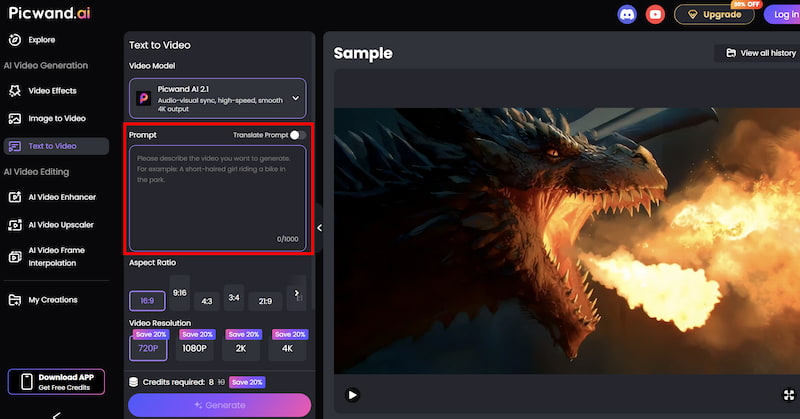
Step 1. From the main dashboard, choose the Text-to-Video Generator option. This tool allows you to generate short video clips purely from written descriptions.
Step 2. Enter your text prompt by describing the scene you want to create using natural language. You can specify elements such as environment, mood, movement, and visual style. For example, you might describe a cinematic landscape, a product showcase, or a short animated concept.
Step 3. Before generating the video, you can fine-tune settings such as Aspect Ration, Video Resolution, etc. These options help tailor the output to social media, marketing, or presentation needs.
Step 4. Once your prompt is ready, click the generate button. Picwand processes the request and produces a preview video within a short time, allowing you to review the result instantly. If you are satisfied with the output, you can export the video directly.
Results You Can Expect
Compared to Veo 3, Picwand AI offers:
• Immediate access
• Lower learning curve
• Predictable results
• Practical video formats for everyday use
For creators focused on productivity rather than experimentation, Picwand provides a reliable alternative.
Part 4. FAQs about How to Access Veo 3
Is Veo 3 free to use?
Veo 3 is not fully free, but access may be available through student programs, free trials, or Google Cloud credits.
Why can’t I find Veo 3 in my Google account?
Availability depends on region, account type, and Google’s rollout schedule.
Which tool is better for beginners?
Picwand AI is significantly easier to use than Veo 3.
Conclusion
How to access Veo 3 is not a question for users. Accessing Veo 3 is not as straightforward as signing up for a typical AI tool. Whether through student promotions, Google AI Pro trials, or Google Cloud API credits, each method has its own requirements and limitations. For users who want immediate, hassle-free video generation, Picwand AI Text-to-Video Generator serves as a practical and accessible alternative. While Veo 3 represents the future of cinematic AI video, Picwand focuses on what most creators need today: speed, simplicity, and reliability.
Choosing the right tool depends on your goals—but knowing how to access Veo 3, and when to use an alternative, puts you one step ahead.