How Would I Look in Bangs? Try AI Bangs Filters

Are you considering getting bangs but aren't quite ready to cut yourself? You're not by yourself. Bangs may totally change your appearance by adding personality, softening features, and framing your face, but they're also one of the trickiest haircuts to take off if you don't like the outcome. AI bangs filters can help with it. You may now see exactly how you would appear with bangs in a matter of seconds thanks to cutting-edge AI technology; a haircut is not necessary. Before choosing wispy fringe, harsh bangs, or curtain bangs, these tools give you a realistic sneak peek. In this guide, we’ll explore why AI bangs filters are worth trying, review the best tools available, and walk you through “how would I look in bangs” step by step.
Contents:
Part 1. Why Try a Bangs Filter
Before heading to a salon, it’s smart to test your look digitally first. Before introducing how would I look with bangs filter online free, here’s why AI bangs filters have become so popular:
1. Avoid Hair Regret
Bangs take time to grow out. A virtual try-on helps you avoid the frustration of a haircut you might regret.
2. Explore Different Styles
Not all bangs are the same. You can experiment with:
- • Curtain bangs
- • Blunt bangs
- • Side-swept bangs
- • Wispy bangs
AI filters let you test multiple styles instantly.
3. Match Bangs to Your Face Shape
Different kinds of bangs go well with different facial shapes. AI programs examine the shape of your face and assist you in selecting the most attractive choice.
4. Save Time and Money
Instead of visiting a stylist for consultation after consultation, you can preview styles at home—for free or at a low cost.
5. Perfect for Social Sharing
Want a second opinion? Share your AI-generated look with friends or on social media before making the final decision.
Part 2. The 3 Best Bangs Filters
Here are three of the best AI bangs filter tools available today, each offering unique features and realistic results. Then you can know: how would I look with bangs filter online.
Top 1: Picwand AI Sweet Bangs Effect
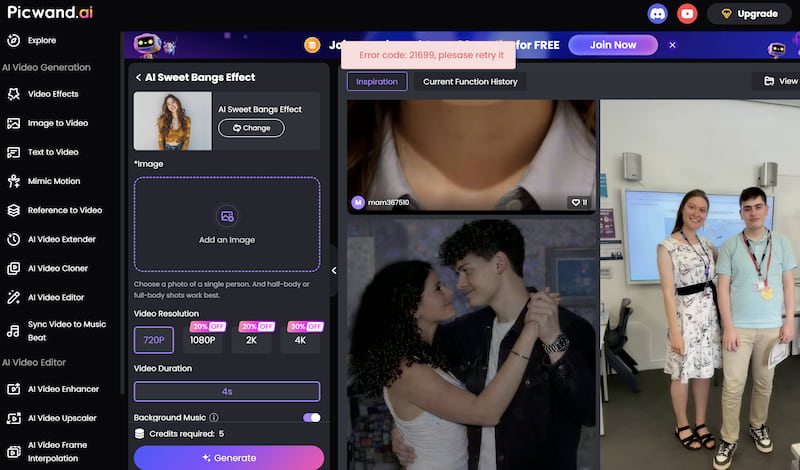
Picwand AI Sweet Bangs Effect is an advanced AI face detection for accurate placement, showing the following features:
Features
- • Multiple bang styles (curtain, straight, soft fringe)
- • High-resolution output with natural blending
- • Works for both photos and videos
- • Fast processing (results in seconds)
Best For
- • Users who want realistic and natural-looking bangs
- • Content creators working with both images and videos
- • Beginners looking for a simple, intuitive interface
Pricing
- • Free trial available
- • Premium features unlocked via subscription
Pros
- Extremely realistic results
- Supports video editing (rare feature)
- Easy to use with no technical skills required
- High-quality export
Cons
- Some advanced styles require a paid plan
- Internet connection required for processing
Top 2: YouCam AI Bangs Filter
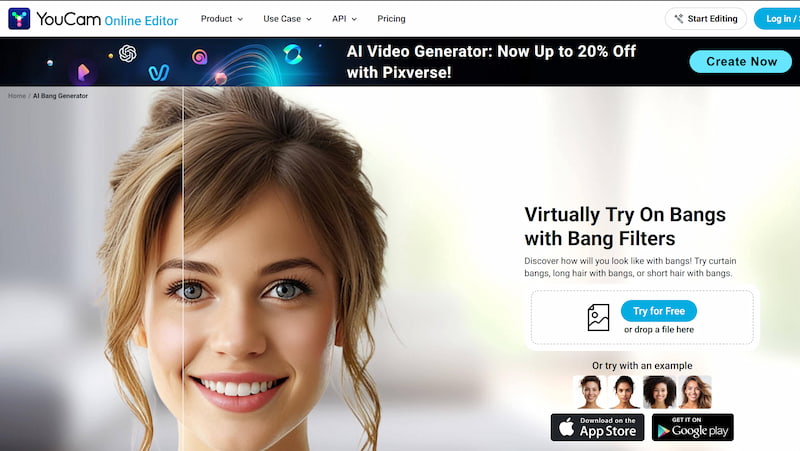
YouCam AI Bangs Filter features with wide variety of bang styles and colors, detailed features shown as follows with high print quality for output:
Features
- • Real-time hairstyle try-on
- • Face shape detection
- • Mobile-friendly app experience
Best For
- • Users who prefer trying bangs in real time using their phone
- • Beauty enthusiasts exploring multiple hairstyles
Pros
- Instant preview with camera mode
- Large hairstyle library
- Beginner-friendly
Cons
- Results can sometimes look less natural than high-end tools
- Limited export quality in free version
Top 3: Facetune AI Bangs Filter
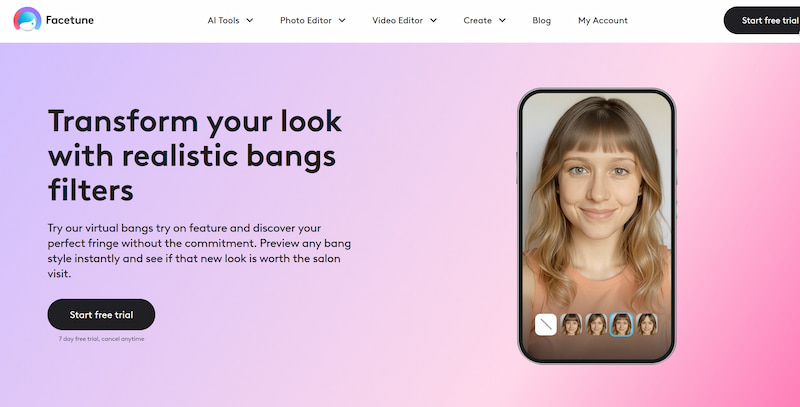
Facetune AI Bangs Filter supports customizable bangs like length, thickness and style, exerting high end skin retouching automatically.
Features
- • AI-powered editing tools
- • Advanced photo retouching options
- • Social media-ready outputs
Best For
- • Users who want full control over their final look
- • Influencers and content creators
Pros
- Highly customizable
- Combines hair editing with full photo retouching
- Great for polished social content
Cons
- Slight learning curve for beginners
- Some features locked behind paywall
Part 3. How to Use the Bangs Filter to See What You Look Like with Bangs
AI makes it very simple to try bangs. Here's a straightforward, step-by-step tutorial using a program such as Picwand:
Step 1. Upload Your Photo or Video
Select a clear, front-facing, well-lit photograph by clicking on add an image.
- • Hair covering your forehead
- • Heavy shadows
- • Low-resolution images
The clearer the input, the better the result.
Step 2. Select the Bangs Effect
Browse through available styles such as:
- • Soft curtain bangs
- • Straight blunt bangs
- • Light wispy fringe
Click on a style to apply it instantly.
Step 3. Let AI Process the Image
The AI will:
- • Detect your face shape
- • Map your hairline
- • Blend the bangs naturally with your existing hair
This usually takes just a few seconds.
Step 4. Adjust and Customize
Some tools allow you to tweak:
- • Length of bangs
- • Thickness
- • Position
Fine-tune the result until it looks natural.
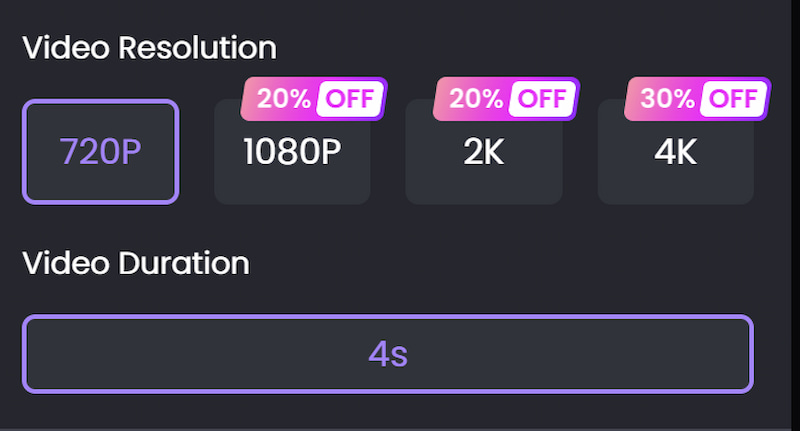
Step 5. Generate the result
Click on Generate to see the final result. Save the transformed image or directly share it on social media platforms.
Step 6. Download or Share
Save your image or video and:
- • Share it with friends
- • Post on social media
- • Show your hairstylist for reference
Part 4. FAQs about How Would I Look in Bangs
Do I need editing skills?
Not at all. Most bangs filter tools are designed for beginners and require no technical knowledge. You simply upload a photo and choose a style.
Can bangs filters work for all hair types?
Yes. AI tools are trained to work with: Straight hair; Wavy hair; Curly hair. However, results may look best with clear and well-lit images.
Are AI hairstyle tools safe to use?
Most reputable platforms ensure data privacy. Still, it’s always a good idea to: Read privacy policies; Avoid uploading sensitive images.
Conclusion
That's all about how would I look in bangs. You may experiment with various looks, see what works best for your face, and make risk-free selections using AI bangs filters. These products offer a quick, practical, and easy answer whether you're experimenting for fun or really thinking about getting a haircut.
YouCam and Facetune provide versatility and creativity for various requirements, while Picwand AI Sweet Bangs Effect stands out among the alternatives due to its natural results and video capability. So before you grab the scissors, try a bangs filter—you might just discover your next favorite look in seconds.
AI Picwand - Anyone Can be A Magician
Get Started for Free