Basic PlanVIP PlanVIP ExpiredPurchased credits are valid for life but require an active VIP subscription to use
0Credit(s)
You can use credits to access all the AI tools on Picwand, such as the AI Image Upscaler, AI Age Filter, AI Video Enhancer, AI Video Upscaler, AI Video Effects, and more.
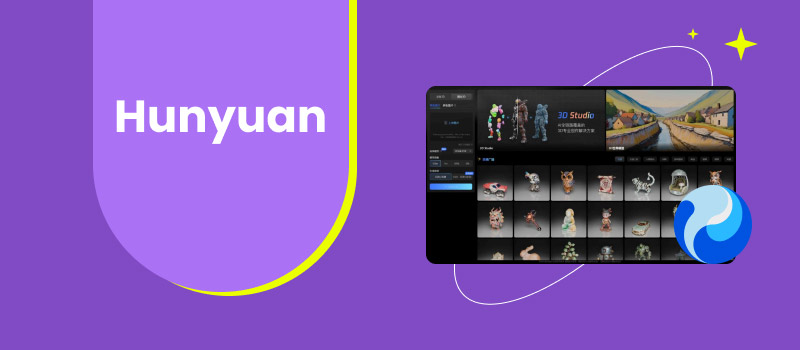
AI video generation has rapidly moved from experimental technology to a practical solution for content creation. Today, businesses and creators increasingly rely on AI tools to produce marketing videos, concept visuals, and short-form content without traditional filming or editing workflows. Hunyuan, developed under Tencent’s AI research ecosystem, has attracted attention as a next-generation AI video generator. Positioned as a technically advanced model, Hunyuan image to video model focuses on realistic motion, structured scenes, and scalable AI-generated visuals.
However, as with any AI video platform, potential users often ask critical questions: How good is Hunyuan model in real-world use? Who is it best for? And are there better alternatives for everyday creators? This Hunyuan review answers those questions by examining its features, advantages, limitations, pricing considerations, and use cases—while also introducing Picwand AI as a practical alternative.
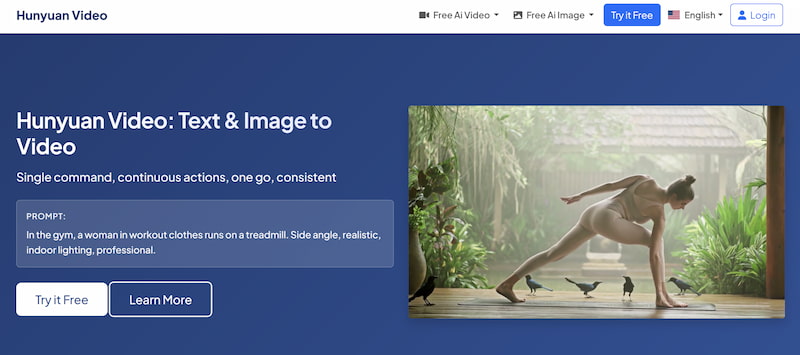
Hunyuan is an AI-powered video generation model developed within Tencent’s broader AI framework. It is designed to generate videos from text prompts, focusing on coherent motion, realistic environments, and scene-level consistency.
Unlike many consumer-oriented AI video tools, Hunyuan video AI is built with technical depth in mind. It aims to simulate real-world physics, maintain continuity across frames, and support more complex visual narratives.
Core Characteristics of Hunyuan
Text-to-video AI generation
Emphasis on realism and motion accuracy
Strong underlying AI research foundation
Designed for large-scale or enterprise-level applications
Rather than being a casual creative tool, Hunyuan is often viewed as a research-driven or professional-grade AI model, which shapes both its strengths and limitations.
Key Features
Hunyuan’s feature set reflects its focus on technical quality rather than convenience.
1. Realistic Motion and Scene Consistency
One of Hunyuan’s standout strengths is its ability to maintain stable motion across frames. Movements such as walking, camera panning, or environmental transitions appear smoother compared to many entry-level AI video generators.
Hunyuan image to video demonstrates a strong understanding of spatial relationships and scene structure. Objects tend to remain consistent in size and position, reducing visual distortion.
3. Scalable AI Infrastructure
As part of Tencent’s AI ecosystem, Hunyuan is designed to scale efficiently. This makes it suitable for large-scale experiments, internal projects, or enterprise-level deployments.
4. Text-Based Prompt Interpretation
Hunyuan image to video supports detailed text prompts, allowing users to describe scenes, actions, and environments with reasonable accuracy. However, the prompt structure often requires precision and experimentation to achieve optimal results.
Pros and Cons of the Hunyuan Video Generator
Pros
High-quality motion generation
Strong realism compared to many AI video tools
Consistent scene composition
Built on robust AI research foundations
Cons
Limited accessibility for general users
Steeper learning curve
Fewer user-facing creative controls
Not optimized for fast, everyday content creation
These trade-offs make Hunyuan powerful but less approachable for casual creators or small marketing teams.
Use Cases
Hunyuan video is best suited for scenarios where visual realism and technical consistency matter more than speed or ease of use.
Common Use Cases
AI research and experimentation
Concept visualization for films or games
Enterprise-level demonstrations
Simulated environments and storytelling prototypes
For social media marketing, influencer content, or rapid promotional videos, Hunyuan may feel overly complex or restrictive.
Pricing
As of now, Hunyuan does not follow a clearly defined, consumer-facing pricing model. Access is often tied to internal platforms, research programs, or enterprise solutions rather than transparent subscription plans. This lack of clear pricing can be a challenge for individuals or small teams who want predictable costs and immediate access.
Part 2. How to Get the Best from Hunyuan Video Generator
To maximize output quality when using Hunyuan, users should adopt a methodical and technical approach.
1. Write Highly Specific Prompts
Detailed AI video prompt description of actions, environments, and camera movement produce better results than vague prompts.
2. Focus on Single-Scene Concepts
Hunyuan performs best when generating focused, coherent scenes rather than complex multi-scene narratives.
3. Iterate and Refine
Generating multiple variations and refining prompts is essential to achieving optimal output.
4. Manage Expectations
Hunyuan leverage excellent AI image models, exceling at realism, not rapid content creation. Treat it as a precision tool, not a quick generator.
Part 3. Best Hunyuan Alternative:Picwand
While Hunyuan model is impressive from a technical standpoint, many users look for alternatives that offer greater accessibility and creative flexibility. Picwand AI Image-to-Video Generator is the greatest alternative for users who want high-quality AI video generation without the complexity associated with research-level models like Hunyuan.
Key Features of Picwand AI
Text-to-video and image-to-video generation
Adjustable creative parameters
Consistent, polished visual output
Beginner-friendly interface
Optimized for marketing and storytelling
How to Use Picwand AI
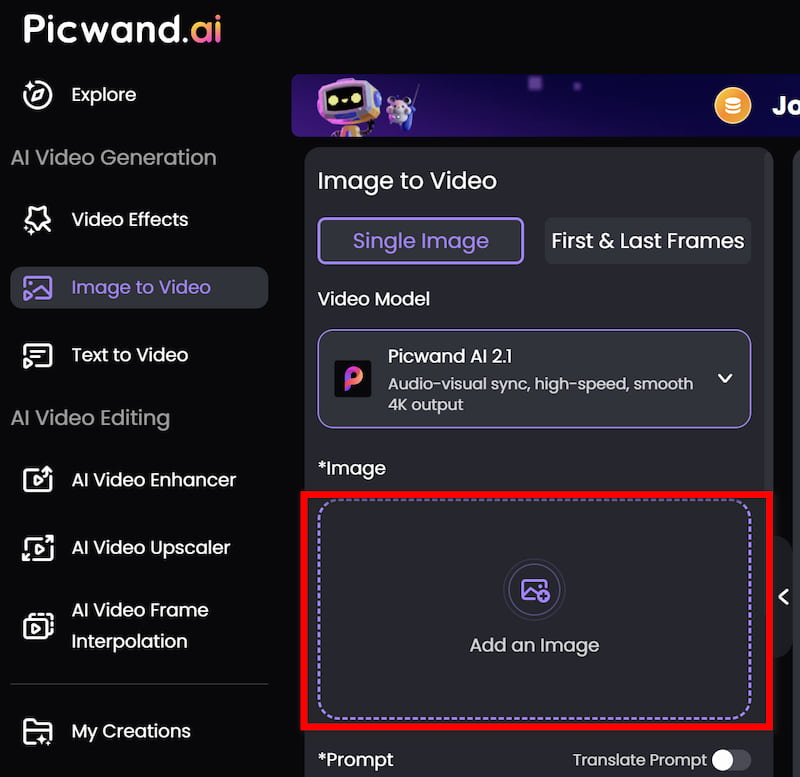
Step 1: From the main dashboard, choose the Image-to-Video Generator option. Click on Add an Image to upload the image you want.
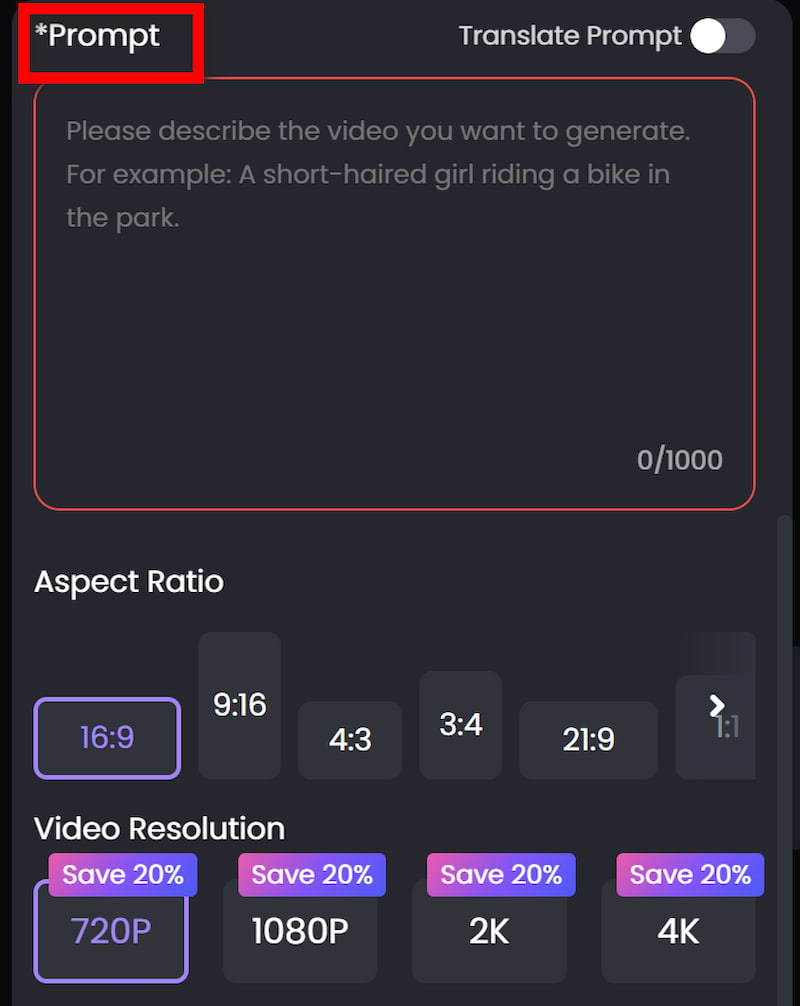
Step 2: Enter your text prompt by describing the scene you want to create using natural language. You can specify elements such as environment, mood, movement, and visual style. For example, you might describe a cinematic landscape, a product showcase, or a short animated concept.
Step 3: Before generating the video, you can fine-tune settings such as Aspect Ration, Video Resolution, etc. These options help tailor the output to social media, marketing, or presentation needs.
Step 4: Once your prompt is ready, click the generate button. Picwand processes the request and produces a preview video within a short time, allowing you to review the result instantly. If you are satisfied with the output, you can export the video directly.
Compared to Hunyuan, Picwand AI delivers faster results, easier control, and more predictable output. While it may not aim for extreme realism, it excels in practical use cases such as product demos, social media videos, and branded content.
Why users choose Picwand AI over Hunyuan:
Faster workflow
Easier learning curve
More suitable for daily content production
Clear focus on real-world marketing needs
Part 4. FAQs about Hunyuan
Is Hunyuan available to the public?
Hunyuan currently has limited public access and is primarily used within research or enterprise contexts.
Is Hunyuan suitable for beginners?
Due to its complexity and limited UI-focused design, Hunyuan is not ideal for beginners.
Which is better for marketing videos, Hunyuan or Picwand AI?
Picwand AI is more suitable for marketing due to its speed, usability, and creative control.
Conclusion
Hunyuan represents a technically advanced approach to AI video generation, emphasizing realism, motion accuracy, and structured scenes. For research teams and enterprise-level projects, it offers impressive capabilities. However, its limited accessibility, steep learning curve, and lack of consumer-focused workflows make it less practical for everyday creators. For users seeking a more balanced solution, Picwand AI Image-to-Video Generator stands out as a flexible and accessible alternative, delivering reliable results with far less complexity.
Ultimately, the best AI video generator depends on your goals—but for most creators and marketers, Picwand AI provides the efficiency and control needed to turn ideas into videos quickly and effectively.