Basic PlanVIP PlanVIP ExpiredPurchased credits are valid for life but require an active VIP subscription to use
0Credit(s)
You can use credits to access all the AI tools on Picwand, such as the AI Image Upscaler, AI Age Filter, AI Video Enhancer, AI Video Upscaler, AI Video Effects, and more.
Kling 2.6 excels in synchronized audio + video generation in a single workflow. In contrast, Runway Gen‑4.5 prioritizes visual fidelity, cinematic realism, and deep editing control.
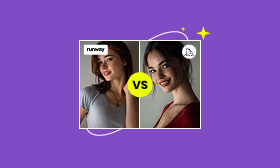
In AI video generation, two platforms dominate the space, each catering to surprisingly different needs and creative workflows. After months of hands-on testing and side-by-side comparisons, we ran both Kling 2.6 and Runway Gen‑4.5 through identical real-world content scenarios to uncover where each platform excels. This post dives into Kling vs Runway, examining every aspect. This includes their features, video quality to speed, user experience, target users, and pricing. This way, we can provide a complete, practical comparison so you can quickly understand which tool fits your creative needs.
At-a-Glance: Kling vs. Runway:
• Model Version: Kling 2.6 (Jan 2026) vs. Runway Gen-4.5
Overview Comparison of Kling 2.6 and Runway Gen-4.5
Kling 2.6 and Runway Gen-4.5 are both AI generative tools designed for content creators. However, they slightly differ in purpose. Kling AI is an AI-based multimedia tool that specializes in generating realistic audio, music, and sound effects. It is primarily used for high-quality audio generation and manipulation. Meanwhile, Runway AI is an AI-driven tool for generating video and images, focused on visual content creation. It is used to generate, edit, and enhance images or videos with AI.
Kling 2.6
Versus
Runway Gen‑4.5
✅
Image to Video Quality
✅
✅
Text to Video Quality
✅
Up to 12+ minutes
Generation Speed
Up to 90 seconds
Up to 1080p
Max Resolution
Up to 4K
10s (extendable to 3min)
Max Video Duration
15s
66/day (replenishing)
Free Credits
125 one time
Motion Brush (6 elements)
Motion Control
Director Mode
✅
Lip Sync
✅
❌
Video to Video
✅
Moderate
Usability
Easy
Comprehensive Comparison: Kling 2.6 vs. Runway Gen-4.5
Kling
Category
Runway
9/10
Fluid Dynamics
8/10
8/10
Human Anatomy
9/10
10/10
Audio-Visual Sync
6/10
7/10
Camera Stability
9/10
Key Features
When comparing Runway vs Kling, both tools are advanced AI video generators. Kling 2.6 is designed as a native audio‑visual model that produces short, cinematic clips with synchronized sound. On the other hand, Runway Gen‑4.5 is part of a full production suite that prioritizes visual realism, editing flexibility, and cinematic control.
For the best lip-sync in Kling, upload a clear high-res portrait. Use the prompt: --lip-sync [audio_file] --motion 5 for realistic mouth articulation.
Video Quality
In the free version of Kling 2.6, users are limited to 720p standard resolution. This plan is intended for testing and experimentation rather than professional production. Meanwhile, paid tiers unlock higher resolutions up to 1080p; however, Kling does not currently support 4K upscaling within its primary workflow.
Similarly, the Runway free tier caps output quality at 720p. Free credits are limited and do not grant access to the highest-quality models without an upgrade. In contrast, paid plans unlock superior output quality and include 4K upscaling. Furthermore, the Gen-4.5 model is specifically engineered for high visual fidelity and cinematic realism.
Kling AI
Quality
Runway
720p
SD Output
720p
1080p at 30fps
HD Output
1280×768 at 24fps
❌
Upscaling
4K
Our 2026 Testing Methodology:
To ensure an objective critique, we ran both models through a Physics Stress Test using the same prompt: A glass of red wine shattering on a marble floor in slow motion. We evaluated:
• Temporal Consistency: How well the wine maintained its color during the splash.
• Object Permanence: Whether the glass shards disappeared after hitting the ground.
• Causal Logic: Did the liquid react naturally to the impact?
Generation Speed & Video Duration
In terms of how fast they generate videos and how long those videos can be per generation, there’s a clear trade-off between Kling AI vs Runway. Runway Gen-4.5 generates video clips much faster, roughly 30-90 seconds for a 10-second clip. This fast turnaround is ideal for rapid prototyping, iteration, and high-volume content creation. Unlike Kling 2.6, it takes 3-5 minutes for shorter clips. In high-quality modes, Kling might take 8-12+ minutes per generation.
Kling AI
Mode
Runway
3-5 minutes
Standard (5s)
30-45 seconds
5-8 minutes
Standard (10s)
60-90 seconds
8-12 minutes
HD
90-120 seconds
2-3 minutes 2~3 minutes (Kling 2.5)
Turbo Mode
15-30 seconds
User Experience
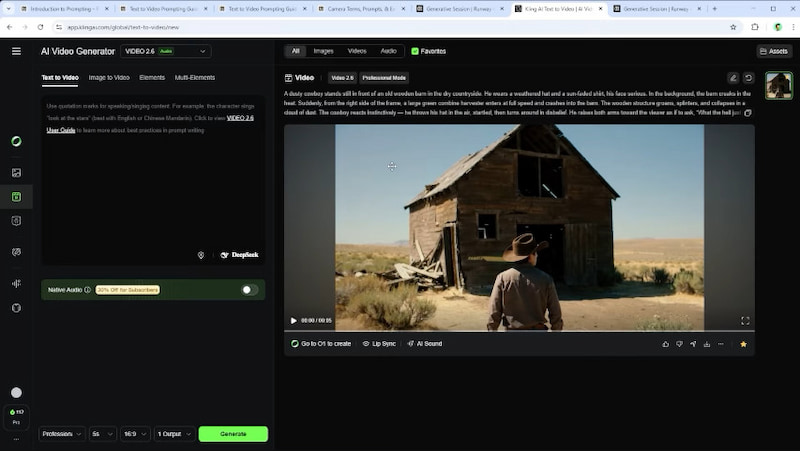
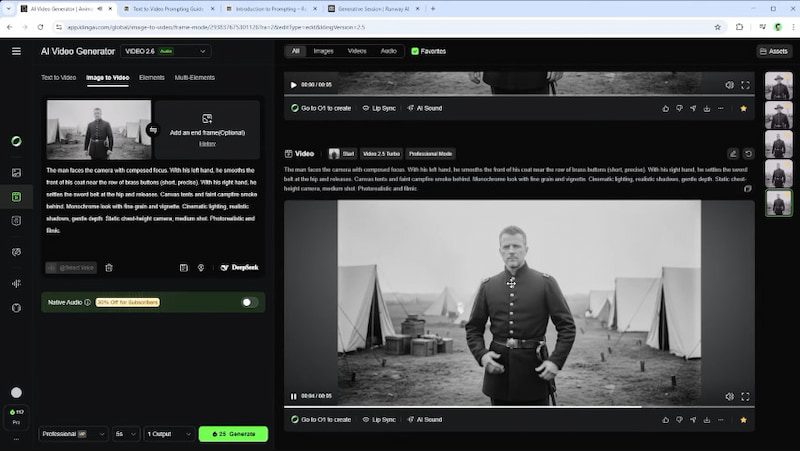
Kling 2.6 offers a functional, straightforward interface that’s intuitive for those familiar with AI video tools. The UI emphasizes prompt entry and reference images, with motion and lip-sync options visible and accessible without deep menus. In practice, Kling tends to be more forgiving with prompt experimentation. However, generation times can feel slower.
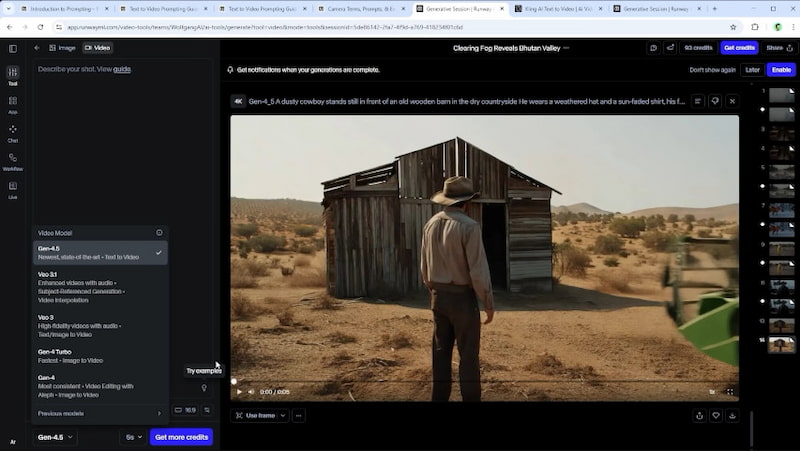
Conversely, Runway’s platform feels more like a pro video suite, blending generation with editing controls. You get access to a timeline, background removal, motion tools, Director Mode, and other integrated components. With it, you can generate a scene and immediately start refining it. This means you don’t need to bounce between tools for post-production.
Target Users
Kling 2.6 is ideal for creators who prioritize expressive, physics-rich short videos and built-in audio generation. Its emphasis on image-to-video realism, motion dynamics, and affordable credits makes it especially attractive to:
• Social media creators.
• Experimenters & concept artists.
• Budget-conscious or high-volume creators.
• Content marketers & product showcase teams.
Runway Gen-4.5 is designed for those who require professional video tooling, rapid iteration, and advanced editing workflows. Its broader toolkit and comprehensive editing suite cater to larger production demands, including:
• Brands and enterprises.
• Creative and marketing teams.
• Commercial producers & short film makers.
• Solo creators and influencers need polished content.
Pricing
In terms of pricing, Runway ML vs Kling operate on credit-based systems. Users pay for a subscription that provides a set number of credits per month or year. Each video generation costs credits, meaning your subscription level directly dictates your monthly output volume.
Runway Gen-4.5 Pricing:
Free
Standard
Pro
Unlimited
Enterprises
$0 per editor per month
$12 per user per month
$28 per user per month
$76 per user per month
Contact Sales
125 credits (one time)
625 credits monthly
625 credits monthly
625 credits monthly
Contact Sales
Kling 2.6 Pricing:
Free
Standard
Pro
Premier
Ultra
$0
$6.99 per month Next monthly renewal is $8.80
$25.99 per month Next monthly renewal is $32.56
$64.99 per month Next monthly renewal is $80.96
$127.99 per month Next monthly renewal is $159.99
No monthly credits
660 credits monthly
3000 credits monthly
8000 credits monthly
26000 credits monthly
Best Alternative: Picwand AI
Kling and Runway are undoubtedly powerful tools for AI-generated video. However, if you require simpler workflows, precise text control, higher export resolutions, or better value for short-form content, exploring alternatives is highly recommended.
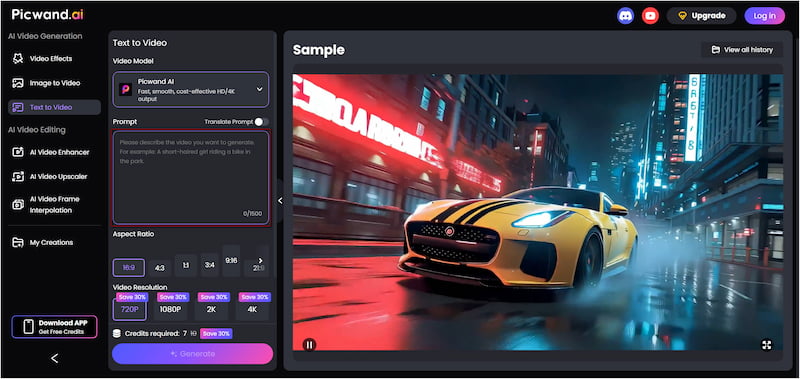
Picwand AI Text-to-Video Generator is a smart generative AI tool that creates videos purely from text prompts. It lets you describe your scene in detail and have the AI transform your words into visually rich video content. It allows up to 1,500 characters per generation, giving the AI enough context to produce more accurate motion and better visuals. Furthermore, it can generate video clips up to 10 seconds long, which is longer than many competing AI video tools. It also supports high-quality exports, ranging from 720p and 1080p to 2K and 4K.
Why Choose Picwand AI Text-to-Video Generator:
• Long and expressive prompt support, up to 1,500 characters per generation.
• Supports exporting videos in multiple video resolutions: 720p, 1080p, 2K, and 4K.
• Generates video directly from written descriptions without requiring reference images or source video.
• Produces video clips up to 10 seconds in length, which is longer than many other AI video generators.
Verdict
For a powerful yet straightforward text-to-video alternative, Picwand AI is an excellent choice. Its long prompt support, flexible resolutions, and extended video length make it ideal for those who want high-quality AI videos without complicated workflows.
Conclusion
When it comes to Kling vs Runway, both platforms have clear strengths tailored to different creators. Kling 2.6 excels in expressive motion, integrated audio, and visually rich short clips. On the other hand, Runway Gen‑4.5 shines with fast generation, high-fidelity visuals, and robust editing tools. Ultimately, the choice depends on your creative priorities: motion and expressiveness versus speed and integration with editing. However, if you’re looking for a powerful, user-friendly, text-to-video alternative that combines high quality, flexibility, and extended prompt support, Picwand AI Text to Video Generator is a top recommendation. With exports in 720p, 1080p, 2K, and 4K, support for multiple aspect ratios, and up to 10-second clips, it gives you everything you need to create compelling AI videos quickly and efficiently.