Basic PlanVIP PlanVIP ExpiredPurchased credits are valid for life but require an active VIP subscription to use
0Credit(s)
You can use credits to access all the AI tools on Picwand, such as the AI Image Upscaler, AI Age Filter, AI Video Enhancer, AI Video Upscaler, AI Video Effects, and more.
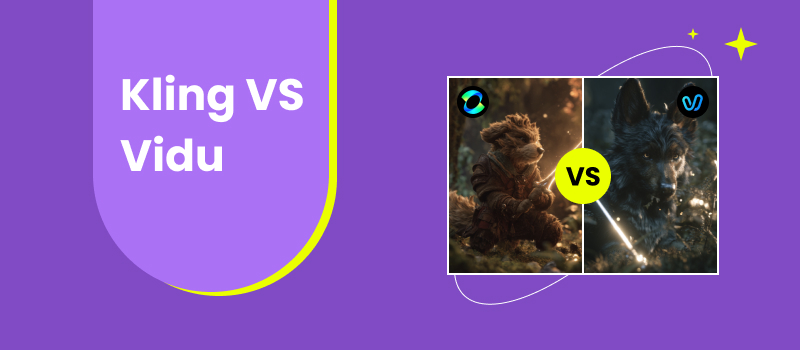
AI video generation is evolving from novelty to production tool. Creators are no longer just experimenting, they are using AI video for marketing, storytelling, product showcases, and social media campaigns. As the space grows, two platforms frequently compared are Kling and Vidu. Both promise fast AI-driven animation, cinematic motion, and accessible workflows. But they approach creative output differently. Choosing between them isn’t just about which looks cooler in demos. It depends on resolution quality, prompt interpretation, creative flexibility, interface design, and efficiency under real working conditions.
This article provides a grounded comparison of Vidu and Kling from a creator’s perspective. We’ll examine their strengths, weaknesses, and practical use cases. We’ll also introduce an advanced AI video alternative that expands beyond basic generation into a more flexible production pipeline.
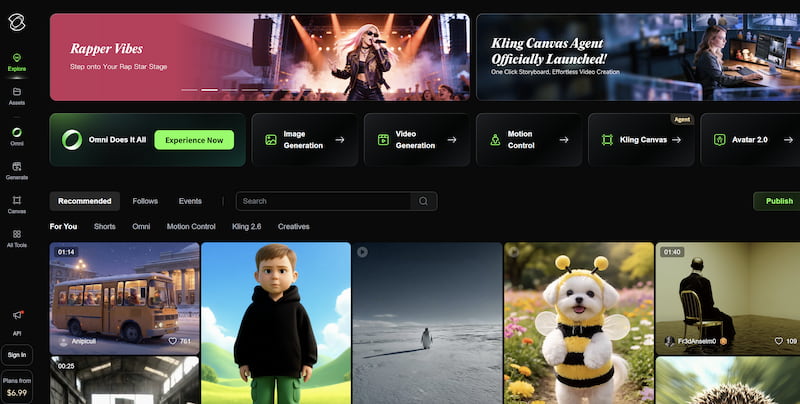
Kling is an AI video generator focused on cinematic realism and dynamic motion. It emphasizes scene physics, camera simulation, and high-fidelity output. Kling aims to produce clips that resemble professional visual effects rather than stylized animation. Its design appeals to filmmakers, marketers, and visual storytellers seeking dramatic visuals.
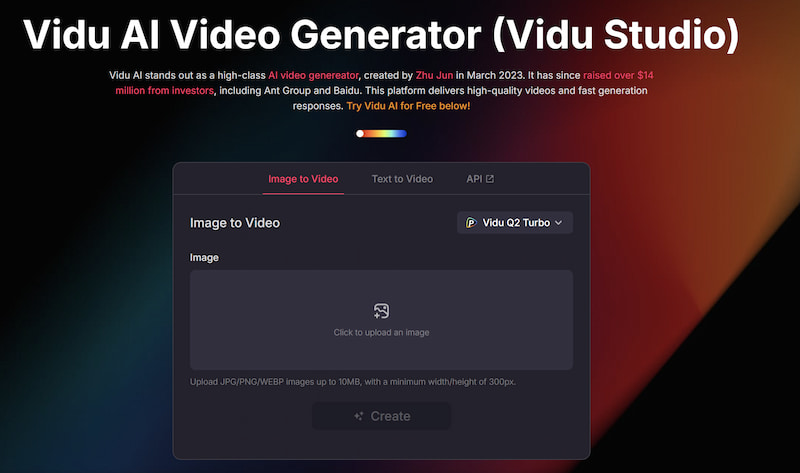
Vidu, by contrast, prioritizes accessibility and speed. It is built for fast generation, stylized animation, and short-form content creation. Vidu reduces complexity so that beginners can generate moving visuals without deep technical knowledge. It’s particularly popular among social media creators and designers who want quick animated clips from prompts or images.
In short:
• Kling leans toward realism and cinematic ambition
• Vidu leans toward speed and creative accessibility
Both tools occupy important niches, and understanding those differences is essential before committing to a workflow.
Part 2. Features & Performance Comparison
Video Resolution
Resolution is one of the clearest differences between Kling and Vidu AI.
Kling is designed to produce higher-detail output with attention to lighting, texture, and environmental realism. Its visual fidelity is often more suitable for large displays or promotional materials where clarity matters. Motion feels physically grounded, which enhances immersion.
Vidu produces clean results but prioritizes speed over maximum detail. Its output is ideal for mobile screens, social media feeds, and rapid content publishing. While not low quality, it does not aim for cinematic realism to the same degree as Kling.
If resolution and photorealism are priorities, Kling generally has the edge. If speed and shareable visuals matter more, Vidu performs well.
Creative Output
Kling excels in dramatic scenes, environmental motion, and cinematic framing. It interprets prompts with a film-like sensibility, often adding atmospheric depth and realistic camera movement.
Vidu shines in stylized animation and expressive motion. It handles artistic prompts effectively and offers distinct animation styles that simplify creative direction. Its results feel energetic and social-media friendly.
Kling feels like a mini film engine. Vidu feels like a rapid animation studio. The choice depends on whether you want cinematic realism or stylized motion.
UI & Ease of Use
Vidu’s interface is intentionally beginner-friendly. The dashboard is clean, minimal, and quick to understand. New users can generate videos almost immediately without tutorials.
Kling offers more advanced settings, which provide flexibility but increase complexity. The interface assumes users are comfortable experimenting with parameters. For experienced creators, this is a benefit. For beginners, it can feel dense.
In usability terms:
• Vidu favors simplicity
• Kling favors control
Parameter Control
Kling provides deeper parameter options. Users can influence camera behavior, motion intensity, and scene structure with greater precision. This appeals to creators who want to fine-tune outputs rather than rely entirely on automation.
Vidu includes basic controls, but it intentionally limits complexity. The system is designed to reduce decision fatigue. For quick projects, this is efficient. For advanced experimentation, it may feel restrictive.
For the usability between Kling and Vidu, creators who want granular control will likely prefer Kling. Casual users may prefer Vidu’s streamlined approach.
Efficiency
Efficiency includes rendering speed, workflow flow, and iteration time.
Vidu is optimized for rapid generation. Short clips render quickly, making it ideal for brainstorming, A/B testing visuals, and social media production.
Kling often takes longer due to its heavier computational focus on realism. The extra processing time can produce richer visuals, but it slows iteration cycles.
In fast-paced content environments, Vidu’s speed is a major advantage. For high-impact visuals where quality outweighs time, Kling’s slower pipeline may be acceptable.
Part 3: Advanced AI Video Generation Alternative
While Kling and Vidu focus primarily on generation, many creators need a broader workflow that includes enhancement, refinement, and transformation. This is where Picwand AI Text-to-Video Generator enters the conversation.
Picwand is not limited to a single generation pipeline. It combines AI-powered video and image tools that improve visual quality while enabling creative transformations. Picwand supports both text-driven and image-driven video creation. Instead of treating generation as an isolated step, it integrates enhancement features that help creators maintain consistent visual quality.
Key features
• AI video enhancement
• Image restoration and sharpening
• Resolution upscaling
• Creative style processing
• Intelligent motion interpretation
• User-friendly workspace
• Workflow-friendly export options
Picwand’s strength lies in bridging generation and post-processing, and it allows enhancing jpg image. It allows creators to polish AI output rather than accept raw results.
How to Use Picwand AI
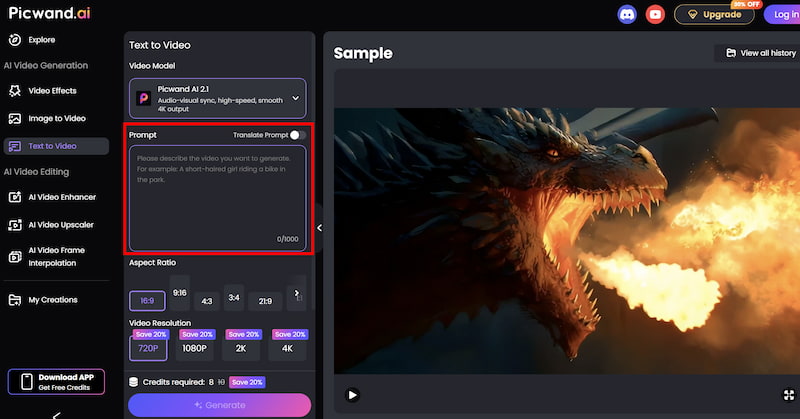
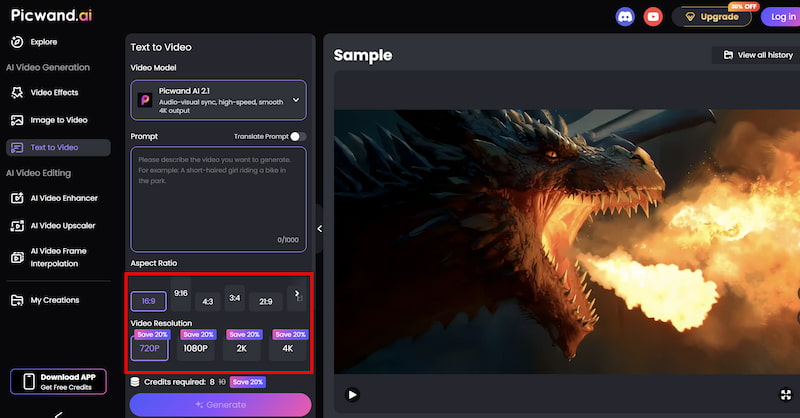
Step 1. From the main dashboard, choose the Text-to-Video Generator option. This tool allows you to generate short video clips purely from written descriptions.
Step 2. Enter your text prompt by describing the scene you want to create using natural language. You can specify elements such as environment, mood, movement, and visual style. For example, you might describe a cinematic landscape, a product showcase, or a short animated concept.
Step 3. Before generating the video, you can fine-tune settings such as Aspect Ration, Video Resolution, etc. These options help tailor the output to social media, marketing, or presentation needs.
Step 4. Once your prompt is ready, click the generate button. Picwand processes the request and produces a preview video within a short time, allowing you to review the result instantly. If you are satisfied with the output, you can export the video directly.
Results
Picwand AI art enhancer outputs tend to emphasize clarity and visual stability. Motion appears smoother after enhancement, and fine details remain intact. For creators producing branded content, this consistency is crucial. Instead of replacing Kling or Vidu, Picwand can complement them — or serve as a standalone solution for creators who prioritize polished output over experimental generation.
Part 4. FAQs about Kling VS Vidu
Which is better for beginners, Kling or Vidu?
Vidu is easier for beginners due to its simplified interface and faster workflow.
Which tool produces more realistic video?
Kling generally prioritizes cinematic realism and environmental detail.
When should I use Picwand instead?
Use Picwand when enhancement, clarity, and workflow refinement are priorities alongside generation.
Conclusion
Kling VS Vidu represent two distinct philosophies in AI video creation. Kling aims for cinematic realism and deeper creative control. Vidu emphasizes speed, accessibility, and stylized motion. Neither is universally better — they serve different creative priorities.
For creators focused on rapid content production, Vidu’s efficiency is compelling. For those seeking high-impact visuals and technical control, Kling offers stronger cinematic potential.
Meanwhile, Picwand AI Text-to-Video Generator expands the conversation beyond generation. It introduces enhancement and refinement into the workflow, making it a powerful companion or alternative for creators who want polished, production-ready results. The best choice ultimately depends on your workflow. Understanding the strengths of each platform allows you to build a smarter AI video pipeline rather than relying on a single tool.