Basic PlanVIP PlanVIP ExpiredPurchased credits are valid for life but require an active VIP subscription to use
0Credit(s)
You can use credits to access all the AI tools on Picwand, such as the AI Image Upscaler, AI Age Filter, AI Video Enhancer, AI Video Upscaler, AI Video Effects, and more.
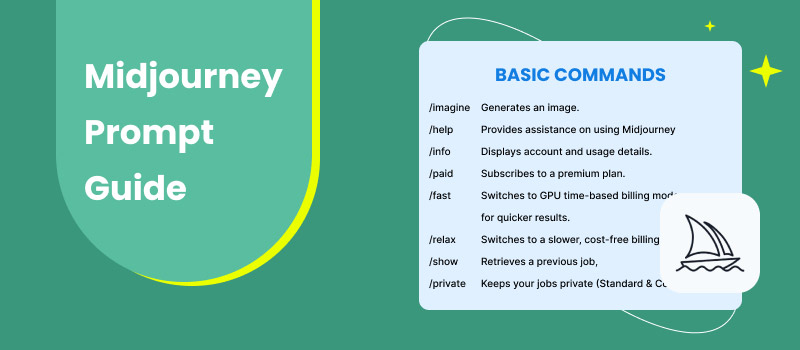
Midjourney has long been recognized as a powerful AI tool for generating stunning images. With its expansion into video creation, it is now steadily making a name for itself in AI-powered video generation. However, simply relying on an image reference and typing a basic text prompt is not enough to guarantee high-quality results. To truly unlock Midjourney’s potential, you need a clear and well-structured Midjourney prompt guide. This is precisely what this post aims to provide. In this guide, you’ll learn how to build effective prompts for Midjourney, including tips, best practices, and strategies. We will help you move beyond trial and error by understanding how to communicate your ideas clearly to the AI.
Before exploring the Midjourney AI prompt guide, let’s first provide an overview of Midjourney itself. Midjourney is a progressive generative AI platform primarily for creating images from text prompts. It is renowned for its distinctive artistic style and meticulous attention to detail. This tool can transform simple descriptions into intricate digital art with remarkable fidelity.
Recently, Midjourney has expanded into AI-generated video with the launch of its V1 video model. This marks its first official step into dynamic content creation. This model can convert static Midjourney images into short, cinematic video clips. It preserves the platform’s signature visual style while adding smooth motion and temporal depth.
What to Expect With Midjourney AI:
Instantly bring any image to life using AI-driven motion effects.
Choose between automatic motion generation or manual adjustments.
Create short 5-second clips by default or extend videos up to 20 seconds.
Select high motion for dramatic effects or low motion for smooth transitions.
Animate AI-generated images and user-uploaded photos, artwork, or static content.
Part 2. The Ultimate Guide for Prompt Building for Midjourney
A solid Midjourney prompt style guide is the foundation of captivating visuals and animations. The quality of your prompt directly influences the final result, whether you’re generating an image or animating it into video clips. Understanding how to guide the AI allows you to transform still images into expressive animations.
Quick Tips Before You Prompt in Midjourney:
Camera Verbs:
Cinematic camera verbs serve as motion seeds, instructing Midjourney on how the scene should move. Using these verbs early in your prompt gives the AI clear direction for motion and framing.
orbit, dolly-zoom, push-in, tilt-up: enhance depth, parallax, and cinematic perspective.
pan, track, crane, zoom: simulate professional camera movements.
handheld, steady-cam, slider: define camera stability and shooting style.
Loop Hygiene:
If you want smooth, loopable animations:
Ask explicitly for endless, seamless, or radial motion.
Use circular, rotating, or orbital movements.
Specify continuous, infinite, or repeating actions.
Note: Clear looping language helps avoid awkward starts and stops.
Hide Low Resolution:
To mask resolution limits and boost perceived quality:
Silhouettes: high contrast minimizes fine-detail dependence.
Close-ups: tight framing hides resolution limits.
Atmospheric effects: fog, smoke, dust, and particles add cinematic quality.
GPU Budget Optimization:
Work smarter, not harder with your GPU usage:
Use Relax Mode (Pro plan) to batch generations overnight.
Upscale first (U1–U4) before applying motion for cleaner textures.
Batch similar prompts together to maximize efficiency.
Prompt Character Limits:
Keep prompts clean and efficient:
Stay under 220 characters (Discord hard cap).
Emojis count as 2 characters; use sparingly.
Prioritize action and motion words over excessive adjectives.
Here’s how to apply the Midjourney prompts guide:
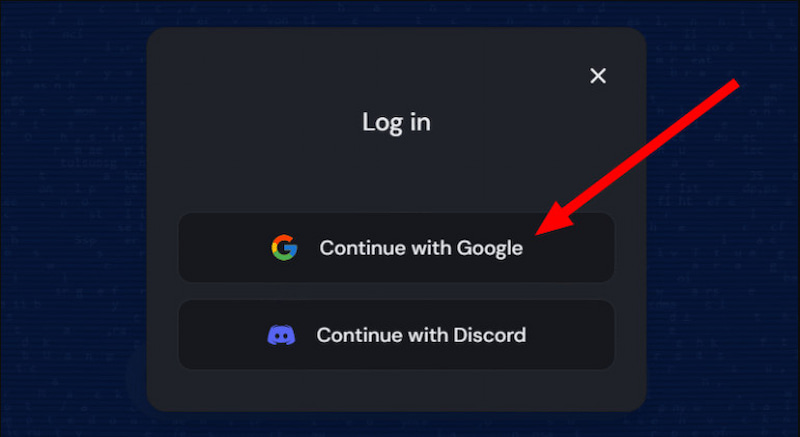
Step 1. Using a browser, access the official site of Midjourney video generation. Log in to your Google account or use the Continue with Discord option if your account is Discord-based.
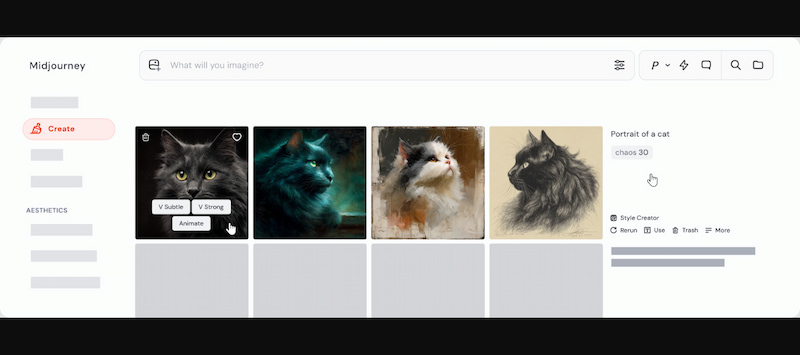
Step 2. On the Create page, open your personal gallery and select any previously generated image. Or, click the Image button in the Imagine bar to upload or select an external image.
Tips:
For a more artistic and unique style, turn a photo to cartoon using a clear and descriptive prompt. Then, use it as your image reference to generate short clips.
Step 3. Select Auto to enable Midjourney to analyze the image and generate motion automatically. On the other hand, choose Manual and type a descriptive prompt.
Step 4. After submitting your prompt, Midjourney generates a short video clip. While not all image parameters work with video, there are two powerful video-specific controls:
–motion [low/high]: Determines the intensity of movement.
Step 5. By default, Midjourney generates a 5-second video, but you can extend it if needed. The finished video can be previewed directly on the site and downloaded for use in other projects.
Midjourney excels at turning static images into videos with minimal effort. However, the video generation feature is still in beta and is currently restricted to short durations. Additionally, it lacks true text-to-video generation, as it relies on an image to animate the text.
Part 3. Best Midjourney Alternative: Picwand AI Text-to-Video Generator
With a well-crafted Midjourney prompt guide, you can certainly create short video clips by animating images. However, once you start pushing for longer durations, higher resolutions, or true prompt-to-video flexibility, Midjourney’s limitations become clear. If you’re looking for a more powerful, true text-to-video solution, Picwand AI Text-to-Video Generator is what you need.
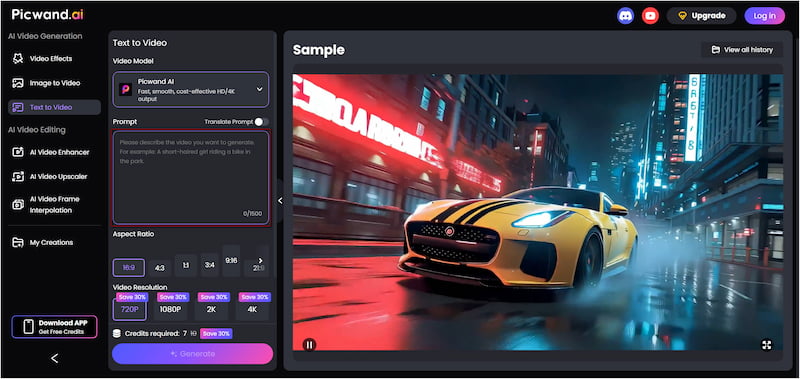
Picwand AI Text-to-Video Generator is built specifically for prompt-driven video creation, not image animation. It allows you to turn pure text prompts directly into videos, with no starting image required. You can write rich prompts of up to 1,500 characters and generate videos up to 10 seconds long. Best of all, you can export them in high-quality resolutions up to 4K.
Why Choose Picwand AI Text-to-Video Generator:
Export videos in 720p, 1080p, 2K, and up to 4K quality.
Write prompts up to 1,500 characters for richer storytelling.
Create video clips using prompts written in different languages.
Generate longer clips (up to 10 sec) compared to many image-to-video tools.
Step 1. Reach the Picwand AI Text-to-Video Generator’s official website through the provided link. In the prompt box, enter your text prompt or a structured script you’ve prepared. Make your prompt specific and descriptive for a more accurate output.
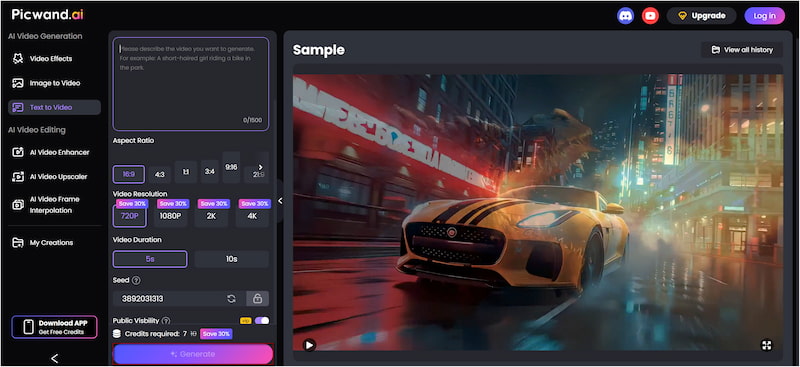
Step 2. Move down to the Aspect Ratio section and choose your preferred aspect ratio. Then, select your desired output resolution, which can range up to 4K. The maximum video duration supported is 10 seconds, offering more room for complete scenes.
Step 3. If you want to keep your project private, simply disable Public Visibility. Once everything is set, click Generate. Picwand AI will process your prompt and render a video that directly matches your written description.
Picwand AI Text-to-Video Generator takes it a step further by offering longer videos, higher resolutions, and genuine text-to-video generation. It is a reliable and powerful solution worth considering. As always, follow best practices on how to write AI prompts to achieve the best possible results.
Part 4. Midjourney Prompt Guide FAQs
Q: How long should a Midjourney prompt be?
A: A Midjourney prompt should be about 60 words. Shorter prompts help the AI clearly understand the subject, style, and action without confusion.
Q: How do I edit the prompt in Midjourney?
A: To edit a prompt while refining an image, click the Editor button. This opens Midjourney’s Editor interface, where your image is loaded, and you can apply multiple changes at once.
Q: How long does it take Midjourney to generate images?
A: Midjourney takes about one minute of GPU time to process an image prompt. For video prompts, it can take around eight minutes or more.
Conclusion
Mastering a Midjourney prompt guide is crucial for achieving consistent, high-quality results from the platform. While Midjourney excels at generating short animations, the real difference lies in how well you structure your prompts. With the right approach to prompt building, Midjourney becomes a reliable creative partner. However, if you need true text-to-video generation, longer durations, and higher resolutions, Midjourney may feel limiting. This is where Picwand AI Text-to-Video Generator becomes the perfect next step. It allows you to turn detailed text prompts directly into high-quality videos effortlessly.