Basic PlanVIP PlanVIP ExpiredPurchased credits are valid for life but require an active VIP subscription to use
0Credit(s)
You can use credits to access all the AI tools on Picwand, such as the AI Image Upscaler, AI Age Filter, AI Video Enhancer, AI Video Upscaler, AI Video Effects, and more.
Pixverse has attracted attention as an AI video generator that turns prompts and images into dynamic clips. It’s fast, creative, and accessible, but it’s not perfect for everyone. Some users want more control. Others want higher visual quality, smoother motion, or a broader workflow that includes enhancement and editing. That’s where Pixverse alternatives become important. The AI video landscape is moving quickly. New tools aren’t just copying each other; they’re solving different creative problems. Some focus on cinematic realism. Some prioritize speed and social media output. Others emphasize image enhancement and production-ready polish.
This guide explores the best Pixverse alternatives available right now. We’ll start with a strong all-around option, then compare several well-known AI video platforms. The goal isn’t hype — it’s helping creators choose tools that match their real workflow.
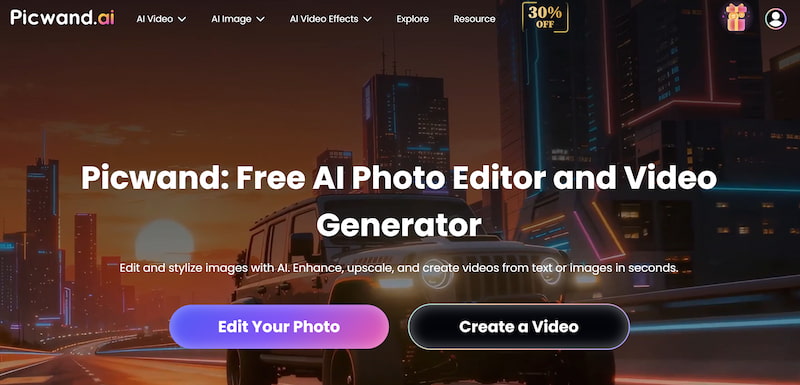
If you want an alternative to Pixverse that goes beyond simple generation, Picwand AI Text-to-Video Generator stands out as the most balanced option. Instead of focusing only on prompt-to-video conversion, Picwand integrates enhancement, restoration, and transformation tools into one ecosystem.
That broader workflow makes it especially attractive to marketers, designers, and content teams who care about output quality — not just novelty.
Features
• AI text-to-video and image-to-video generation
• Resolution enhancement and upscaling
• Image repair and restoration
• Motion smoothing
• Visual clarity optimization
• Beginner-friendly interface
• Workflow-ready export options
Picwand is designed to polish results and enhance landscape, not just produce them. Many AI tools generate interesting clips that still require cleanup. Picwand reduces that gap by embedding enhancement directly into the process.
How to Use Picwand AI
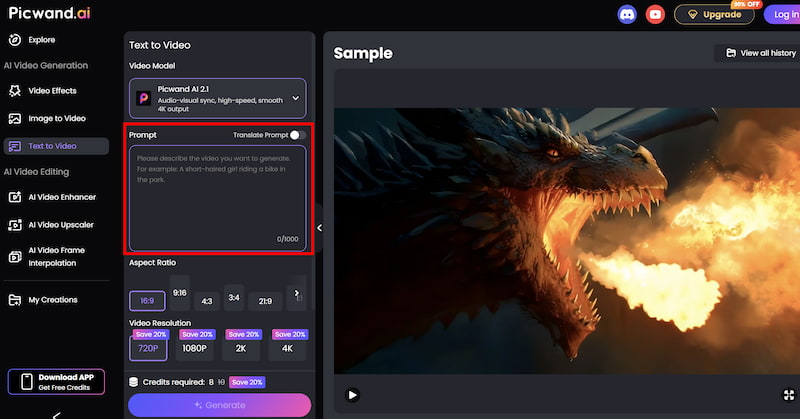
Step 1. From the main dashboard, choose the Text-to-Video Generator option. This tool allows you to generate short video clips purely from written descriptions.
Step 2. Enter your text prompt by describing the scene you want to create using natural language. You can specify elements such as environment, mood, movement, and visual style. For example, you might describe a cinematic landscape, a product showcase, or a short animated concept.
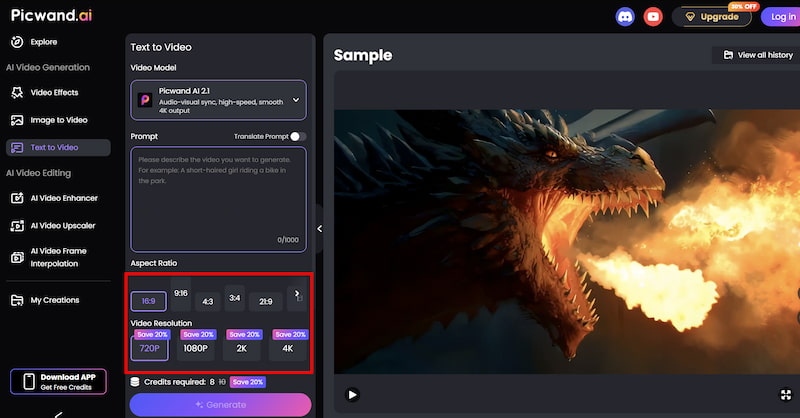
Step 3. Before generating the video, you can fine-tune settings such as Aspect Ration, Video Resolution, etc. These options help tailor the output to social media, marketing, or presentation needs.
Step 4. Once your prompt is ready, click the generate button. Picwand processes the request and produces a preview video within a short time, allowing you to review the result instantly. If you are satisfied with the output, you can export the video directly.
Results
Picwand outputs are noticeably cleaner than raw AI clips from many competitors. Edges are sharper, motion appears more stable, and resolution holds up better on larger screens.
For branding and marketing work, this consistency is critical. Instead of treating AI output as a draft, Picwand makes it closer to a final asset. The best all-around Pixverse alternative for creators who value both generation and enhancement.
Part 2. Runway
Runway is one of the most established names as a free Pixverse AI alternative. It positions itself as a creative suite rather than a single-purpose generator.
Features
• Advanced text-to-video generation
• Video editing tools
• Green screen AI
• Style transfer
• Collaborative workspace
• Timeline-based workflow
Performance
Runway prioritizes quality and creative flexibility. Its outputs can be cinematic, experimental, or artistic depending on user direction. Rendering is heavier than lightweight tools, but the visual richness often justifies the wait. Because Runway integrates editing features, it supports longer creative pipelines. It feels closer to professional production software than a quick animation app.
Best for
• filmmakers
• creative studios
• advanced experimentation
• art-driven projects
• collaborative teams
Runway is powerful but not casual. It’s ideal for serious creators willing to invest time in learning the platform.
Part 3. Kling
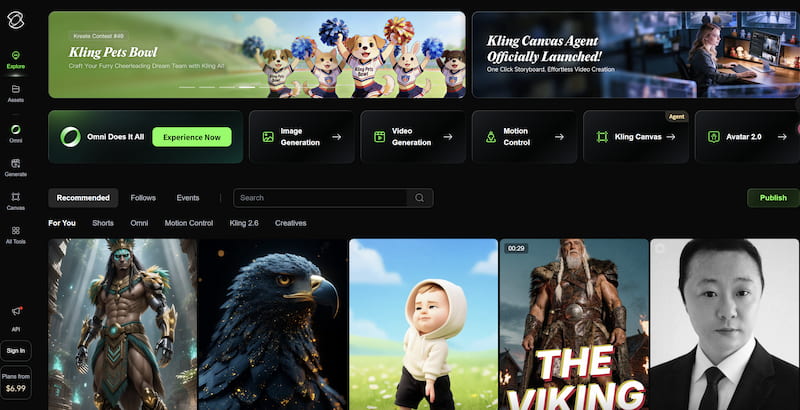
Kling focuses on realism and cinematic motion, seen as another free pixverse alternative. It aims to simulate real-world physics and camera behavior, producing dramatic visual sequences.
Features
• Cinematic scene generation
• Realistic motion simulation
• Atmospheric lighting
• Camera movement controls
• High-detail rendering
Performance
Kling excels at environmental storytelling. Landscapes, motion shots, and dramatic transitions look polished. However, the computational focus means slower rendering compared to lightweight tools. It rewards patience with higher-impact visuals.
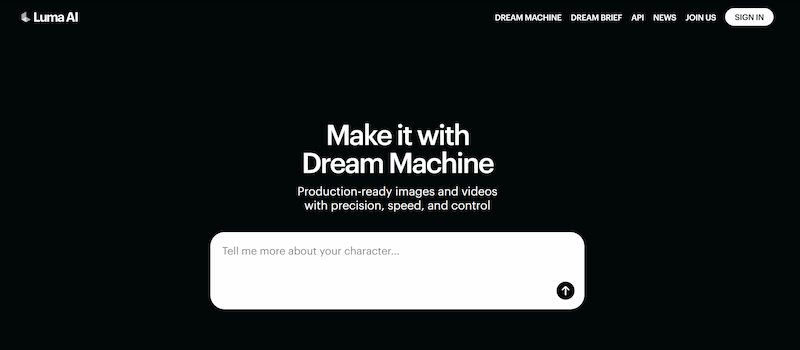
Luma is known for its spatial AI capabilities and 3D-aware video generation. It bridges the gap between video and virtual environments.
Features
• 3D scene understanding
• Immersive camera motion
• Environment reconstruction
• Depth-aware animation
• Realistic perspective shifts
Performance
Luma shines in scenes that benefit from spatial awareness. The camera feels like it’s moving inside a real environment rather than sliding across a flat image. This makes it uniquely suited for architectural visuals and immersive storytelling.
Best for
• 3D environments
• virtual tours
• spatial storytelling
• immersive visuals
Luma is specialized but excellent within its niche.
Part 5. Pika
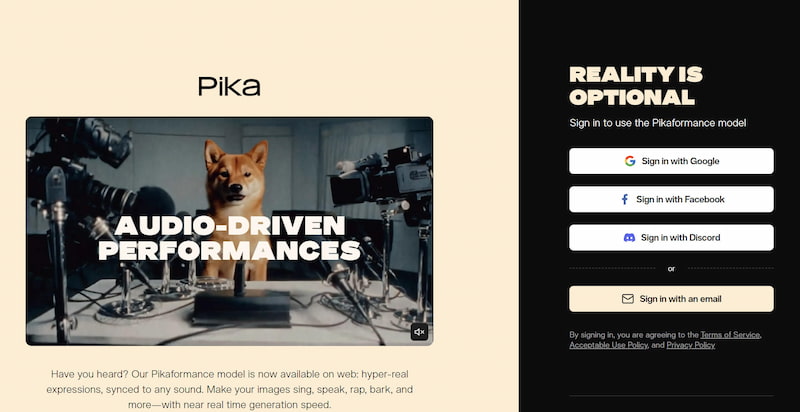
Pika is designed for creators who want quick, stylized animation. This Pixverse alternative emphasizes expressive motion and accessible creativity.
Features
• Text-to-video animation
• Stylized motion presets
• Fast generation
• Social media formatting
• Simple interface
Performance
Pika prioritizes speed and style. Its clips feel energetic and optimized for short-form platforms. While it doesn’t aim for photorealism, it delivers strong personality.
Best for
• Social media creators
• Quick animations
• Meme and trend content
• Visual experimentation
Pika is fun, fast, and expressive — but not built for cinematic realism.
Part 6. FAQs about Pixverse Alternative
Which tool is best for professional filmmaking?
Runway offers the most advanced creative environment.
Which alternative is fastest?
Pika and Picwand emphasize speed and efficient workflows.
Which platform produces the most realistic visuals?
Kling focuses heavily on cinematic realism.
Conclusion
Pixverse is a capable AI video generator, but it’s not the only option — and it may not match every workflow. The best alternative depends on what you value most. If you want polished, production-ready output, Picwand AI Text-to-Video Generator stands out as the most balanced solution of Pixverse alternative. If you need cinematic depth, Kling and Runway are strong contenders. For stylized speed, Pika excels. For immersive environments, Luma offers something unique.
AI video creation is no longer about finding one perfect tool. It’s about building a toolkit that supports your creative goals. Choosing the right Pixverse alternative is the first step toward a smarter, more flexible workflow.