Basic PlanVIP PlanVIP ExpiredPurchased credits are valid for life but require an active VIP subscription to use
0Credit(s)
You can use credits to access all the AI tools on Picwand, such as the AI Image Upscaler, AI Age Filter, AI Video Enhancer, AI Video Upscaler, AI Video Effects, and more.
In the world of AI-powered design, the landscape has evolved rapidly, offering more powerful tools for creators. Midjourney has long been the go-to tool for artists seeking stunning, photorealistic images, while Recraft V3 is quickly carving out a niche as the premier choice for designers. But why are designers increasingly turning to Recraft over Midjourney? In this latest Recraft vs Midjourney comparison, we'll dive deep into these two AI tools, highlighting their strengths and weaknesses for design professionals.
Midjourney remains the king of visuals when it comes to creativity and artistic freedom. It generates visually stunning, highly detailed images—perfect for concept art and abstract works. However, if you're a designer who needs images for real-world applications such as logos, UI, or print materials, Midjourney can quickly become a nightmare due to its lack of vector support and text handling issues.
In contrast, Recraft V3 is not just about making beautiful images; it's about providing usable assets that fit seamlessly into your production workflow. While Midjourney may inspire, Recraft is all about productivity. This article will break down the features, real-world performance, and pricing of both tools in a head-to-head battle.
Quick Comparison: The Winner at a Glance
Feature
Recraft V3
Midjourney V6.1
Winner
Output Format
SVG/Lottie
PNG/WebP
Recraft
Text Rendering
Perfect
Hit-or-Miss
Recraft
Control
Brand Style Sets
Style Reference
Recraft
Platform
Infinite Canvas
Discord/Web
Recraft
The "Prompt Battle": 3 Real-World Tests
For prompt generation, you can try some useful AI prompt generators, such as Team-GPT, HIX AI, and others, to create effective prompts.
Round 1: Typography & Layout (The "Poster" Test)
• The Scenario: We need a poster for a futuristic event with the correct spelling of text.
• The Prompt: "A futuristic cyberpunk poster with the text 'NEON NIGHTS' written in bold neon yellow font at the top."
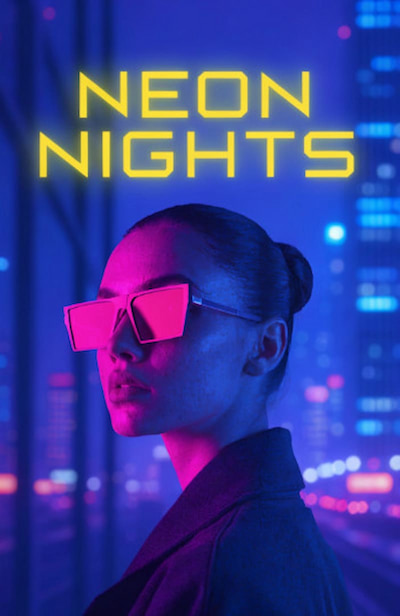
Recraft Result:
Recraft generated a perfectly styled poster with the text "NEON NIGHTS" in a bold neon yellow font. The typography was accurate, and I could easily adjust the position, font, and size.
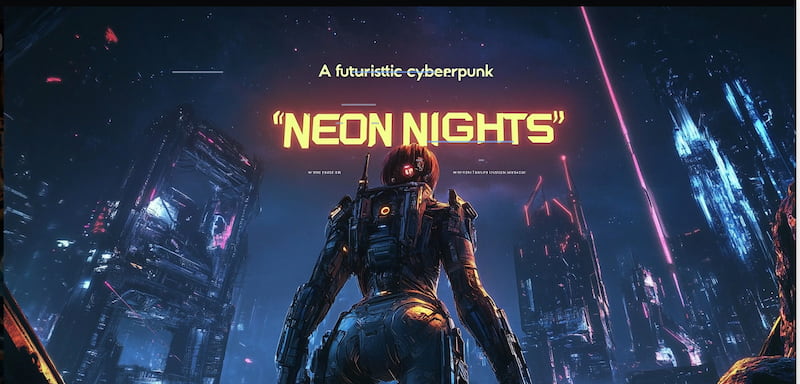
Midjourney Result:
While Midjourney generated a stunning cyberpunk-style image, the text was either misspelled or fused into the background, making it impossible to edit.
Winner: Recraft – Its precise text rendering and editing capabilities give it a clear edge.
Round 2: Photorealism & Atmosphere (The "Art" Test)
• The Scenario: We need a cinematic, hyper-realistic concept image for a sci-fi movie.
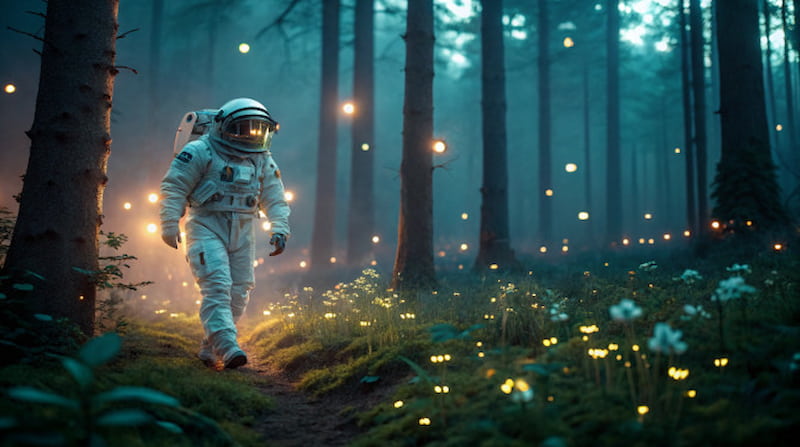
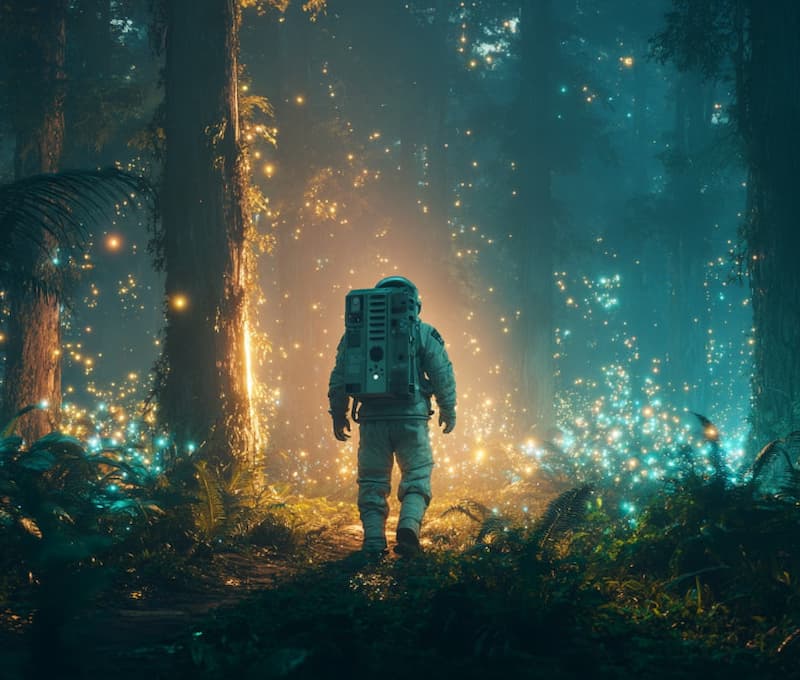
• The Prompt: "Cinematic shot of an astronaut walking in a bioluminescent forest, volumetric lighting, 8k, hyper-realistic."
Recraft Result:
Recraft produced a high-quality image, but it felt more polished and "clean," which is perfect for commercial applications, though it lacked the gritty, chaotic artistic touch Midjourney is known for.
Midjourney Result:
Midjourney delivered a beautifully detailed, hyper-realistic image with intricate textures and dramatic lighting. It truly captured the essence of the scene.
Winner: Midjourney – When it comes to creating stunning, artistic visuals, Midjourney remains unbeaten. Additionally, you can generate cartoon-style photos in Midjourney.
Round 3: The Logo Design Test (Vector Quality)
• The Scenario: We need to design a minimalist vector logo for a coffee brand.
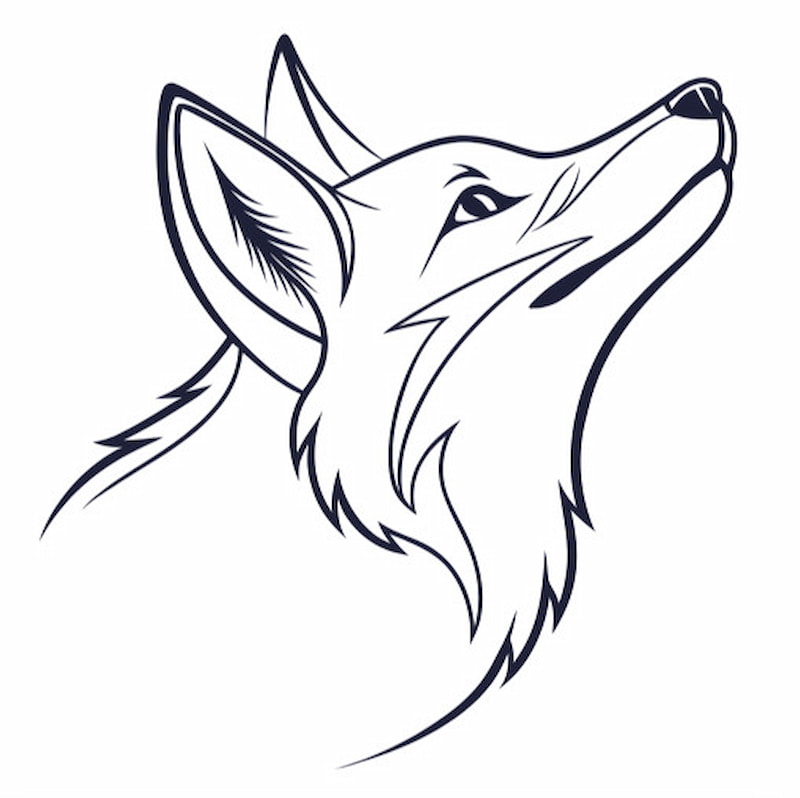
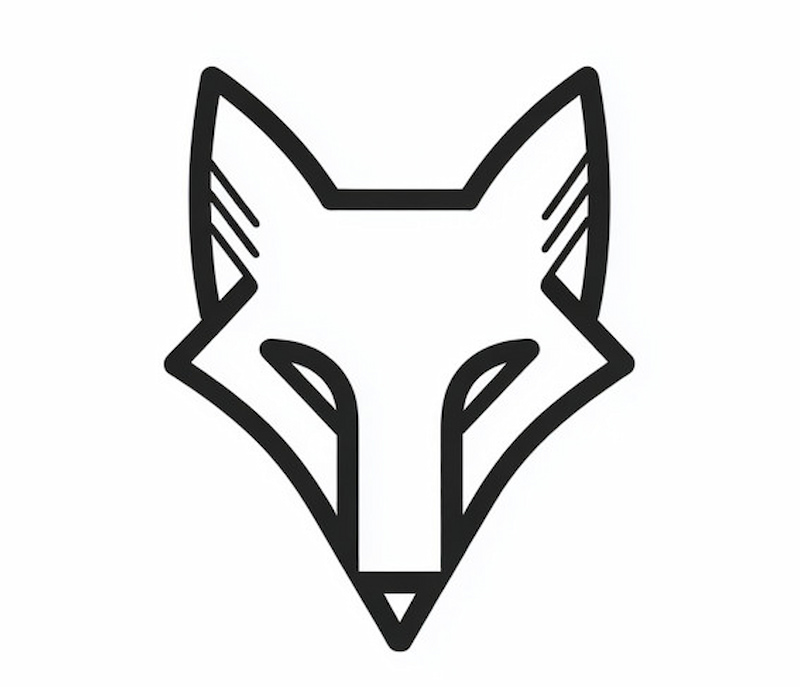
• The Prompt: "Minimalist fox head logo, flat vector style, white background, simple lines."
Recraft Result:
Recraft generated a clean, scalable SVG logo. The lines were sharp and the file was fully editable, which means it could be easily adjusted in a program like Illustrator or Figma.
Midjourney Result:
Midjourney's logo was visually appealing but had pixelation issues when scaled up. It lacked the precision needed for high-quality print or branding work.
Winner: Recraft – No competition here. Recraft's native SVG export is a game-changer for designers.
Key Feature Deep Dive
Vectorization & Export Options
Recraft's ability to export SVG and Lottie files makes it an invaluable tool for designers working with logos, UI elements, or illustrations that need to be scalable without loss of quality. Unlike Midjourney, which relies on third-party tools like Vectorizer.ai to convert images into vectors, Recraft natively handles vector exports.
Consistency & Brand Style
Recraft's Style Sets allow you to maintain a consistent design across all assets, making it perfect for teams or brand guidelines. Midjourney's use of --cref (Character Reference) and --sref (Style Reference) is an improvement, but it still doesn't offer the level of consistency that a tool like Recraft can provide for branding projects.
User Experience (Canvas vs. Chat)
Recraft's Infinite Canvas approach offers a fluid, Figma-like experience that allows for iterative design work. You can quickly drag, drop, and modify elements as needed. On the other hand, Midjourney is still primarily a Discord-based platform, which can be chaotic and unintuitive. Its new web app doesn't offer the same level of project-oriented editing that Recraft excels at.
Pricing Breakdown (2025 Update)
• Recraft: Offers a credit-based model where users get a daily free allowance. For heavy users, there are premium plans that provide more credits and extra features.
• Midjourney: Operates on a subscription model starting at $10/month, with no free tier available (except for limited trials).
Verdict: For occasional users who don't need advanced features, Recraft is an excellent choice with its free daily credits. For heavy AI image generators, Midjourney's subscription plan is a better fit.
Final Verdict: Which Should You Choose?
Go with Recraft V3 if:
• You're a graphic designer, UI/UX designer, or marketer.
• You need vector files (SVG) for print or web development.
• You require precise text in your images.
• You're accustomed to Figma/Canva-like tools for design.
Go with Midjourney V6 if:
• You're a concept artist, illustrator, or photographer.
• You prioritize extreme image quality, textures, and lighting.
• You enjoy the element of happy accidents that inspire creativity.
FAQS
Does Recraft use Stable Diffusion?
No, Recraft is built on its proprietary AI engine optimized for vector-based design.
Can I use Midjourney images for commercial use?
Yes, but only with a commercial license. Midjourney's terms allow for commercial usage under certain conditions.
Is Recraft better than Midjourney for logos?
Yes, Recraft is far superior for logos because of its vector export capability and precise text rendering.
Conclusion
By now, it should be clear that both Recraft and Midjourney have their strengths. Recraft is the ideal choice for designers needing scalable, editable assets, while Midjourney shines in creative exploration. Choose the tool that best fits your needs, and let AI elevate your design process.