Basic PlanVIP PlanVIP ExpiredPurchased credits are valid for life but require an active VIP subscription to use
0Credit(s)
You can use credits to access all the AI tools on Picwand, such as the AI Image Upscaler, AI Age Filter, AI Video Enhancer, AI Video Upscaler, AI Video Effects, and more.
• Best For: Professional cinematography, physics-accurate simulations, and precise character control.
These days, AI video generation is one of the most exciting creative technologies. It changes how people make videos for social media, marketing, films, and storytelling. Among the many tools available, Runway AI stands out as a popular platform. It uses artificial intelligence to help users create, edit, and enhance videos using simple text prompts and smart editing tools. It allows creators to generate video scenes, control camera movement, add motion, and experiment with visual effects. But with all the attention it gets, is Runway AI really worth the hype? This Runway AI review will cover everything you need to know. This includes its core features, pricing, strengths, weaknesses, and how it compares to other AI video tools. We will give you a clear, honest, and easy-to-understand overview so you can decide whether Runway AI is the right video generation tool for your creative needs.
What is Runway AI? It is an internet-based generative AI tool designed to produce, edit, and transform multimedia content. It can create images, videos, and audio using advanced machine learning models with minimal technical expertise. It features a suite of pre-trained models and creative tools that generate high-quality content from simple text prompts. Beyond generation, Runway offers powerful editing capabilities, including background removal, integration with special effects, slow-motion processing, and the ability to train custom models.
Core Capability Review: In-Depth Testing of Runway Gen-4 & Gen-4.5
Gen-4 / 4.5 Visual Quality & Physical Simulation
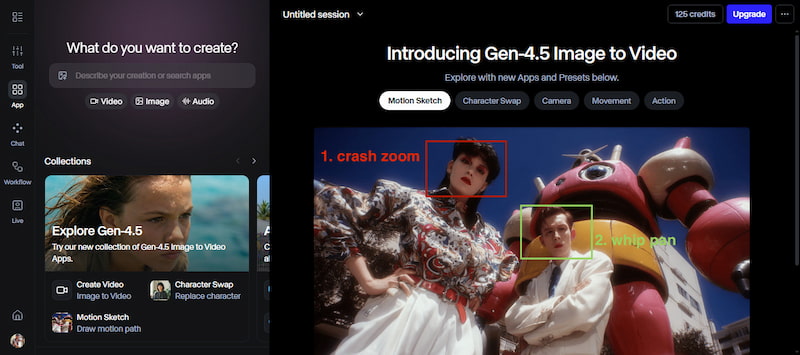
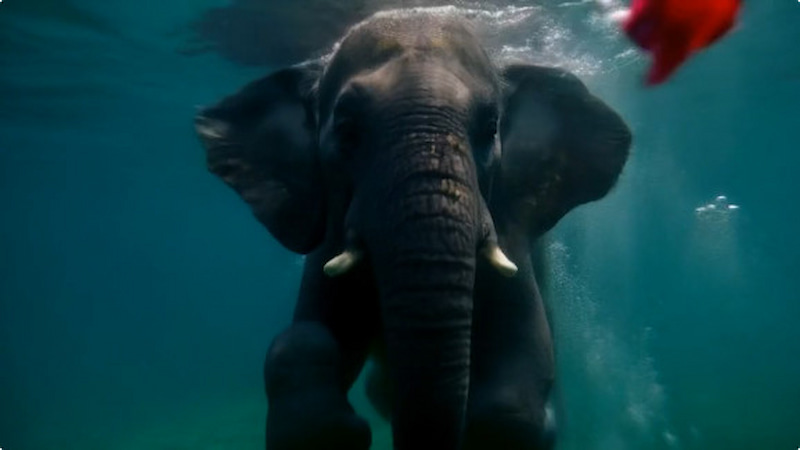
Gen-4 was a big step forward from earlier versions, keeping characters, objects, and styles consistent in a video. It uses reference images and text prompts to make videos that follow instructions. Meanwhile, Gen-4.5 improves this further. It pays more attention to how things move and how they interact physically. It also understands complex, sequenced instructions better, so the final result matches what you described more faithfully.
Act-Two (Performance Capture)
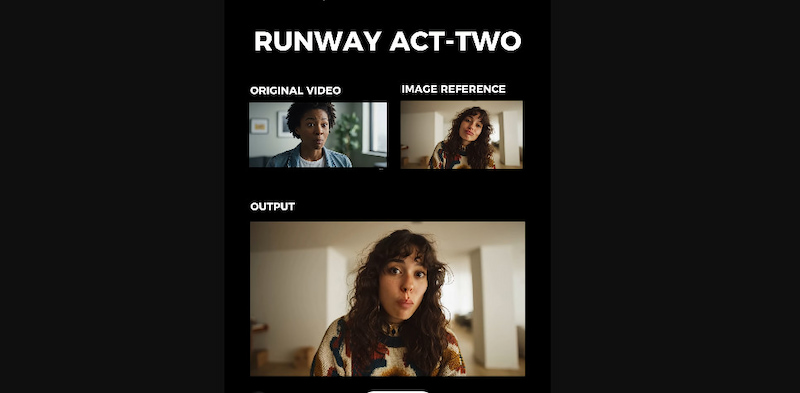
Act-Two is a tool from Runway AI video that helps characters move like real people. You start by uploading a video of a person moving or acting. Then, you pick a picture of the character you want to use. Act Two copies the person’s movement and facial expressions onto that character. This makes the character seem to be acting out the performance themselves.
Aleph Model
Aleph is a generative video editing and transformation model that lets you add or modify elements within a video using AI. Instead of only making new videos from text or images, Aleph works directly with existing video clips. You can tell it to add objects, remove people, change lighting, generate new camera angles, or alter the scene's style.
We conducted a 72-hour stress test using a Runway Unlimited Plan. Our evaluation focused on:
Director-Level Control Tools: Runway’s Competitive Moat
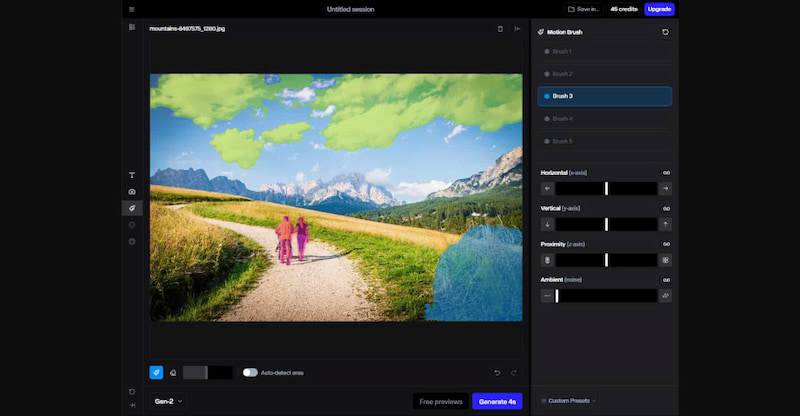
Multi-Motion Brush
Runway AI Video Generator’s Multi-Motion Brush is a creative tool that lets you add motion to specific areas of a scene. Rather than the entire frame moving as a single unit, you can select up to five unique objects or regions and dictate individual movement patterns for each.
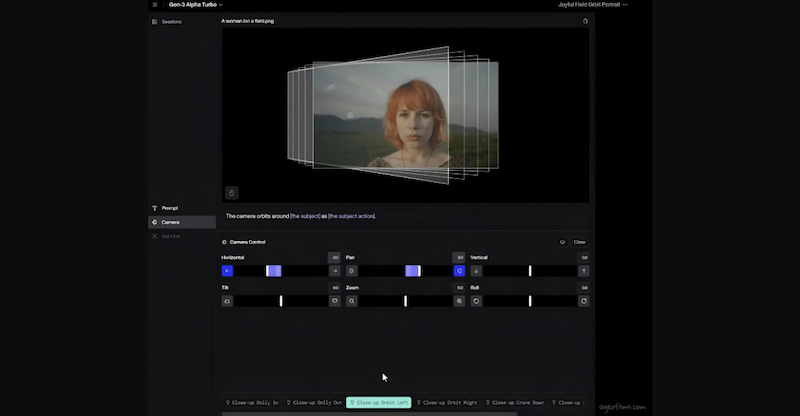
Advanced Camera Control
Advanced Camera Control gives you precise command over the virtual camera’s behavior within your AI-generated video. Instead of relying on the AI to determine framing, you can specify cinematic techniques such as panning, zooming, and dollying to achieve a professional look.
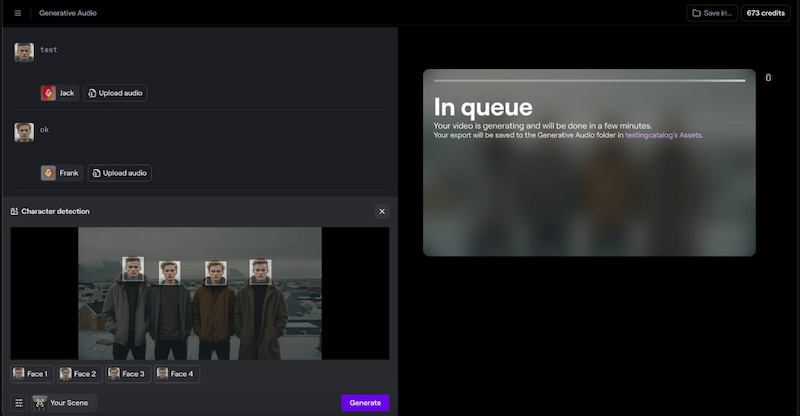
Lip Sync & Audio Sync
Lip Sync & Audio Sync ensure that characters in your videos or images move their mouths in perfect time with speech or sound. By uploading an audio file or providing a text-to-speech script, the AI animates mouth movements to realistically match the provided audio.
2026 Pricing Analysis: How to Get the Most Value for Your Money
Runway AI pricing is designed to accommodate creators at every level. It offers several distinct plans: Free, Standard, Pro, Unlimited, and Enterprise. This tiered system helps users match their budget with the level of creative work they want to do.
Free
Standard
Pro
Unlimited
Enterprise
$0
$12 per user/per month
$28 per user/per month
$76 per user/per month
Contact sales for enterprise pricing
Individual User
5 users
10 users
10 users
Contact sales for enterprise pricing
125 credits (one time)
625 credits monthly
2250 credits monthly
2250 credits monthly
Contact sales for enterprise pricing
Head-to-Head Competitor Comparison
Runway vs. Sora 2.0
Runway AI text-to-video offers precise camera motion paths, object motion painting, and reliable multi-shot consistency. It also integrates professional editing tools and supports up to 4K resolution. In contrast, Sora 2.0 focuses on high-end photorealism, extended clip lengths, and accurate physics, emphasizing cinematic coherence over granular manual control.
Runway vs. Kling
Runway is noted for its precise control over motion, camera angles, and multi-shot choreography. It features a robust toolset for editing and layering creative elements. Kling, on the other hand, excels in photorealistic output with native audio synchronization. It also offers longer maximum clip lengths compared to Runway’s shorter base durations.
Runway vs. Pika 2.5
Runway provides 4K support, complex camera movement, and multi-shot consistency across generations. It is designed for creative projects that require planning and nuance. Meanwhile, Pika 2.5 excels in speed and ease of use, enabling rapid iteration. It produces short, punchy clips faster, utilizing intuitive visual tools and crisp micro-motions.
Runway AI (Gen‑4/4.5)
Sora 2.0
Kling 2.5
Pika 2.5
Text‑to‑Video
✅
✅
✅
✅
Max Video Length
Up to 40 seconds
Up to 15 seconds
Up to 10 seconds
Up to 10 seconds
Max Output Resolution
Up to 4K
Up to 1080p
Up to 1080p
Up to 1080p
Generation Speed
2‑3 min
5‑8 min
4-7 min
45-90 sec
Creative & Motion Control
Advanced
Moderate
High
Basic
Editing / Post‑Tools
Broad
Limited
Limited
Limited
Usability
Moderate
Moderate
Moderate
Easy
Pitfalls to Avoid: What Runway AI Still Struggles With
After learning about Runway AI features, pricing plans, and how it compares to other tools, it’s just as important to understand where it still struggles or falls short. No tool is perfect, and recognizing these pitfalls helps you decide when Runway is the right choice.
Here are the limitations and challenges we found:
• Runway uses a credit-based system, and credits can be consumed even when the generated video is unusable.
• The same prompt can sometimes produce a great video or something that barely resembles what you asked for.
• Even with advanced models, videos can show odd glitches, unnatural movement, or inconsistent detail.
• Sometimes the model fails to follow detailed or clear prompts consistently, forcing trial-and-error prompting.
• Even the newest video models can struggle with object permanence, physics accuracy, and causal logic.
The Best Runway AI Alternative: Picwand AI
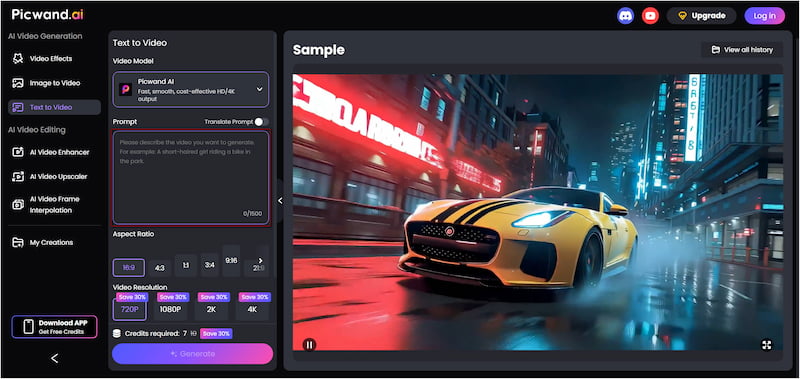
Picwand AI Text-to-Video Generator is a highly recommended tool as a strong alternative to Runway AI. It is a powerful generative AI tool that can create videos from text prompts alone. You can freely describe your scene in words, and the AI turns that description into a visually rich video. It supports prompts up to 1,500 characters, which helps the AI better understand motion, scenes, and storytelling. It can generate videos up to 10 seconds long and supports high-quality exports in 720p, 1080p, 2K, and even 4K.
Why Choose Picwand AI Text-to-Video Generator:
• Supports video output in 720p, 1080p, 2K, and 4K resolution.
• Creates videos directly from text prompts without needing images or videos.
• Generates video clips up to 10 seconds long, longer than many AI video tools.
• Allows up to 1,500 characters per prompt for detailed and accurate scene descriptions.
Verdict:
Runway is a full-featured creative suite built for text-to-video generation, video editing, motion control, camera direction, multi-shot projects, and professional post-production. However, outputs can sometimes be inconsistent and require multiple iterations for high-quality results.
On the other hand, Picwand AI Text-to-Video Generator focuses more specifically on straightforward text-to-video generation with strong visual quality. It supports detailed prompts, multiple aspect ratios, and exports up to 4K resolution, while generating clips up to 10 seconds long.
Conclusion
In this Runway AI review, we explored what Runway AI offers, pricing plans, competitors, and current limitations. Runway is clearly a strong and innovative platform that pushes AI video creation forward. However, it also comes with challenges such as credit limitations, inconsistent results, and a learning curve. For a simpler, more flexible, and quality-focused alternative, Picwand AI Text-to-Video Generator is worth trying. It offers longer prompts, higher export resolutions up to 4K, and multiple aspect ratios. Additionally, it delivers a smoother experience for turning text into visually rich videos.