Basic PlanVIP PlanVIP ExpiredPurchased credits are valid for life but require an active VIP subscription to use
0Credit(s)
You can use credits to access all the AI tools on Picwand, such as the AI Image Upscaler, AI Age Filter, AI Video Enhancer, AI Video Upscaler, AI Video Effects, and more.
The launch of Sora created massive excitement in the AI video industry. Its ability to generate cinematic, realistic videos from simple text prompts demonstrated how advanced generative AI has become. However, the discontinuation of Sora AI has left many creators, marketers, and businesses searching for reliable Sora AI alternatives.
If you are looking for tools that can deliver high-quality text-to-video results, this guide covers the most practical and powerful options available today. We will compare features, performance, use cases, and overall value to help you choose the right solution.
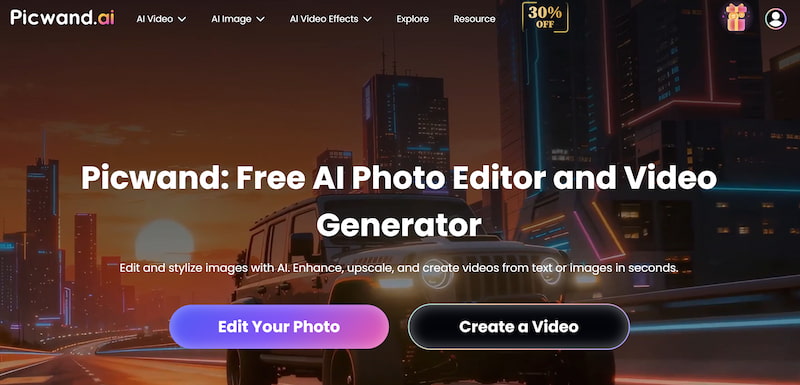
When evaluating Sora AI free alternatives, the most important factors are accessibility, output quality, ease of use, and commercial readiness. Picwand AI Text-to-Video Generator stands out as the best overall option for users who need stable and immediate text-to-video generation.
Key Features
• Text-to-video generation
• Image-to-video animation
• Multiple visual styles
• Adjustable duration and resolution
• Fast rendering speed
• Beginner-friendly interface
• Suitable for marketing and social content
Picwand focuses on practical usability rather than experimental research previews, making it ideal for real-world production environments.
Performance
Picwand AI delivers:
• Consistent scene coherence
• Smooth motion transitions
• Clear subject rendering
• Stable lighting effects
While it may not replicate the ultra-complex cinematic simulations demonstrated by Sora AI alternative, it offers reliable results optimized for content creation, advertising, and short-form media.
Best For
• Social media creators
• Digital marketers
• E-commerce businesses
• Small teams needing quick video assets
• Users without technical experience
How to Use Picwand AI
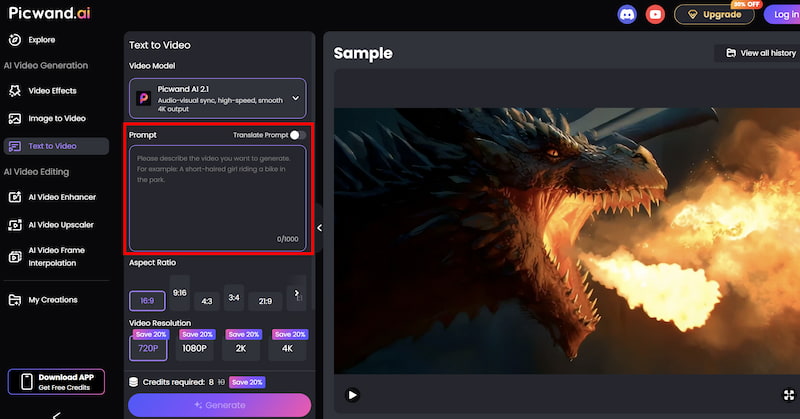
Step 1. From the main dashboard, choose the Text-to-Video Generator option. This tool allows you to generate short video clips purely from written descriptions.
Step 2. Enter your text prompt by describing the scene you want to create using natural language. You can specify elements such as environment, mood, movement, and visual style. For example, you might describe a cinematic landscape, a product showcase, or a short animated concept.
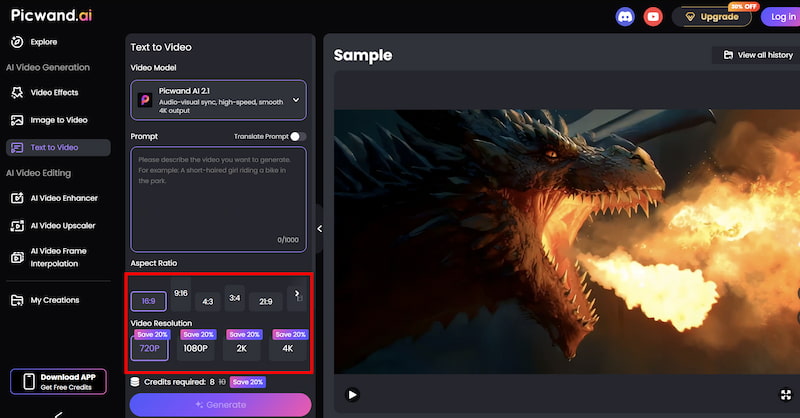
Step 3. Before generating the video, you can fine-tune settings such as Aspect Ration, Video Resolution, etc. These options help tailor the output to social media, marketing, or presentation needs.
Step 4. Once your prompt is ready, click the generate button. Picwand processes the request and produces a preview video within a short time, allowing you to review the result instantly. If you are satisfied with the output, you can export the video directly.
Users typically get:
• Ready-to-share video clips
• Optimized formats for TikTok, YouTube Shorts, and Instagram
• Professional-looking visuals without complex editing
If you need a dependable and accessible Sora AI free alternative for business or content production, Picwand AI is the strongest all-around choice.
Part 2. Runway
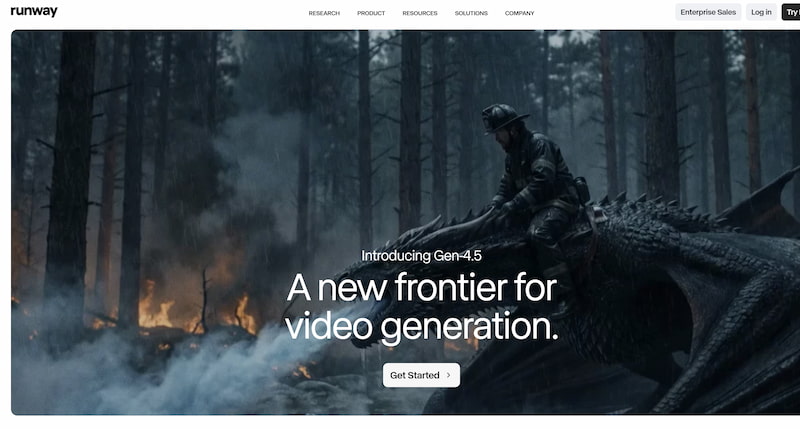
Runway is one of the most established AI video platforms currently available. It offers text-to-video capabilities alongside a full creative editing suite if you use correct Runway AI prompts.
Features
• Text-to-video generation
• Image-to-video transformation
• AI background removal
• Motion tracking
• Video inpainting
• Cloud-based editing tools
Performance
Runway AI video delivers high-quality short clips with decent motion consistency. It excels in combining AI generation with editing tools, making it more than just a video generator.
However:
• Rendering speed may vary
• Advanced features can require paid plans
• Prompt sensitivity affects results
Best For
• Creative professionals
• Video editors
• Agencies needing AI-assisted workflows
Runway is ideal if you want AI video generation combined with professional editing tools. This Sora AI alternative is powerful but may require a learning curve and subscription investment.
Part 3. Kling
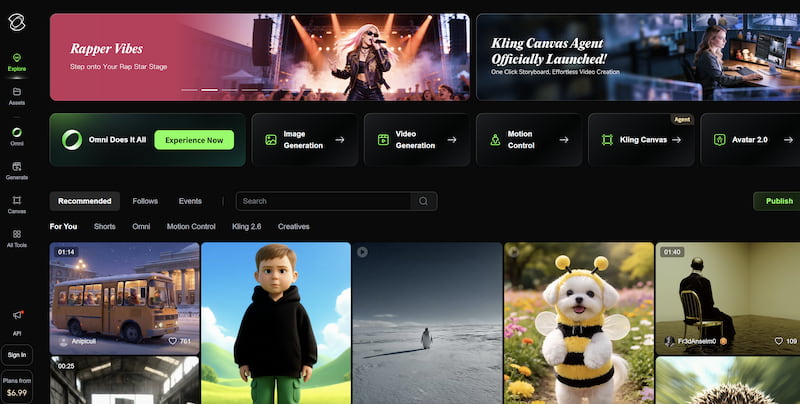
Kling is a rapidly growing AI video model known for realistic motion and strong physics simulation. You can refer to best Kling AI prompts for the best result.
Features
• High-resolution video generation
• Realistic character animation
• Cinematic camera control
• Strong physics modeling
Performance
Kling has demonstrated impressive realism in:
• Human movement
• Environmental consistency
• Dynamic camera angles
However, access availability may vary by region, and processing time can be longer for high-quality outputs.
Best For
• Filmmakers
• Advanced AI video enthusiasts
• Users prioritizing realism
Kling is a powerful competitor in the AI video space, especially for realism-focused creators. However, accessibility and speed may limit casual users.
Part 4. Veed.io
Veed.io is primarily known as an online video editing platform, but it has integrated AI-powered video generation tools.
Features
• AI text-to-video generation
• Automatic subtitles
• Template-based video creation
• Screen recording
• Online editing suite
Performance
Veed.io focuses more on:
• Marketing-friendly templates
• Fast social media production
• Ease of editing
Sora AI video generator alternative may not match more specialized text-to-video models, but it compensates with strong editing support.
Best For
• Marketing teams
• Educators
• Businesses creating explainer videos
If your goal is fast content production with built-in editing and subtitles, Veed.io is practical. It is less suitable for cinematic AI storytelling.
Part 5. ImagineArt AI
ImagineArt AI started as an AI image generator covering a variety of AI image models and has expanded into video generation features.
Features
• Text-to-image generation
• AI animation tools
• Stylized visual effects
• Creative art-focused outputs
Performance
ImagineArt AI performs well for:
• Artistic visuals
• Stylized animations
• Creative social media content
However, motion realism and scene complexity may not match more advanced video-first platforms.
Best For
• Designers
• Artists
• Creative experimentation
ImagineArt AI is best for stylized and artistic video projects rather than realistic cinematic production.
While Sora AI alternatives have set new benchmarks in AI-generated video, the discontinuation means most users must rely on alternative platforms.
If you prioritize:
• Immediate access
• Business-ready outputs
• Simple workflow
• Consistent quality
Picwand AI Text-to-Video Generator stands out as the best overall Sora AI alternative. For more advanced editing features, Runway is a strong choice. If realism is your top priority, Kling offers impressive results. Veed.io works well for template-driven marketing content, while ImagineArt AI shines in artistic experimentation.
Ultimately, the best Sora AI alternative depends on your goals. For practical, fast, and reliable text-to-video generation today, Picwand AI provides the most balanced solution for creators and businesses alike.