Basic PlanVIP PlanVIP ExpiredPurchased credits are valid for life but require an active VIP subscription to use
0Credit(s)
You can use credits to access all the AI tools on Picwand, such as the AI Image Upscaler, AI Age Filter, AI Video Enhancer, AI Video Upscaler, AI Video Effects, and more.
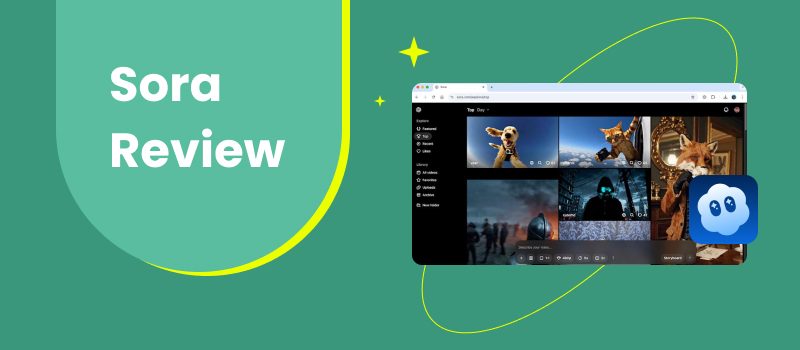
AI video generation has reached a turning point. What used to be short, glitchy experiments are now evolving into cinematic sequences that resemble real footage. At the center of that shift is Sora, an AI video model that has sparked intense discussion among creators, filmmakers, marketers, and researchers. Sora promises something ambitious: high-fidelity video generation from simple text prompts. Instead of producing abstract animations, it aims to simulate real environments, camera movement, and physical behavior. Naturally, expectations are high — and so are the questions. Is Sora actually usable for real projects? How controllable is it? Who benefits most from it? This Sora review takes a grounded, practical look at Sora. Rather than focusing on hype, we evaluate what it can do, where it struggles, and how it fits into modern creative workflows. We’ll also explore an alternative option for users who need a more accessible or production-ready pipeline.
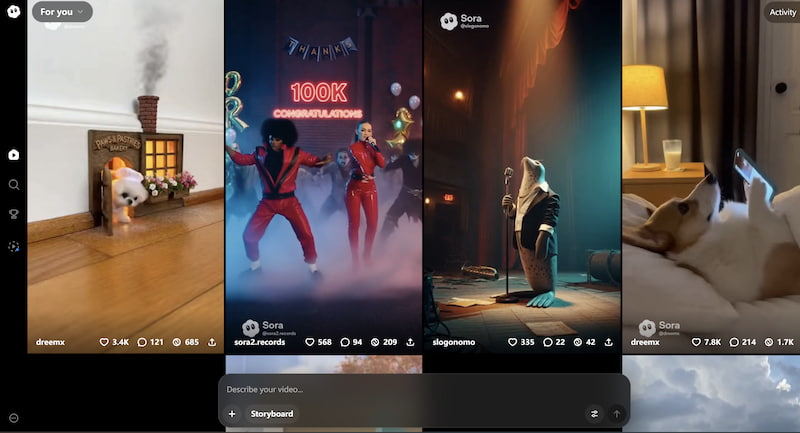
Sora is an advanced AI video generation system designed to transform text prompts into realistic moving scenes. It attempts to model not just visuals, but also motion, lighting, spatial relationships, and physical consistency. The goal is to simulate a believable world rather than generate isolated frames.
Unlike earlier AI video tools that focused on stylized clips, Sora emphasizes environmental coherence, supporting video to prompt function. Objects persist across frames, camera angles feel intentional, and motion follows approximate physical rules. This gives outputs a cinematic quality that stands out from most early-generation systems.
Key features of Sora
Here are a Open AI Sora review on its key features:
Text-to-video generation
Users describe a scene in natural language, and Sora produces a moving sequence that reflects the prompt. Complex environments and dynamic motion are supported.
Realistic physics simulation
Movement is not random. Sora attempts to maintain continuity, including gravity, object interaction, and spatial logic.
Cinematic camera behavior
The system generates tracking shots, pans, zooms, and perspective shifts that resemble professional cinematography.
Longer clip duration
Compared to many AI video tools limited to ultra-short loops, Sora aims for extended sequences with consistent structure.
Multi-subject scene understanding
The model can interpret interactions between multiple objects or characters within a shared environment.
High visual fidelity
Lighting, texture, and depth are major priorities, giving outputs a near-filmic look in strong examples.
Part 2. Detailed review of Sora
1. Video Quality & Realism
Video quality is where Sora distinguishes itself most clearly. In ideal conditions, its outputs resemble real footage rather than animation. Surfaces show texture, shadows behave naturally, and camera movement feels intentional. Environmental depth is especially impressive — scenes look layered rather than flat.
That said, realism is not perfectly consistent. Some generations contain distortions in anatomy, object shape, or motion transitions. The system is powerful but not flawless. When it succeeds, the results are striking. When it fails, artifacts can break immersion quickly.
For cinematic experimentation and visual storytelling, Sora is among the most visually ambitious AI systems currently discussed.
2. Prompt Understanding & Control
Sora demonstrates strong prompt comprehension, particularly for descriptive environmental scenes. It responds well to prompts that include:
• Setting details
• Camera instructions
• Mood and lighting
• Movement descriptions
• Narrative framing
You can use Midjourney AI prompt generator to support you. However, deep control remains limited. Users guide direction through language rather than precise sliders or timelines. This means iteration is necessary. Small wording changes can dramatically alter output.
Reproducibility is another challenge. Generating the same scene twice is difficult, which can complicate professional workflows requiring consistency. In short, Sora understands prompts impressively — but fine-grained control is still evolving.
3. Use Cases & Applications
Sora is best suited for conceptual and creative environments rather than strict commercial pipelines. Sora AI review on usability brings you more information:
Strong applications include:
• Film concept visualization
• Storyboarding
• Creative experimentation
• Marketing prototypes
• Artistic projects
• Mood reels
• Educational demonstrations
• Speculative design
It is less suitable for:
• Precise branded animation
• Frame-perfect editing
• Regulated commercial production
• Long-form storytelling without post-editing
Think of Sora as a cinematic sketch tool — a powerful generator of ideas and visuals rather than a complete production system.
4. Ease of Use
From a user perspective, Sora is conceptually simple: type a prompt and generate a video. The challenge lies not in interface complexity but in prompt craft. Users must learn how to describe scenes effectively. Detailed cinematic language produces better results than vague instructions. While beginners can experiment immediately, mastering consistent output requires practice. Compared to traditional video software, Sora is dramatically easier. Compared to lightweight AI animation apps, it demands more creative discipline.
5. Limitations & Known Issues
Despite its technical leap, Sora reviews reveal its limitations.
• Occasional anatomical distortion
• Object continuity errors
• Inconsistent physics
• Prompt unpredictability
• Reproducibility challenges
• Limited fine control
• Computational intensity
• Evolving availability restrictions
These issues are common in cutting-edge AI systems. They don’t erase Sora’s strengths, but they define its current boundaries.
6. Pricing & Availability
Access to Sora has been gradually expanding but remains controlled. Availability varies by region, platform integration, and usage policies. Unlike consumer-level AI tools with open subscriptions, Sora has historically been released in staged access models.
Because the ecosystem evolves quickly, pricing structures are subject to change. Users should evaluate availability through official channels and consider that enterprise or research access may differ from casual creator access.
7. Price and Plans
While exact tiers can shift, advanced AI video generation tends to follow usage-based or subscription models. Costs typically scale with generation time, compute demand, and resolution.
For professional creators, the relevant metric isn’t monthly price alone — it’s cost per usable clip. High-end outputs may justify higher pricing if they reduce production time elsewhere.
Sora’s value proposition depends on how often you rely on cinematic AI content rather than occasional experimentation.
8. Who Should Use Sora?
Sora is ideal for:
• Filmmakers and visual storytellers
• Creative directors
• Concept artists
• Researchers
• Marketing ideation teams
• Experimental creators
• Educators exploring AI media
It is less ideal for:
• Users needing predictable templates
• High-volume social media automation
• Strict brand consistency pipelines
• Beginner users seeking push-button results
Sora AI review rewards curiosity and experimentation more than routine production.
Part 3: Alternative to Sora — Picwand AI
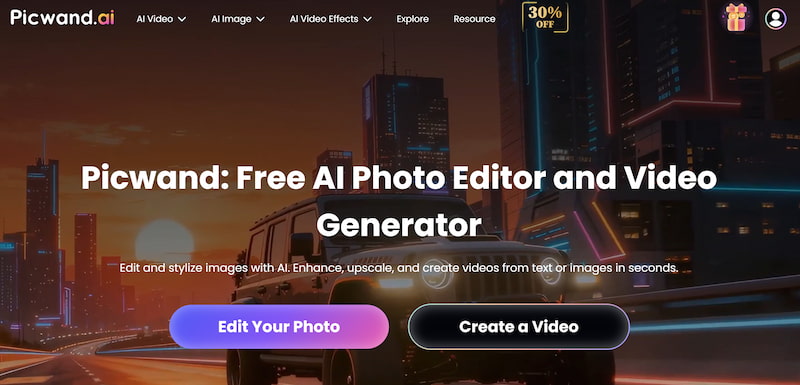
While Sora emphasizes cinematic generation, many creators need tools that combine generation with enhancement. This is where Picwand AI Text-to-Video Generator becomes a practical alternative.
Picwand focuses on refining visual assets, improving clarity, stabilizing motion, and enhancing output quality. Instead of treating AI generation as the final step, it helps polish content into production-ready material.
Picwand AI strengths:
• Text and image to video creation
• AI video enhancement
• Resolution upscaling
• Image restoration
• Clarity optimization
• Workflow-friendly interface
• Consistent output quality
For marketers, designers, and content teams, Picwand is often more usable in daily workflows. It reduces the gap between AI experimentation and deliverable media. Creators who find Sora exciting but unpredictable may appreciate Picwand’s emphasis on reliability and polish.
Part 4. FAQs about Sora Review
Can Sora replace professional video production?
Not fully. It supports ideation and experimentation but still requires post-production tools.
Why consider Picwand instead?
Picwand emphasizes enhancement and consistent quality, making it more practical for daily production workflows.
Does Sora generate long films?
It produces extended clips compared to many AI tools, but full storytelling still requires editing.
Conclusion
That’s all about Sora review. Sora represents a major leap in AI video realism. Its ability to simulate cinematic environments marks a shift from novelty toward serious creative potential. When it performs well, the results are visually stunning and conceptually powerful. Yet Sora is not a finished replacement for traditional production. Its unpredictability, access limitations, and control constraints mean it functions best as an experimental and conceptual engine.
For creators who need dependable, polished results today, tools like Picwand AI Text-to-Video Generator offer a more practical balance between generation and refinement. Rather than competing directly, these tools serve different purposes in a growing AI ecosystem.
The future of video creation will likely combine cinematic AI models like Sora with enhancement platforms like Picwand. Understanding their strengths allows creators to build workflows that are not only innovative, but sustainable.