Basic PlanVIP PlanVIP ExpiredPurchased credits are valid for life but require an active VIP subscription to use
0Credit(s)
You can use credits to access all the AI tools on Picwand, such as the AI Image Upscaler, AI Age Filter, AI Video Enhancer, AI Video Upscaler, AI Video Effects, and more.
AI video generation has evolved rapidly over the past few years, transforming how creators, marketers, and businesses produce visual content. Instead of relying on complex video editing software or expensive production teams, users can now generate cinematic videos from simple text or images using AI-powered tools. Among the most talked-about platforms in this space are Sora, developed by OpenAI, and Hailuo, a fast-growing AI video generator gaining attention for its accessibility and speed. This article provides a clear, side-by-side contrast of Sora vs Hailuo, focusing on practical aspects such as video resolution, creative flexibility, user interface, parameter control, and generation efficiency. We will also explore Picwand AI, a powerful alternative for users seeking more advanced text-to-video and image-to-video capabilities.
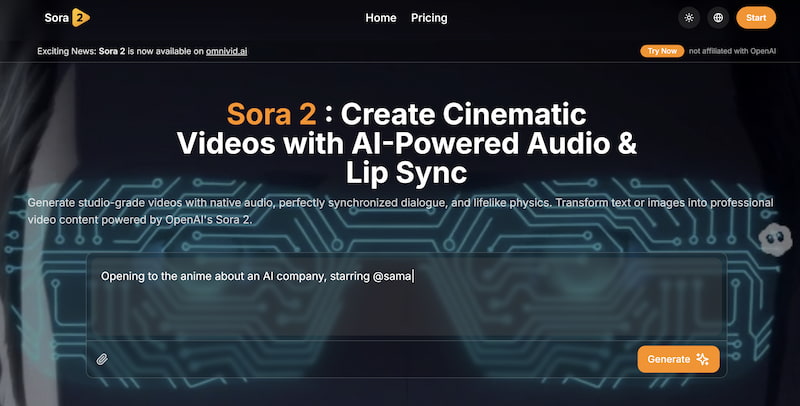
Sora is an advanced AI video generation model developed by OpenAI. It is designed to generate highly realistic and cinematic videos from natural language prompts. Sora gained widespread attention due to its ability to simulate complex physical environments, coherent motion, and detailed scenes that resemble real-world footage.
Rather than targeting casual users, Sora is positioned as a research-driven, high-end AI model. Its outputs often emphasize realism, long-form coherence, and visual storytelling. However, access to Sora remains limited, and it is not yet a fully open consumer-facing product.
Key characteristics of Sora include:
High realism and cinematic quality
Strong understanding of physics and motion
Complex scene composition
Limited public access and customization options
What Is Hailuo?
Hailuo is a user-oriented AI video generator designed for faster content creation and broader accessibility. Compared with Sora, Hailuo focuses more on ease of use, speed, and creative experimentation, making it attractive to marketers, content creators, and small teams.
Hailuo typically supports shorter video clips and emphasizes prompt-driven creativity rather than cinematic realism. It is more accessible to general users and often integrates simplified workflows for social media and promotional video creation.
Key characteristics of Hailuo include:
Beginner-friendly interface
Faster video generation
Emphasis on creative styles
More flexible access for everyday users
Part 2: Features & Performance Comparison
This section contrasts Sora AI vs Hailuo across key performance dimensions that matter most to real users.
Video Resolution
Sora is widely recognized for producing high-resolution, visually rich videos. Its output quality often appears closer to professional film footage, with detailed textures, lighting consistency, and realistic motion. Sora excels at maintaining visual continuity even in longer clips.
Hailuo, while capable of generating visually appealing videos and exerting live video upscaling, typically focuses on shorter clips with moderate resolution. Its videos are well-suited for digital marketing, social media, and creative concepts, but they may not match Sora’s cinematic depth.
Sora → Best for cinematic realism and visual depth
Hailuo → Sufficient resolution for short-form and marketing videos
Creative Output
Creativity is where the two tools diverge in philosophy. Sora prioritizes realism and narrative coherence, making it ideal for storytelling, simulated environments, and concept visualization.
Hailuo leans toward stylistic freedom and experimentation. Users can generate imaginative visuals, animated scenes, and artistic interpretations more easily, even if they sacrifice some realism.
Sora → Strong narrative realism
Hailuo → More playful and experimental creativity
UI & Ease of Use
Sora’s interface, where available, reflects its research-oriented nature. Prompting Sora often requires precise descriptions and an understanding of how AI models interpret context, which can be challenging for beginners.
Hailuo clearly targets accessibility. Its UI is streamlined, prompt guidance is more intuitive, and users can generate results with minimal technical knowledge.
Sora → Steeper learning curve
Hailuo → Beginner-friendly and intuitive
Parameter Control
Advanced users often value control over parameters such as motion intensity, scene duration, camera behavior, or visual style.
Sora currently offers limited user-facing parameter customization, as much of its complexity is handled internally by the model. This results in impressive outputs but less granular control.
Hailuo provides more visible parameter options, allowing users to adjust creative elements without deep technical knowledge.
Sora → AI-driven automation
Hailuo → More direct creative control
Efficiency
Video generation efficiency includes both processing time and workflow simplicity.
Sora’s generation process can be computationally intensive, leading to longer waiting times, especially for complex prompts.
Hailuo is optimized for speed and iteration, allowing users to test multiple ideas quickly.
Sora → Quality-first, slower output
Hailuo → Faster turnaround for daily use
Part 3: Advanced AI Video Generation with Picwand AI
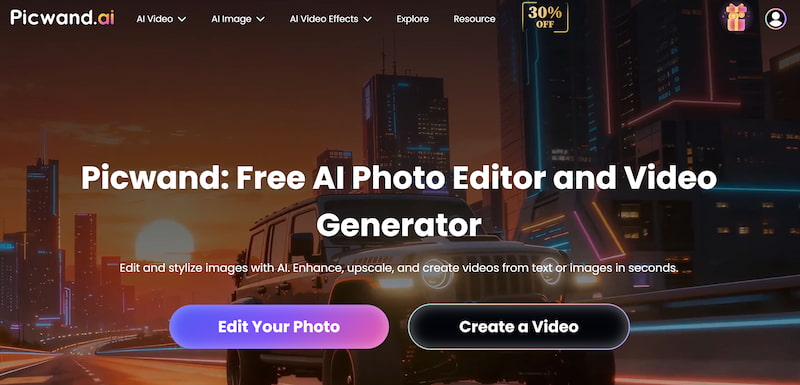
While Sora and Hailuo represent two different ends of the AI video spectrum, many users seek a balanced solution that combines control, quality, and usability. This is where Picwand AI stands out.
Picwand AI Text-to-Video Generator is designed for users who want to convert text or images into dynamic videos without sacrificing creative control. It bridges the gap between research-level models and consumer-friendly tools.
Key Features
Text-to-video and image-to-video generation
Adjustable motion and visual parameters
High-quality output optimized for marketing and storytelling
Clean, intuitive interface suitable for non-technical users
Consistent results across multiple styles
How to Use Picwand AI
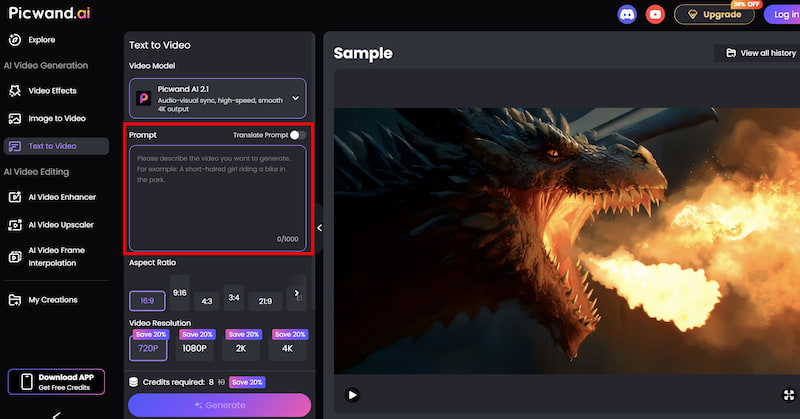
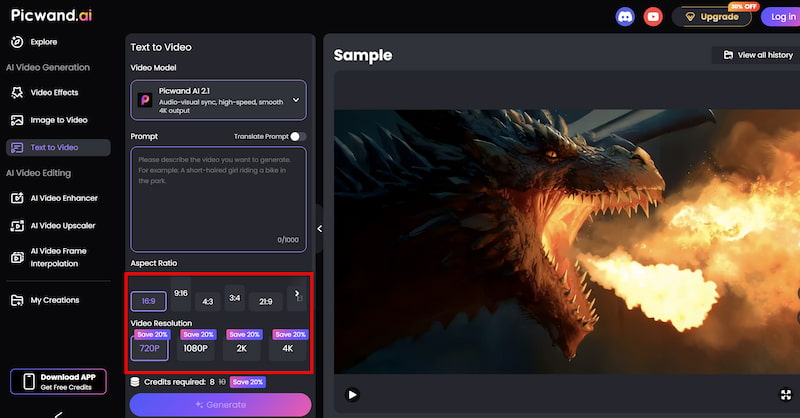
Step 1: From the main dashboard, choose the Text-to-Video Generator option. This tool allows you to generate short video clips purely from written descriptions.
Step 2: Enter your text prompt by describing the scene you want to create using natural language. You can specify elements such as environment, mood, movement, and visual style. For example, you might describe a cinematic landscape, a product showcase, or a short animated concept.
Step 3: Before generating the video, you can fine-tune settings such as Aspect Ration, Video Resolution, etc. These options help tailor the output to social media, marketing, or presentation needs.
Step 4: Once your prompt is ready, click the generate button. Picwand processes the request and produces a preview video within a short time, allowing you to review the result instantly. If you are satisfied with the output, you can export the video directly.
Compared to Sora and Hailuo AI, this AI art enhancer delivers a balanced experience. It offers better control than Sora while maintaining higher consistency than Hailuo. The output quality is suitable for professional marketing, social media, and content creation workflows.
Part 4. FAQs about Sora VS Hailuo
Is Sora better than Hailuo?
It depends on your goals. Sora excels in cinematic realism and complex scenes, while Hailuo is more accessible and faster for everyday creative tasks.
Can beginners use Sora easily?
Sora has a steeper learning curve and limited public access, making it less suitable for beginners compared to Hailuo or Picwand AI.
Which AI video generator is best for marketing?
For marketing use cases, tools like Hailuo and Picwand AI are often more practical due to speed, flexibility, and ease of use.
Conclusion
The contrast between Sora vs Hailuo highlights two different approaches to AI video generation. Sora prioritizes cinematic realism and technical sophistication, while Hailuo emphasizes speed, accessibility, and creative experimentation.
For users seeking a middle ground—combining quality output, creative control, and efficient workflows—Picwand AI Text-to-Video Generator offers a compelling alternative. Choosing the right AI video generator ultimately depends on your project goals, technical comfort level, and content strategy.