Basic PlanVIP PlanVIP ExpiredPurchased credits are valid for life but require an active VIP subscription to use
0Credit(s)
You can use credits to access all the AI tools on Picwand, such as the AI Image Upscaler, AI Age Filter, AI Video Enhancer, AI Video Upscaler, AI Video Effects, and more.
Veo 3.1 is the choice for 4K professional production and cinematic sound design. Sora 2 Pro is the leader for narrative storytelling and complex physics, offering extended 25-second clips that excel in social media viral potential.
Google’s Veo 3 and OpenAI’s Sora 2 have advanced so rapidly that the discussion among creators has shifted. Today, the focus isn’t simply on which model is superior, but rather on which model fits best for a specific creative task or project.
In this Sora vs Veo comparison, we’ll break down both platforms across multiple aspects. We will cover their full version analysis, target users, core comparisons, pricing, and alternative options. This way, we can provide a clear, detailed guide that helps you decide which AI video tool best meets your needs.
Comparing Sora vs Veo is essential for anyone exploring AI video generation. Both platforms are among the most advanced in the market, but they differ in various aspects. Understanding their strengths and limitations helps you choose the right tool for your needs.
Here are the main reasons to compare them:
To determine which AI interprets complex or narrative-driven prompts better.
To evaluate built-in sound effects, dialogue generation, and audio-video synchronization.
To see which platform produces sharper visuals, smoother motion, and more lifelike scenes.
To compare rendering speed, stability of outputs, and ability to handle long or multi-scene videos.
To identify which platform is better suited for hobbyists, professionals, agencies, or enterprise-level production.
Sora Full Version Analysis
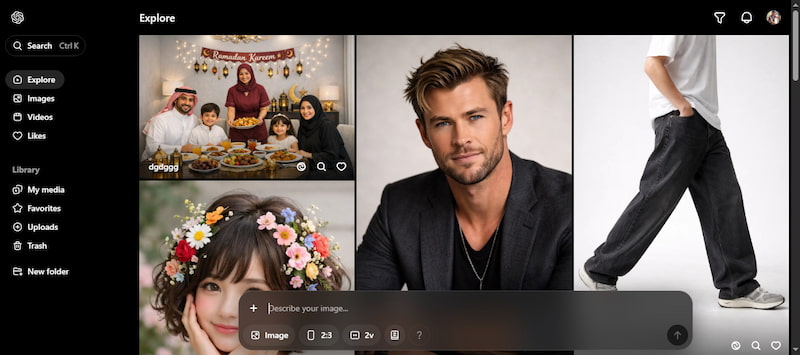
Sora is an advanced text‑to‑video generative AI model that turns prompts into rendered video clips. Sora was designed to let creators simply describe a scene in natural language and have the AI bring it to life visually. It generates temporal sequences with coherent character actions, scene continuity, and cinematic compositions directly from text.
Metric
Sora 1
Sora 2
Sora 2 Pro
Audio
❌
✅
✅
Video Quality
1080p
1080p
1080p
Clip Length
15s
15s
25s
Prompt Adherence
Advanced
Advanced
Superior
Motion/Physics
High
High
Improved
Target Users:
Sora 1:
People exploring AI video generation for fun or personal clips.
Quick, short videos to share on platforms without complex tools.
Users experimenting with narrative scenes that don’t require cinematic polish.
Sora 2:
People making short, engaging videos quickly with audio/video sync.
Producing animated explainers with synchronized sound for teaching.
Generating promo clips and visual ads without hiring production crews.
Sora 2 Pro:
For cinematic, higher‑fidelity output with advanced control.
Teams needing polished brand assets with precise direction.
Internal creators producing 4K or extended clips for campaigns.
Veo Full Version Analysis
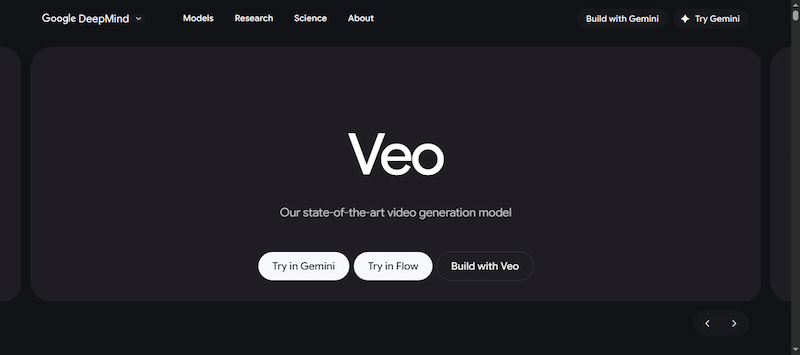
Veo is a state‑of‑the‑art AI video generation model developed by Google DeepMind. It is designed to transform natural language descriptions into video clips with synchronized audio. The latest major version, Veo 3, represents a significant milestone in generative media technology by integrating high‑resolution video, native soundtracks, and advanced motion dynamics into a unified output.
Metric
Veo 2
Veo 3
Veo 3.1
Audio
❌
✅
✅
Video Quality
4K
4K
4K
Clip Length
8s
4s, 6s, or 8s
4s, 6s, or 8s
Prompt Adherence
Basic
Advanced
Superior
Motion/Physics
Basic
High
Improved
Target Users:
Veo 2:
People generate short clips or GIF‑style loops for social or creative use.
Users exploring basic AI video outputs and concept testing without audio.
Creators who want to roughly visualize ideas before investing in higher fidelity.
Veo 3:
Generating high‑fidelity short clips with native audio for TikTok, Shorts, Reels, etc.
Creators who need short sequences with integrated dialogue, ambience, and music.
Users producing promo videos, product demos, and ad clips directly from text prompts.
Developers leveraging reference images, structured prompting, and extension tools.
Users require more precise prompt adherence, refined audio, and smoother motion.
Sora Full Versions vs. Veo Full Versions: Core Comparison
Video Quality and Realism:
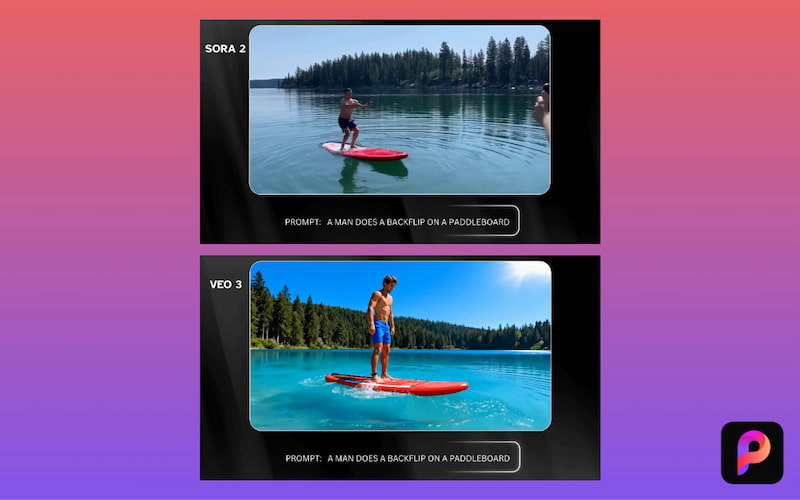
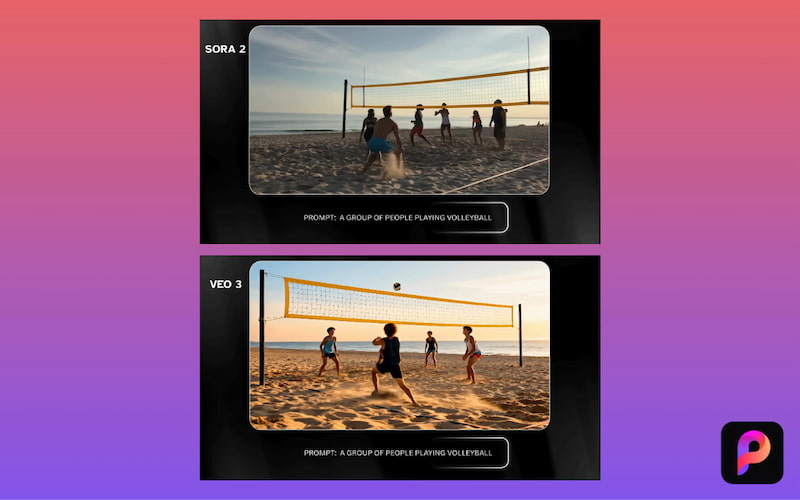
Veo, particularly Veo 3, leads in pure visual fidelity and realism. It produces cinematic video outputs that closely resemble professionally shot footage, supporting higher resolutions with smoother motion, parallax depth, and film-like lighting. In contrast, while Sora excels at creative storytelling, visuals and narrative coherence, its resolution is currently capped at 1080p.
Text Understanding and Prompt Complexity:
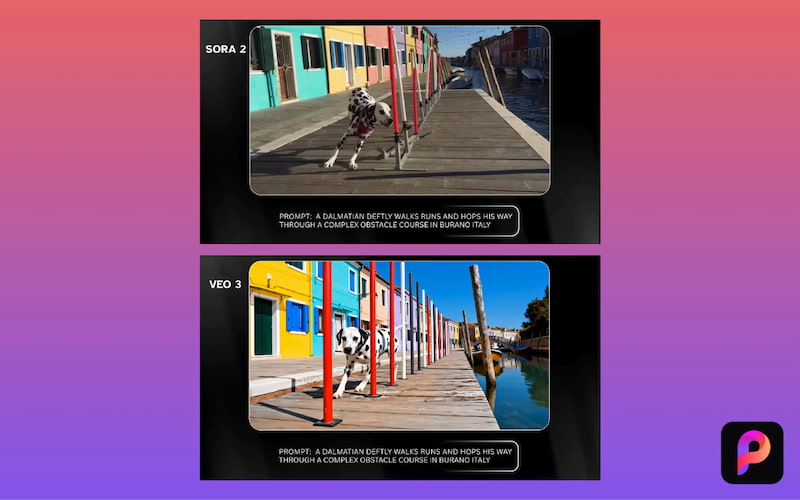
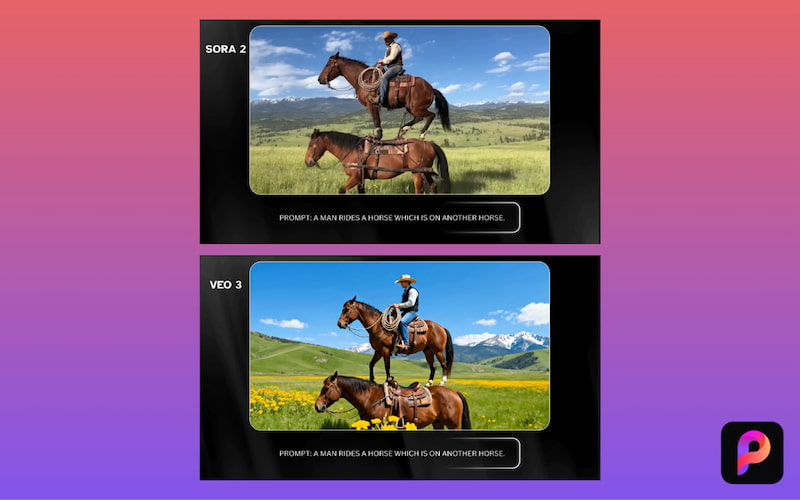
Sora vs Veo diverge in how they interpret text prompts and complex narrative instructions. Sora shines at adhering to creative, layered prompts, especially those involving multi-shot sequences. Veo, on the other hand, is often described as being more literal and controlled in its interpretation.
If you have no idea about the prompts, try the AI video prompts here.
Audio Effects and Storytelling:
Veo features native audio generation, allowing it to produce synchronized dialogue, environmental sounds, and music within the same render. While Sora’s earlier versions lacked built-in audio, requiring creators to add soundtracks separately, newer iterations have introduced integrated audio and synchronized speech generation.
Generation Efficiency and Stability:
Veo delivers fast generation for short clips and produces stable results that align closely with detailed prompts; however, the high computational demands of 4K can slow render times. Conversely, Sora emphasizes throughput and adaptability, generating longer clips at high speeds. Its built-in editor tools also help accelerate the process without the need for external software.
Max Resolution: Sora 2 (1080p) vs. Veo 3.1 (4K Native).
Native Audio: Sora (Dialogue-focused) vs. Veo (Cinematic/Atmospheric).
Workflow: Sora (Cameos/iOS App) vs. Veo (Google Flow/API/Ingredients-to-Video).
Price Comparison
In this section, we’ll cover and compare Veo vs Sora pricing. This way, you can understand how much each costs, the pricing models available, and the kinds of usage plans. We’ll break down what’s available now and how the costs compare between Sora (from OpenAI) and Veo (from Google):
When deciding between Veo vs Sora, it helps to evaluate them on clear, practical metrics. Below are important metrics, each explained in detail, to guide your decision:
Pricing and Cost Efficiency:
Evaluate the cost structures of both platforms. Sora typically utilizes tiered subscription plans based on video length and features, whereas Veo often employs a pay-per-clip or per-minute model based on resolution. For high-volume production, determine which model offers the best ROI for your budget.
Ease of Use and Learning Curve:
Assess the user experience of each tool. Sora’s intuitive interface and simple prompting are ideal for beginners. In contrast, Veo provides granular control over scenes and audio, which may require a steeper learning curve but offers more precision.
Integration and Export Options:
Consider how each platform aligns with your existing workflow. Veo is built for professional ecosystems, offering API access and software integration. Sora is optimized for speed, providing direct exports to social media.
Community and Support:
Reliable support can significantly reduce downtime. Sora offers extensive tutorials and community forums for general users, while Veo focuses on technical documentation and enterprise-grade support for agencies.
Best Alternatives – Picwand AI
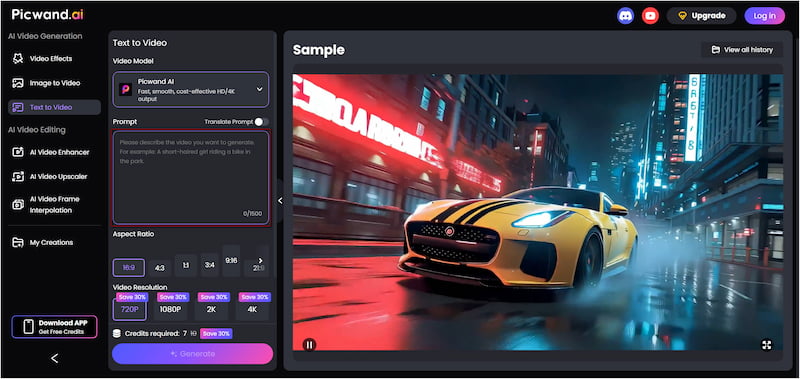
Picwand AI Text-to-Video Generator is a strong alternative to Sora and Veo. While it is also a generative AI tool, it produces more accurate and realistic results. It is a powerful AI tool that transforms your text prompts directly into high-quality video clips. You can describe a scene in detail, and it will convert your words into accurate visuals. It supports up to 1,500 characters per prompt and generates videos up to 10 seconds long. Additionally, you can choose from a wide range of aspect ratios, such as 16:9, 9:16, 1:1, 4:3, 3:4, and more. For export quality, you can save videos in 720p, 1080p, 2K, and 4K.
Why Choose Picwand AI Text-to-Video Generator:
Exports videos in 720p, 1080p, 2K, and 4K quality.
Turns natural language descriptions into dynamic video clips.
Accepts text in various languages and auto‑detects language.
Allows long, detailed text prompts for more accurate scene generation.
Supports formats like 16:9, 9:16, 1:1, 4:3, 3:4, etc., for different platforms.
Verdict:
Sora is strong at turning detailed story ideas into compelling videos with smooth motion and coherent scenes. Meanwhile, Veo stands out for cinematic motion and built-in sound and tends to feel more like a complete production tool. However, Picwand AI Text-to-Video Generator is a strong alternative that stands out for user simplicity and flexibility. It supports longer prompts and video duration, multiple aspect ratios, and a wide range of resolutions.
CONCLUSION
When it comes to Sora vs. Veo, both platforms offer impressive AI-generated video capabilities. However, they serve slightly different purposes. Sora excels at narrative-driven storytelling, with smooth scene continuity and creative interpretation of prompts. Veo, on the other hand, stands out for cinematic visuals, realistic motion, and built-in audio. For creators seeking a flexible, user-friendly alternative that delivers high-quality output, the Picwand AI Text-to-Video Generator is a great option. With support for multiple resolutions, longer clip durations, and detailed prompts, it lets you generate videos quickly and efficiently.