Basic PlanVIP PlanVIP ExpiredPurchased credits are valid for life but require an active VIP subscription to use
0Credit(s)
You can use credits to access all the AI tools on Picwand, such as the AI Image Upscaler, AI Age Filter, AI Video Enhancer, AI Video Upscaler, AI Video Effects, and more.
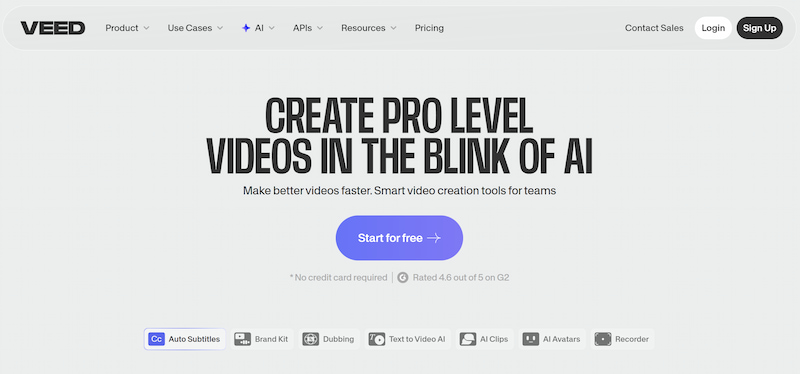
Online video editing tools have become essential for marketers, educators, influencers, and business owners. With social platforms demanding constant video output, creators are searching for tools that are powerful yet easy to use. One platform that frequently appears in search results is Veed.io AI video generator. Promoted as an all-in-one online video editor with AI capabilities, it promises everything from subtitle generation to screen recording and collaborative editing. But does it truly deliver value for money? Are the AI tools advanced enough to compete in 2026? And is there a better alternative for creators who prioritize visual quality and efficiency? This in-depth Veed.io review explores its core features, pricing structure, real user feedback, and why Picwand may be a smarter solution for many creators.
Veed.io is a browser-based video editing platform designed to simplify video production for individuals and teams. Unlike traditional desktop software, Veed.io operates entirely online, meaning users can edit videos without installing heavy programs.
The platform is especially popular among:
• Social media marketers
• YouTube creators
• Online educators
• Remote teams
• Startup founders
Veed.io markets itself as a fast, collaborative, AI-powered editing tool that helps users create professional videos with minimal technical knowledge.
Part 2. Veed.io Key Features
Key Features
1. Online Video Editor
The drag-and-drop timeline interface of Veed.io image to video is intuitive and beginner-friendly. Users can:
• Trim and split clips
• Add transitions
• Insert text overlays
• Apply filters
• Adjust audio levels
Because it's cloud-based, projects can be accessed from anywhere, making it convenient for distributed teams.
2. AI Auto Subtitles
One of Veed.io AI text to video’s most promoted features is automatic subtitle generation. The AI detects speech and converts it into captions within minutes.
Benefits include:
• Multiple language support
• Customizable subtitle styles
• SRT file export
However, accuracy depends on audio clarity. Background noise can reduce transcription precision.
3. Screen & Webcam Recording
Veed.io AI allows users to record:
• Screen only
• Webcam only
• Screen + webcam
This makes it popular for tutorials, product demos, and online courses.
4. AI Tools and Templates
Recent updates introduced AI tools for:
• Script assistance
• Background removal
• Text-to-speech
• Stock media suggestions
While helpful, these tools often rely on existing assets rather than fully generative AI models.
5. Collaboration Features
Team plans allow shared workspaces, commenting, and brand kits. This is especially useful for agencies and marketing teams handling client projects.
Veed.io Pricing
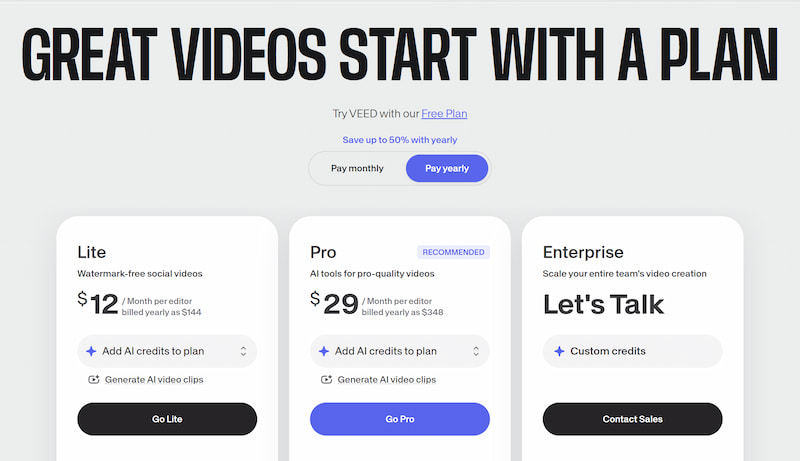
Veed.io follows a subscription-based pricing model. Although exact numbers may vary by region and promotions, its structure typically includes:
• Free Plan – Limited exports, watermarks, basic tools
• Lite Plan – More export quality options, limited AI features
• Pro Plan – Full HD exports, AI tools, brand kit access
• Business Plan – Team collaboration, priority support
Many users report that while the free plan is useful for testing, serious creators quickly need a paid tier to remove watermarks and unlock higher resolution exports.
For freelancers, the pricing can feel reasonable. For larger teams, subscription costs may accumulate quickly.
Reviews and Feedback
User opinions about Veed.io AI video generator are mixed but generally positive among beginners.
Common Positive Feedback
• Easy to learn
• No software installation required
• Good subtitle automation
• Clean user interface
• Suitable for quick social media videos
Common Complaints
• Slow rendering for large projects
• Occasional browser lag
• Limited advanced editing controls
• Watermarks on free version
• AI features not as advanced as expected
Some users also note that when working with longer 4K videos, performance can decline compared to desktop editing software. For better results, you are recommended to refer to AI prompt examples.
Overall, Veed.io receives praise for accessibility but faces criticism from professional editors seeking deeper creative control.
Pros and Cons
Category
Pros
Cons
Ease of Use
Beginner-friendly interface
Limited advanced editing tools
Accessibility
Fully online, no download required
Dependent on internet speed
AI Features
Auto subtitles, text-to-speech
Not fully generative AI
Collaboration
Team workspaces available
Higher plans required for teams
Pricing
Free plan available
Watermark & feature limits on free tier
Performance
Good for short videos
Slower with large 4K files
This comparison highlights that Veed.io excels in simplicity but may not fully satisfy creators looking for high-end AI creativity and advanced control.
Part 3. Best Veed.io Alternative
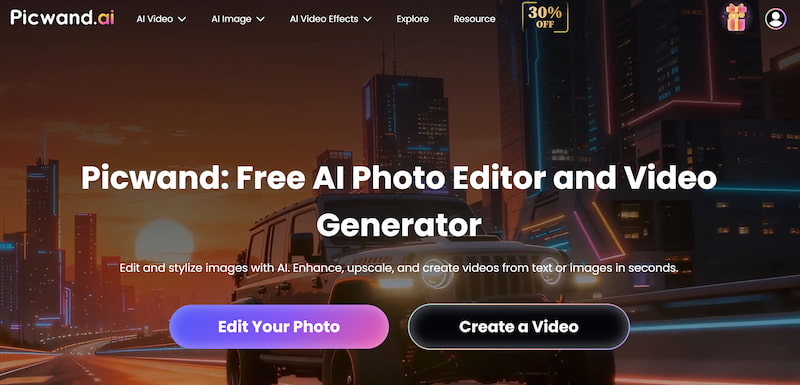
While Veed.io focuses primarily on timeline-based editing and subtitles, Picwand AI Text-to-Video Generator emphasizes AI-driven visual enhancement and intelligent media processing. For many creators, especially marketers and e-commerce sellers, image quality and branding consistency are just as important as editing features.
Features
• AI image enhancement and upscaling
• Background removal with high precision
• Object and photo retouching tools
• Smart restoration of low-resolution visuals
• Fast processing with high-quality export
Instead of relying heavily on stock templates, Picwand helps creators generate polished, brand-consistent visuals before integrating them into video workflows.
This is especially useful for:
• Product showcase videos
• Social media ads
• Thumbnail optimization
• E-commerce content
• Promotional campaigns
By improving visual quality at the source, creators can produce sharper, more professional-looking video content. If your main goal is quick subtitle generation and simple timeline editing, Veed.io performs well as an accessible online solution. Best AI prompt generator help you get better results.
However, if your workflow depends heavily on visual quality, AI enhancement, and brand refinement, Picwand provides a stronger advantage. It focuses on improving the raw visual assets that make videos stand out. In 2026, content competition is fierce. Higher image clarity and polished visuals often determine engagement rates. Picwand addresses this demand directly.
Part 4. FAQs about Veed.io Reviews
Is Veed.io free to use?
Yes, Veed.io offers a free plan, but exported videos include watermarks and limited resolution.
Does Veed.io support 4K export?
Higher-tier plans typically allow HD or 4K export, but performance may vary depending on project size.
Is Veed.io suitable for professional filmmakers?
It may not replace advanced desktop software for high-end cinematic projects, but it works well for online marketing content.
Conclusion
That is all about Veed.io review. Veed.io has established itself as a convenient, browser-based video editing solution. Its auto-subtitle feature, clean interface, and collaborative tools make it appealing for beginners and small teams. However, its AI capabilities remain relatively surface-level compared to emerging intelligent creative platforms. As content standards continue rising in 2026, creators must consider whether simple editing is enough.
For those seeking sharper visuals, smarter enhancement, and stronger brand presentation, Picwand AI Text-to-Video Generator stands out as a compelling alternative. By elevating the quality of visual assets before they enter the editing stage, it helps creators produce more competitive and professional content in an increasingly demanding digital landscape.