Basic PlanVIP PlanVIP ExpiredPurchased credits are valid for life but require an active VIP subscription to use
0Credit(s)
You can use credits to access all the AI tools on Picwand, such as the AI Image Upscaler, AI Age Filter, AI Video Enhancer, AI Video Upscaler, AI Video Effects, and more.
From experimental demonstrations to useful tools for creators, marketers, and companies, AI video creation has advanced quickly. Google's most recent development in generative video technology, Veo 2 VS Sora, is one of the most talked-about platforms right now. Both seek to turn text suggestions into excellent films, but they take somewhat different approaches to control, creativity, and usability.
For users trying to decide between Sora VS Veo 2 AI generated videos, the choice is not simply about video quality. Factors such as resolution, creative flexibility, workflow efficiency, and parameter control play an equally important role. Moreover, many users are also looking for accessible alternatives that provide stable output without high technical barriers.
This article offers a clear contrast between Veo 2 and Sora, followed by an introduction to Picwand AI, a text and image to video tool designed for users who value simplicity, speed, and consistent results.
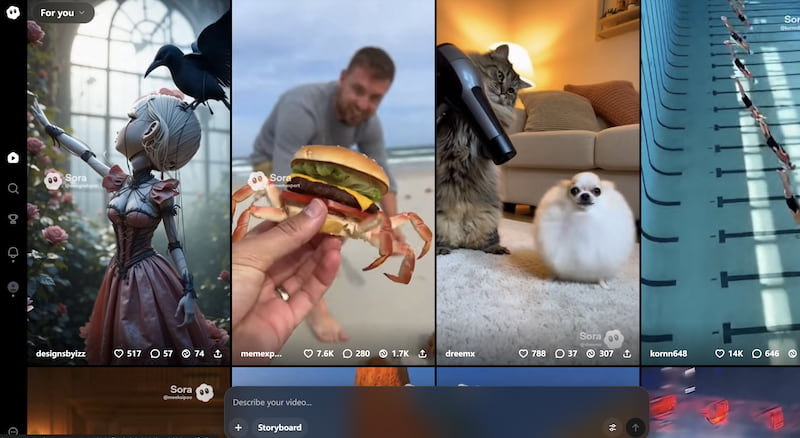
Sora AI is an advanced text-to-video model developed by OpenAI. From experimental demonstrations to useful tools for creators, marketers, and companies, AI video creation has advanced quickly. Google's most recent development in generative video technology, Veo 2 VS Sora, is one of the most talked-about platforms right now. Both seek to turn text suggestions into excellent films, but they take somewhat different approaches to control, creativity, and usability.
Sora is particularly known for:
• Cinematic motion
• Realistic lighting and depth
• Complex scene understanding
However, Sora is currently limited in public availability, making it more of a preview into future AI video capabilities than a fully accessible production tool.
What Is Veo 2 AI?
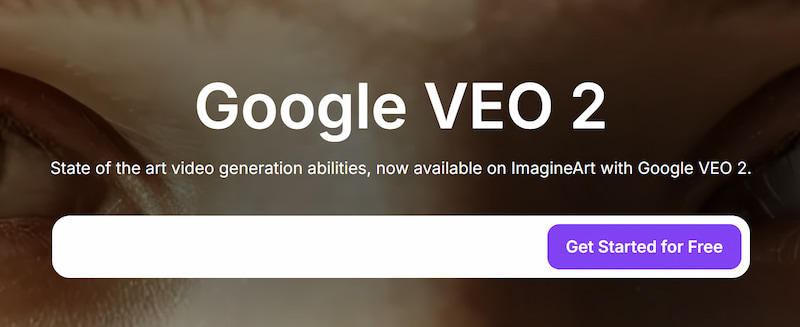
Veo 2 is Google’s next-generation AI video model, positioned as a competitor to Sora. It focuses on high-resolution output, creative diversity, and better alignment with user prompts. Veo 2 is designed to integrate with Google’s AI ecosystem, making it appealing for professionals already using Google tools.
Key strengths of Veo 2 include:
• Support for high-definition and cinematic formats
• Improved prompt adherence
• Strong creative style variation
These AI image models are quite convenient. While Veo 2 aims to be more creator-friendly than earlier models, access remains restricted, and its workflow can feel complex for beginners.
Features & Performance Comparison of Veo 2 VS Sora
1. Video Resolution
Sora AI
Sora delivers visually rich videos with impressive realism. Although exact resolution limits are not always publicly stated, its outputs are optimized for cinematic quality rather than standardized formats.
Veo 2 AI
High-resolution output, including 1080p and higher, is specifically supported by Veo 2. Because of this, it is more suited for branded content, advertising, and professional marketing.
While Sora places more emphasis on visual authenticity than format uniformity, Veo 2 provides more precise resolution specs.
2. Creative Output
Sora AI
Natural motion, realistic physics, and emotionally compelling situations are among Sora's strong points. It excels in cinematic scenes, character-driven material, and storytelling.
Veo 2 AI
Veo 2 tends to be more creatively versatile. It can handle a variety of genres, from semi-realistic film to animated images, making it appropriate for a wide range of creative requirements.
Veo 2 offers more artistic versatility, but Sora is best for realism and narrative flow.
3. UI & Ease of Use
Sora AI
Sora’s interface is minimal but not widely available. Users often rely on prompt experimentation rather than fine-tuned controls.
Veo 2 AI
Veo 2 offers a more structured interface but may feel overwhelming for users unfamiliar with technical parameters.
Neither tool is truly beginner-friendly, especially compared to consumer-focused AI video platforms.
4. Parameter Control
Sora AI
Sora prioritizes natural language prompts over manual controls. While this simplifies usage, it limits precise customization.
Veo 2 AI
Veo 2 provides more granular control over style, motion, and framing, appealing to advanced users.
Veo 2 wins for customization; Sora favors simplicity.
5. Efficiency & Workflow
Sora AI
Generation times can be long due to model complexity. Iterative refinement often requires multiple prompt adjustments.
Veo 2 AI
Veo 2 improves generation speed and consistency but still requires technical understanding for optimal results.
Both tools are powerful but not optimized for fast, everyday content production.
Part 2. Advanced AI Video Generation: Picwand
While Veo 2 and Sora showcase the future of AI video, many users need a practical, accessible solution today. This is where Picwand AI stands out.
What Is Picwand AI Text/Image to Video?
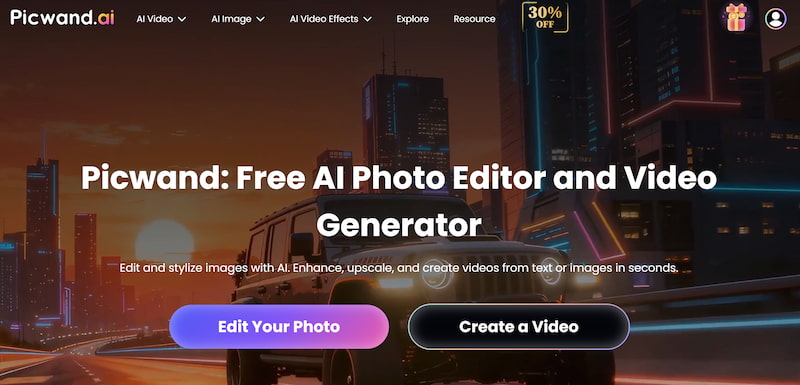
Picwand AI Text-to-Video Generator is a user-friendly platform that transforms text prompts or static images into engaging videos. Unlike experimental models, Picwand focuses on stability, speed, and ease of use, making it suitable for marketers, educators, and content creators.
Key Features
• Text to video conversion
• Image to video animation
• Simple, intuitive interface
• No advanced technical knowledge required
• Consistent output quality
How to Use Picwand AI
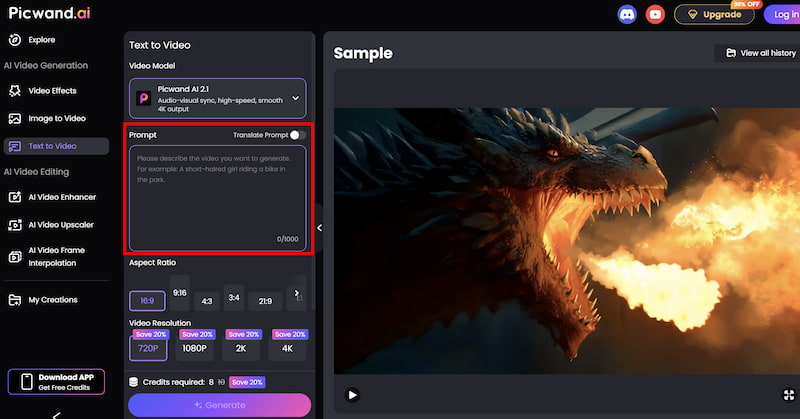
Step 1. From the main dashboard, choose the Text-to-Video Generator option. This tool allows you to generate short video clips purely from written descriptions.
Step 2. Enter your text prompt by describing the scene you want to create using natural language. You can specify elements such as environment, mood, movement, and visual style. For example, you might describe a cinematic landscape, a product showcase, or a short animated concept.
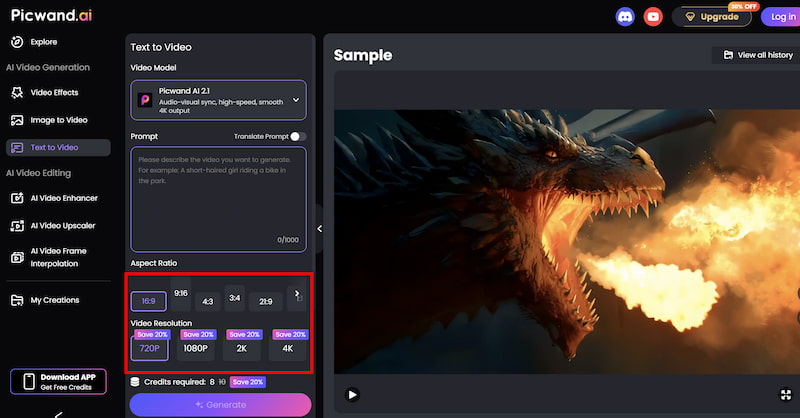
Step 3. Before generating the video, you can fine-tune settings such as Aspect Ration, Video Resolution, etc. These options help tailor the output to social media, marketing, or presentation needs.
Step 4. Once your prompt is ready, click the generate button. Picwand processes the request and produces a preview video within a short time, allowing you to review the result instantly. If you are satisfied with the output, you can export the video directly.
Results You Can Expect
Compared with experimental tools like Sora and Veo 2, Picwand delivers:
• Faster turnaround
• Predictable output
• Lower learning curve
• Practical formats for everyday use
For users focused on content efficiency rather than experimentation, by using correct AI video prompt, Picwand offers a balanced alternative.
Part 3. FAQs about Veo 2 VS Sora
Is Sora AI available to the public?
Currently, Sora AI has limited access and is not widely available for general users.
Is Veo 2 better than Sora?
Neither is objectively better. Sora excels in realism, while Veo 2 offers higher resolution and more control.
Which tool is best for beginners?
Picwand AI is the most beginner-friendly option among the three.
Conclusion
Veo 2 VS Sora AI represent two different perspectives on AI video production: Veo 2 focuses on resolution, creative freedom, and professional control, while Sora pushes the boundaries of realism and cinematic narrative. Nevertheless, access and complexity continue to limit both. Picwand AI Text-to-Video Generator bridges the gap between innovation and practicality for users who require dependable, quick, and user-friendly AI video tools. By providing intuitive text and image to video features, Picwand allows creators to turn ideas into videos without waiting for experimental platforms to become widely used.