Basic PlanVIP PlanVIP ExpiredPurchased credits are valid for life but require an active VIP subscription to use
0Credit(s)
You can use credits to access all the AI tools on Picwand, such as the AI Image Upscaler, AI Age Filter, AI Video Enhancer, AI Video Upscaler, AI Video Effects, and more.
Do you struggle with low-resolution, pixelated footage? You need video upscaling software to increase its resolution, reduce noise, sharpen edges, and reconstruct details.
You may search for an MP4 video upscaler online for quick and easy video enhancements. You can select an AI-powered tool to transform your low-resolution footage into high-definition content quickly. This article gives you five recommendations to upscale your videos.
An MP4 video upscaler is an AI-powered video enhancement tool that increases video resolution while preserving or improving image quality. It uses artificial intelligence to sharpen details, reduce noise, and restore clarity in low-resolution MP4 videos. Besides MP4, this upscaler often supports upscaling videos in other commonly used formats like MOV, AVI, FLV, and MKV. An MP4 video upscaler is designed to turn low-resolution or blurry videos into clearer, more detailed ones. Its goal is to upscale videos for better viewing on higher-resolution displays.
Part 2. Top 5 MP4 Upscalers to Increase Video Quality
Whether you need a free online MP4 video upscaler or professional desktop software, the following tools offer reliable AI-powered video enhancement for different budgets and experience levels. Here are five top-rated MP4 upscalers for you to choose from.
How We Tested These MP4 Video Upscalers
We compared each MP4 video upscaler based on AI enhancement quality, output resolution, processing speed, ease of use, supported formats, pricing, and overall value. We also evaluated how effectively each tool restored blurry, low-resolution MP4 videos while preserving natural details.
Picwand: Best Free Online MP4 Video Upscaler
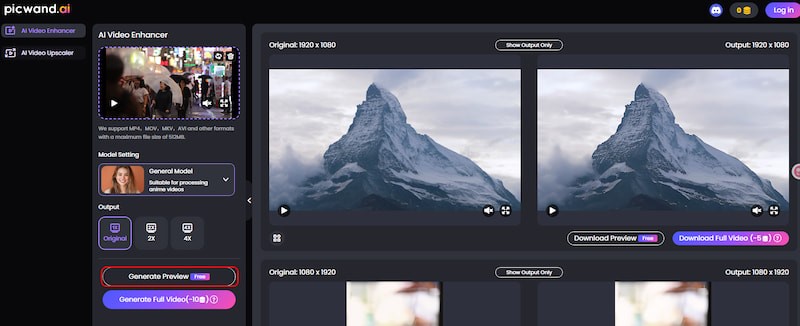
If you prefer a web-based MP4 video upscaler to quickly increase resolution without downloading any software, installation file, or plug-in, Picwand AI Video Upscaler is a highly recommended option. It uses advanced AI models for accurate video upscaling tasks. This online MP4 upscaler is ideal for casual users to boost low-resolution videos.
Pros
AI-driven video upscaling up to 4K/5K/8K resolution
Sharpen edges, reduce noise, add and reconstruct details
Easy, quick video upscaling and enhancement
Support multiple input formats like MP4, MOV, AVI, etc.
Cons
Limited advanced customization options for professionals
Need to collect credits to upscale MP4 videos for free
Repairit AI Video Enhancer: Best for Repairing Damaged MP4 Videos
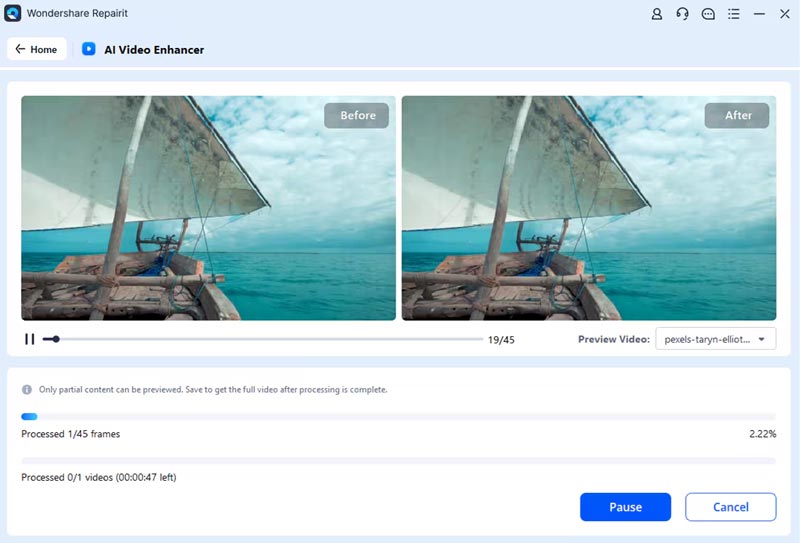
Wondershare Repairit AI Video Enhancer is a famous tool for repairing and enhancing videos. If you are dealing with some blurry, low-resolution, and damaged MP4 videos, it is particularly helpful. This MP4 upscaler offers a one-click way to increase your video resolution to 1080p or 4K. It also carries several enhancement functions to sharpen, denoise, and stabilize videos.
Pros
Support 4X video upscaling
Advanced AI algorithms to upscale MP4 videos
Offer several video repair and enhancing features
Cons
Annoying ads pop up on the screen repeatedly
The free version has various limitations.
VideoProc Converter AI: Best All-in-One MP4 Video Upscaler
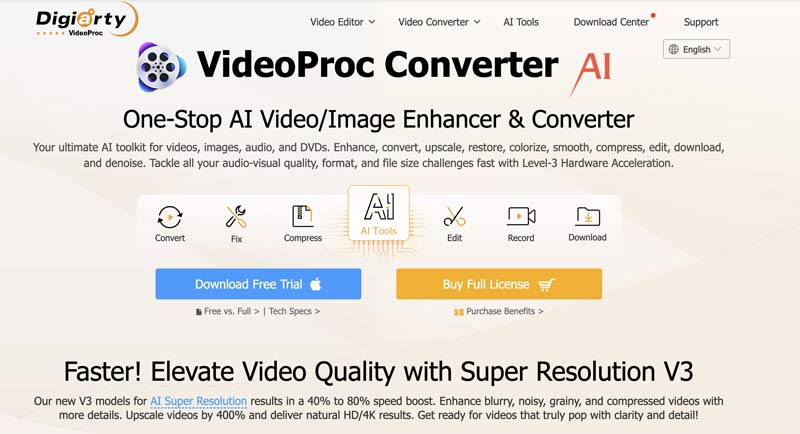
VideoProc Converter AI is an all-featured video processing tool that combines conversion, fixing, compressing, recording, editing, and downloading features. It brings new V3 models for super-resolution results using AI. It lets you easily upscale blurry, grainy, or compressed MP4 videos to natural HD/4K results.
Pros
AI Super Resolution for upscaling MP4 videos up to 4K
All-in-one toolbox for video editing, conversion, compression, and more
Support hardware acceleration for faster processing
Cons
Too many functions might be overwhelming for users who only want upscaling
AI upscaling can be resource-intensive
Topaz Video AI: Best Professional MP4 Video Upscaler
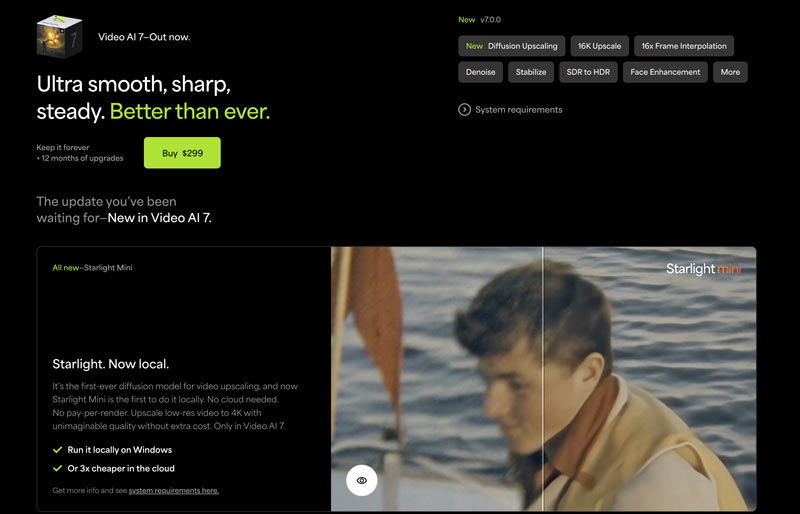
Topaz Video AI is a professional-grade video upscaling program. It uses advanced deep learning to upscale videos and output exceptional results. This MP4 video upscaler is mainly designed for professionals. Its current Video AI 7 version adopts the latest AI models for upscaling, deinterlacing, motion interpolation, and more. It can upscale low-resolution videos to 8K with more details.
Pros
Upscale MP4 videos up to 8K resolution
Support batch processing and customizable AI settings
Advanced AI models for high-quality outputs
Various customization options for professionals
Cons
Expensive for most casual users
The steep learning curve for beginners
Require a powerful computer
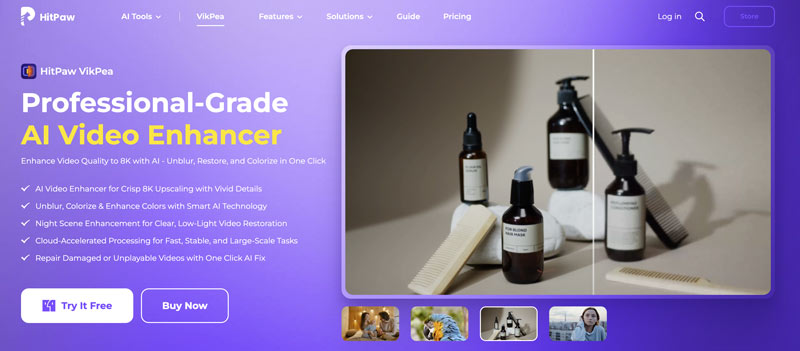
HitPaw VikPea AI Video Enhancer: Best MP4 Upscaler for Beginners
HitPaw VikPea AI Video Enhancer can upscale videos, images, and even GIFs. It is mainly used for users to quickly enhance media quality. The AI Video Enhancer allows you to turn low-quality videos into 4K and even 8K with vivid details. It provides several enhancement features to enhance, unblur, and colorize your videos using AI. Like Repairit, HitPaw VikPea can repair unplayable or damaged videos.
Pros
Multiple AI models for different upscaling and enhancement needs
Upscale up to 8K with more details
Cloud-accelerated processing for fast, stable upscaling
Fast processing with GPU support
Cons
The free trial has limited features and watermarks
Some AI models may not work equally well for all types of videos.
How to Choose an MP4 Video Upscaler
• Choose Picwand AI if you want fast online enhancement.
• Choose HitPaw VikPea for beginner-friendly desktop AI upscaling.
• Choose Topaz Video AI if professional-quality output is your priority.
• Choose VideoProc Converter AI if you also need conversion and editing features.
• Choose Repairit if your videos are blurry or damaged.
Part 3. FAQs of MP4 Video Upscaler
Question 1. What is the best way to upscale MP4 videos with great results?
You should select the best MP4 video upscaling method based on your needs. If you don’t have much editing experience, you can start with some AI-powered video enhancement tools. Compared to traditional editors, they offer a quick, straightforward way to increase the resolution of your video and improve its overall quality. In most cases, they can generate higher-quality results. Generally, you should avoid using VLC, HandBrake, or other basic editors to upscale MP4 videos, even if they are free. For professionals, dedicated Topaz Video AI can often deliver the best results. You can start with its trial version to test its upscaling functions.
Question 2. Are there free MP4 video upscalers that actually work?
Yes. Several free MP4 video upscalers can improve video quality, although they usually have limitations such as watermarks, resolution caps, or processing restrictions.
Question 3. Can Final Cut Pro upscale MP4 videos to 4K?
Yes, the powerful Final Cut Pro can upscale your MP4 videos to 4K. However, it uses traditional interpolation to increase the video resolution. The current Final Cut Pro versions don’t adopt AI for upscaling. To upscale a video to 4K in Final Cut Pro, you can easily import your MP4 file, set the Resolution to 4K, and then save the upscaled video. Compared to dedicated AI video enhancer or upscaler tools, Final Cut Pro has limitations.
Question 4. Which MP4 video upscaler is best for beginners?
If you want the easiest solution, Picwand AI and HitPaw VikPea provide simple AI-powered workflows that require little editing experience. Professional users may prefer Topaz Video AI for its advanced customization options.
Question 5. Can AI really improve blurry MP4 videos?
Yes. AI video upscalers can increase resolution, reduce noise, sharpen edges, and reconstruct missing details. While they cannot perfectly restore severely damaged footage, they usually deliver noticeably better results than traditional interpolation methods.
Summary
The best MP4 video upscaler depends on your budget, editing experience, and quality requirements. Picwand AI is ideal for quick online enhancement, HitPaw VikPea is beginner-friendly, VideoProc Converter AI provides an all-in-one workflow, Repairit focuses on repairing damaged videos, and Topaz Video AI delivers the highest-quality professional results. It lets you easily convert common or even blurry videos to high-resolution ones. For instance, you can rely on the introduced Picwand AI Video Upscaler to upscale your MP4 videos from 360p or 720p to 1080p and 4K. When choosing a video enhancer or upscaler, especially for these online tools, you should read reviews and start free trials if available.