Best Script to Video AI: Turn Written Ideas into Videos

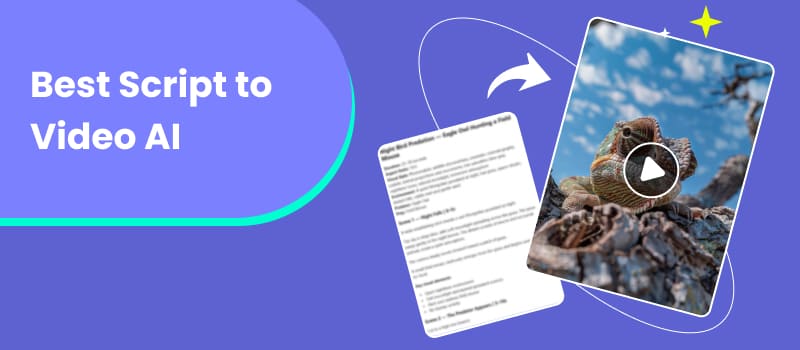
A well-written script is the backbone of most captivating videos, but getting those words to pictures can take hours. You need to pick the right footage, order the scenes, record the narration, add the music, produce the captions, and then combine all of it into one logical story. That process is easy using script-to-video AI tools. Rather than beginning with an empty timeline, you feed in a script, story or idea and watch as AI interprets the information, lays out scenes, generates or selects images and produces a first draft.
But not every AI video generator handles scripts equally well. Some are better for marketing videos, while others are designed around storytelling, stock footage, or quick social content. In this guide, we compare three best script-to-video AI tools—Picwand AI, InVideo AI, and Pictory—and explain what to look for before choosing a script-to-video tool.
Contents:
Part 1: What Is Script to Video AI?
Script-to-Video Definition
Script-to-video AI is a video creation technology that transforms written content into a video. The input can range from a detailed screenplay to a short product script or even a rough story idea. Instead of manually deciding what happens in every shot, the AI analyzes the text and translates its meaning into visual and audio elements. Depending on the platform, this can include:
- • Scene and shot creation
- • Design of characters and topics
- • Narration & Voiceover
- • Environmental music
- • Subtitles and captions
- • Transitions and simple editing
For example, a script reading, “A traveller walks through a quiet forest at sunrise,” could be translated into a scene with a traveller, woodland environment, pleasant morning light, and narration or music to match.
AI Story Workflow
Most script-to-video programs have a similar workflow:
- • Script Story analysis
- • Scene breakdown
- • Visual generation
- • Voiceover Editing Export
The difference is how much control each platform affords you at each stage. Picwand AI, the best free script-to-video AI, for example, can start with a simple idea and expand it into a structured narrative, including plot development, character design, and storytelling flow. Its Story to Video tool then breaks the story into scenes and creates a visual storyboard.
InVideo AI takes a more production-oriented approach. Its Script to Video workflow allows users to paste an existing script and specify preferences such as media type, music, subtitles, and language.
Pictory focuses heavily on turning written content into polished videos with stock media, narration, captions, and editing tools. Its current feature set includes Script to Video, Blog to Video, AI video editing, automatic captions, and video highlights.
Part 2: How to Choose Script to Video AI
The best script to video AI isn’t necessarily the one with the greatest feature list, but rather one that works for your workflow.
1. Understanding Scripts
First, assess how effectively the tool understands narrative context. A simple text-to-video creator may use each sentence as a separate trigger. A more powerful script tool would know people, locations, actions, tone and how scenes relate. This is very important for narrative. The last video can look a bit fragmented as the hero changes his appearance from one scene to the next, even if the individual films look spectacular.
2. Scene Generation
Look for tools that automatically divide a script into logical scenes rather than simply placing random stock clips behind your text. Ideally, the platform should match visuals to the meaning and mood of the script while giving you the ability to replace scenes manually. Automatic scene generation can drastically cut down on the time it takes to edit short-form footage. Narrative videos require much greater control of the storyboard and visual coherence.
3. Voice Over Support
Voiceover may totally affect the sense of a script on screen.
See if the platform has natural AI voices, various languages, voice customisation, or voice cloning. Also verify that the narration syncs automatically with the scenes.
For example, Pictory now offers AI voices via ElevenLabs on its subscription plans, with support for different languages.
4. Features of Editing
Creation with AI shouldn't imply losing creative control.
Useful editing capabilities include:
- • Scene replacement
- • Text and subtitle editing
- • Music adjustment
- • Voiceover replacement
- • Aspect-ratio changes
- • Timeline or text-based editing
- • Brand customization
The ideal platform gets you from script to first draft quickly while still letting you make the final creative decisions.
Part 3: Best Script to Video AI Tools
1. Picwand AI – Recommended
Best for: Creating story-driven videos, marketing content, and social media videos from simple ideas. Creators who wish to turn an idea or script into a visually organized story with little production effort. Refer to AI video prompt for more information.
Picwand AI Agent is a versatile AI video creation tool that helps turn ideas into complete visual content through natural conversations. Instead of manually writing scripts, planning scenes, and editing footage, users can simply describe what they want or upload reference images. The AI Agent understands creative instructions, helps write and refine scripts, and generates images and videos to bring ideas to life.
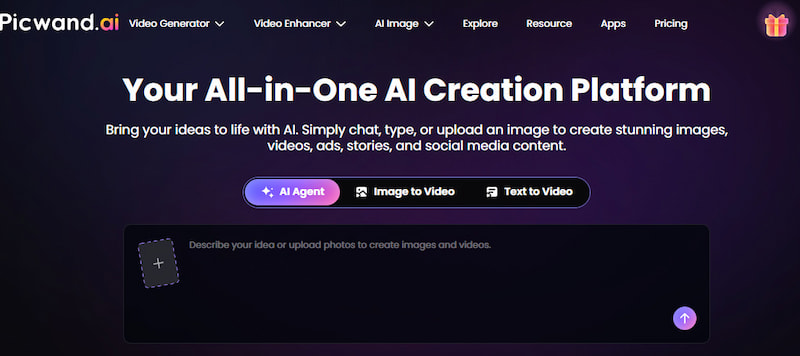
Whether you're creating brand advertisements, product videos, social media content, or visual stories, Picwand AI Agent offers a streamlined workflow that combines script development and visual generation in one place.
Features
- • Conversational AI video creation
- • AI-assisted script writing and editing
- • AI image generation
- • Text-to-video and image-to-video generation
- • Multiple creative models and visual styles
- • Support for marketing, storytelling, and social media content
- • Cross-platform availability
Benefits
- • Easy to use without professional video production experience
- • Turns simple ideas into structured scripts and visual content
- • Reduces the time spent on scriptwriting and content creation
- • Supports different creative needs, from storytelling to marketing videos
- • Allows users to refine their ideas through natural conversations
Cons
- Credit-based generation means heavy users may need to monitor their usage
- Achieving highly specific visual results may require refining prompts and instructions
Pricing
Picwand offers monthly, yearly, and perpetual VIP plans, along with additional credit packs. Pricing and available features may vary depending on the selected plan.
2. InVideo AI
Best for: Makers of explainer, social and commercial content, marketers and YouTubers.
InVideo AI, one of the best AI script-to-video generators, is a strong choice if your workflow begins with a finished script. Its current Script to Video workflow lets users provide their own script and define preferences for visuals, music, subtitles, language, and other elements.
The platform also supports a broad range of AI models and stock providers. Its current paid plans include access to more than 200 image, video, audio, and music models, as well as stock sources such as iStock and Storyblocks.
Features
- • Script-to-video generation
- • AI avatars and voice cloning
- • Stock media integration
- • AI video editing
- • Text-to-video generation
- • Automated subtitles
- • Multiple AI video models
Pros
- Strong all-in-one video production workflow
- Good choice for marketing and social media content
- Large range of media and AI models
- Allows direct use of an existing script
Cons
- Credit usage can become complex for frequent generation
- The large number of options may feel overwhelming to beginners
Pricing
Current paid plans include Plus at $17/month, Max at $85/month, and Generative at $170/month, with annual billing shown on the pricing page. Plan features and AI model costs can change, so check the current pricing page before purchasing.
The paid options now available include Plus at $17/month, Max at $85/month and Generative at $170/month, billed annually as per the pricing page. Plan features and pricing for AI models are subject to change. Please refer to the pricing page for the most up-to-date information before purchase.
3. Pictory
Best for: Users who already have scripts, articles, blogs, or educational material and want to turn them into videos efficiently. Refer to AI prompt examples for more information.
Pictory, one of the best AI tools to create video from a script, has long positioned itself around text-based video creation. Its platform supports Script to Video, Blog to Video, automatic captions, video highlights, and text-based editing. It is particularly useful when the goal is not cinematic storytelling but efficiently repurposing existing written content.
Features
- • Video to Script
- • Blog for Vid
- • Auto-generated captions
- • Voice Over AI
- • Stock Video & Photo Libraries
- • Video Editing with Text
- • Video recap
Pros
- Basic content repurposing process
- Strong stock-media library
- Good editing and caption tools
- Great for business and educational videos
Cons
- Less interested in creating fresh narratives than story generators are
- Advanced features may be included in higher plans
Pricing
Pictory now has a Starter package for $25/month when billed annually, and a Professional plan for $35/month when billed annually with higher monthly price. The platform also provides a free trial.
Part 4: How to Create Script Videos with Picwand AI
Creating a script video doesn't have to involve writing every scene or editing footage manually. With Picwand AI Agent, you can simply describe your idea, and the AI will help develop the script, generate visuals, and turn your concept into a video. Follow these steps to get started.
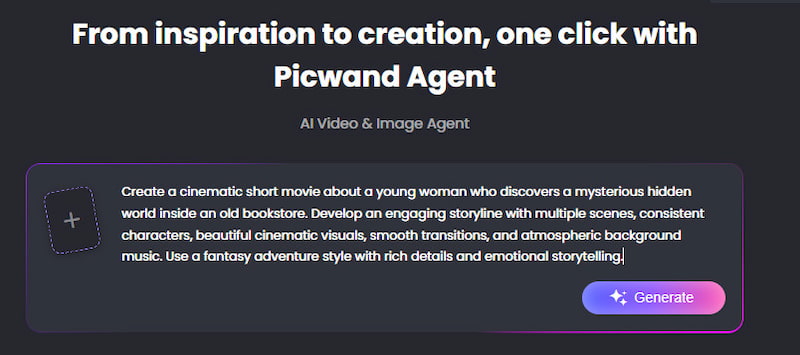
Step 1. Describe Your Video Idea
Open Picwand AI Agent and describe the video you want to create. You can enter a simple idea, outline your story, or upload reference images to help the AI understand your creative vision.
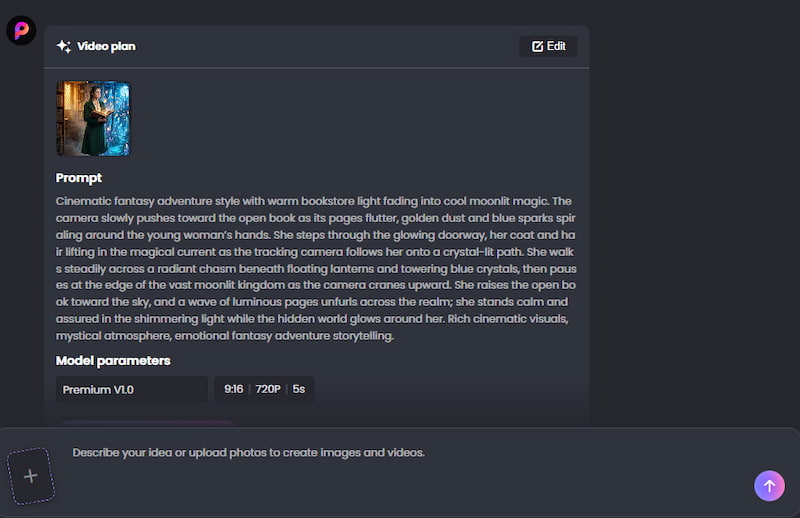
Step 2. Generate and Refine Your Script
Picwand AI Agent understands your instructions and helps write or refine your video script. You can continue chatting with the AI to adjust the storyline, characters, scenes, and other creative details until you're happy with the result.
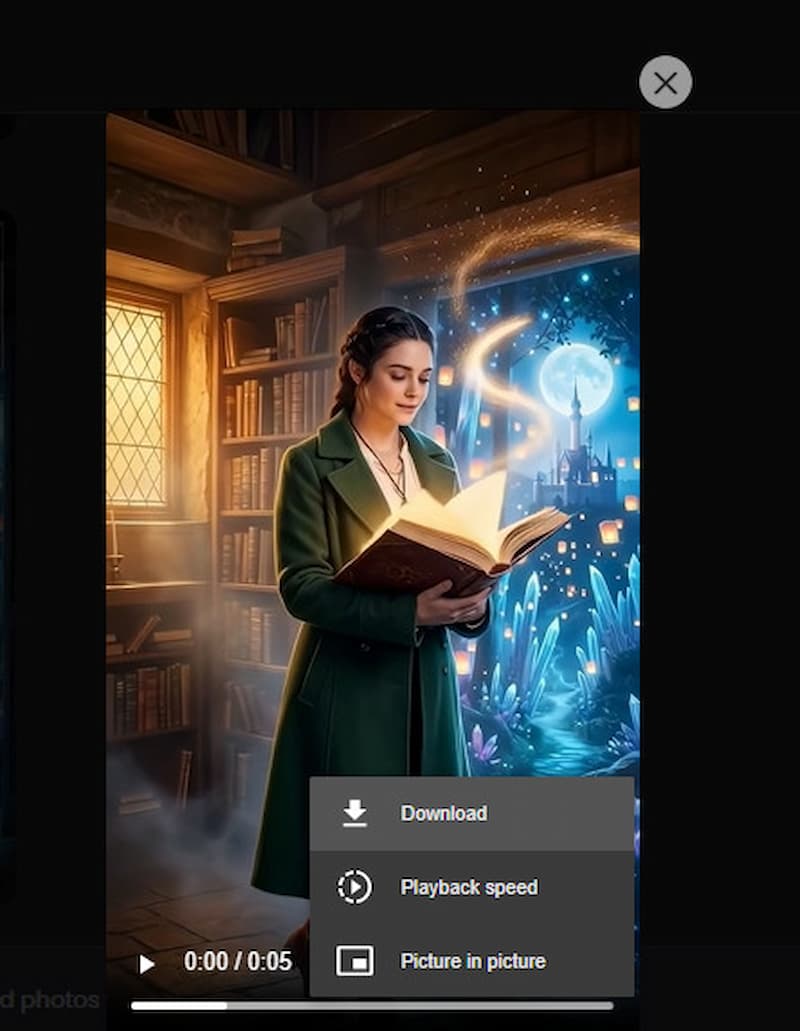
Step 3. Generate and Download Your Video
Once your creative direction is ready, let Picwand AI Agent generate the visuals and video. You can review the generated result and download your finished video.
Part 5: FAQs About Best Script to Video AI
What is the best script for video AI?
Picwand AI is a good pick if you are creating a story as it can turn a simple idea into a whole story and story board. Pictory is a good choice for text and content reuse, while InVideo AI is especially helpful for more general content development.
Could AI turn an entire script into a video?
Yes. Modern script-to-video software can take a text screenplay, break it into scenes, choose or create graphics, add voice-over, music and captions, and create a video. InVideo AI is able to use an existing script to generate a video.
Can I Make YouTube Videos From a Script?
Yeah. Script-to-video AI is especially helpful for YouTube explainers, tutorials, educational videos, storytelling content, and Shorts. You can auto-generate the initial draft, then refine the timing, images, captions and voices.
Is AI-generated video ready to be published directly?
Not always. Artificial intelligence can automate much of the production process, but human review is still vital. Before publishing, verify factual accuracy, pronunciation, scene continuity, character consistency, subtitles, and copyright implications.
Conclusion
That’s all about the best script-to-video AI. The best script-to-video AI depends on what you want to make. If you mainly need to transform articles and scripts into stock-based content, Pictory is worth considering. If you want a broad AI production environment for marketing, social media, and YouTube, InVideo AI offers a powerful toolkit. If your priority is turning an idea or script into a structured visual story, Picwand AI is our recommended option.
The biggest shift is that video creation no longer has to begin with a timeline. Start with the story, let AI handle the repetitive production work, and spend your time refining the ideas that make the final video worth watching.
AI Picwand - Anyone Can be A Magician
Get Started for Free