Basic PlanVIP PlanVIP ExpiredPurchased credits are valid for life but require an active VIP subscription to use
0Credit(s)
You can use credits to access all the AI tools on Picwand, such as the AI Image Upscaler, AI Age Filter, AI Video Enhancer, AI Video Upscaler, AI Video Effects, and more.
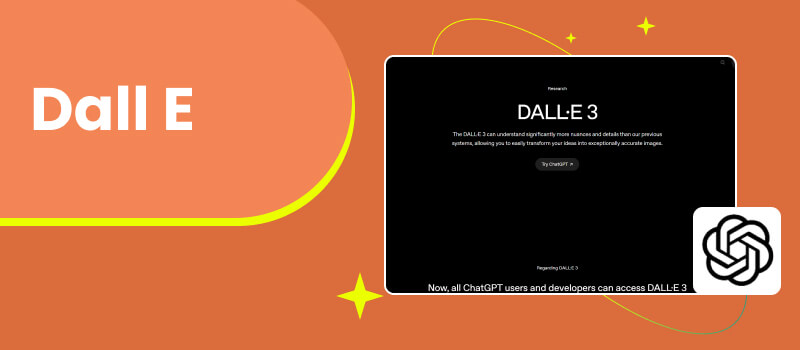
AI-generated images have rapidly moved from experimental tech to everyday creative tools. Designers, marketers, content creators, and even casual users now rely on AI image generators to visualize ideas, produce marketing assets, and speed up creative workflows. Among the earliest and most recognizable names in this space is DALL-E, an AI model developed by OpenAI that turns text descriptions into images.
Since its initial release, DALL-E image generator has gone through multiple iterations and gained widespread attention for its ability to generate imaginative, sometimes surreal visuals. However, as competition in the AI image generation market intensifies, many users are beginning to ask an important question: Is DALL-E still the best choice today?
In this comprehensive DALL-E review, we’ll explore how free DALL-E image generator works, how beginners can get started, and how it performs in real-world use cases. We’ll also evaluate its pricing, strengths, and limitations, before introducing a more advanced AI solution for users who want to go beyond static images.
DALL-E is an AI image generation model created by OpenAI. Its core function is simple in theory: users input a text prompt, and the system generates images that match the description. In practice, however, this process relies on sophisticated machine learning techniques.
How DALL-E Works
DALL-E image generator is built on a transformer-based architecture similar to large language models. Instead of predicting words, it predicts visual elements. The model has been trained on a massive dataset of text-image pairs, allowing it to understand the relationship between language and visual concepts.
When you enter a prompt like “a futuristic city at sunset in watercolor style,” DALL-E breaks the description down into concepts such as subject, environment, lighting, and artistic style. It then synthesizes these elements into a coherent image.
Key Capabilities
• Text-to-image generation
• Image variations and regeneration
• Basic image editing and inpainting
• Style interpretation based on descriptive language
DALL-E is particularly strong at interpreting natural language, making pictures high quality with no technical background.
Part 2. A Beginner’s Guide to Image Generation with DALL-E
For newcomers, DALL-E offers a relatively gentle learning curve. The interface is minimal, and users can start generating images within minutes.
Step 1.Write a Clear Prompt
The quality of your output depends heavily on your prompt. Beginners should focus on clarity and specificity. For example:
Vague: “a dog”
Specific: “a golden retriever wearing a red scarf, sitting in a snowy park, realistic photography style”
Including details about style, mood, lighting, and perspective can significantly improve results.
Step 2.Generate and Review
Once the prompt is submitted, DALL-E generates several image options. Users can review the outputs, regenerate results, or adjust the prompt to refine the image.
Step 3.Edit or Iterate
DALL-E allows limited editing, such as regenerating certain areas of an image. While useful, these tools are relatively basic compared to more advanced AI platforms.
Beginner Tips
• Use descriptive adjectives
• Specify art styles (e.g., oil painting, cinematic, anime)
• Avoid overly complex prompts at first
• Experiment with multiple iterations
Part 3. Comprehensive Review of DALL-E
Performance
DALL-E delivers solid performance for general image generation tasks. It excels at conceptual illustrations, stylized art, and imaginative scenes. For blog visuals, social media graphics, and creative brainstorming, it performs reliably.
However, users may notice limitations when generating:
• Highly realistic human faces
• Consistent characters across multiple images
• Complex scenes with precise details
In these cases, results can feel slightly artificial or inconsistent.
Ease of Use
One of DALL-E image generator’s strongest advantages is usability. The interface is clean, and the learning curve is minimal. Even first-time users can produce usable images quickly and change low quality image to high quality.
That said, advanced users may feel constrained by the lack of fine-grained controls such as seed locking, advanced parameter tuning, or layered editing.
Pricing
DALL-E typically operates on a credit-based or subscription-based model (depending on region and platform integration). While pricing is reasonable for casual use, frequent creators may find costs adding up over time—especially when generating multiple iterations.
Compared to newer competitors, DALL-E’s pricing can feel less flexible for power users who need high-volume output.
Pros
Easy to use
Strong text-to-image understanding
Suitable for beginners
Clean, intuitive interface
Cons
Limited advanced controls
Inconsistent realism in some outputs
No native video generation
Less competitive for professional workflows
Part 4. Bonus: Advanced AI Video Model – Picwand
While DALL-E image generator remains a solid choice for static image generation, modern content creation often demands more. Marketers, educators, and creators increasingly need motion, video, and multi-format output—areas where traditional image-only tools fall short.
This is where Picwand stands out.
Picwand AI Text-to-Video Generator is an advanced AI creative platform designed not only for image generation but also for AI-driven video creation. Unlike DALL-E, which focuses primarily on still images, Picwand allows users to transform text, images, and ideas into dynamic visual content.
Key advantages of Picwand include:
• AI text-to-video generation
• Image-to-video animation
• Enhanced visual consistency
• User-friendly workflow for non-designers
• Ideal Use Cases
• Social media video content
• Marketing campaigns
• Product demos
• Educational visuals
• Short-form video creation
For users who feel limited by static images or want to expand into video without complex editing software, Picwand AI Text-to-Video Generator offers a more future-ready solution.
FAQs about Dall-E
Is DALL-E good for commercial use?
Yes, generated images can typically be used commercially, but users should always review the latest usage terms.
Can DALL-E generate videos?
No. DALL-E focuses on static images only. Users needing video content should consider tools like Picwand.
Is DALL-E better than other AI image generators?
It depends on your needs. DALL-E is beginner-friendly, but advanced users may prefer platforms with more control and multimedia capabilities.
Conclusion
DALL-E remains a well-known and accessible AI image generator that performs well for basic and intermediate creative tasks. Its strength lies in ease of use and natural language understanding, making it a solid entry point for AI-generated visuals. However, as content demands evolve, many users now require more than static images. For those seeking advanced creative workflows—especially AI-powered video generation—Picwand AI Text-to-Video Generator offers a compelling next step.
In today’s fast-moving AI landscape, the best tool isn’t just the most famous one, but the one that matches your creative goals. DALL-E may be a good start, but platforms like Picwand represent where AI content creation is heading next.