Basic PlanVIP PlanVIP ExpiredPurchased credits are valid for life but require an active VIP subscription to use
0Credit(s)
You can use credits to access all the AI tools on Picwand, such as the AI Image Upscaler, AI Age Filter, AI Video Enhancer, AI Video Upscaler, AI Video Effects, and more.
Qwen vs Flux comes down to precision versus speed. Qwen is best for accurate, structured outputs, while Flux AI excels in fast, visually appealing image generation. For best results, use Picwand AI Photo Editor to refine, enhance, and finalize your generated images into polished, professional-quality visuals ready for use.
When you look at today's AI image generators, two names quietly gaining traction are Qwen and Flux AI. They come from very different directions, but both are advancing image generation in their own ways. In this post, we will compare Qwen vs Flux to see which AI model truly excels at image generation. We'll conduct an in-depth comparison of their features, pros, cons, and overall performance. We will break down how each one behaves in real creative workflows.
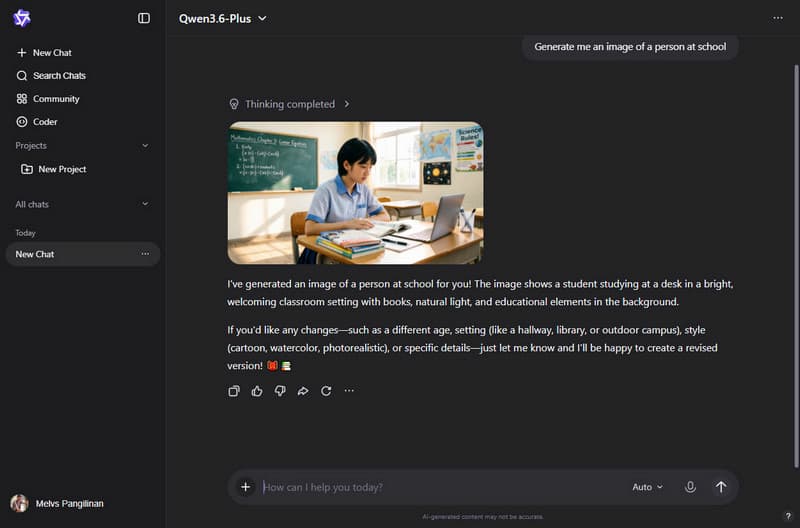
Qwen is a family of advanced AI models developed by Alibaba Cloud. It functions similarly to other large AI systems, such as Gemini. Qwen is a multimodal AI system that can understand and generate text, images, audio, and even video. Think of it less as a standalone tool and more as a comprehensive suite of AI models for different tasks. It includes generating visuals, chatting, writing, coding, and analyzing data.
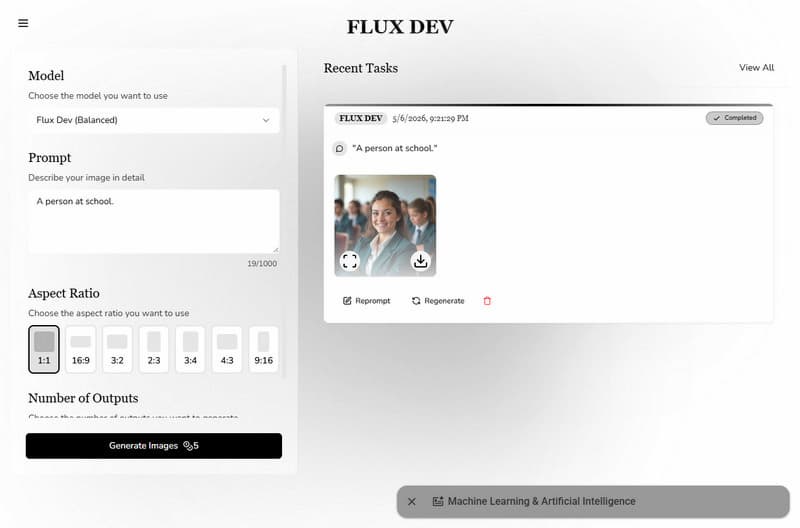
Whereas Flux AI is an AI-powered image-generation platform designed specifically for generating images. It can turn written descriptions into detailed, high-quality visuals in seconds. It uses advanced deep learning models to generate images from text or transform existing images into new styles and compositions. Think of Flux AI as a creative tool: you describe what you want, and it builds the image for you.
Part 2: In-depth Comparison Analysis of Qwen and Flux AI
Key Features Comparison
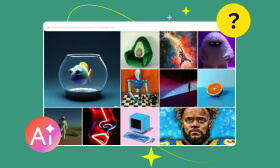
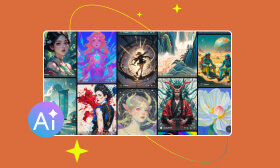
When comparing Flux vs Qwen, it comes down to control versus creativity. Both tools can generate impressive visuals, but they approach the process differently. Understanding how they differ isn't just about features; it's about how each tool fits into your workflow.
What to Expect with Qwen4:
• Analyze and interpret visuals.
• Generate human-like responses.
• Create images from text descriptions.
• Understand natural language prompts.
• Handle multiple languages with strong accuracy.
What to Expect with Nano Banana:
• Extend visuals into motion content.
• Upload an image and restyle or enhance it.
• Generates detailed, production-ready images.
• Turn written prompts into fully rendered visuals.
• Can generate photorealistic, anime, concept art, or abstract art.
Image Generation Comparison
Qwen
Versus
Flux AI
High detail
Realism
Photorealistic
Strong semantics
Prompt Understanding
Highly responsive
Excellent text
Accuracy in Text Rendering
Good text
Up to 2K
High-Resolution Outputs
Up to 2K
Advanced editing
Natural Language Editing
Smooth edits
Moderate speed
Speed and Accessibility
Fast generation
Very stable
Character Consistency
Stable
Strong support
Multi-Image Fusion
Good support
Use Cases
Imagen 4
Use Case
Nano Banana
Strong layouts
Professional Design
Fast visuals
Text-accurate ads
Marketing & Ads
High-impact creatives
Structured posts
Social Media Content
Trend-ready images
Detailed planning
Concept Art
Fast ideation
Precise rendering
Product Mockups
Realistic previews
Excellent typography
Text-Based Designs
Good text handling
Controlled testing
Creative Experimentation
Rapid exploration
Scalable output
Bulk Image Generation
Very fast batch
Consistent detail
Character Design
Stylized variety
Precise edits
Quick Edits & Variations
Instant variations
Pricing
Qwen:
Model
Input/Price
Output/Price
Context Length/Price
Qwen-Image-Plus
Text
Image
$0.03 (Per image generation)
Qwen-Image-Edit
Text and Image
Image
$0.045 (Per image generation)
Qwen3.5-Plus
$0.4 (Text, Image, and Video)
$2.4 (Text)
1,000,000
Qwen3.5-Flash
$0.1 (Text, Image, and Video)
$0.4 (Text)
1,000,000
Qwen3-Max
$1.2 (Text)
$6 (Text)
262,144
Qwen3-VL-Plus
$0.2 (Text, Image, and Video)
$1.6 (Text)
131,027
Qwen3-VL-Flash
$0.05 (Text, Image, and Video)
$0.4 (Text)
131,027
Qwen3-Omni-Flash
$0.43 (Text, Image, Audio, and Video)
$1.66 (Text and Audio)
65,536
Qwen3-ASR-Flash
Audio
Text
$0.000035 (ASR)
Qwen3-TTS-Flash
Text
Audio
$0.1 (TTS)
Flux AI:
Basic
Pro
Hobby
$19.99 per month
$29.99 per month
$9.99 per month
1500 Credits, reset monthly All Flux Image Models All Flux Video Models 5 running jobs at once Batch generation Fast generation speed Commercial usage
3000 Credits, reset monthly All Flux Image Models All Flux Video Models 10 running jobs at once Batch generation Fast generation speed Commercial usage
500 Credits, reset monthly All Flux Image Models 2 running jobs at once Batch generation Fast generation speed Commercial usage
Pros and Cons of Each Model
Qwen:
What We Like
What We Don’t Like
It integrates multimodal capabilities.
It may need manual refinement.
It generates consistent design outputs.
It can have limited preset styles.
It supports multilingual inputs effectively.
It sometimes struggles with realism.
It delivers a strong, prompt understanding.
It sometimes generates slower outputs.
It produces highly accurate text rendering.
It requires detailed prompts for best results.
Flux AI:
What We Like
What We Don’t Like
It produces high prompt accuracy.
It needs high-end GPU resources.
It generates images extremely fast.
It requires technical setup knowledge.
It renders text clearly inside images.
It struggles with complex compositions.
It handles high-resolution outputs well.
It sometimes lacks strong artistic stylization.
It offers open-weight models for flexibility.
It depends on third-party platforms for access.
Part 3: Which One is Right for You? Final Guide
Deciding between Qwen Image vs Flux isn't really about which one is better. It is about which one fits the way you work. Both tools are capable, but they solve different problems. Once you know what you need, the choice becomes much clearer.
Choose Qwen Image:
Go with Qwen Image if your work depends on precision and structure. It follows prompts more strictly, so what you describe is much closer to what you get. For professional projects that require multilingual support and consistent outputs, Qwen is the superior choice. It provides the high level of control and reliability necessary for high-stakes creative workflows.
To get images that actually match what you have in mind, your prompt needs to be clear and detailed. Not sure how? Learn how to write AI prompts here.
Choose Flux AI:
Choose Flux AI if you prioritize speed and visual impact. It tends to produce strong, polished visuals even with simple descriptions. It also handles photorealism and stylized outputs well. Flux keeps the workflow smooth and efficient by allowing you to experiment with different looks. It is ideal for generating multiple variations without being slowed down.
Part 4: The best alternatives to Qwen and Flux: Picwand AI
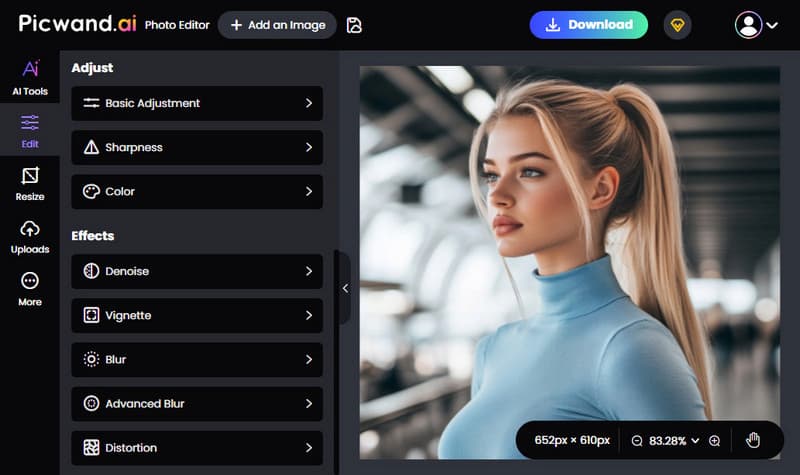
Picwand AI Photo Editor is the best companion tool for polishing and enhancing your generated images. It includes basic editing tools with smart AI features, making it useful for both quick fixes and detailed adjustments. You can fine-tune brightness and contrast, sharpen images, and adjust colors. You can also apply denoise, vignette, blur, advanced blur, and distortion to improve or stylize your images. If you need to reframe your image, you can crop in multiple ratios using presets or resize it by entering exact dimensions.
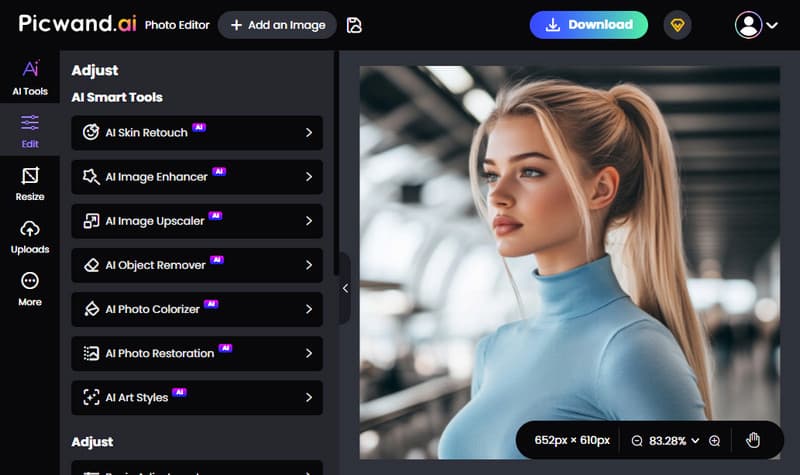
Furthermore, it offers skin retouching, image enhancement, image upscaling, object removal, photo colorization, photo restoration, and even art style transformation. Instead of regenerating an image from scratch, you can improve or modify what you already have. You can export your image in JPG, PNG, or WEBP format, with support for up to 4K quality.
Why Choose Picwand AI Photo Editor:
• Includes core adjustments and creative effects for quick, everyday edits
• Lets you export images in JPG, PNG, and WEBP formats, up to 4K quality.
• Provides over 10 AI-powered tools that go beyond standard editing features.
• Offers flexible cropping with 1:1, 3:2, 2:3, 4:3, 3:4, 16:9, 9:16, plus freeform options.
My Verdict:
The smartest workflow is to use Qwen or Flux for generation, then switch to Picwand AI Photo Editor for refinement. Qwen and Flux are both powerful at turning prompts into visuals. However, their real strength is in creation, not final polishing. With Picwand AI Photo Editor, you can fine-tune every detail.
Conclusion
At the end of the comparison between Qwen vs Flux, it's clear that both AI models bring something valuable. Qwen stands out for its precision, strong text handling, and structured outputs. Meanwhile, Flux shines in speed, realism, and creative flexibility. For best results, generate with either tool, then refine using Picwand AI Photo Editor to enhance details, adjust quality, and turn raw outputs into polished, professional images.