Basic PlanVIP PlanVIP ExpiredPurchased credits are valid for life but require an active VIP subscription to use
0Credit(s)
You can use credits to access all the AI tools on Picwand, such as the AI Image Upscaler, AI Age Filter, AI Video Enhancer, AI Video Upscaler, AI Video Effects, and more.
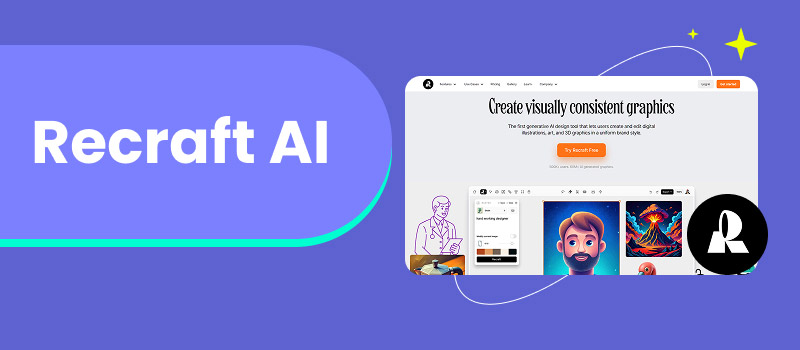
As AI image generation rapidly evolves, creators and businesses are no longer satisfied with “good-looking” visuals alone: they need brand-consistent, editable, and scalable designs. This demand has led to the rise of specialized AI tools that go beyond simple text-to-image generation. Recraft AI is one such platform. Known for its strong focus on vector graphics, logo design, and brand-ready visuals, Recraft AI Image Generator has gained attention among designers, startups, and marketers who need production-level assets rather than experimental art.
In this article, we’ll take a comprehensive look at Recraft AI: what it is, how it works, its core features, pricing, API access, and who it’s best for. We’ll also explore real-world use cases and help you decide whether Recraft AI is the right tool for your creative workflow.
Recraft ai image vectorizer is an AI-powered image generation and design platform that specializes in vector-based graphics, including logos, icons, illustrations, and branded assets.
Unlike many AI image generators that focus primarily on photorealistic images or artistic styles, Recraft AI is designed with design systems and branding workflows in mind. Its outputs are often editable, scalable, and suitable for commercial use, making it particularly attractive for professional designers and businesses.
At its core, Recraft AI combines:
• Text-to-image generation
• Vector and SVG output capabilities
• Brand style control
• Design-oriented editing tools
This positions Recraft AI somewhere between traditional design software and next-generation AI creative tools.
Part 2. Key Features of Recraft AI
1. Vector Image Generation
One of Recraft AI’s most distinctive features is its ability to generate vector graphics rather than only raster images.
• Outputs can be exported as SVG or other vector formats
• Designs remain sharp at any size
• Ideal for logos, icons, UI assets, and print materials
This is a major advantage over many AI image generators that only output PNG or JPG files.
2. Logo and Brand Asset Creation
Recraft AI excels at logo design and brand visuals. Users can generate:
• Logos
• Brand icons
• Illustrations aligned with brand identity
• Consistent visual elements for marketing materials
The platform allows users to define style constraints, ensuring that generated images align with specific branding guidelines.
3. Style Control and Consistency
Unlike more experimental AI tools, Recraft AI emphasizes controlled creativity. Users can:
• Lock colors, shapes, and design styles
• Maintain visual consistency across multiple generations
• Build repeatable brand assets
This makes it particularly useful for companies producing large volumes of visual content.
4. Prompt-Based Editing
Recraft AI supports iterative prompt refinement and live video upscaling, allowing users to tweak designs without starting from scratch. This significantly speeds up the design process and reduces manual revisions.
5. Commercial-Friendly Outputs
The platform is designed for commercial use, making it suitable for:
• Marketing campaigns
• Product packaging
• Websites and apps
• Print and digital advertising
Part 3. How to Use Recraft AI
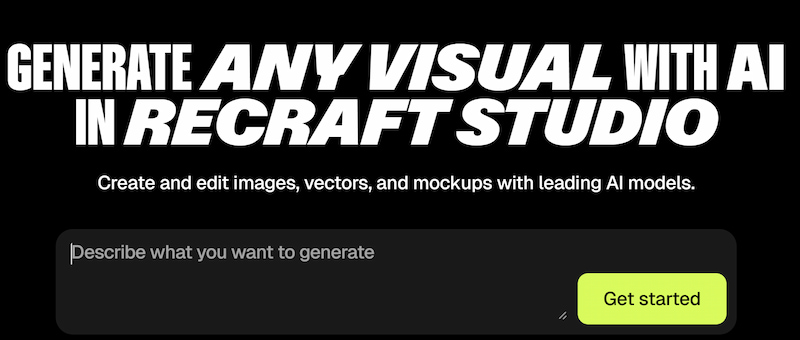
Using Recraft AI image generator is relatively straightforward, even for users without a strong design background.
Step 1. Create an Account Sign up using an email or supported third-party login.
Step 2. Enter a Prompt Describe the design you want, such as:
“Minimalist vector logo for a fintech startup, blue and white color palette.”
Step 3. Choose Output Type Select whether you want:
• Vector graphics
• Icons
• Illustrations
• Brand-style assets
Step 4. Refine and Edit Adjust prompts, regenerate variations, and fine-tune style settings.
Step 5. Export Download your design in the desired format, including SVG for scalable use.
Part 4. Use Cases of Recraft AI
1. Logo Design for Startups
Recraft AI allows startups to quickly generate professional logo concepts without hiring a full design team.
2. Marketing and Advertising
Create consistent visual assets for:
• Social media campaigns
• Landing pages
• Email marketing
3. UI and Product Design
Design icons, illustrations, and interface elements that scale perfectly across devices.
4. Branding Agencies
Agencies can use Recraft AI to:
• Speed up ideation
• Produce draft concepts for clients
• Maintain brand consistency across projects
5. Content Creation
Bloggers and content teams can generate high-quality visuals that align with their brand identity.
Part 5. Target Users
Recraft AI Image is best suited for:
• Graphic designers looking to speed up repetitive tasks
• Startups and small businesses needing affordable branding
• Marketing teams producing large volumes of visuals
• Product designers working on UI and UX assets
• Agencies managing multiple brand identities
It may be less ideal for users who primarily want photorealistic AI art, as Recraft AI image prioritizes design utility over artistic experimentation.
Part 6. API Access
Recraft AI offers API access for developers and enterprises who want to integrate AI-generated design into their workflows.
API Capabilities Include:
• Automated image generation
• Brand-style enforcement
• Batch asset creation
• Integration with design or CMS platforms
This makes Recraft AI appealing for SaaS products, design automation tools, and large-scale content platforms to enhance jog image.
Part 7. Pricing
Recraft AI typically follows a tiered pricing model, which may include:
• Free or trial plan with limited generations
• Pro plans for individuals and designers
• Team or enterprise plans with collaboration and API access
Pricing often depends on:
• Number of generations
• Export formats
• Commercial usage rights
• API request volume
For users comparing options, it’s worth noting that some platforms—such as Picwand—offer broader image processing and enhancement features alongside AI generation, which may better suit users needing an all-in-one solution.
FAQ about Recraft AI
Is Recraft AI free to use?
Recraft AI usually offers a limited free tier or trial, with paid plans unlocking advanced features and commercial usage.
Does Recraft AI generate vector files?
Yes. Vector and SVG output is one of Recraft AI’s core strengths.
How does Recraft AI Generator compare to other AI image generators?
Recraft AI focuses more on design, branding, and vectors, while many other tools prioritize artistic or photorealistic outputs.
Conclusion
Recraft AI stands out in the crowded AI image generation space by focusing on what businesses and designers truly need: scalable, editable, and brand-consistent visuals. Its vector-based outputs, logo-friendly design, and API support make it a strong choice for professional workflows.
However, no single AI tool fits every use case. If your needs extend beyond branding—such as photo enhancement, background removal, or general-purpose AI image editing—exploring complementary tools like Picwand can help you build a more versatile creative stack.
Ultimately, Recraft AI is best viewed not as an art toy, but as a serious design assistant—one that bridges the gap between creativity and production.