Basic PlanVIP PlanVIP ExpiredPurchased credits are valid for life but require an active VIP subscription to use
0Credit(s)
You can use credits to access all the AI tools on Picwand, such as the AI Image Upscaler, AI Age Filter, AI Video Enhancer, AI Video Upscaler, AI Video Effects, and more.
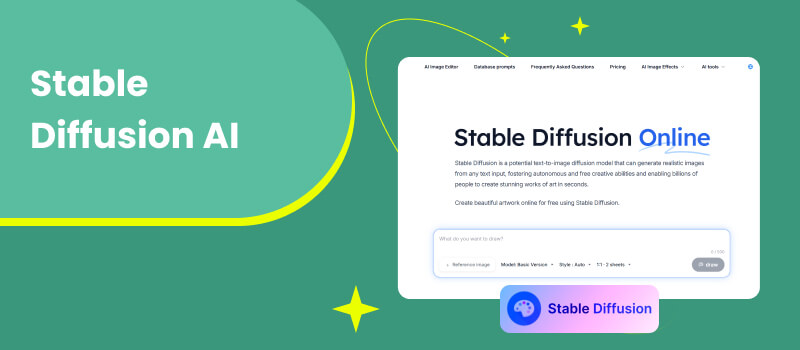
In recent years, generative AI has transformed how visual content is created, shared, and consumed. Among the many image generation models available today, Stable Diffusion AI stands out as one of the most influential and widely adopted tools. Known for its open-source nature, flexibility, and impressive image quality, Stable Diffusion has become a cornerstone for artists, designers, developers, and AI enthusiasts alike.
Unlike proprietary platforms that limit customization, Stable Diffusion offers users greater control over image generation, from prompt engineering to model fine-tuning. This freedom has helped fuel a rapidly growing ecosystem of tools, extensions, and creative workflows. At the same time, users often wonder how Stable Diffusion compares to newer AI models and how its outputs can be further enhanced or repurposed.
This review takes an in-depth look at what Stable Diffusion AI image generator is, how it works, its strengths and weaknesses, common use cases, and how tools like Picwand AI can extend its capabilities—especially when it comes to turning static images into engaging motion content.
Part 1. What is Stable Diffusion Model and How Does It Work
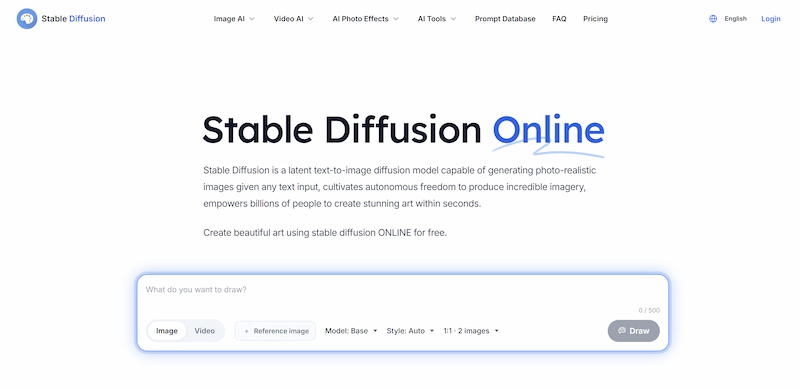
Stable Diffusion AI art generator is a latent text-to-image diffusion model developed to generate high-quality images from natural language descriptions. Unlike earlier diffusion models that operate directly in pixel space, Stable Diffusion works in a compressed latent space, making it significantly more efficient while maintaining strong visual fidelity.
How Stable Diffusion Works
At its core, Stable Diffusion AI follows a two-stage process:
1. Training Phase
The model is trained on large-scale image–text datasets. Images are gradually corrupted with noise, and the model learns how to reverse this process step by step while aligning visual features with textual prompts.
2. Generation Phase
When a user inputs a text prompt, the model starts with random noise and iteratively removes it, guided by the semantic meaning of the prompt, until a coherent image emerges.
Key Components
• Text Encoder: Interprets the user’s prompt and converts it into numerical representations.
• U-Net Denoiser: Predicts and removes noise during each diffusion step.
• Variational Autoencoder (VAE): Converts images between pixel space and latent space for efficiency.
This architecture allows Stable Diffusion models to run on consumer-grade hardware and makes it suitable for local deployment, which has contributed greatly to its popularity.
Capabilities and Limitations
Capabilities
• High-quality image generation across styles such as photorealism, illustration, anime, oil painting, and fantasy art
• Prompt control and customization, including negative prompts and style modifiers
• Image-to-image generation, enabling users to transform or enhance existing visuals
• Model fine-tuning, such as DreamBooth or LoRA, for personalized outputs
• Open-source flexibility, allowing integration into custom workflows and applications
These strengths make Stable Diffusion AI art generator especially appealing to professionals who require creative control and adaptability.
Limitations
Despite its advantages, Stable Diffusion is not without drawbacks:
• Steep learning curve for beginners, particularly when running locally
• Hardware dependency, as high-resolution generation still requires capable GPUs
• Inconsistent results, depending heavily on prompt quality and parameter tuning
• Ethical and copyright concerns, especially when trained on large public datasets
Understanding these limitations helps users set realistic expectations and choose complementary AI image models when needed.
Use Cases
Stable Diffusion AI is used across a wide range of industries and creative fields:
Digital Art and Illustration
Artists use Stable Diffusion for concept art, character design, and style exploration. It often serves as a creative partner rather than a replacement for human artistry.
Marketing and Content Creation
Marketers generate visuals for blogs, ads, and social media campaigns quickly and cost-effectively, reducing reliance on stock images.
Game and Film Pre-Production
Designers create environments, props, and storyboards to visualize ideas during early development stages.
Education and Research
Stable Diffusion supports visual experimentation in AI research, design education, and creative coding projects.
Product Design and E-commerce
From mockups to lifestyle imagery, the model helps visualize products before physical production.
Part 2. Best Alternative: Picwand AI Model
While Stable Diffusion excels at generating static images, modern content platforms increasingly favor motion-based visuals. This is where Picwand AI becomes a powerful complement.
Key Features of Picwand AI
Picwand AI Text-to-Video Generator is designed to transform still images into dynamic, engaging video content using advanced AI motion models. Key features include:
• Image-to-video conversion with smooth, natural motion
• AI-driven animation presets for portraits, landscapes, and creative art
• No technical setup required, making it beginner-friendly
• Fast processing suitable for social media and marketing workflows
Steps
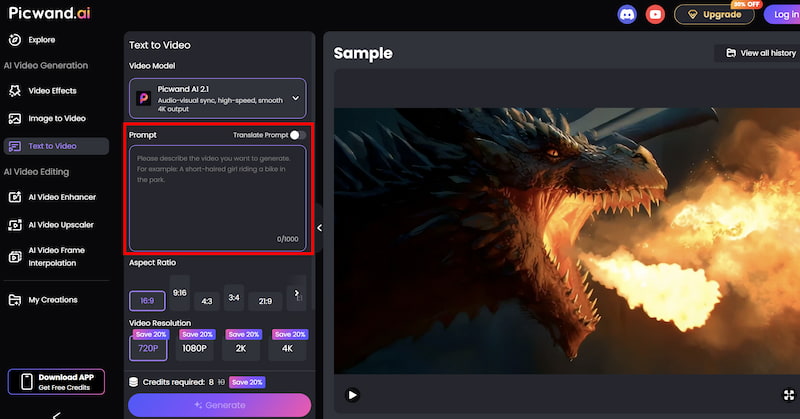
Step 1. From the main dashboard, choose the Text-to-Video Generator option. This tool allows you to generate short video clips purely from written descriptions.
Step 2. Enter your text prompt by describing the scene you want to create using natural language. You can specify elements such as environment, mood, movement, and visual style. For example, you might describe a cinematic landscape, a product showcase, or a short animated concept.
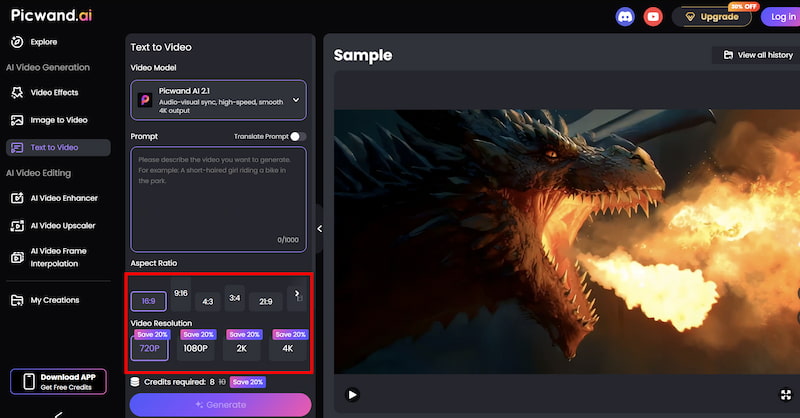
Step 3. Before generating the video, you can fine-tune settings such as Aspect Ration, Video Resolution, etc. These options help tailor the output to social media, marketing, or presentation needs.
Step 4. Once your prompt is ready, click the generate button. Picwand processes the request and produces a preview video within a short time, allowing you to review the result instantly. If you are satisfied with the output, you can export the video directly.
This streamlined workflow allows creators to produce video content without traditional editing software.
Practical Use Cases
• Social media posts with eye-catching motion
• Short promotional videos from AI-generated visuals
• Animated art showcases for portfolios
• Content repurposing, turning still images into reels or shorts
By finding some AI prompt examples to combine Stable Diffusion with Picwand AI, users can move from image generation to full visual storytelling.
Part 3. FAQs About Stable Diffusion AI
Is Stable Diffusion better than other AI image models?
It depends on the use case. Stable Diffusion offers more flexibility and customization, while some proprietary models prioritize ease of use.
Can I animate Stable Diffusion images directly?
Not natively. Animation typically requires additional tools such as Picwand AI or other video-generation models.
Is Stable Diffusion suitable for commercial projects?
It can be, but users should review licensing terms and ensure compliance with copyright and ethical guidelines.
Conclusion
Stable Diffusion AI has established itself as one of the most influential image generation models in the AI landscape. Its open-source foundation, powerful customization options, and broad application range make it a favorite among creators and professionals alike. However, like any tool, it works best when combined with complementary solutions. For users looking to go beyond static images, tools like Picwand AI Text-to-Video Generator offer a practical way to bring Stable Diffusion creations to life through motion and animation. Together, they form a flexible, future-ready workflow for modern digital content creation. As generative AI continues to evolve, mastering tools like Stable Diffusion—and knowing how to extend their output—will remain a valuable skill for creators across industries.