Best AI Video Upscaler: Top 5 AI Video Upscaling Software Compared [2026]

If you want to improve blurry, old, or low-resolution videos, using the best AI video upscaler can help you quickly enhance video quality with advanced AI technology. From converting SD videos to HD or 4K to restoring details and reducing noise, today's AI-powered tools make video enhancement easier than ever. However, with so many options available, choosing the best AI video upscaling software for your needs can be difficult.
This post reviews five popular AI upscaling tools, including online services and desktop programs. You can compare their features, pricing, pros, and limitations to find the best free AI video upscaler or professional AI enhancement tool for your workflow.
Contents:
Quick Comparison of the Best AI Video Upscalers
| Tool | Best For | Free Trial | Max Resolution | Rating |
| Picwand AI | Beginners | Yes | 4K | ⭐⭐⭐⭐⭐(5/5) |
| Winxvideo AI | All‑in‑one editing | Yes | 4K | ⭐⭐⭐⭐(4/5) |
| Topaz Video AI | Professional creators | Limited | 8K | ⭐⭐⭐⭐⭐(5/5) |
| Adobe Premiere Pro | Video editing workflows | 7‑day | 4K/8K | ⭐⭐⭐⭐(4/5) |
| VideoProc Converter AI | Video restoration | Yes | 8K | ⭐⭐⭐⭐(4/5) |
How We Tested These AI Video Upscalers
We evaluated these AI video upscalers based on the factors that matter most when improving low-resolution, blurry, or old video footage. Each tool was compared for upscaling quality, ease of use, processing performance, supported output resolution, AI enhancement features, and overall value.
To make the comparison more useful, we considered how each tool performs for different types of users, from beginners looking for a quick online solution to professional creators working with 4K or 8K footage.
Our main evaluation criteria include:
- • Video quality: How effectively the tool increases resolution while preserving or restoring details.
- • AI enhancement: Whether it can reduce noise, sharpen footage, restore old videos, or improve visual details.
- • Maximum resolution: The highest output resolution supported by the software.
- • Ease of use: How simple it is to upload, process, preview, and export enhanced videos.
- • Processing performance: Processing speed, stability, and overall workflow efficiency.
- • Features and flexibility: Supported formats, editing tools, restoration options, and other useful capabilities.
- • Value for money: Whether the available features and results justify the cost.
Key Takeaway: The best AI video upscaler depends on your needs. Beginners may prefer an easy-to-use tool such as Picwand AI, while professional creators who need advanced restoration and 4K/8K output may benefit more from Topaz Video AI or VideoProc Converter AI.
5 Best Free AI Video Upscalers Online for 4K Enhancement
Top 1. Picwand AI Video Upscaler
Best For: Beginners and casual users
If you are looking for the best free ai video upscaler to enhance videos online directly, Picwand AI Video Upscaler is a strong option for beginners and casual users. Better than traditional upscaling methods, Picwand AI uses the latest AI algorithms to improve your video’s overall quality. It lets you effectively increase video resolution to 1080p or 4K. The upscaling process will also add details, reduce noise, sharpen edges, and perform other AI-related video enhancement operations. In most cases, the enhanced results are outstanding.
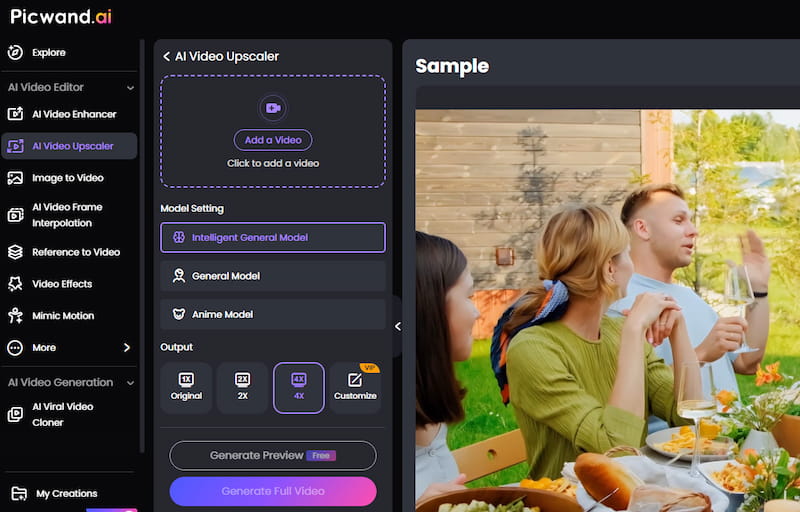
Picwand AI is ideal for casual users who want a quick video upscaling experience or don’t have much editing experience or skills. Besides a free online version, Picwand AI also offers mobile apps for iOS and Android users, making it a convenient video enhancer app for upscaling videos on the go. This ensures high-quality AI upscaling directly on iPhones and Android phones. The online AI video upscaler provides a quick and simple way to improve resolution and enhance overall quality, making it one of the best AI upscale video software choices for mobile and web users. You only need to upload your video and let AI do the rest. You can generate a preview video to compare the upscaling result, then download the high-quality enhanced video.
Top 2. Winxvideo AI
Best For: Users who want all-in-one video enhancement and editing
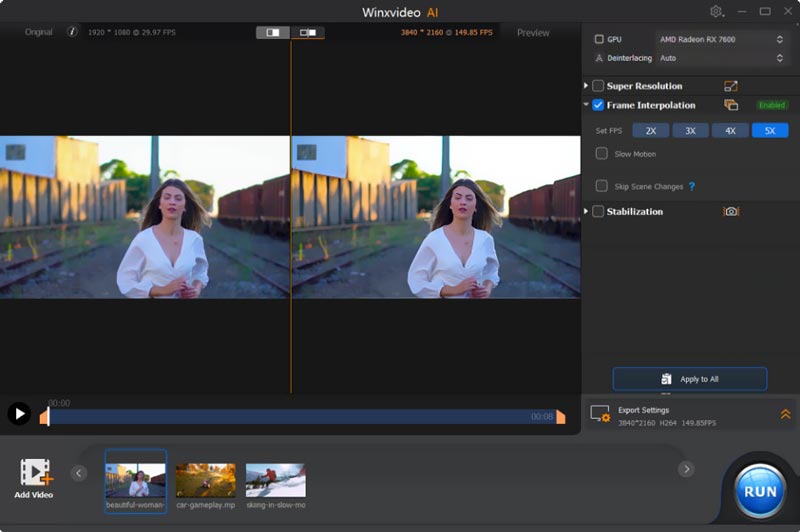
Winxvideo AI is an all-in-one AI enhancement toolkit with video editing, recording, compression, conversion, and AI upscaling features. It is considered one of the best video ai upscaling software options for users who want both enhancement and editing tools in one package. It also offers AI enhancement features, including upscaling, old video restoration, noise reduction, and more. For the AI video upscaling, it allows you to increase resolution from SD (480p/576p) to HD (720p/1080p) or HD to 4K (2160p) with more details. Like Picwand AI, Winxvideo AI can add realistic detail and sharpness during the upscale process.
Winxvideo AI video upscaler supports the most commonly used video formats. This all-in-one software is equipped with basic editing functions. You can download it on a Mac or Windows PC for video editing and enhancement. You can use its free version to test some basic features.
Top 3. Topaz Video AI
Best For: Professional creators and filmmakers
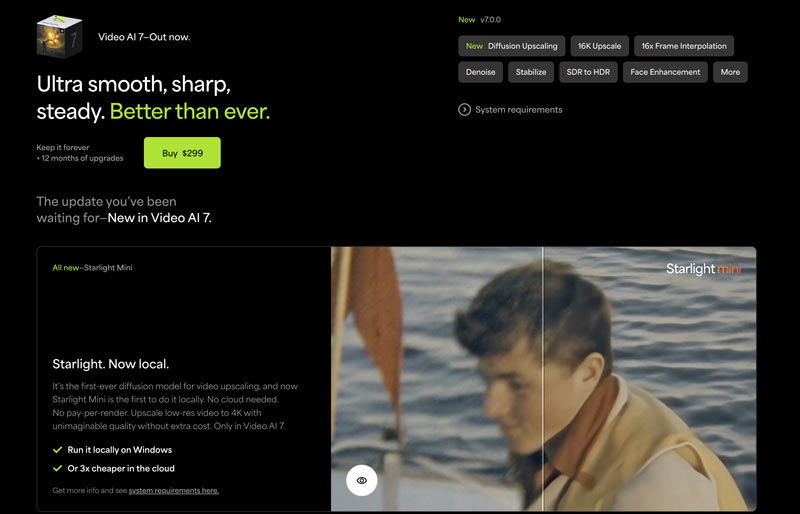
Topaz Video AI 7 is a professional-grade AI enhancement tool widely recognized as one of the best ai video upscaling software solutions for filmmakers, creators, and video professionals. It provides AI-driven video restoration and upscaling functions. This powerful AI video upscaler is mainly designed for professionals. As a casual user, it is not a good option to upscale or enhance videos because of its high price ($299). Topaz Video AI can effectively handle complex video enhancement or upscaling tasks. It enables you to upscale SD/HD to 4K/8K and output fine-tuned results.
Top 4. Adobe Premiere Pro
Best For: Professional video editing workflows
Adobe Premiere Pro is another professional editing program with AI-powered video enhancement capabilities. Although it is not a dedicated AI upscaler, many creators still consider it among the best AI video upscaler tools for professional editing workflows. Compared to a dedicated AI video upscaler like Picwand AI or Topaz Video AI, its upscaling capabilities are more limited. The software offers various editing and enhancement features. It can intelligently increase video resolution and improve detail. As a video upscaling software, it uses Adobe Sensei AI to analyze frames and upscale videos.
Like other Adobe programs, Adobe Premiere Pro gives a free trial version to use all its features. You can download and test it for 7 days for free. Compared with other AI video upscalers, its trial version gives you enough time to confirm if you are satisfied with its upscaling and editing results.
Top 5. VideoProc Converter AI
Best For: Video restoration and enhancement
VideoProc Converter AI is a popular AI-powered enhancement and conversion program designed for video quality improvement. It is often recommended as one of the best AI upscale video software tools for restoring low-quality videos. It is designed with commonly used editing functions. Moreover, this AI toolkit carries tools to upscale, convert, restore, colourize, smooth, compress, and more. As an AI video upscaler, VideoProc lets you easily increase the video resolution to 4K or 8K from lower-quality sources. It has a new V3 model for AI Super Resolution results. The software can better enhance low-quality, blurry, noisy, or compressed videos than old AI models.
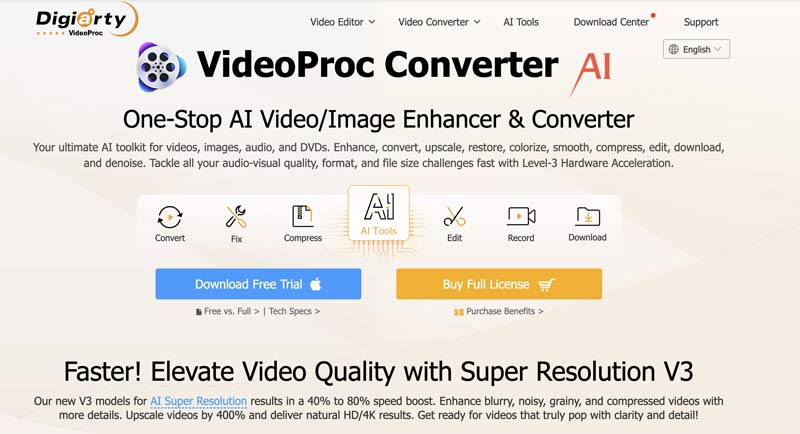
VideoProc Converter AI offers a trial version that you can download and test its functions. You can have a free trial and decide if you want to upgrade to a full paid version.
How to Choose the Best AI Video Upscaler
The best AI video upscaler is the one that matches your source video quality, desired output resolution, editing experience, budget, and workflow. Before choosing a tool, consider the following factors:
1. Consider your source video.
If you are enhancing an old SD video, choose a tool with AI restoration, noise reduction, and detail enhancement. For relatively clean HD footage, a basic AI upscaling tool may be sufficient.
2. Check the output resolution.
If you only need Full HD or 4K, a simpler upscaler may be enough. If you need professional 8K output, look for software that specifically supports 8K upscaling.
3. Look for AI restoration features.
Resolution upscaling alone does not always improve a poor-quality video. Features such as noise reduction, sharpening, frame interpolation, and old-video restoration can produce better results.
4. Choose between online and desktop software.
Online tools are generally more convenient for quick projects and beginners. Desktop applications are better suited to large files, batch processing, advanced controls, and professional workflows.
5. Compare pricing and free trials.
If you only need occasional enhancement, a free or trial-based tool may be enough. Professional users who regularly process videos may benefit from investing in dedicated AI enhancement software.
6. Test your own footage.
AI upscaling results vary significantly depending on the original video's resolution, compression, noise, motion, and level of detail. Whenever possible, use a free trial or preview feature to compare results before purchasing.
Key Takeaway: For beginners, prioritize ease of use and fast results. For professional video production, prioritize AI restoration quality, advanced controls, supported resolutions, processing performance, and export flexibility.
Quick recommendation: If you want the simplest way to enhance a video, start with Picwand AI. For professional-grade restoration and high-resolution output, consider Topaz Video AI. If you also need video conversion, compression, and other enhancement tools, VideoProc Converter AI is worth considering.
FAQs
Question 1. Can AI upscale video quality?
Yes, AI can significantly improve video quality. As you can learn from above, many AI-powered video editing tools can easily upscale the overall quality of your videos. Many related AI models are trained on massive datasets to edit video files, mainly for these old, degraded, low-resolution ones. Moreover, the AI can learn complex patterns to enhance video quality accurately. Besides upscaling resolution, AI can reduce noise, sharpen edges, create intermediate frames, add details, and adjust brightness, white balance, hue, and more. However, the final results depend heavily on source quality and your specific AI tool.
What is the best AI video upscaler online?
You can find many recommendations when searching for the best AI video upscaler app online. However, different AI upscaling tools are designed for different users and purposes.
Question 3. Should I upscale videos using AI?
Many of the best free AI video upscaler tools provide free trials or limited free features for testing video enhancement quality before upgrading. You can start with some preferred or popular ones to check the upscaling results. Whether you should upscale videos using AI depends on various factors, such as the source files, your budget, specific goals, and more. Generally, you are suggested to start a free trial of several AI-powered upscalers. AI upscaling is often a good choice if your source video is low-resolution or damaged.
Question 4. Can AI upscale 480p video to 4K?
Yes. AI can upscale 480p video to 4K while improving sharpness, reducing noise, and reconstructing missing details.
Conclusion
This article reviews five popular tools to help you choose the best AI video upscaler for your editing needs. Whether you need the best free AI video upscaler for casual enhancement or professional-grade AI restoration software for 4K and 8K projects, these tools offer different strengths for different users. Before making your final decision, it’s recommended to test several options and compare their enhancement quality, speed, supported formats, and editing features.
AI Picwand - Anyone Can be A Magician
Get Started for Free